Best HR Software for All Sized NDIS Providers
Explore HR software for NDIS providers. Manage staff, rostering, timesheets, attendance and payroll workflows with Imploy in one connected platform.

.webp)
Managing staff is an important part of running an NDIS provider.
Whether a provider is starting with a small team or managing a larger workforce, staff records, rosters, timesheets, compliance documents and payroll information need to stay organised.
As a provider grows, these tasks can become harder to manage across spreadsheets, emails and separate systems. This is why best ndis software for large providers and small providers often includes workforce management features alongside participant and service management.
HR and workforce management software can bring these processes together. It can help providers manage staff information, organise rosters, track hours and connect workforce data with payroll.
For providers delivering NDIS and aged care services, having these workflows connected can make day-to-day administration easier.
What Is HR Software for NDIS Providers?
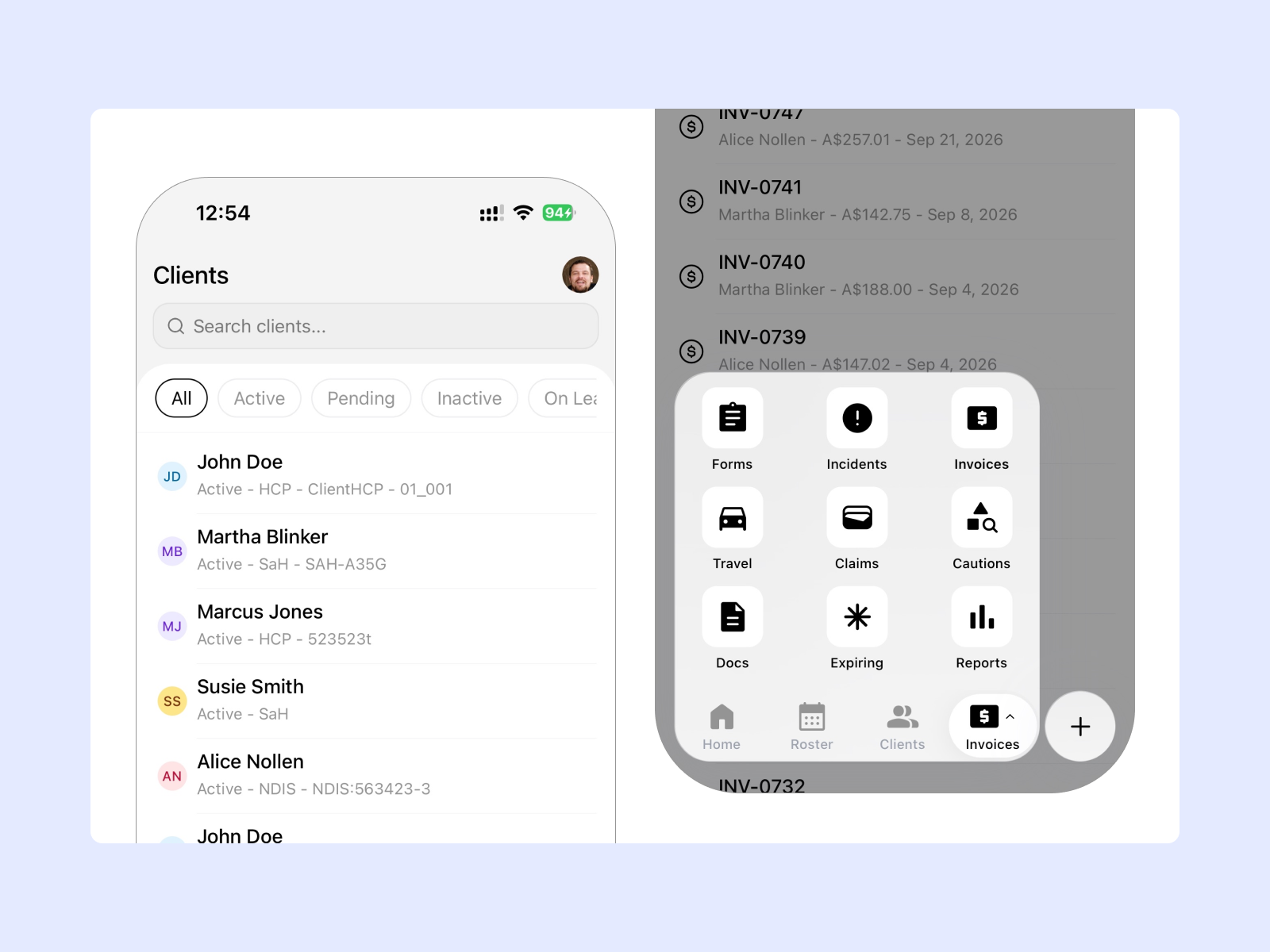
HR software for NDIS providers helps organise the information and processes involved in managing a workforce.
This can include:
- Staff information
- Rostering
- Timesheets
- Staff availability
- Compliance records
- Payroll information
- Workforce reporting
For a growing provider, these processes can become more complex as the number of workers and participants increases.
A connected system can help reduce repeated data entry and give authorised staff a central place to manage workforce information.
Why Do NDIS Providers Use HR Software?
Managing a workforce involves more than storing employee details.
Providers also need to coordinate shifts, track attendance, manage availability and keep relevant records up to date.
1. Manage Staff Information
Providers can have workers with different roles, skills, availability and documentation requirements.
Centralising this information can make it easier for managers to find the details they need.
2. Reduce Manual Administration
Manual workforce administration can involve repeated data entry.
Information may need to move between staff records, rosters, timesheets and payroll.
Connected workflows can reduce some of this repetition, whether the provider has a small team or a larger workforce.
3. Organise Compliance Records
Providers need to maintain appropriate workforce records and meet relevant regulatory requirements.
The NDIS Practice Standards outline requirements for registered providers across areas including governance, provision of supports and participant rights.
Keeping staff information and documents organised can make it easier to monitor records and identify information that needs attention.
4. Manage Rostering
Rostering is closely connected to workforce management.
Providers need to consider worker availability, participant requirements, skills, locations and shift times when creating schedules.
NDIS rostering software can help bring these tasks into a structured workflow.
5. Connect HR With Payroll
Staff hours recorded through shifts and timesheets can form part of the payroll process.
Connecting these workflows can reduce the need to manually enter the same information into different systems.
What Should NDIS HR Software Include?
The right features depend on the provider's size and workflow.
A small provider may need straightforward staff and rostering tools, while a growing organisation may need more advanced workforce management features.
Useful software should support several key areas.
1. Staff Management
The system should provide a central place for authorised users to manage workforce information.
2. Rostering
Rostering tools should make it easier to create shifts, assign workers and identify scheduling issues.
3. Timesheets
Staff hours should be connected to the shifts they complete so managers can review working time more easily.
4. Compliance Records
Providers should be able to organise relevant staff documents and information in one system.
5. Mobile Access
Workers often spend most of their time away from the office. Mobile access can help them view shifts, record attendance and complete relevant tasks while working.
6. Payroll Workflows
Timesheets should connect with payroll processes to reduce duplicate data entry.
7. SCHADS Support
For providers covered by the Social, Community, Home Care and Disability Services Industry Award, workforce software can provide alerts and information that support scheduling and workforce administration.
Providers should also refer to the Fair Work Ombudsman guidance on the SCHADS Award for current employment and award information.
8. Reporting
Workforce reports can help managers review staff hours, shifts and other operational information.
How Does Imploy Support HR and Workforce Management?
Imploy provides HR and workforce management features as part of its wider NDIS platform.
Instead of managing staff information, rostering, attendance and timesheets separately, providers can connect these workflows within one platform.
1. Manage Workforce Information
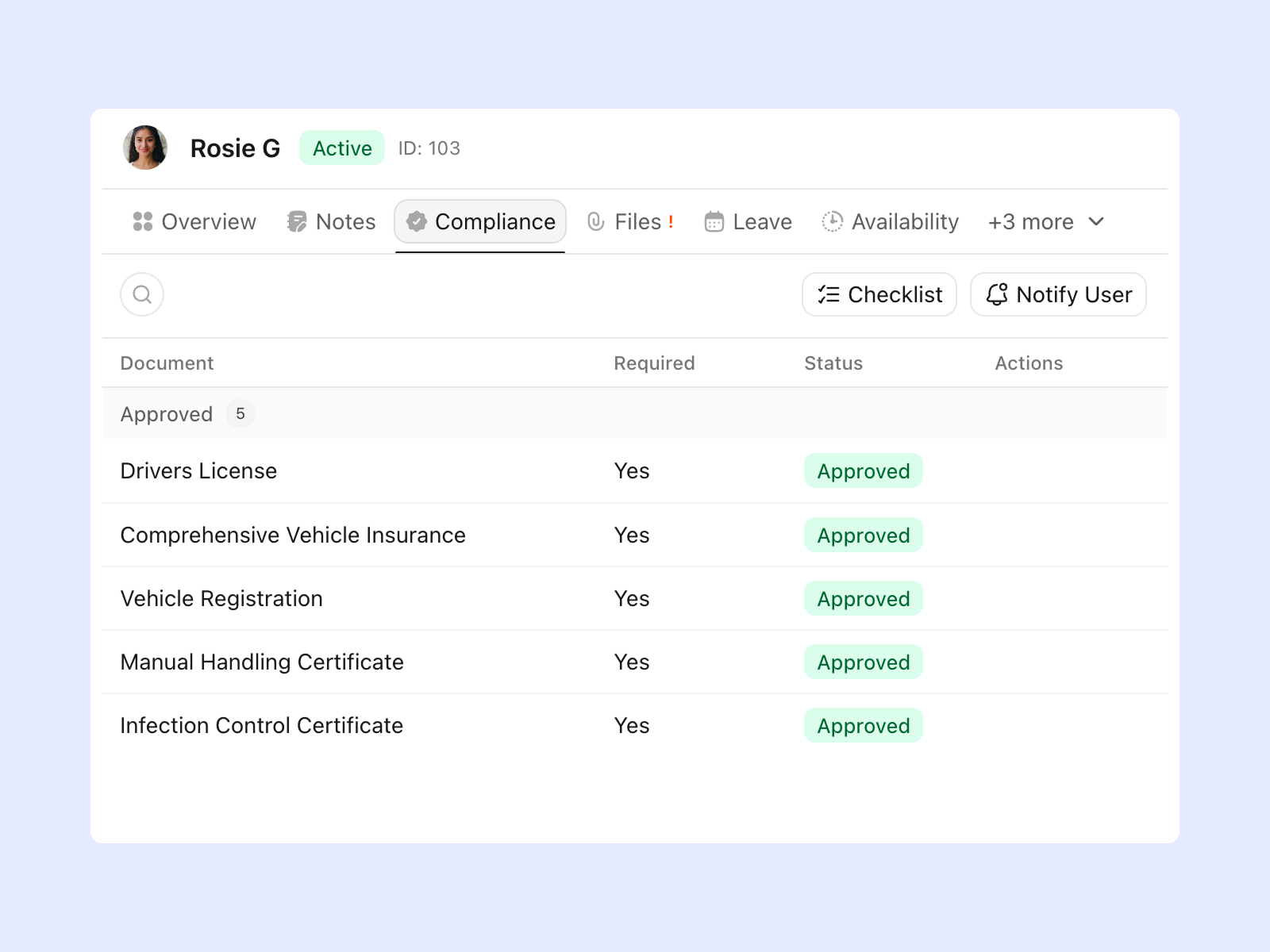
Imploy provides a central platform for managing workforce information.
Authorised users can access relevant staff details when planning shifts and managing day-to-day operations.
This can make it easier to keep workforce information connected to rostering and service delivery.
2. Create and Manage Rosters
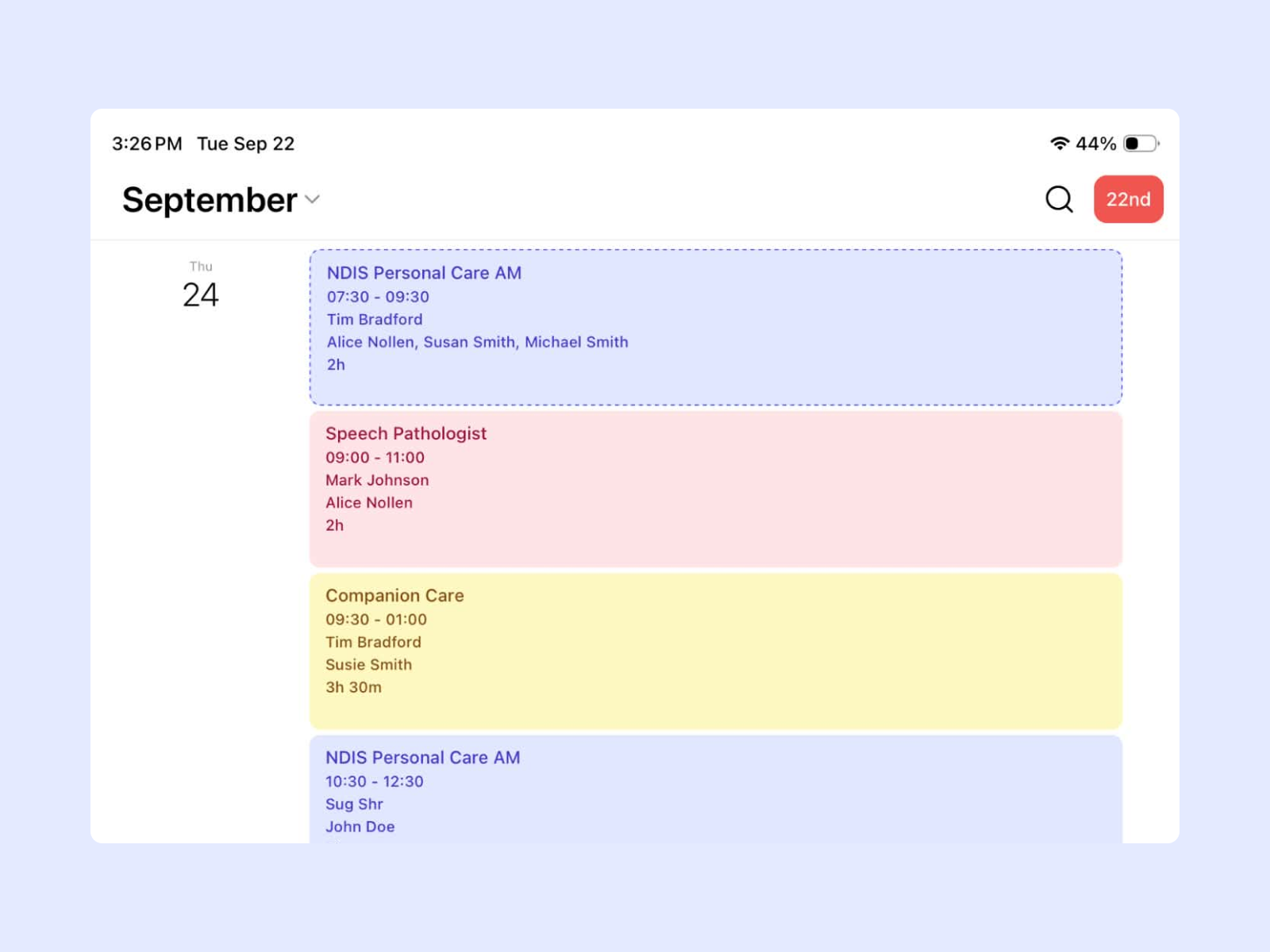
Imploy includes a drag-and-drop Roster Builder that helps managers create and manage shifts.
Providers can create recurring shifts on daily, weekly, fortnightly or monthly schedules.
The system can also provide alerts for scheduling conflicts and relevant SCHADS-related issues. This helps managers identify potential problems while building the roster.
3. Match Workers to Vacant Shifts
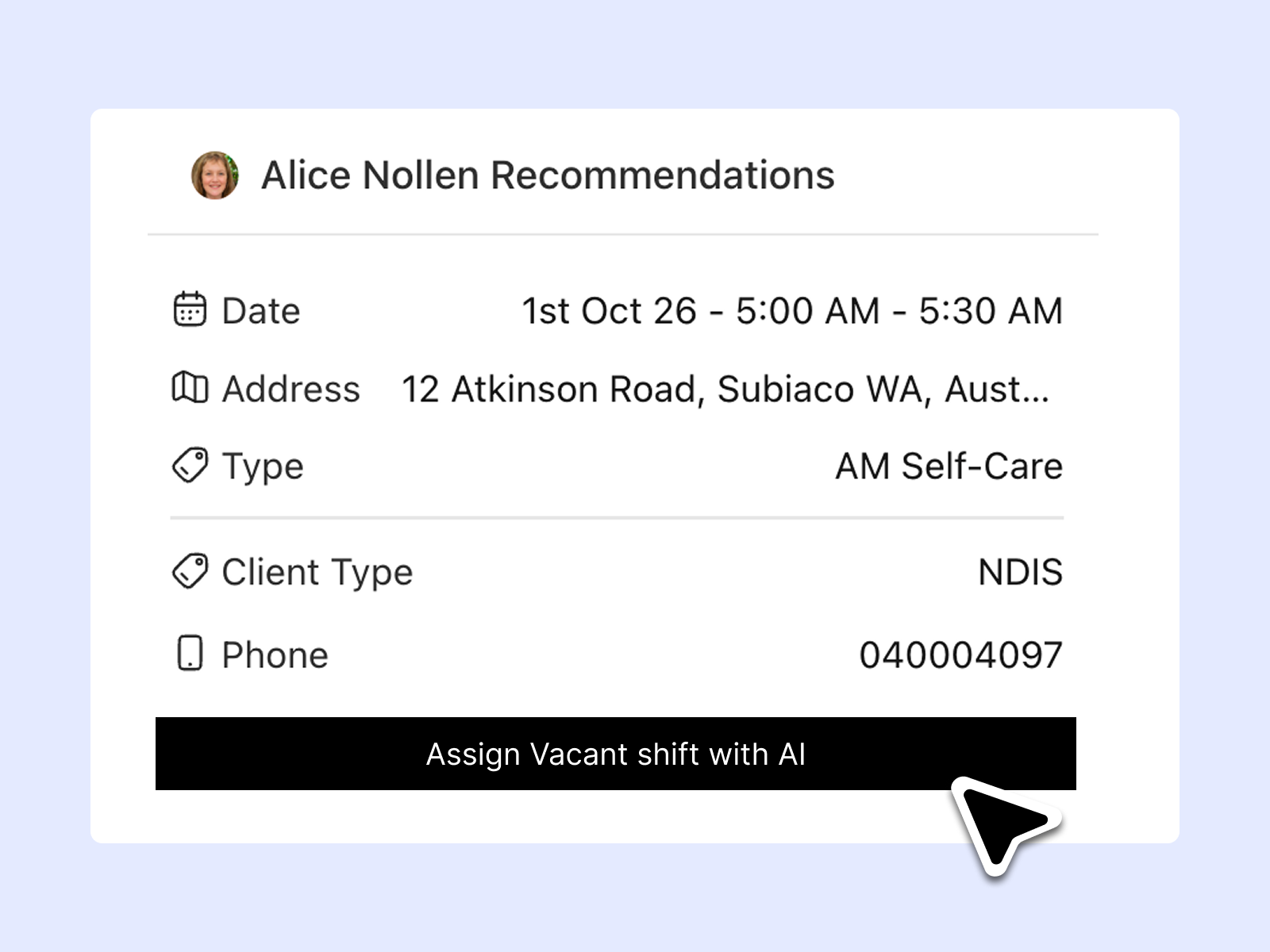
Finding the right worker for an open shift can take time.
This can become particularly challenging as the number of participants, workers and locations increases.
Imploy's Shift Pool can notify eligible workers about available shifts. If a shift remains unaccepted, administrators can also receive an email notification.
AI shift matching can help identify suitable workers based on factors such as availability, skills, location and client preferences.
4. Track Staff Hours
Imploy connects staff attendance with scheduled shifts.
Workers can use the Imploy mobile app to clock in and out when completing shifts. Their recorded attendance can then contribute to timesheet information.
Managers can review and manage timesheets before they move into the next stage of the workflow.
5. Support Workforce Compliance
Workforce records and staff documents can be managed within the platform.
Providers can organise relevant information and keep track of documents that require attention.
The software can support these processes, but providers remain responsible for meeting their own regulatory, employment and compliance obligations.
6. Manage Staff From Mobile
Workers do not always work from an office.
Imploy's mobile workforce app gives workers access to relevant shift and participant information while they are working.
Depending on their role and permissions, workers can view shifts, access client information, clock in and out, record notes and manage availability.
Workers can also complete shift notes through the mobile workflow, helping keep information connected to the work completed during each shift.
7. Connect Timesheets With Payroll
Once staff complete their shifts, the recorded information can flow into timesheet workflows.
Managers can review the information before preparing it for payroll.
Connecting shifts, attendance and timesheets can reduce the need to enter the same staff hours into multiple systems.
Providers can also explore Imploy's practice management features to see how workforce management fits into wider provider operations.
How Imploy Simplifies the HR Workflow
A connected workforce workflow can make staff administration easier to manage, regardless of provider size. Imploy brings key workforce tasks together, helping providers manage staff, rosters, attendance, timesheets and payroll in one workflow.
1. Manage Staff
Keep relevant workforce information organised within Imploy. Staff details can be managed in one place, making it easier for providers to keep workforce records accessible and up to date.
2. Create the Roster
Use the Roster Builder to create upcoming shifts and recurring schedules. Providers can build rosters visually while checking worker availability and potential scheduling conflicts.
3. Assign Workers
Assign suitable workers based on availability, skills, location and participant requirements. AI-powered shift matching can also help identify suitable workers for vacant shifts.
4. Deliver Support
Workers can access their scheduled shifts and relevant participant information through the Imploy mobile app. This gives workers the information they need while completing their scheduled support.
5. Record Attendance
Workers can clock in and out from their mobile devices when completing shifts. Imploy can capture attendance information and help providers maintain accurate records of worked hours.
6. Review Timesheets
Recorded hours flow into timesheet workflows for review and approval. This gives administrators a clearer way to check shift hours before they move into payroll and billing processes.
7. Prepare Payroll
Approved workforce information can support the payroll process. Imploy also connects with payroll workflows, helping reduce repetitive administration between completed shifts, timesheets and payroll.
This creates a clearer connection between workforce planning, service delivery and payroll, helping providers manage day-to-day workforce administration from one connected system.
Benefits of Using Imploy for NDIS Workforce Management
Using a connected workforce platform can help providers manage staff administration alongside service delivery.
1. Less Repetitive Administration
Connecting staff, roster and timesheet information can reduce duplicate data entry.
2. Better Visibility of Shifts
Managers can see upcoming shifts and identify scheduling issues within the roster.
3. Easier Staff Coordination
Shift notifications and worker matching can help managers coordinate available workers with open shifts.
4. Mobile Workforce Management
Workers can access relevant information and record attendance without needing to return to an office.
5. Connected Service and Workforce Information
Rostering, participant information, shifts, attendance and timesheets can be managed within the wider Imploy platform.
How to Choose HR Software for NDIS Providers
Before choosing a platform, consider how it fits into your existing workflow.
Ask:
- Can staff information be managed in one place?
- Can managers create recurring rosters?
- Can the system identify scheduling conflicts?
- Can workers receive shift notifications?
- Can staff clock in and out from mobile devices?
- Are timesheets connected to shifts?
- Can workforce documents be organised?
- Does the system support compliance workflows?
- Can workforce information connect with payroll?
- Can the platform support the provider as it grows?
It is also useful to consider whether the platform provides smart rostering tools that can help managers match workers to shifts based on relevant workforce and participant requirements.
A connected platform can reduce the need to move information between multiple systems.
Why Use Imploy for NDIS HR and Workforce Management?
Imploy brings workforce management together with participant, care, rostering, billing, payroll and compliance workflows.
This means providers can manage more than staff information alone.
Managers can create rosters, assign workers, track attendance, review timesheets and connect workforce activity with wider provider operations.
For providers managing different stages of growth, having these functions within one platform can help reduce administrative duplication and provide clearer visibility across workforce activity.
You can also explore Imploy reviews on G2 and Imploy reviews on Trustpilot to learn more about customer experiences with the platform.
FAQs
1. What is HR software for NDIS providers?
HR software helps NDIS providers manage workforce information and processes such as staff records, rostering, timesheets, compliance records and payroll workflows.
2. Does Imploy support HR and workforce management?
Yes. Imploy includes HR and workforce management features such as staff information, rostering, shift matching, attendance tracking, timesheets and workforce compliance support.
3. Can Imploy manage NDIS staff rosters?
Yes. Imploy includes a drag-and-drop Roster Builder, recurring shifts, worker notifications and tools to help identify suitable workers for vacant shifts.
4. Can workers use Imploy on mobile?
Yes. Imploy's mobile app allows workers to access relevant shift and participant information, clock in and out, record notes and manage availability.
5. Does Imploy support timesheets?
Yes. Imploy connects shifts and attendance with timesheet workflows, allowing managers to review staff hours before they move into payroll processes.
6. Can Imploy support workforce compliance?
Imploy provides tools that can help providers organise workforce information, records and compliance-related workflows. Providers remain responsible for meeting applicable regulatory requirements.
7. Is Imploy suitable for all sized NDIS providers?
Imploy supports providers across different stages of growth. Workforce, rostering, participant management, billing, payroll and compliance features can be managed within one platform.