🏷️ Mid-Season Sale: Lock in your 1-year rate!
Deal ends in
00
Days
00
Hours
00
Minutes
00
Seconds
Save Now!

Empowering Self-Managed Participants. Live Life Your Way.

Hire support staff, track used funds, and manage payments for the providers you trust. Simplify your admin so you can focus on living your best life.

Smiling businesswoman in a black blazer holding a clipboard in an office with a blurred man in a suit and a plant in the background, with text labels saying 'Hire support staff,' 'Track used funds,' and 'Manage payments.'
Real-Time Funding Visibility

Get a clear view of every dollar you spend. Monitor invoices, costs, and budget remaining in real time without complex spreadsheets tracking.
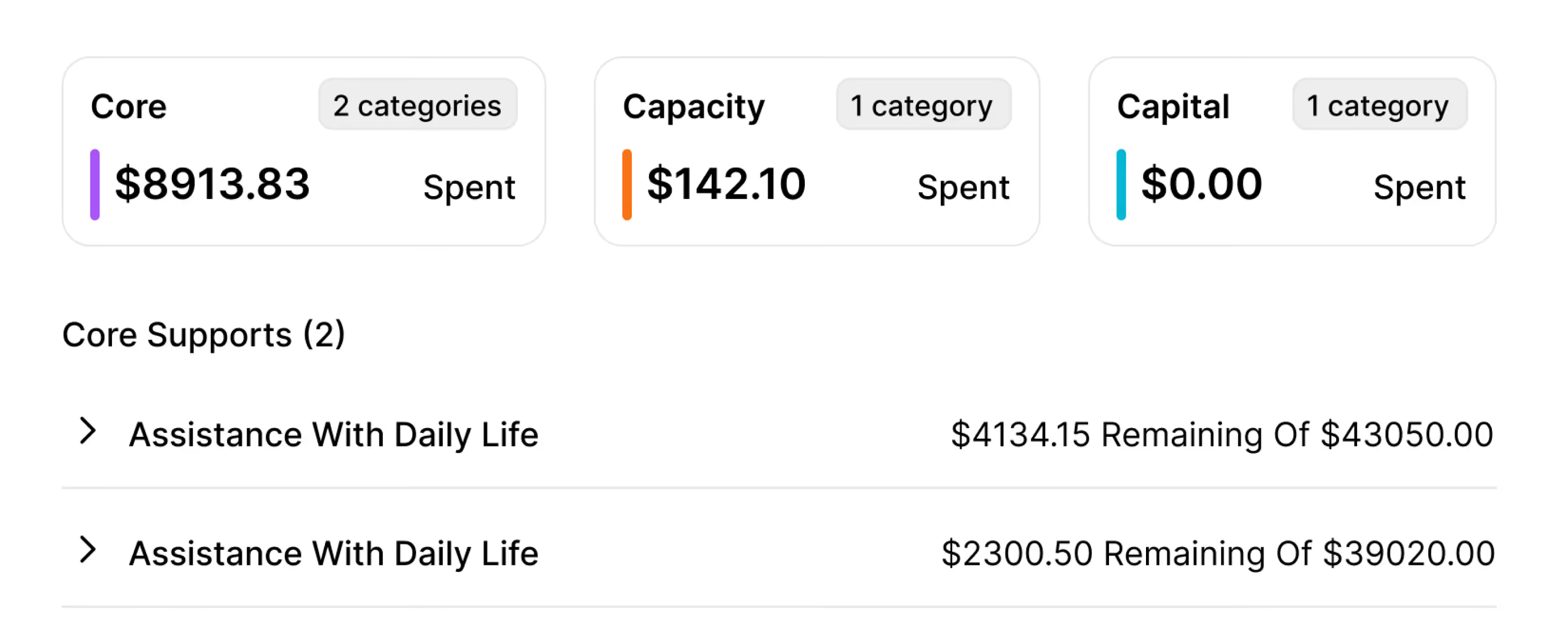
Funding summary showing three categories: Core with $8913.83 spent in 2 categories, Capacity with $142.10 spent in 1 category, and Capital with $0.00 spent in 1 category. Below, Core Supports lists two entries both labeled Assistance With Daily Life, with remaining balances of $4134.15 of $43050.00 and $2300.50 of $39020.00 respectively.
Simplified Support Worker Rosters

Coordinate shifts easily. Pick workers you like, manage rosters, and ensure you get the support you need without agency bottlenecks.
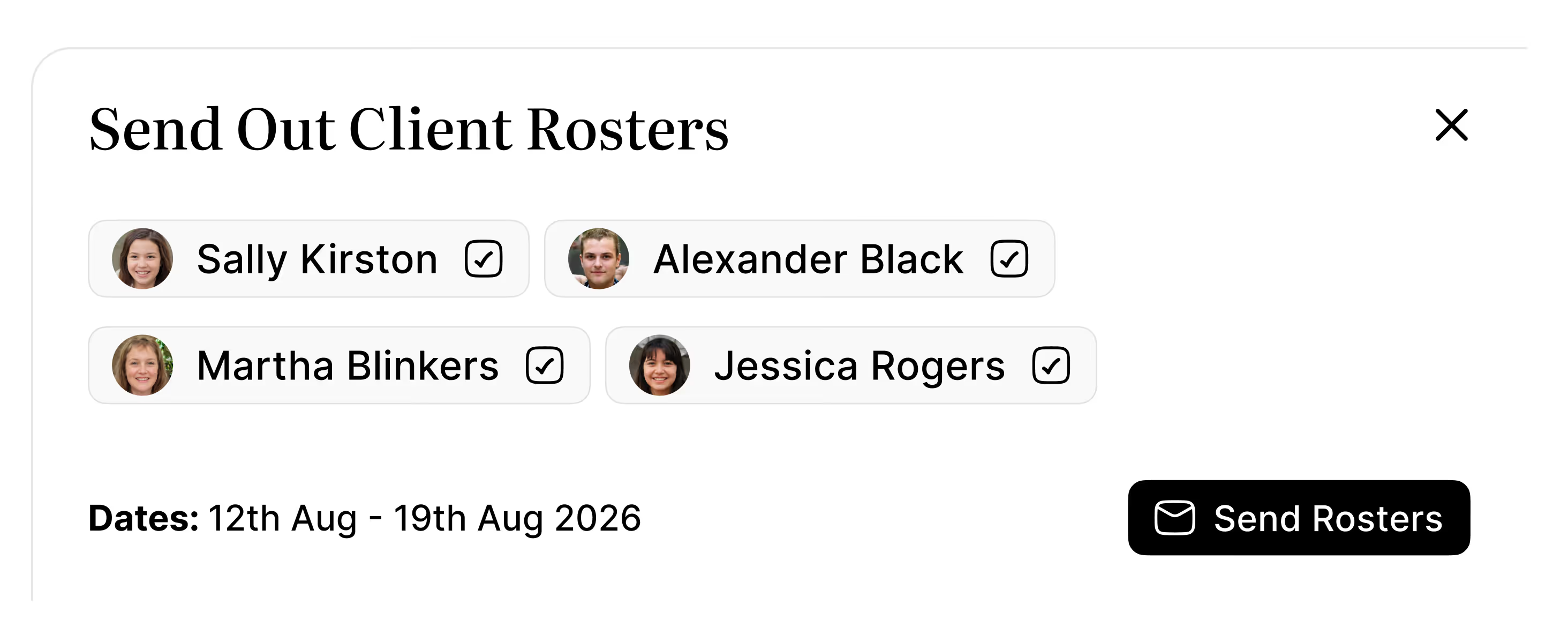
User interface for sending out client rosters showing names and photos of four selected clients: Sally Kirston, Alexander Black, Martha Blinkers, Jessica Rogers, with dates 12th Aug to 19th Aug 2026 and a black button labeled Send Rosters with an envelope icon.
Payment Compliance Solved

Keep your records audit-ready. Store invoices securely, and generate accurate reports for the NDIS with speed and comfort.
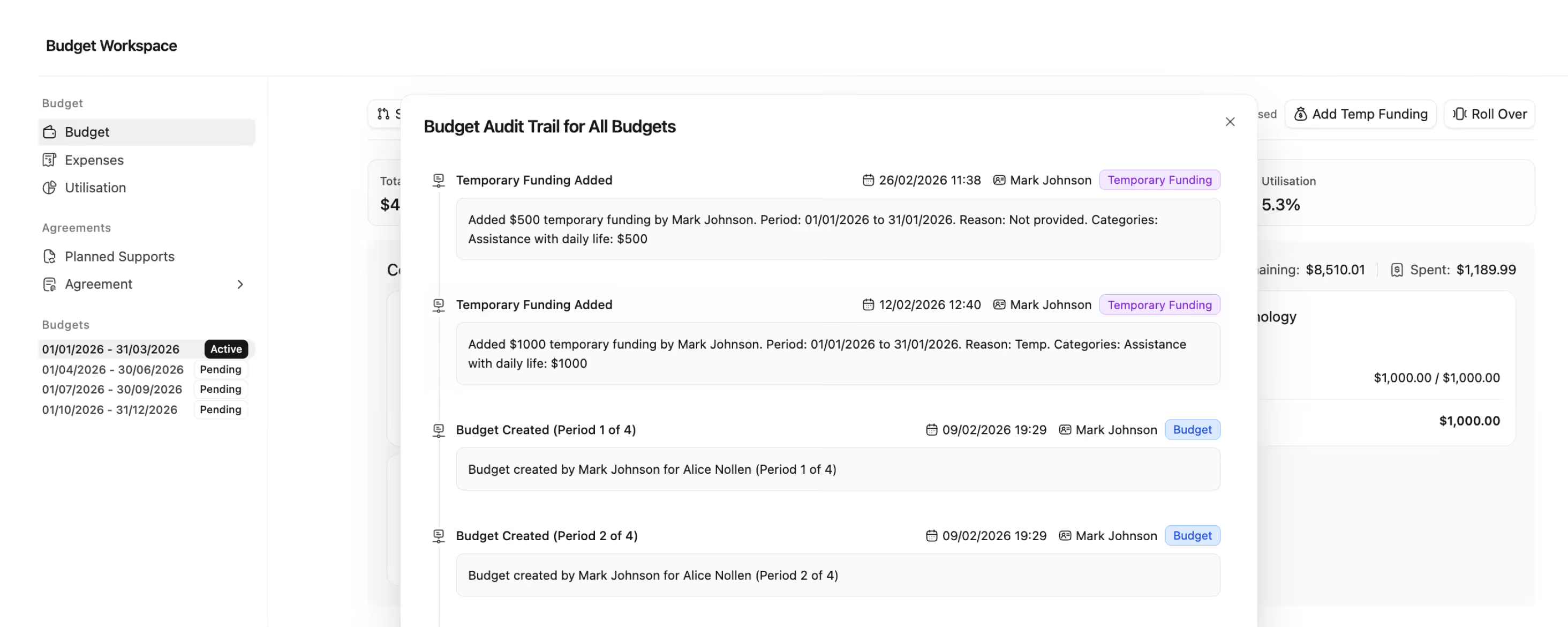
Screenshot of a Budget Workspace interface showing a Budget Audit Trail for all budgets, listing entries including added temporary funding by Mark Johnson with details on dates, amounts, reasons, and categories, as well as budget creation records for different periods.
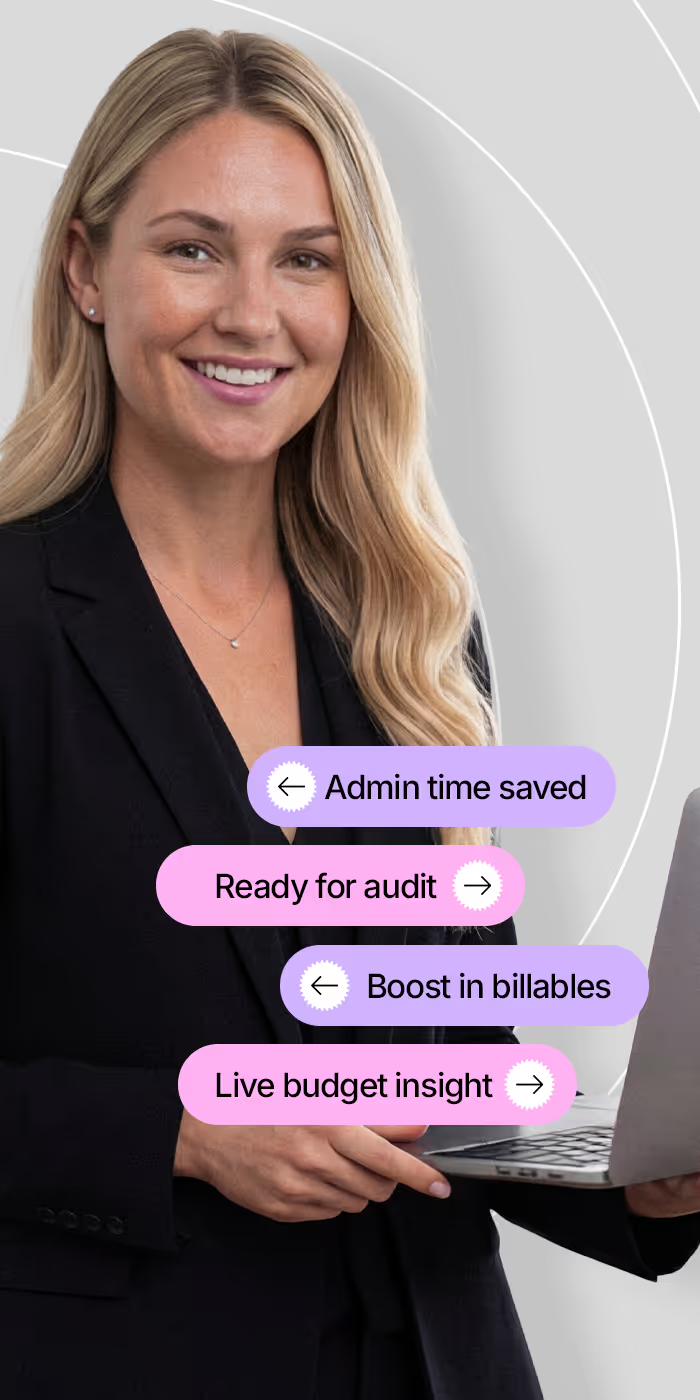
Smiling blonde woman in a black blazer holding a laptop with purple and pink text bubbles around her reading: Admin time saved, Ready for audit, Boost in billables, and Live budget insight.
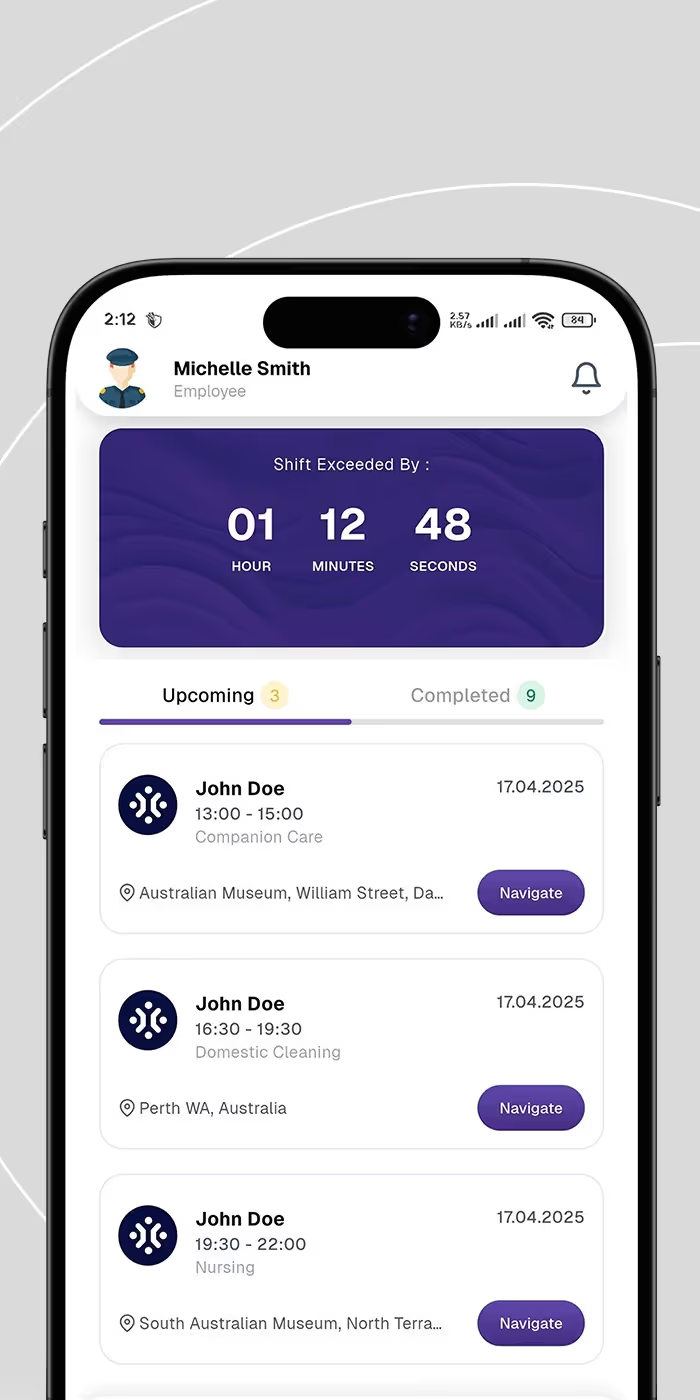
Mobile app screen showing an employee profile for Michelle Smith. A timer displays shift exceeded by 1 hour 12 minutes 48 seconds. Below are three upcoming tasks for John Doe on April 17, 2025: Companion Care from 13:00 to 15:00 at Australian Museum, William Street with a Navigate button; Domestic Cleaning from 16:30 to 19:30 in Perth WA with a Navigate button; Nursing from 19:30 to 22:00 at South Australian Museum with a Navigate button.
PROVEN IMPACT

Take charge of your funding and life.

15h+

Saved weekly on paper work

100%

Audit-ready spending logs

20%

Increase in support budget utility

24/7

Real-time budget visibility

Stay on top of funding

Smart Budget Alerts

Never let a budget overrun catch you by surprise. Track spending against allocated funds for every category.
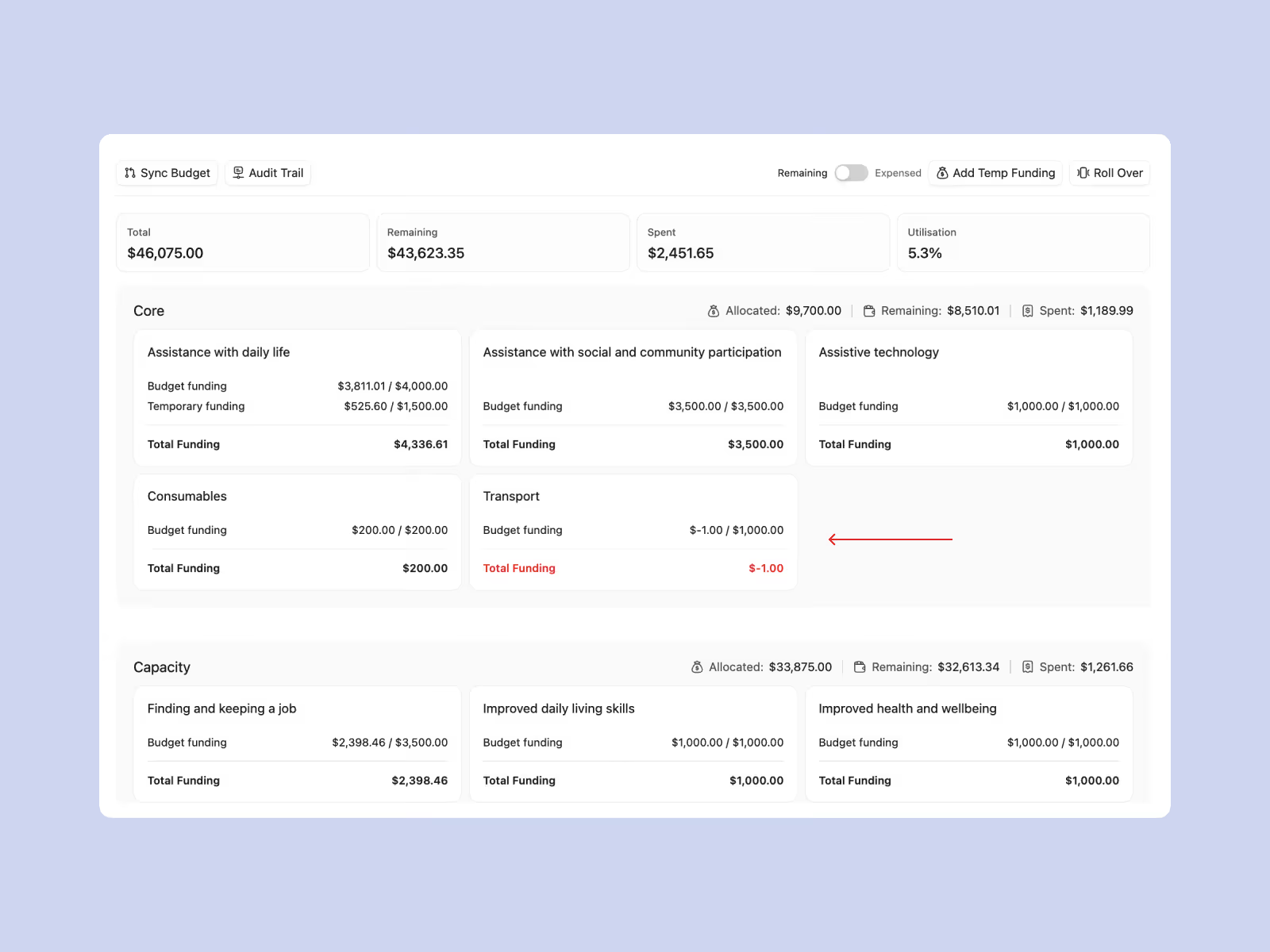
Budget summary interface showing total budget $46,075 with remaining $43,623.35 and spent $2,451.65, utilization 5.3%. Core section lists funding for assistance with daily life, social participation, assistive technology, consumables, and transport with budget and spent amounts. Capacity section lists funding for finding jobs, improving daily living skills, and health with corresponding budget and spent amounts. Some categories show full funding spent; transport shows negative $1.00 total funding in red. Allocated, remaining, and spent funds are detailed at the top of each section.
Supplier invoice portal interface for Care Company showing a table with invoice ID, client names, amounts, upload and due dates, status in color-coded labels (Pending in yellow, Overdue in red, Paid in green), and action buttons. Client details on the right include phone, address in Melbourne VIC, Australia, ABN, primary contact Steve, website care.com, dates added and last updated, and categories Allied Health and Clinical Care.
KEEP RECORDS AUDIT READY

Supplier Invoice Portal

Receive, review, and approve invoices directly in the platform, with easy tracking for every single supplier transaction.

PAY EVERYONE ON TIME

NDIS Price Guide Integration

Import support items and sync invoices against official price guides to ensure every shift references the correct NDIS codes.
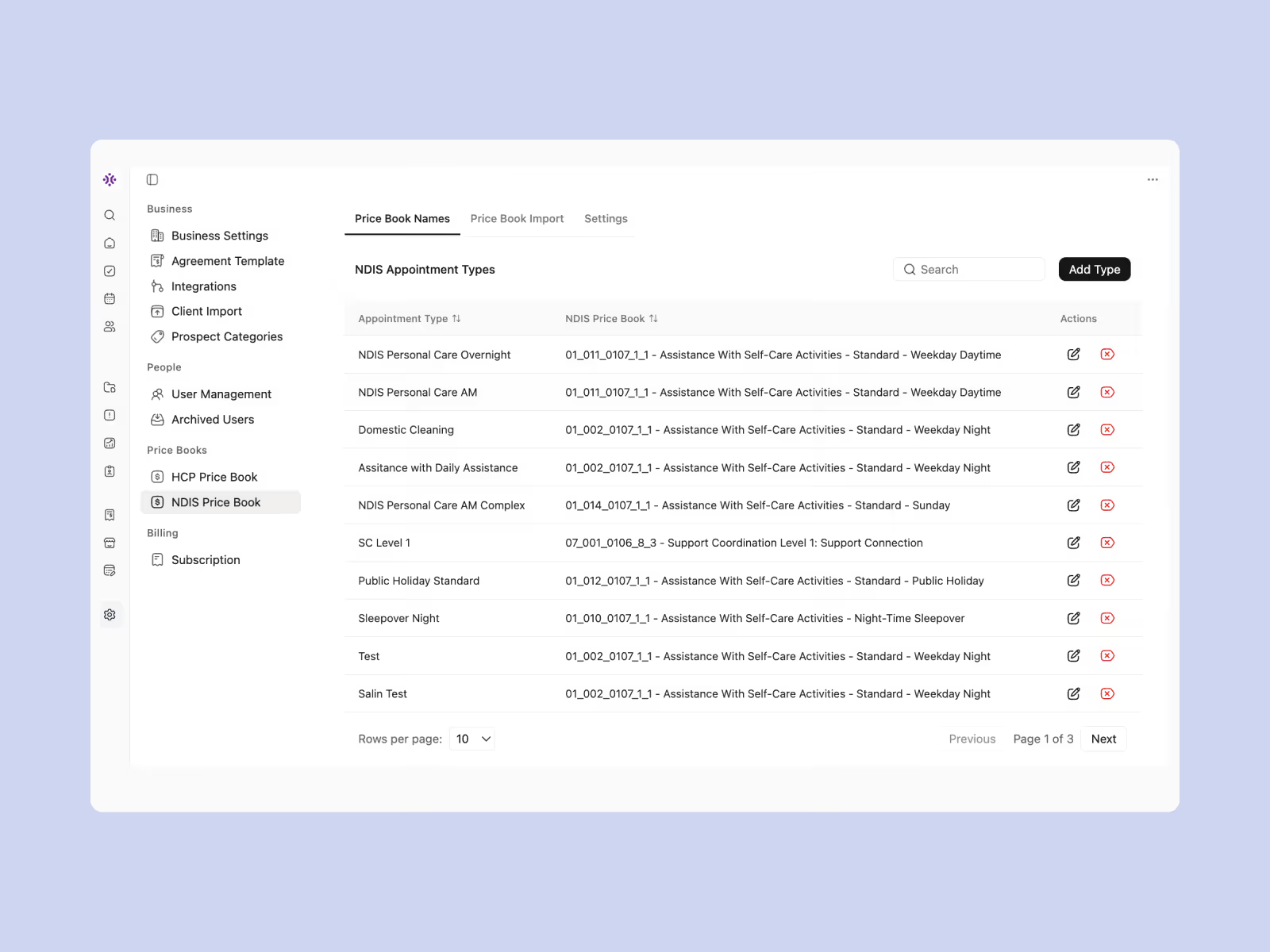
User interface screen displaying NDIS Price Book Names with a list of NDIS Appointment Types, their corresponding NDIS Price Book identifiers, descriptions of assistance activities (e.g., personal care, domestic cleaning, support coordination), and action icons for editing or deleting entries. Sidebar menu visible on the left includes sections for Business Settings, People, Price Books, and Billing.
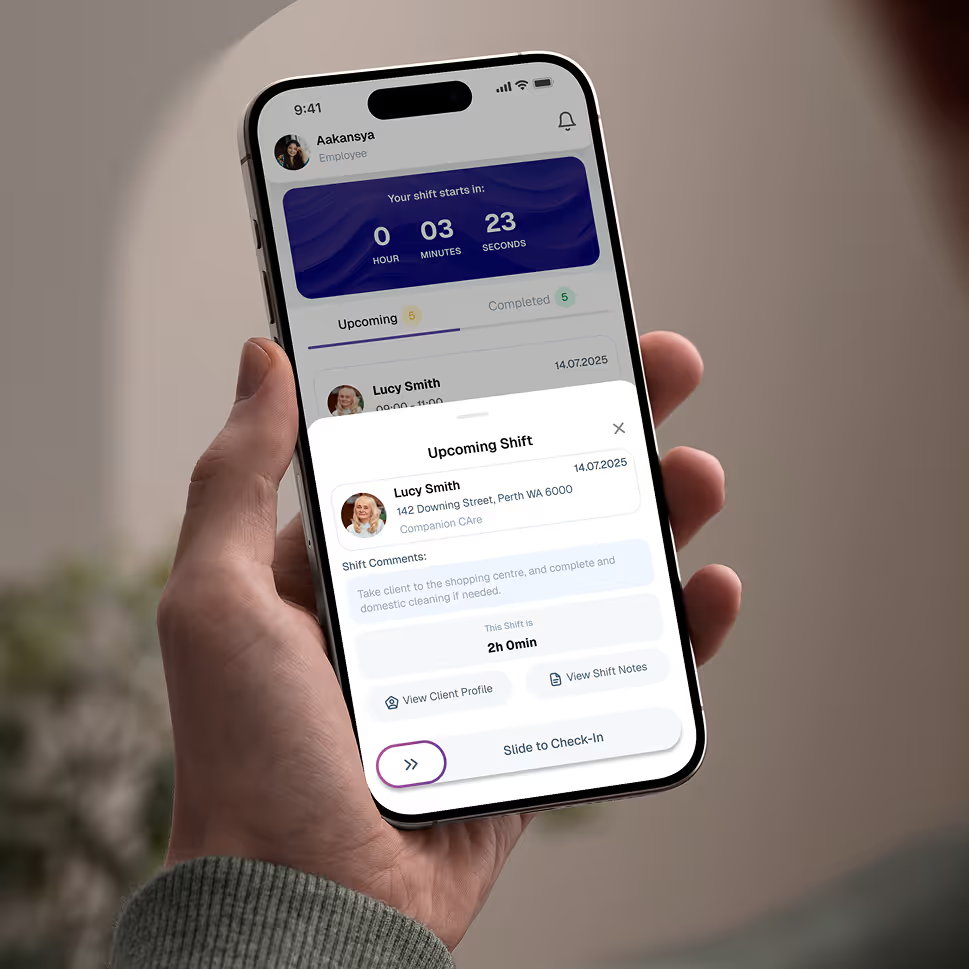
Hand holding a smartphone displaying an employee app screen for upcoming shift at Companion Care with countdown timer, client details, shift comments, and a slide to check-in button.

Give your team the tools they need on the road, with quick access.

Empower your workforce on the go. Clock in, check schedules, and manage care notes from anywhere. Available for iOS and Android.


Real Stories from Real Users

Hear how Imploy is helping Self-Managed Participants across Australia improve operations, boost productivity, and stay compliant.


Close-up portrait of a woman with light blue eyes, light skin, and shoulder-length brown hair, looking slightly to the side with a neutral expression and a wooden background.

"I used to drown in spreadsheets trying to track my funding. Imploy lets me see exactly how much budget I have left in real-time. It's so relieving."

LacJessica M.

Self-Managed Participant

Close-up portrait of a smiling man with short dark hair and light skin, wearing a dark-colored shirt, with a blurred indoor background.

"Hiring my own team is great, but the admin was hard. Imploy makes rostering my support workers and tracking their hours simple. No more confusion."

xxxxx

Self-Managed Participant

Portrait of a smiling man with short dark hair and a trimmed beard wearing a light blue shirt, with a blurry outdoor background.

"My plan manager loves the reports I generate now. It makes claiming reimbursements for my self-managed expenses incredibly fast and stress-free."

xxxxx

Parent of Participant

Frequently asked questions

Can I track worker hours?

Yes. Your support workers can use the app to clock in and out. You approve the hours, ensuring you only pay for the support you actually receive.

Icon - Elements Webflow Library - BRIX Templates

Will I know if I overspend?

Absolutely. Imploy tracks your spending against your NDIS plan limits and alerts you if you are running low on funds in any specific category.

Icon - Elements Webflow Library - BRIX Templates

How do I handle invoices?

Simply upload invoices from your providers into the app. We organize them by category so you have a perfect record for your next plan review.

Icon - Elements Webflow Library - BRIX Templates

Is it hard to get started?

Not at all. Our smart import tools allow you to enter your plan details and add your support workers in minutes, so you can start right away.

Icon - Elements Webflow Library - BRIX Templates

Is my client data secure?

Security is our priority. Imploy adheres to strict Australian privacy laws and data sovereignty requirements. Your participants' sensitive information is protected with rigorous encryption and role-based access controls, ensuring only authorized personnel can view specific files.

Icon - Elements Webflow Library - BRIX Templates

How does Imploy help me maximize my billable hours?

Imploy streamlines your workflow by linking your case notes directly to your billing. You can easily convert support activities into billable line items, ensuring you capture every minute of work without the double handling.

Icon - Elements Webflow Library - BRIX Templates

Experience the Imploy difference with AI

Get ready to experience how AI can transform the way you work,and unlock smarter, more efficient workflows.

Two horizontal notification bars with orange bell icons on their left side, stacked vertically on a black background.