

Trusted by leading providers









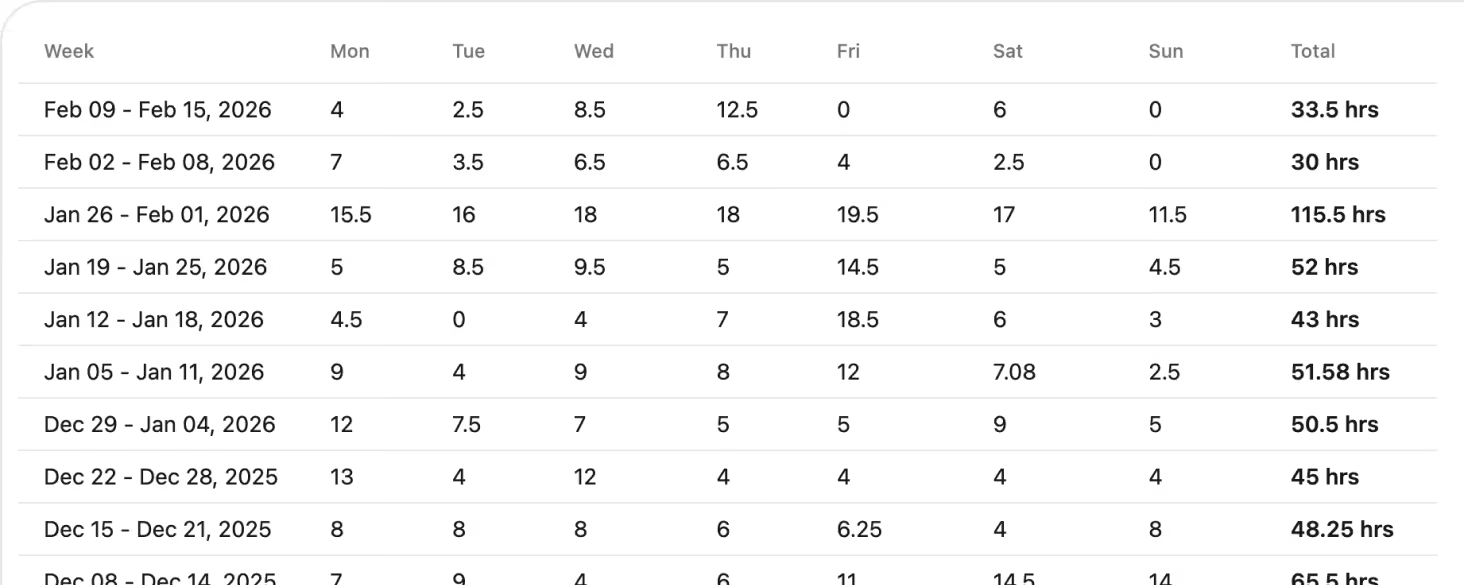
See how planned versus delivered service hours are tracking across clients, weeks, and services. Quickly spot where support has increased or dropped so coordinators can adjust rosters before gaps affect care.

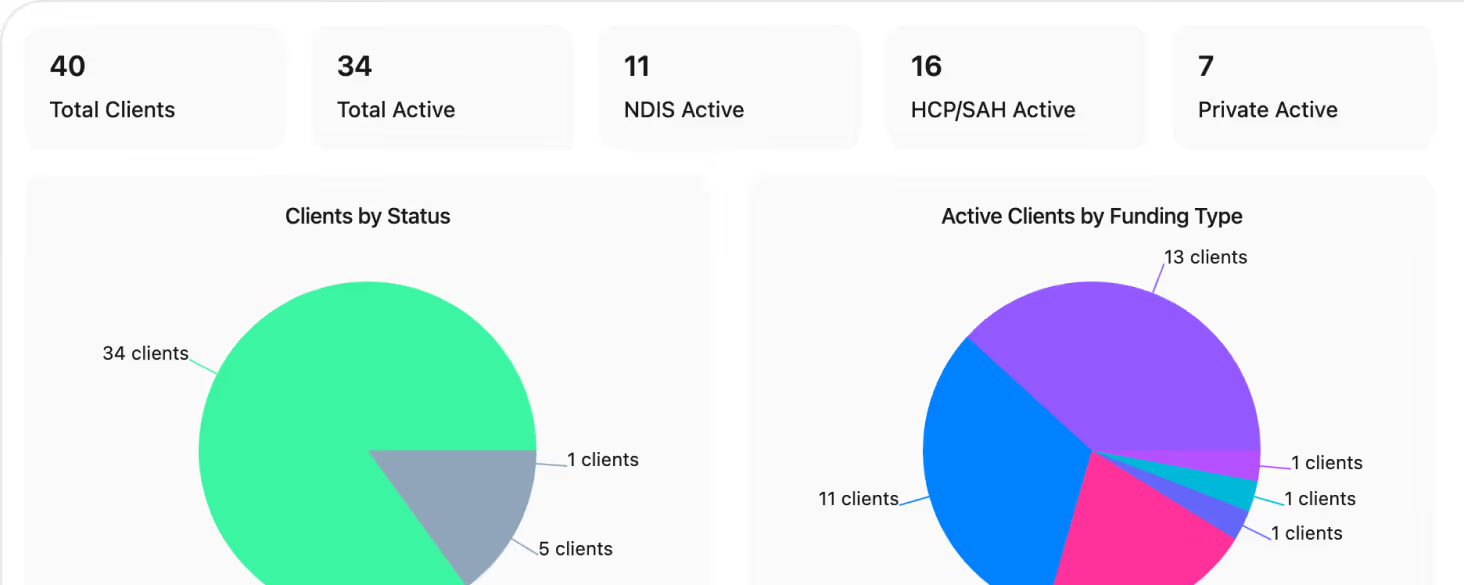
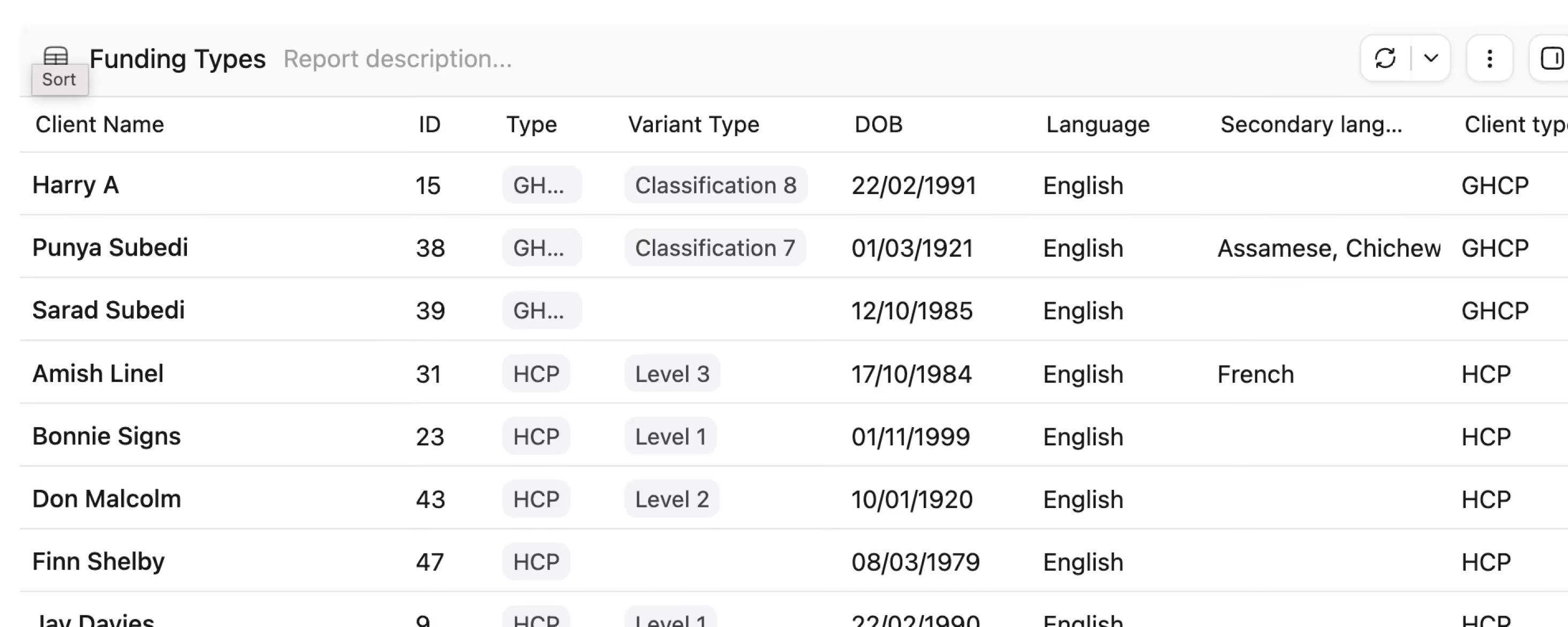
Understand who you support and how they’re funded in one place. Segment by status, funding type, and service mix to guide planning conversations, caseload reviews, and growth decisions.
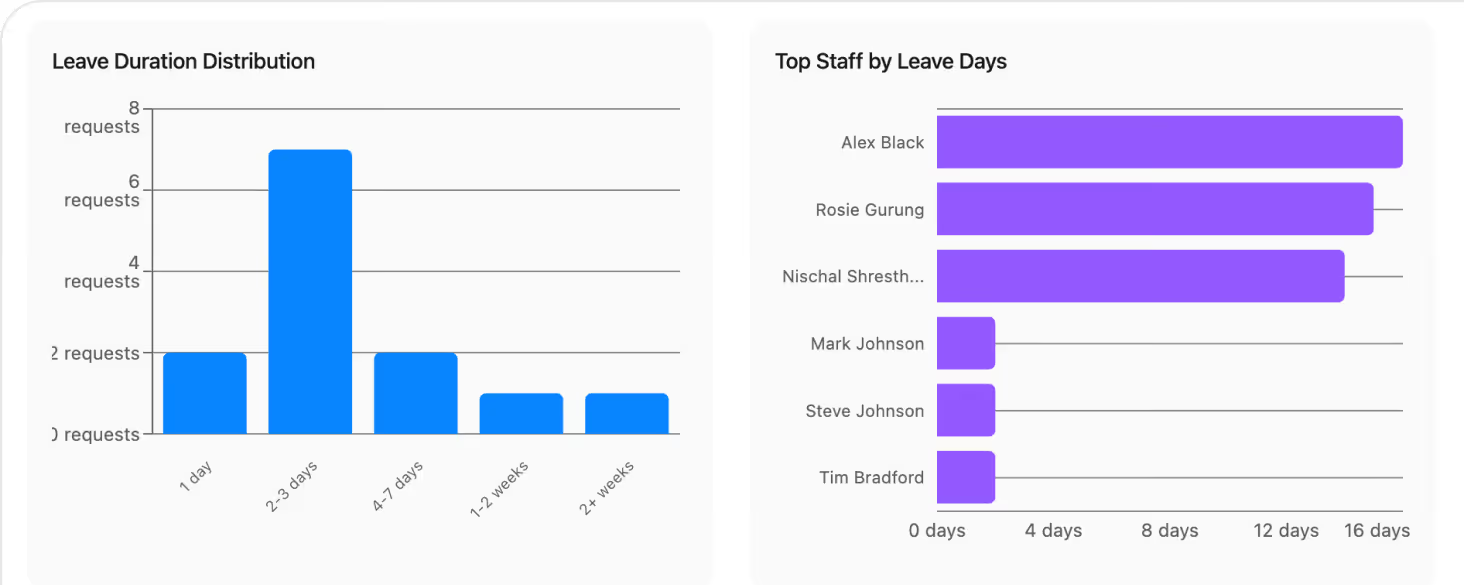
Track staff status, roles, and demographics alongside leave trends. Identify pressure points before they hit the roster, and make more informed hiring and allocation decisions.
Break down travel between and with clients, with distances and estimated costs based on your km rates. Surface high‑cost patterns so you can refine service areas, scheduling, and reimbursement policies.

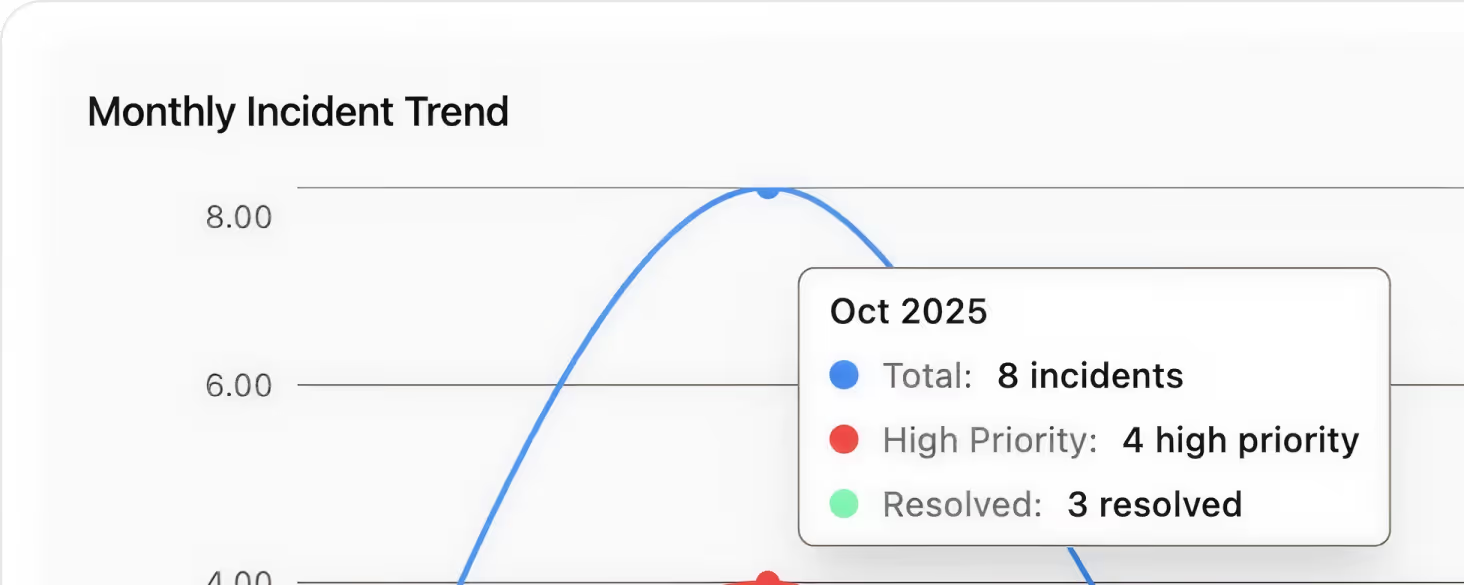
Track incidents, priorities, and resolution trends over time. Combine incident analytics with delivery and vacancy data to highlight emerging risks and demonstrate a proactive approach to safety and compliance.
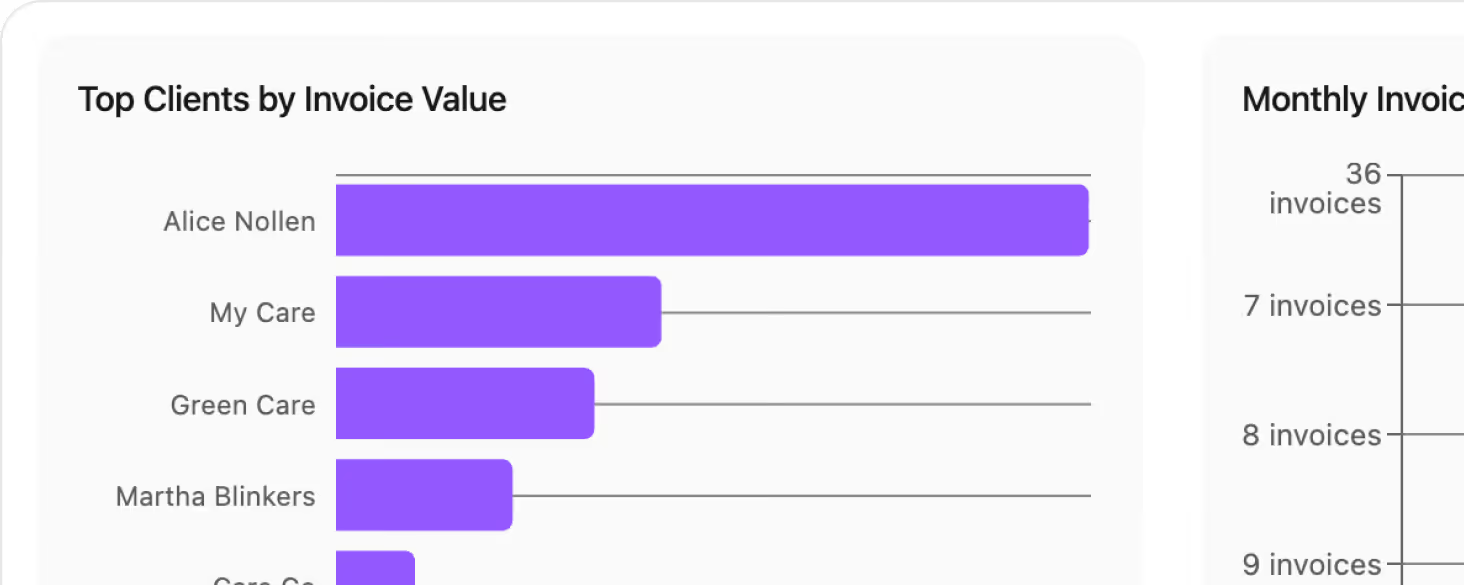
Monitor billable hours, invoice status, and NDIA claim outcomes in one view. See what’s paid, outstanding, or rejected so finance teams can act quickly to protect cash flow and reduce manual follow‑up.
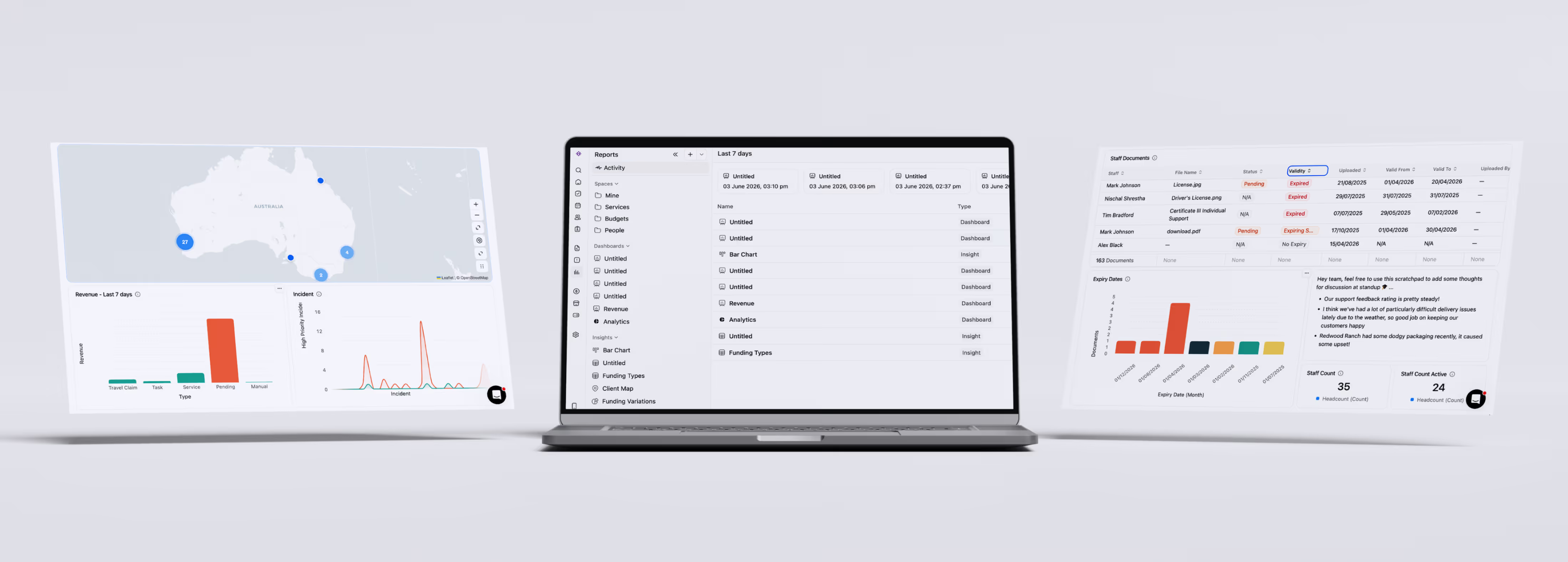
The Reports home gives you a central place for every dashboard and insight your team has built. Pinned dashboards appear at the top for quick access, and the activity feed shows what's been updated recently. Create a new dashboard in one click, or browse by Space — Mine, Services, Charts, Metrics, Budgets, or People.
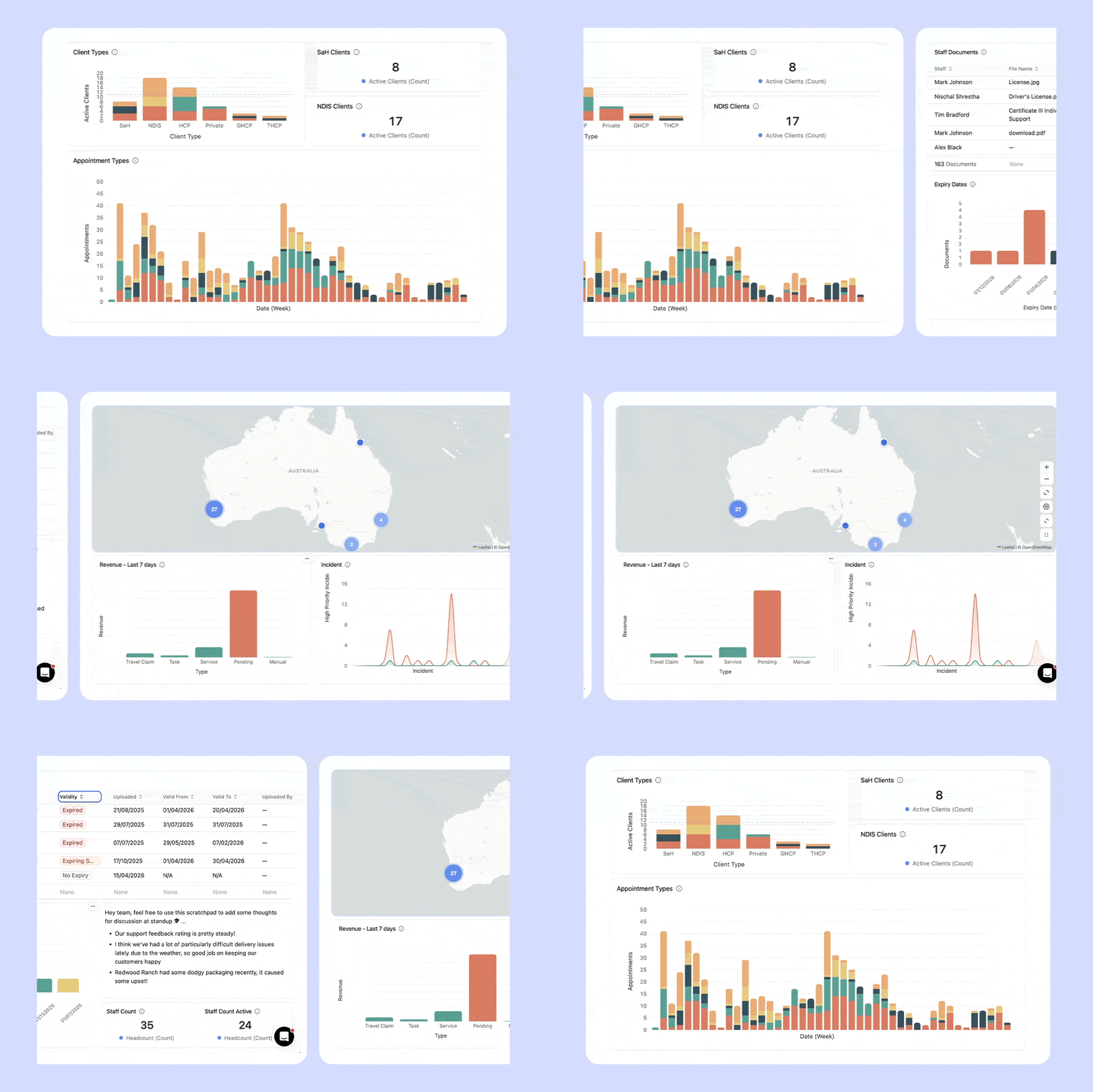
Add any insight type as a block inside a dashboard. Mix and match to build exactly the view you need.
A scrollable table showing every client with their funding type, variant, DOB, language, and client type. Filter and sort by any column.
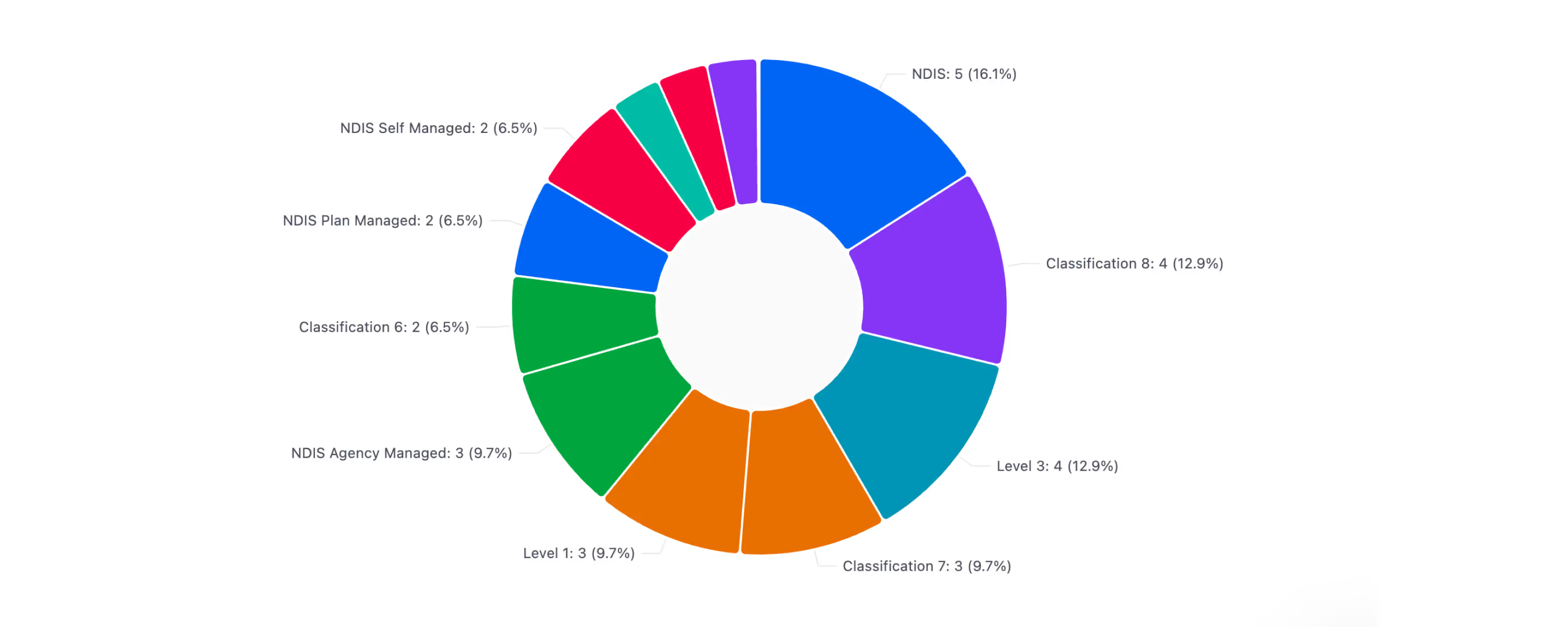
Donut chart breaking down your client base by funding type and variant. Instantly see your NDIS, HCP, GHCP, and private splits.
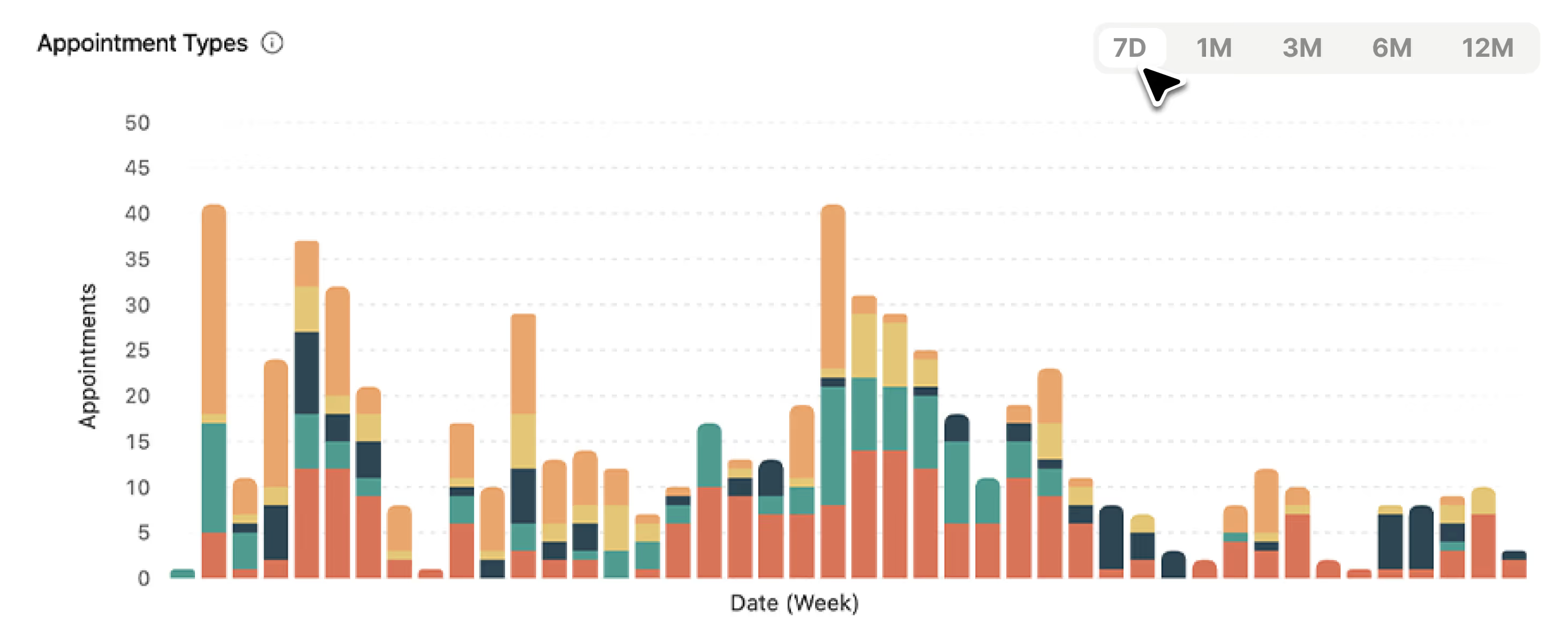
Time-series bar chart with selectable periods — 7D, 1M, 3M, 6M, 12M. Track appointment counts by day with "View calculations" and "View contributing data" for drill-down.
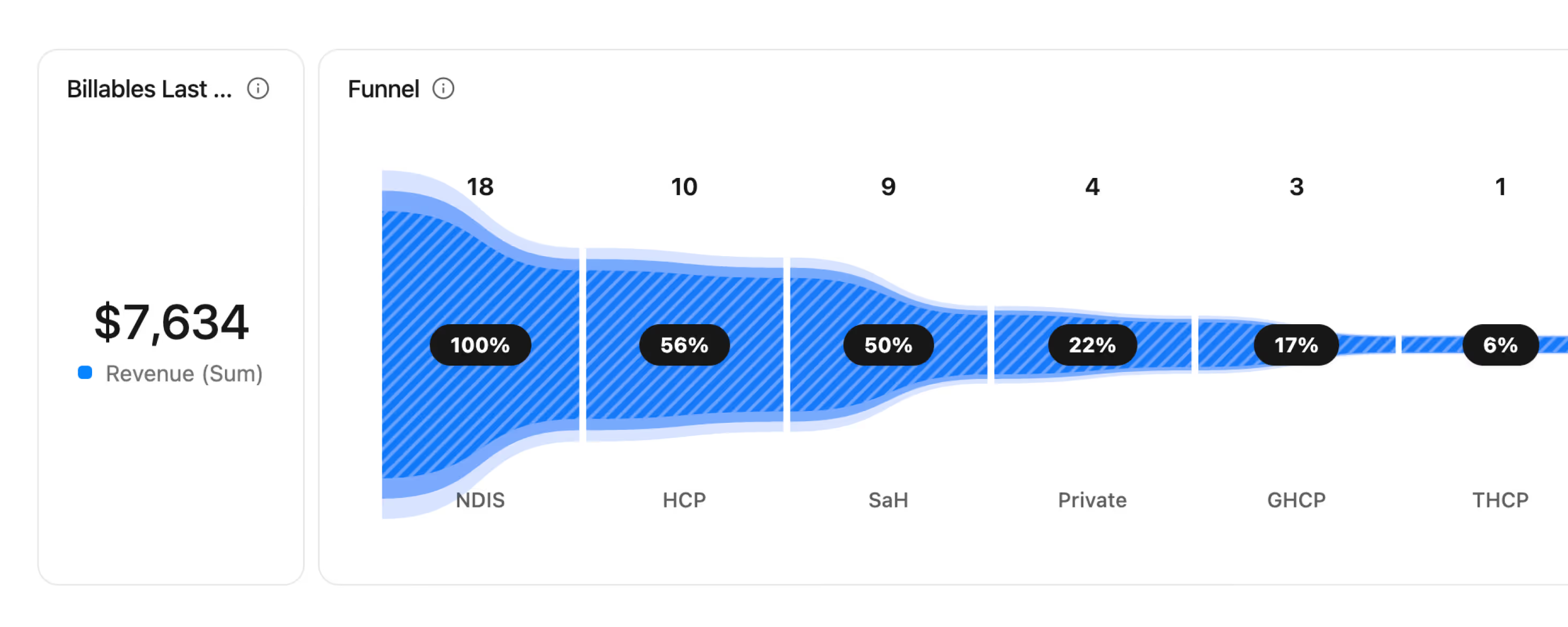
Visualise how your client base distributes across funding types — NDIS → HCP → SaH → Private → GHCP → THCP — with conversion percentages at each stage.
Pin your active clients geographically to understand service area coverage, identify clustering, and plan staffing and routing more efficiently.

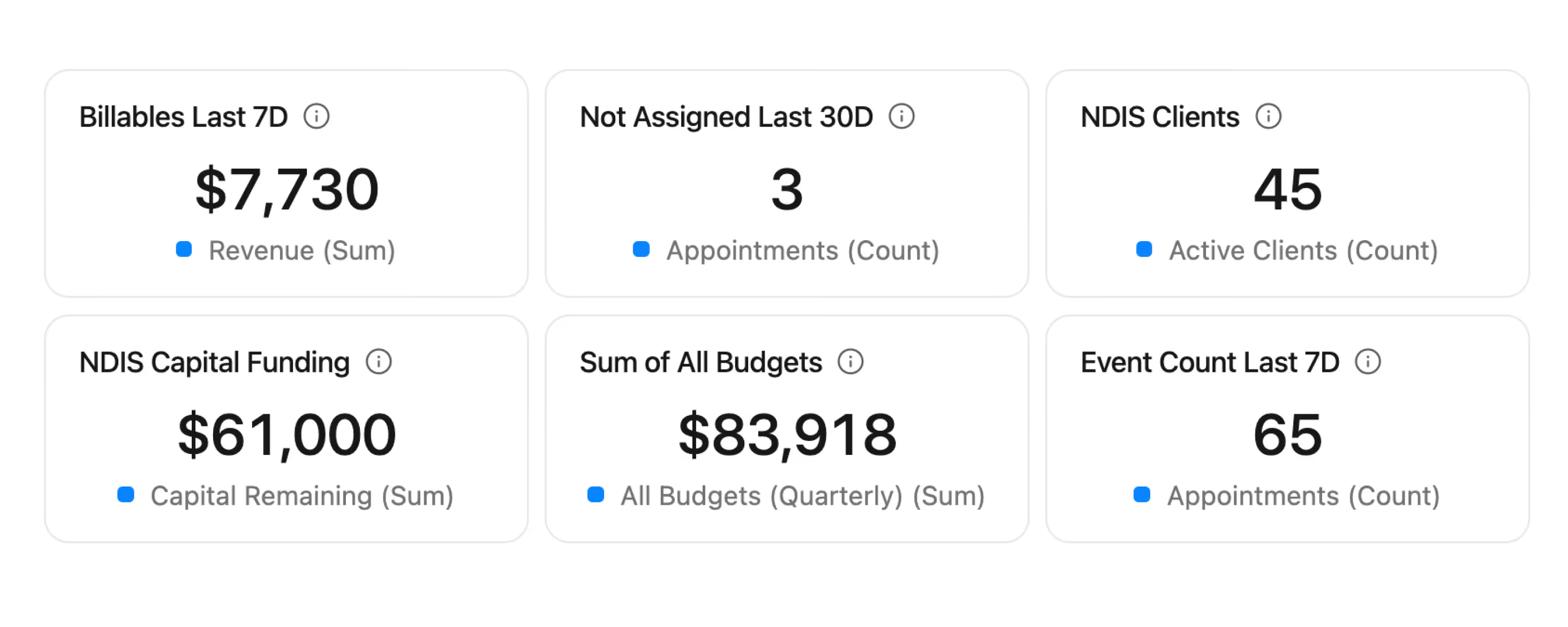
Surface the numbers that matter most as headline metric cards inside any dashboard — active clients, billable hours, claim totals, coverage rate, and more.
The Reporting Suite turns your day‑to‑day operational data (rosters, incidents, invoices, claims, staff activity) into decision‑ready views. Instead of manually piecing together spreadsheets, you get structured, role‑specific reports that answer questions like whether you’re delivering planned hours, where coverage gaps are emerging, and how invoices and claims are tracking over time.

Reports are built for different teams across your business. Service managers use them to monitor delivery and capacity over time, operations teams track vacant and cancelled shifts, HR reviews workforce and leave trends, and finance teams stay on top of travel costs, invoices, and NDIA claims. Each report is scoped so the right people can get answers quickly without needing to be “data experts”.
Reports are grouped into four main categories: Service Delivery, Client Overview, Staff Overview, and Finance Insights. Within these, you’ll find views like Service Delivery Metrics, Weekly Billable Task Report, Client Demographics, Staff Overview and Staff Leave Summary, Travel Claims Analytics, Invoice Summary, NDIA Claims Summary, Vacant Shifts, and Incident Analytics. Together they give you a consolidated view of how your organisation is performing and where risks or opportunities are emerging.
Yes. Most reports support filtering by date range, staff, clients, funding types, shift types, and statuses so you can narrow down to exactly what you care about. Many views combine high‑level summary cards and trend charts with a detailed table underneath, so you can scan the big picture first and then drill into the underlying rows to understand what’s driving changes.
Most reports support exporting so you can share a snapshot or continue analysis outside Imploy. You can typically export to CSV, and in some cases generate a print/PDF‑style output for presentation‑ready documents. Exports are designed to follow your current filters, search, and sorting, so what you see on screen is what you get in the file. For more detail on how exports behave, see here.
Reports are tier‑aware. Some core reports are available on all plans, while others form part of the premium reporting set. If you’re on the free tier, you’ll still see the full list of reports, but premium ones will prompt you to upgrade when you try to open them. This keeps the report list consistent across teams, while still letting you control access to advanced reporting features.
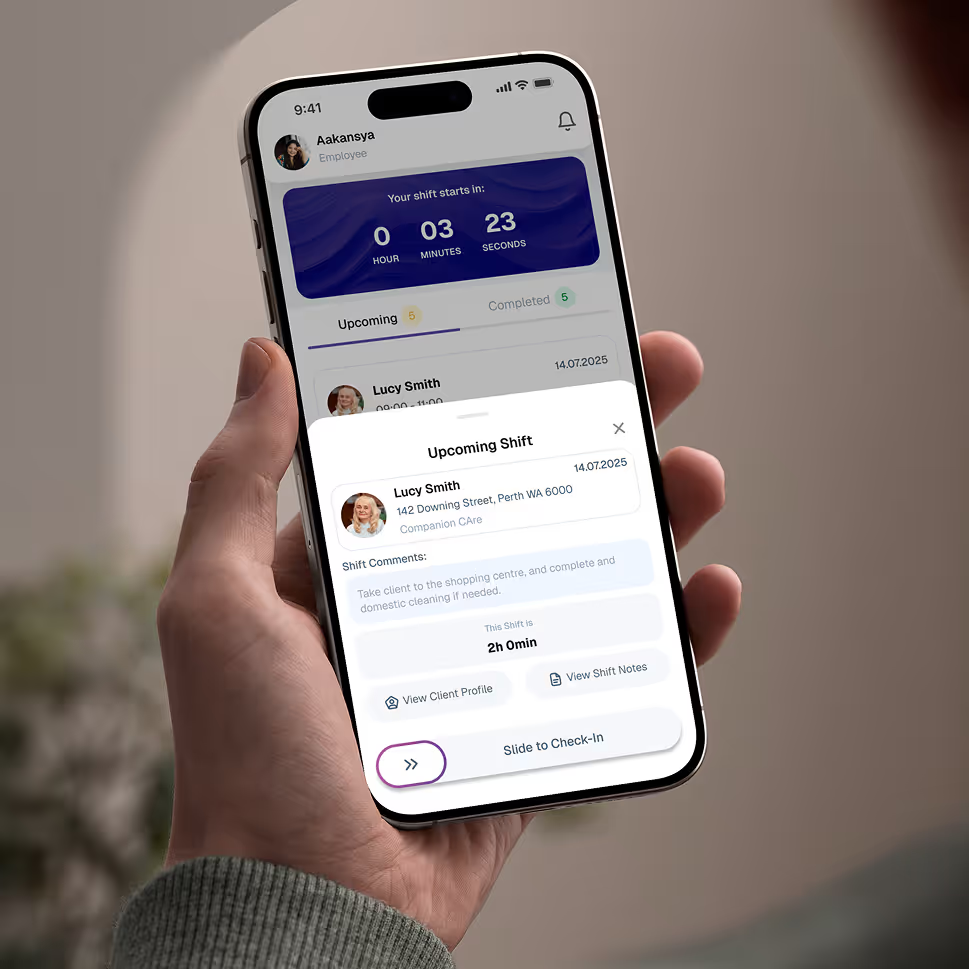
Empower your workforce on the go. Clock in, check schedules, and manage care notes from anywhere. Available for iOS and Android.


Get ready to experience how AI can transform the way you work,and unlock smarter, more efficient workflows.