Support Coordinators Achieveing  Better Outcomes.

Manage caseloads, track NDIS budgets, and connect participants with the right providers. Streamline your workflow so you can focus on supporting your clients.
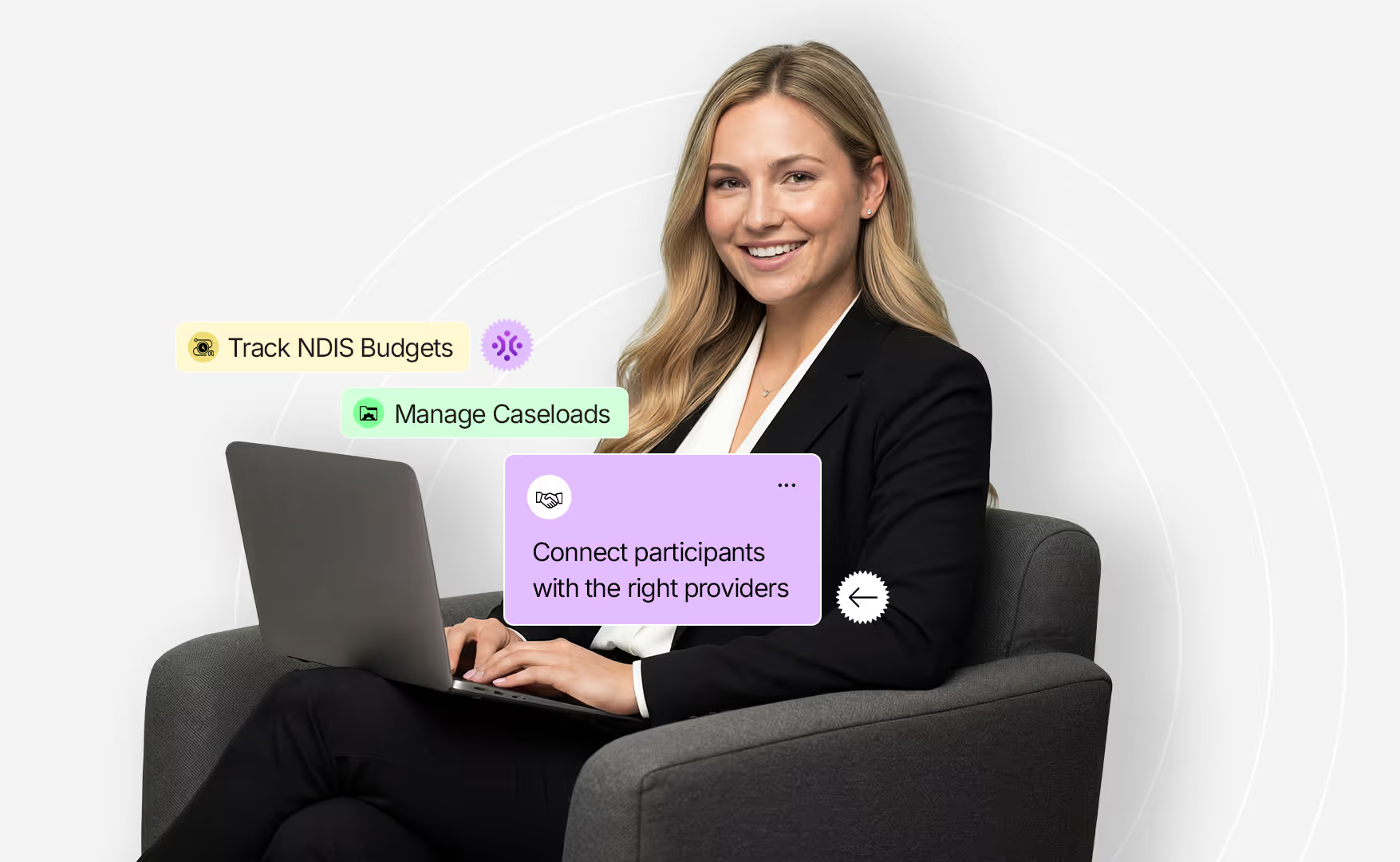
Smiling woman in a black blazer sitting on a gray armchair using a laptop with floating text boxes nearby reading 'Track NDIS Budgets,' 'Manage Caseloads,' and 'Connect participants with the right providers.'
Complete Caseload Visibility

Get a clear view of every participant support plan dates, goals, and funding
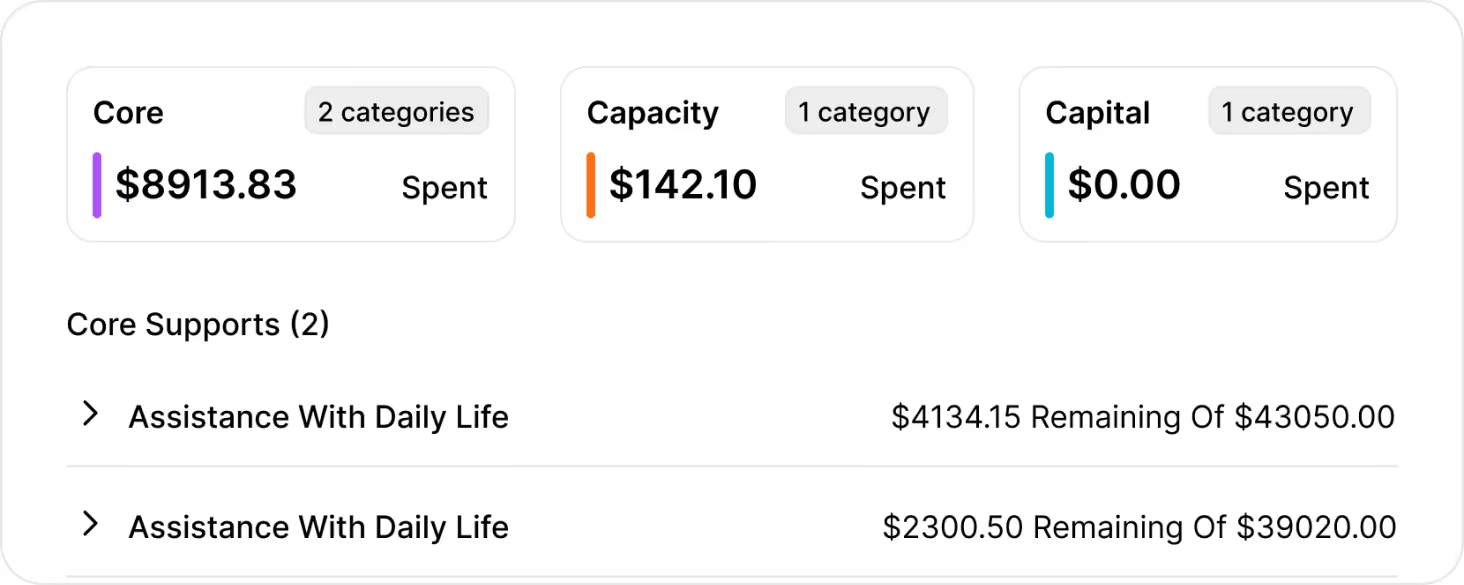
Client funding utilization summary showing Core with $8913.83 spent across 2 categories, Capacity with $142.10 spent in 1 category, and Capital with $0.00 spent in 1 category. Core Supports section lists Assistance With Daily Life twice, with $4134.15 remaining of $43050.00 and $2300.50 remaining of $39020.00 respectively.
Simplified Collaboration

Request updates from other coordinators, or team members for client information.
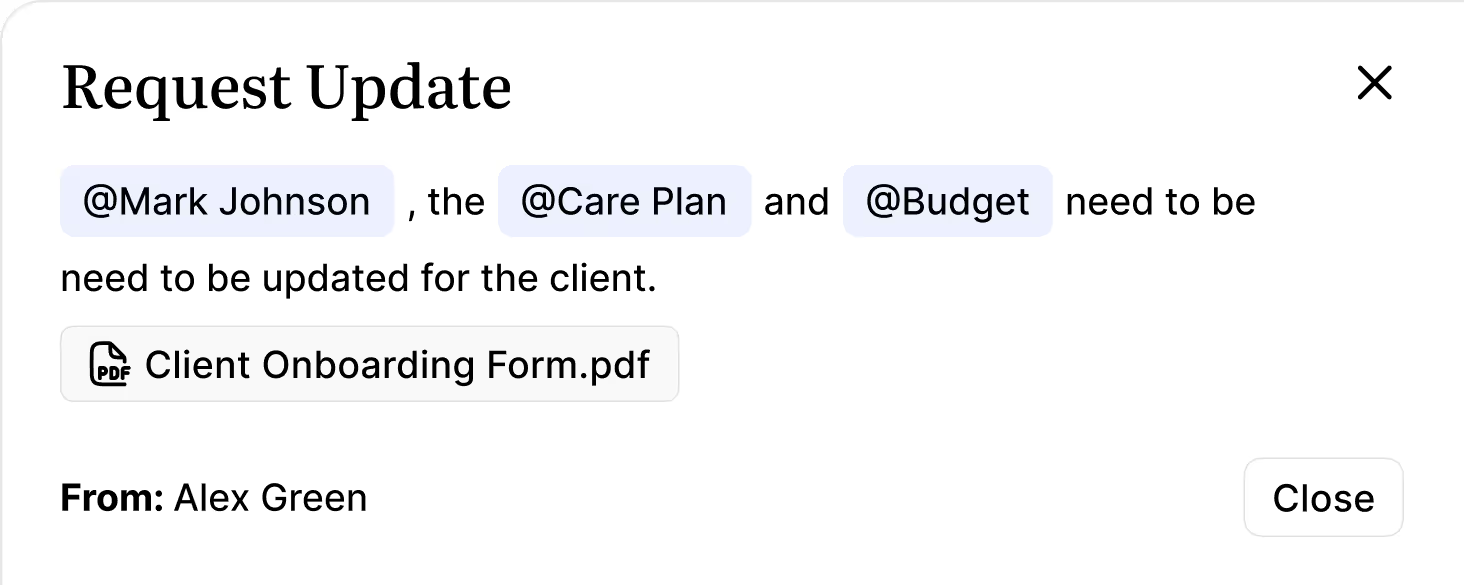
Dialog box titled 'Request Update' with text mentioning Mark Johnson, Care Plan, and Budget needing updates for the client, and a PDF file named Client Onboarding Form.pdf. From Alex Green. A close button is visible.
NDIS Compliance Made Easy

Store notes, incident reports, and documents securely, all in one place.
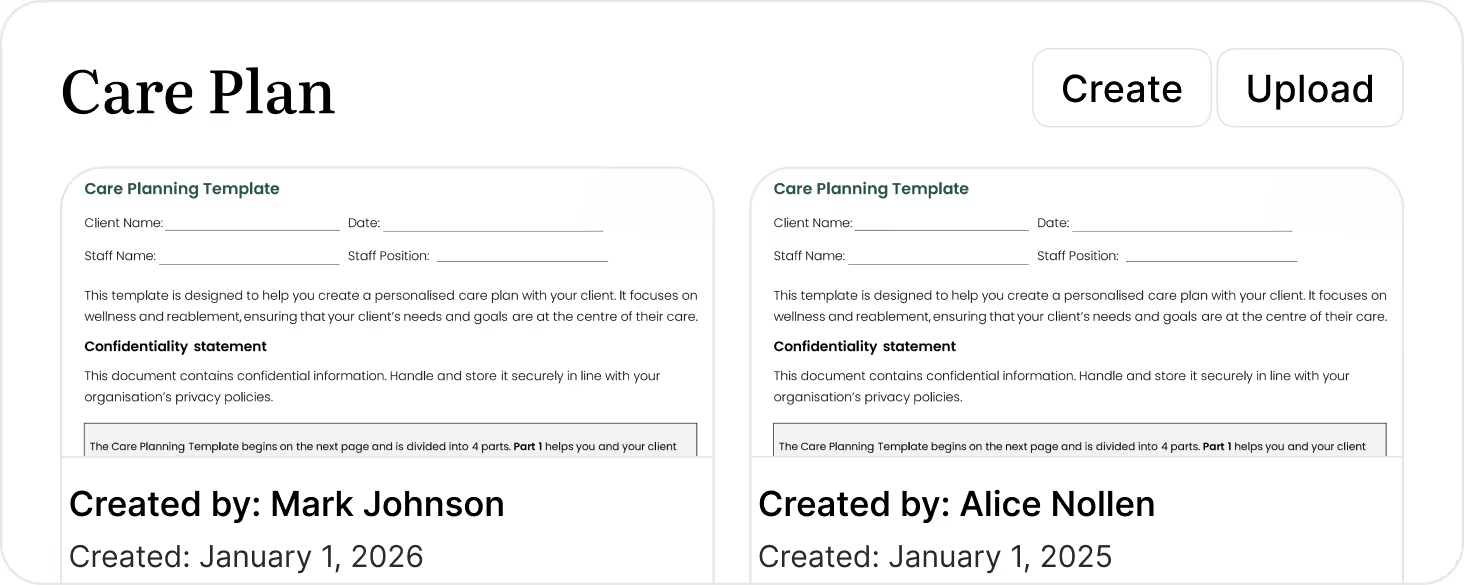
Screenshot of a digital care plan app interface displaying two care planning templates side by side, each with client and staff details, confidentiality statement, and creation info. The left template is created by Mark Johnson on January 1, 2026, and the right template by Alice Nollen on January 1, 2025. Buttons for Create and Upload appear at the top right.
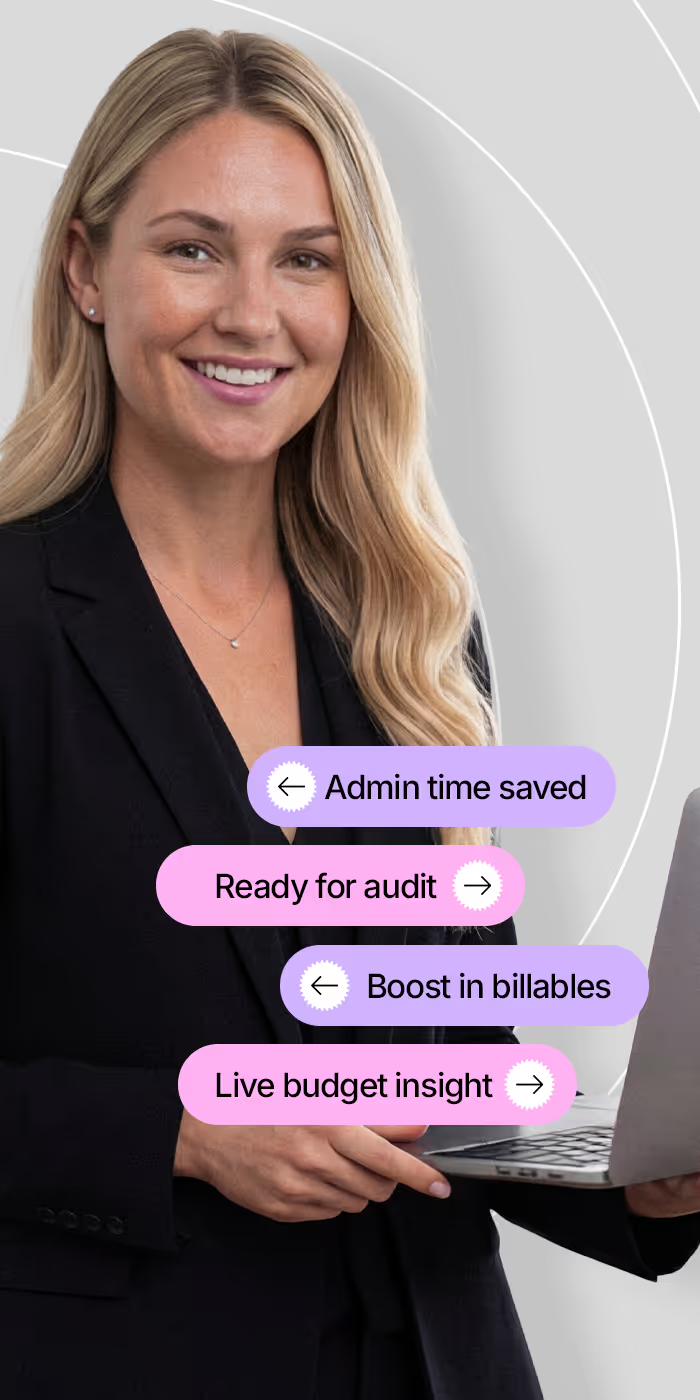
Smiling blonde woman in a black blazer holding a laptop with purple and pink text bubbles around her reading: Admin time saved, Ready for audit, Boost in billables, and Live budget insight.
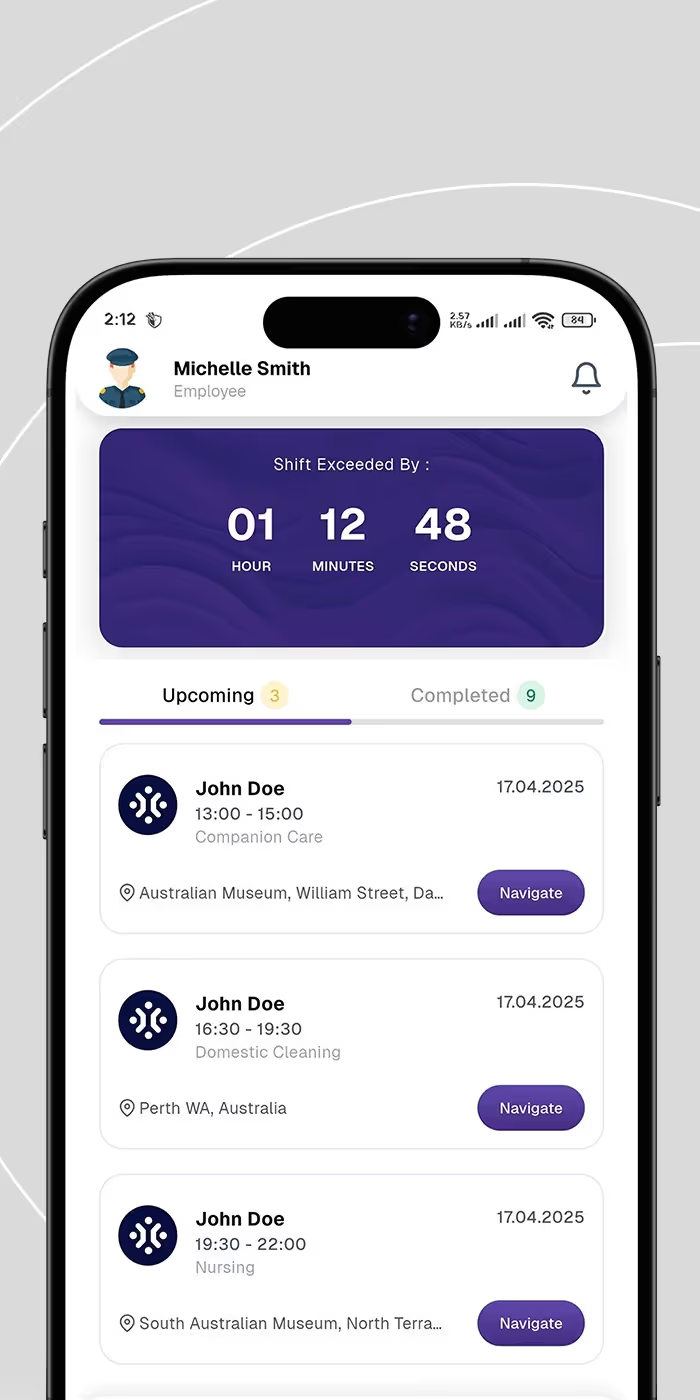
Mobile app screen showing an employee profile for Michelle Smith. A timer displays shift exceeded by 1 hour 12 minutes 48 seconds. Below are three upcoming tasks for John Doe on April 17, 2025: Companion Care from 13:00 to 15:00 at Australian Museum, William Street with a Navigate button; Domestic Cleaning from 16:30 to 19:30 in Perth WA with a Navigate button; Nursing from 19:30 to 22:00 at South Australian Museum with a Navigate button.
PROVEN IMPACT

Drive efficiency and better outcomes.

15h+

Saved weekly on admin tasks

100%

Audit-ready documentation

20%

Increase in billable hours captured

24/7

Real-time budget visibility

Capture every minute

Manage Billable Hours

Ensure you are paid for the work you do. Track billable and non-billable hours against specific line items to streamline your invoicing process.
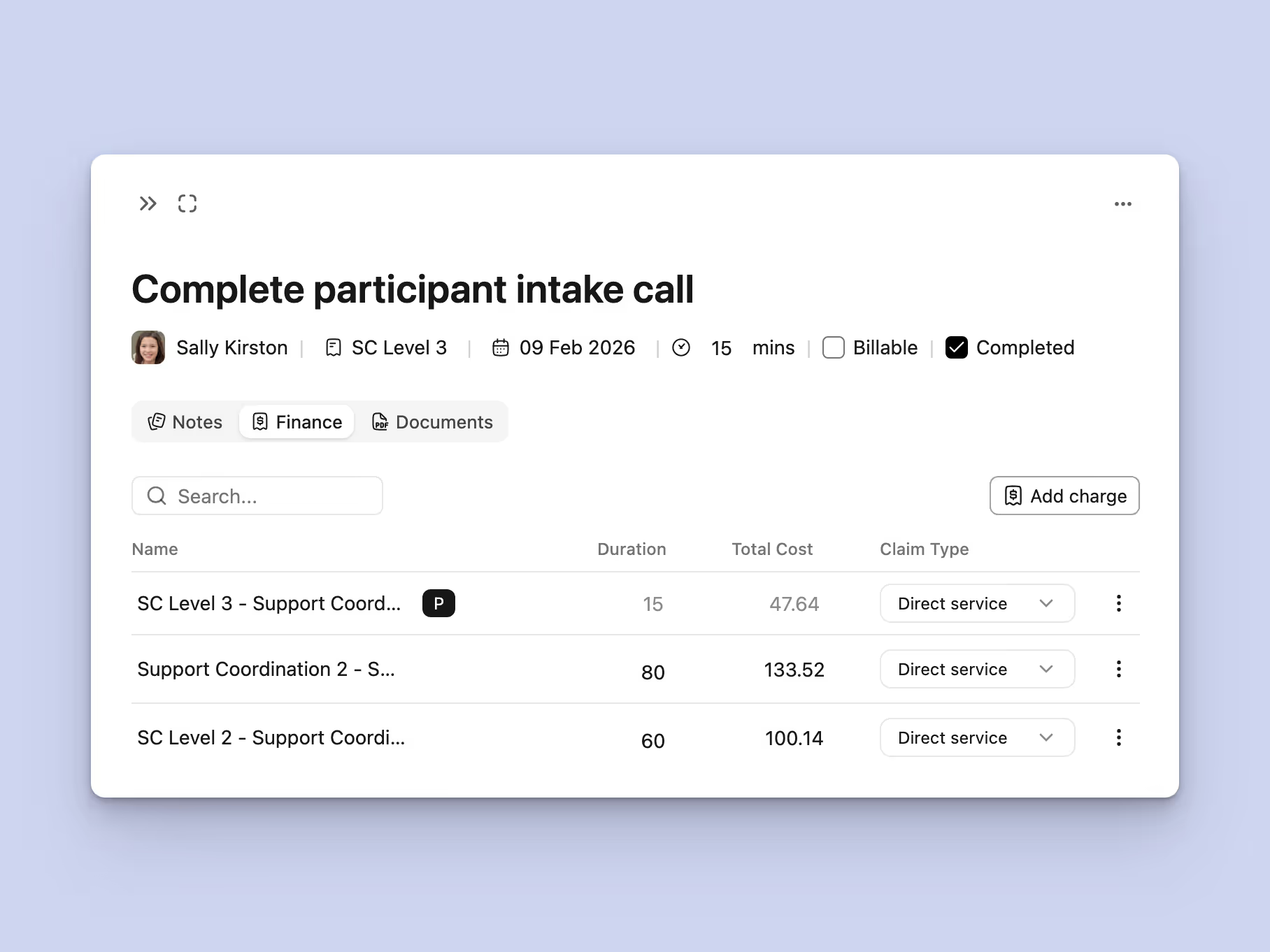
User interface screen titled 'Complete participant intake call' showing details for Sally Kirston on 09 Feb 2026, a 15-minute session marked as completed but not billable. The interface includes tabs for Notes, Finance, and Documents. A table displays three entries with names, durations (15, 80, 60 minutes), total costs ($47.64, $133.52, $100.14), and claim types set to Direct service. There's a search bar and a button labeled 'Add charge'.
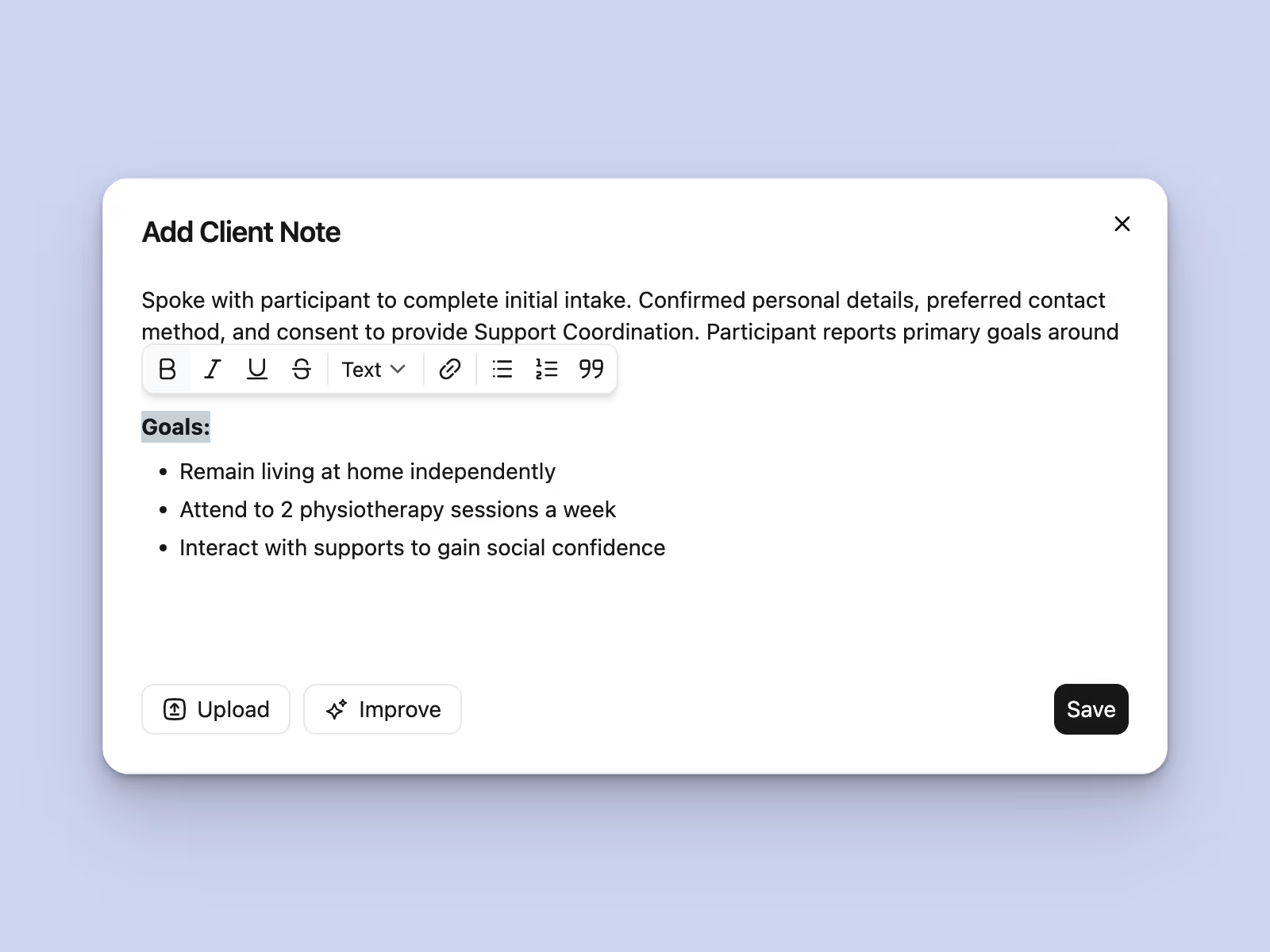
User interface window titled 'Add Client Note' with text input area containing notes about participant intake including confirmed details, consent, and primary goals listed as living independently at home, attending two physiotherapy sessions a week, and gaining social confidence through support interaction. Buttons labeled Upload, Improve, and Save are below the text area.
Documentation that flows

Efficient Case Notes

Write and organise case notes quickly using our intuitive system. Tag notes by category or goal to keep participant records

Stay on top of funding

Smart Budget Tracking

Never let a budget overrun catch you by surprise. Track allocated funds against spent amounts for every participant.
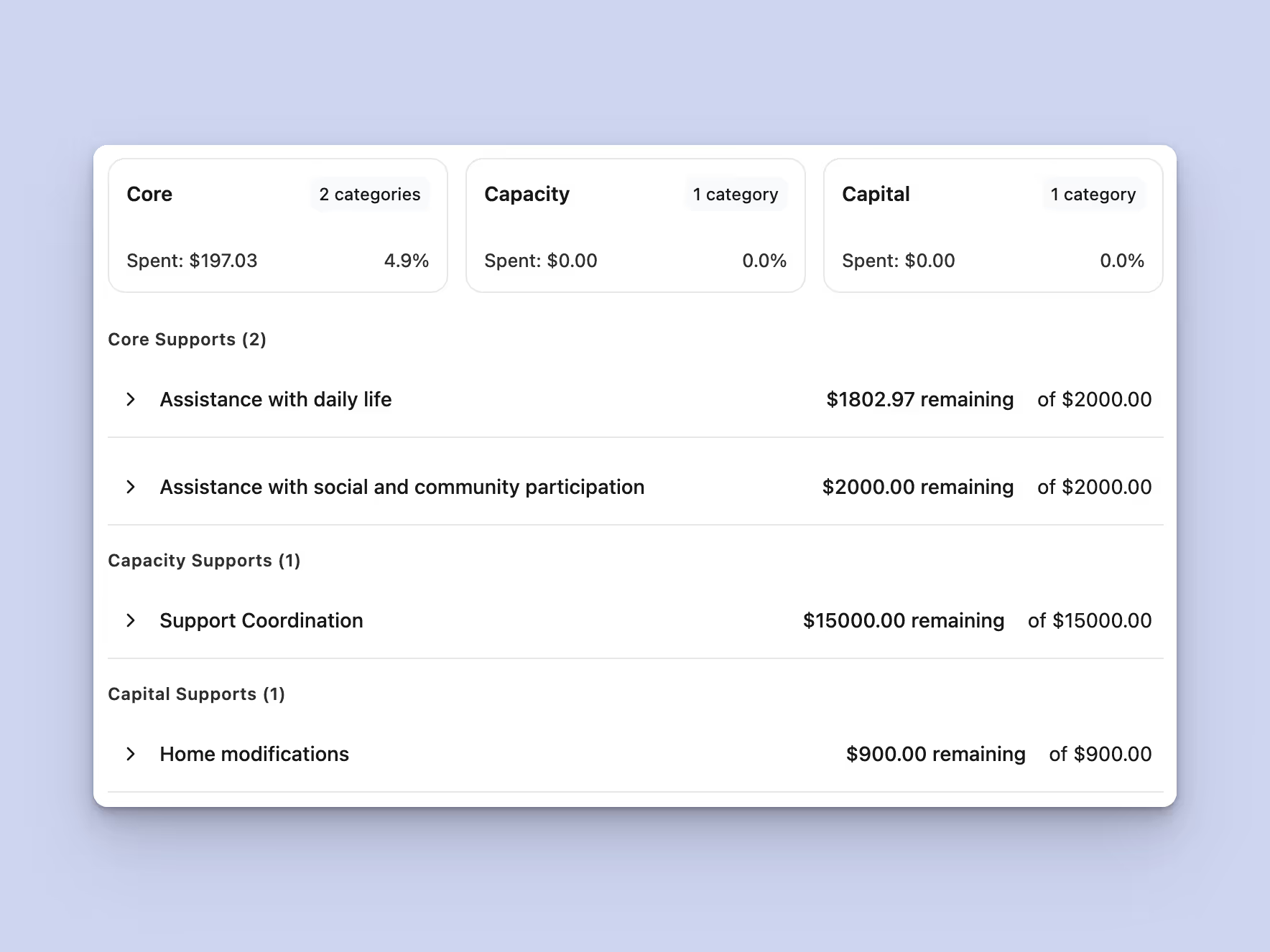
Financial summary showing spending and remaining amounts in categories Core with 2 categories, Capacity with 1 category, and Capital with 1 category. Core spending: $197.03 (4.9%), Capacity and Capital spending: $0.00 (0%). Core supports include Assistance with daily life ($1802.97 remaining of $2000) and Assistance with social and community participation ($2000 remaining). Capacity support is Support Coordination ($15000 remaining). Capital support is Home modifications ($900 remaining).
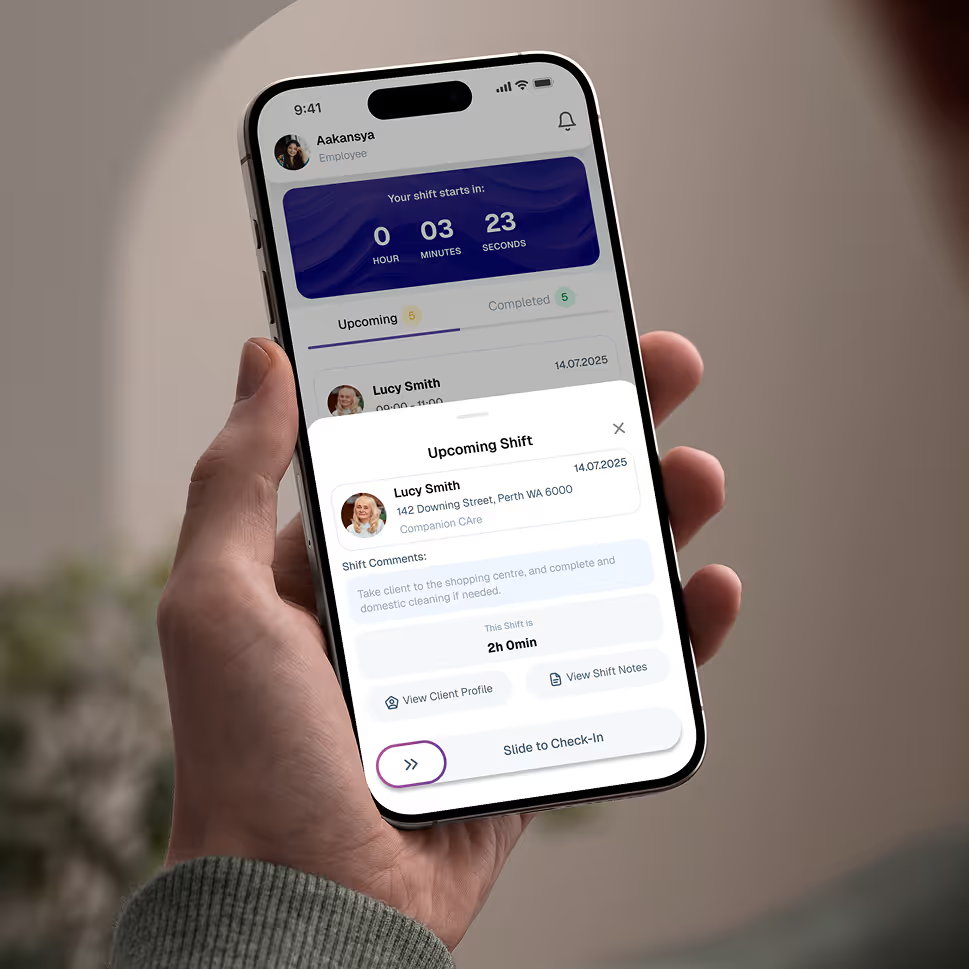
Hand holding a smartphone displaying an employee app screen for upcoming shift at Companion Care with countdown timer, client details, shift comments, and a slide to check-in button.

Give your team the tools they need on the road, with quick access.

Empower your workforce on the go. Clock in, check schedules, and manage care notes from anywhere. Available for iOS and Android.


Real Stories from Real Users

Hear how Imploy is helping Support Coordinators across Australia improve operations, boost productivity, and stay compliant.


Close-up portrait of a woman with light blue eyes, light skin, and shoulder-length brown hair, looking slightly to the side with a neutral expression and a wooden background.

"Imploy gives us instant visibility over participant budgets and plan utilisation. We no longer worry about overspending or manual calculations. It’s the clarity our team needed."

Lachlan Kelly

Director, Opal Horizon Coordination

Close-up portrait of a smiling man with short dark hair and light skin, wearing a dark-colored shirt, with a blurred indoor background.

"Finally, a system that works for coordinators. Managing NDIS plans is simple, invoices generate automatically, and the interface is incredibly intuitive. It’s streamlined our entire operation from day one."

Noah Wright

Founder, Paperbark Community Link

Portrait of a smiling man with short dark hair and a trimmed beard wearing a light blue shirt, with a blurry outdoor background.

"Managing large caseloads felt overwhelming until we switched to Imploy. The automated workflows for reporting and plan reviews are a lifesaver. We have reduced our manual data entry significantly and finally feel in control of our day."

Jack Thompson

Team Leader, Southern Cross Connect

Smiling middle-aged man with short graying hair and blue eyes wearing a white collared shirt.

"Imploy is the partner our agency needed to scale. It handles complex NDIS compliance in the background so we don't have to. Our team loves the intuitive interface, and our administrative overhead has dropped dramatically overnight."

Harper Evans

Founder, Gold Wattle Support

Frequently asked questions

Do you offer support for independent Support Coordinators?

Yes! Whether you are a solo operator or a large agency, Imploy scales to fit your needs. Our features are designed to be accessible for independents who need an all-in-one solution to run their business, as well as larger teams requiring robust rostering and HR tools.

Icon - Elements Webflow Library - BRIX Templates

Can I track my participants' NDIS budget usage?

Absolutely. Imploy provides a clear dashboard of your participants' funding. You can view budget utilization at a glance and generate expenditure reports for plan reviews.

Icon - Elements Webflow Library - BRIX Templates

Is Imploy compliant with NDIS Practice Standards?

Yes. Our platform is built to support your compliance obligations. From secure record-keeping and mandatory data reporting to audit-ready case notes and incident management workflows, we provide the digital framework you need to meet Quality and Safeguards Commission requirements with confidence.

Icon - Elements Webflow Library - BRIX Templates

Can I manage my team’s caseloads?

Definitely. For providers, Imploy offers a comprehensive team view. You can assign participants to specific coordinators and monitor caseload capacity. This ensures equitable work distribution and helps you scale your operations sustainably.

Icon - Elements Webflow Library - BRIX Templates

Is my client data secure?

Security is our priority. Imploy adheres to strict Australian privacy laws and data sovereignty requirements. Your participants' sensitive information is protected with rigorous encryption and role-based access controls, ensuring only authorized personnel can view specific files.

Icon - Elements Webflow Library - BRIX Templates

How does Imploy help me maximise my billable hours?

Imploy streamlines your workflow by linking your case notes directly to your billing. You can easily convert support activities into billable line items, ensuring you capture every minute of work without the double handling.

Icon - Elements Webflow Library - BRIX Templates

Experience the Imploy difference with AI

Get ready to experience how AI can transform the way you work,and unlock smarter, more efficient workflows.

Two horizontal notification bars with orange bell icons on their left side, stacked vertically on a black background.