
🏷️ Mid-Season Sale: Lock in your 1-year rate!
Deal ends in
00
Days
00
Hours
00
Minutes
00
Seconds
Save Now!

What our customers say about Imploy

Here’s how Imploy is helping teams across Australia improve operations, boost productivity, and stay compliant.

Home Care provider testimonial about using Imploy software

“Imploy has changed the way our team works"

Before Imploy, managing multiple locations and client's was a challenge. Now, we’ve streamlined management and boosted our delivery of care by 41%.

Sophie Williams - Operations Manager & Coordinated Care
NDIS provider sharing their happiness using Imploy

"A game changer for our operations."

Since switching to imploy, our admin load has dropped dramatically. Rostering is now simple, invoicing happens automatically, and our support workers love the mobile app.

Giovanni Ricci - CEO & Care Foundation
Close-up of a smiling middle-aged man with short brown hair and glasses, wearing a dark shirt, in front of a plain light gray background.

“Compliance is finally stress free”

NDIS audits used to take weeks of manual work. Imploy automated the process, cutting our prep time by 60% and giving us total confidence in our data.

Giovanni Ricci - CEO & Care Foundation
Close-up portrait of a smiling young woman with short blonde hair and light skin, looking at the camera with a blurred dark background.

“The mobile app empowers our entire team”

We used to struggle with paper notes and missed updates. Now, everything is in the app. Missed shifts have dropped to zero, and staff satisfaction is at an all-time high.

Giovanni Ricci - CEO & Care Foundation

Empowering NDIS Service Providers. Expand Your Reach Now.

Manage rosters, track staff hours, and connect with participants who need your services. Streamline operations so you can focus on delivering expert support.
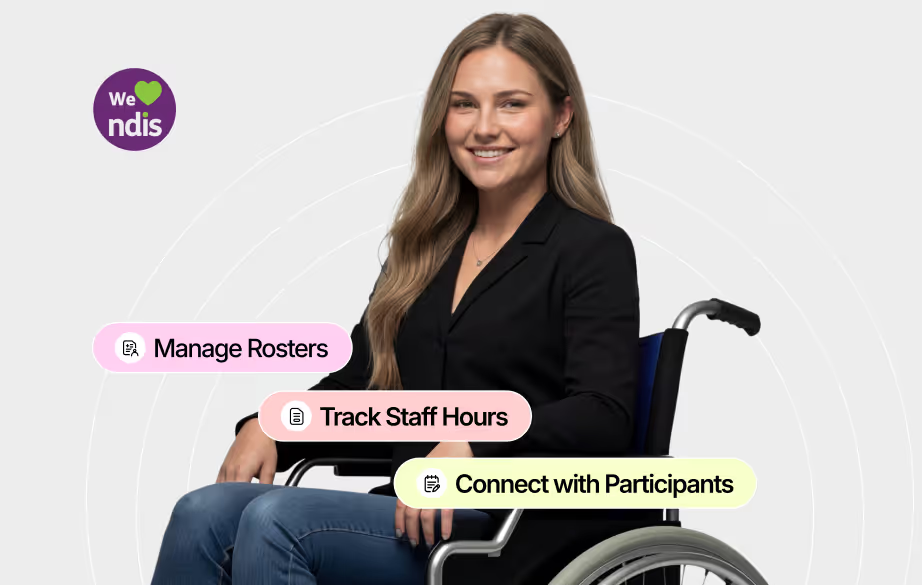
Smiling woman with long hair in a black blazer sitting in a wheelchair, with overlay text bubbles reading Manage Rosters, Track Staff Hours, and Connect with Participants, alongside a We love NDIS logo.
Real-Time Workforce Tracking

Get a clear view of every staff member you hire. Monitor shift times, costs, and roster utilisation in real time without complex spreadsheets.
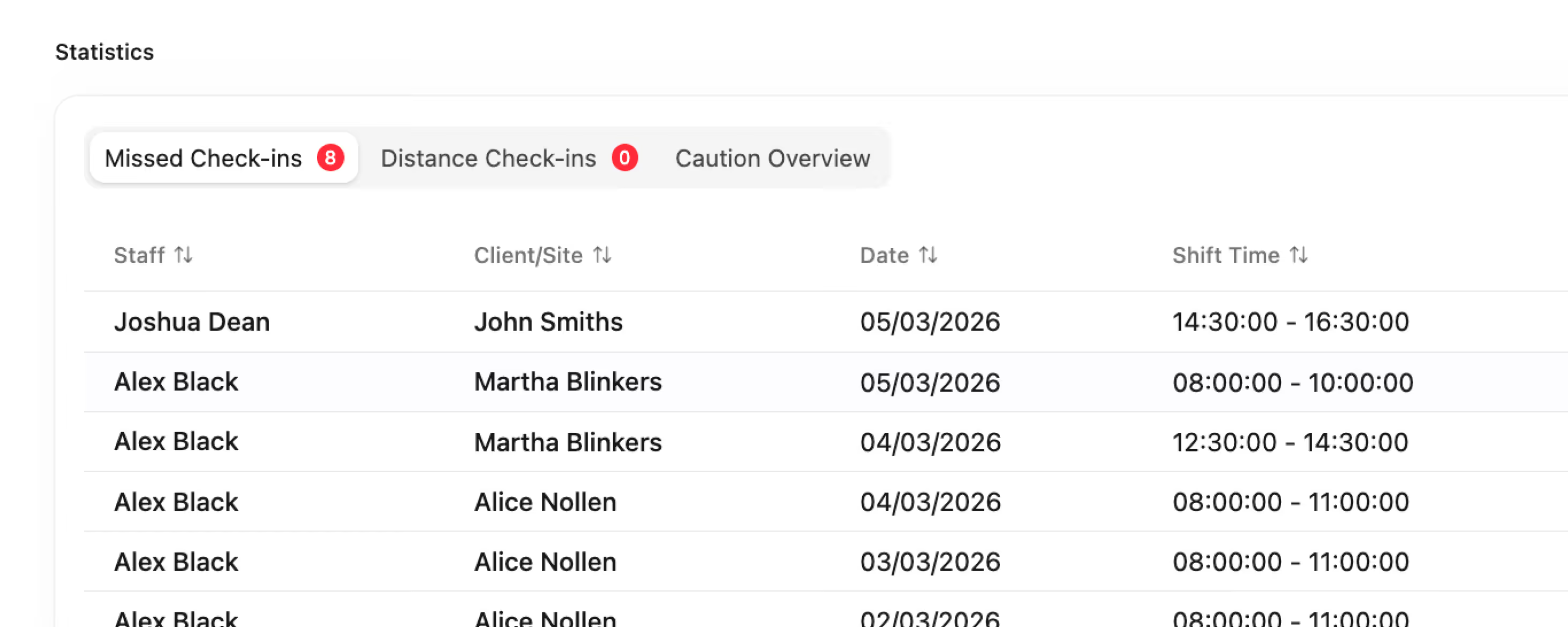
Table titled Statistics shows missed check-ins with a red badge '8', and tabs for Distance Check-ins and Caution Overview. Columns list Staff, Client/Site, Date, and Shift Time. Staff include Joshua Dean and Alex Black with clients John Smiths, Martha Blinkers, and Alice Nollen. Dates range from 02 to 05 March 2026. Shift times vary from early morning to late afternoon.
Simplified Workforce Coordination

Coordinate care seamlessly. Match support workers, manage rosters, and ensure clients get the service they need without bottlenecks
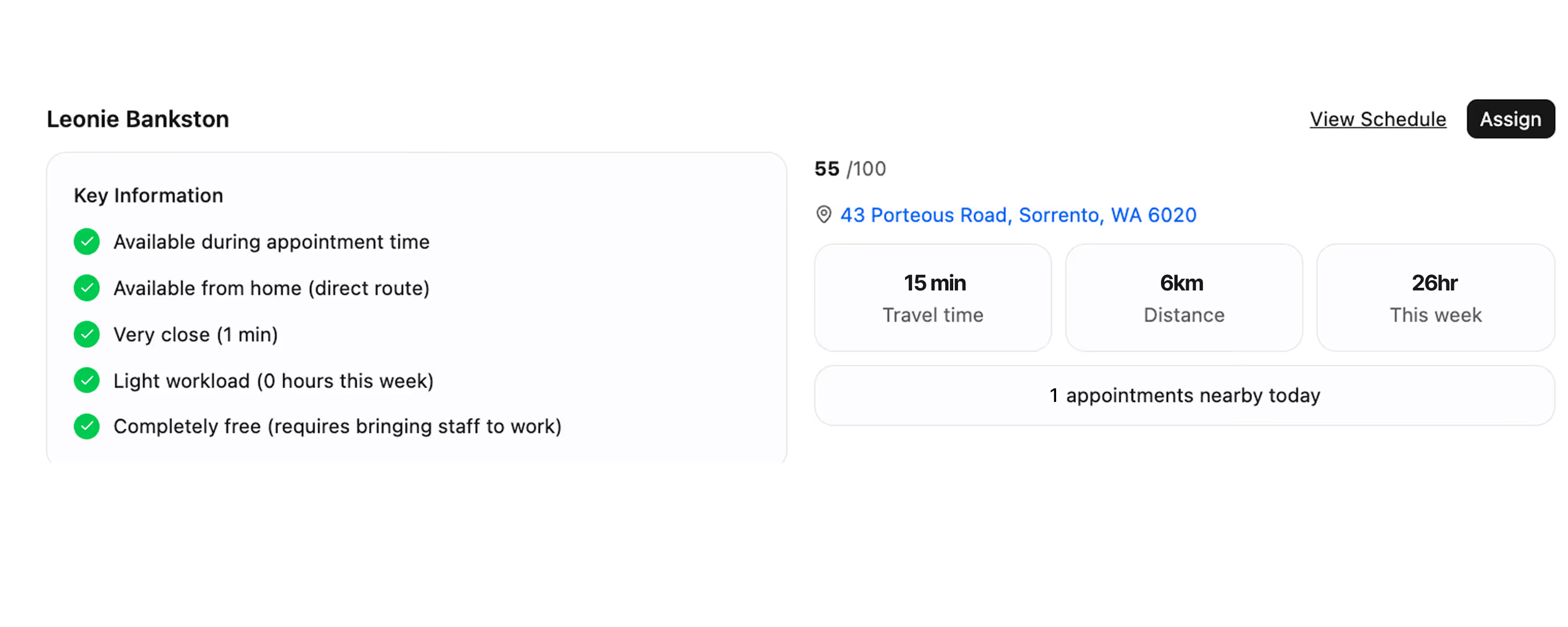
Interface for assigning Leonie Bankston with key information showing five green checkmarks indicating availability during appointment time, availability from home via direct route, proximity of 1 minute, light workload with zero hours this week, and being completely free requiring staff to come to work. Displayed score of 55 out of 100, location at 43 Porteous Road, Sorrento, WA 6020. Additional details include 15 minutes travel time, 6 kilometers distance, 26 hours available this week, and 1 appointment nearby today. Links for viewing schedule and assigning are present on the right.
NDIS Payroll Compliance Solved

Keep your payroll audit-ready and generate accurate invoices for the NDIS with speed.
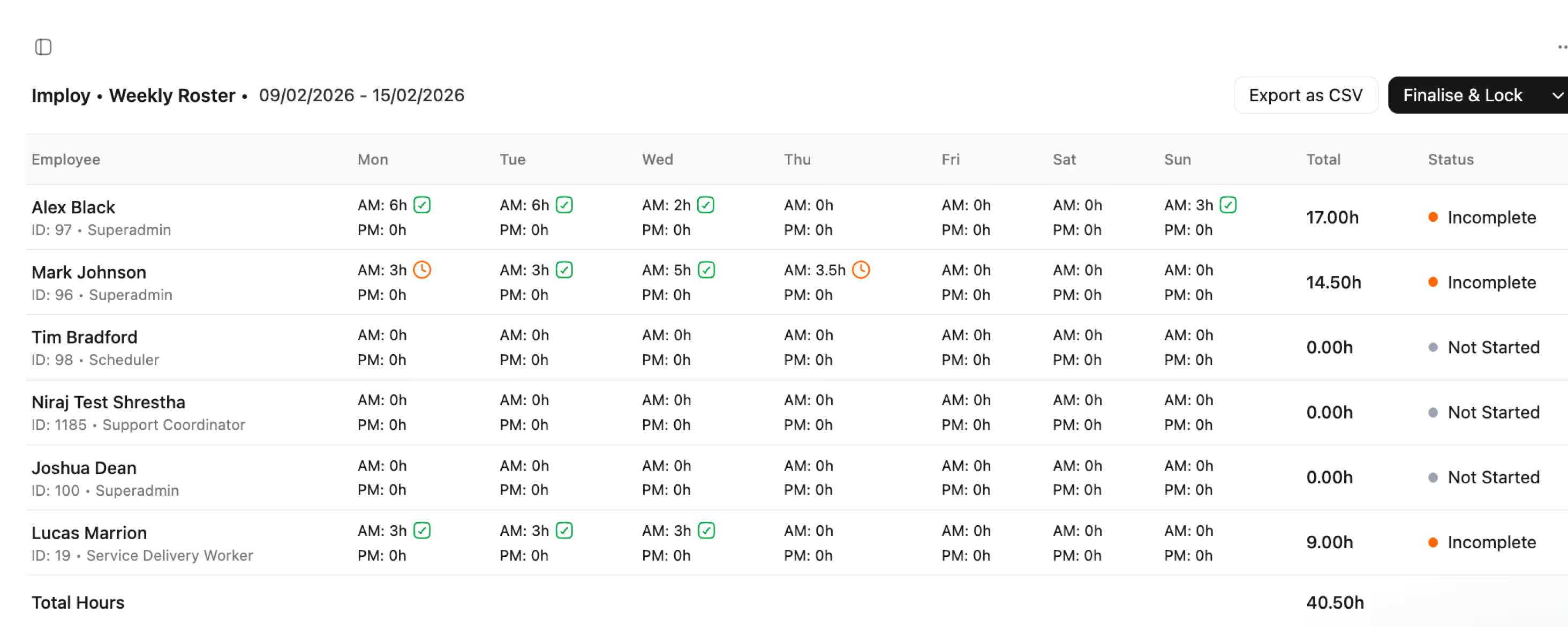
Weekly roster table for employees from 09/02/2026 to 15/02/2026 showing hours worked each day, total hours, and status. Employees listed include Alex Black, Mark Johnson, Tim Bradford, Niraj Test Shrestha, Joshua Dean, and Lucas Marrion. Hours are split into AM and PM with some days marked by green check icons or an orange clock icon. Status ranges from Incomplete to Not Started. Total hours worked in the week is 40.50h. The interface includes buttons for Export as CSV and Finalise & Lock.
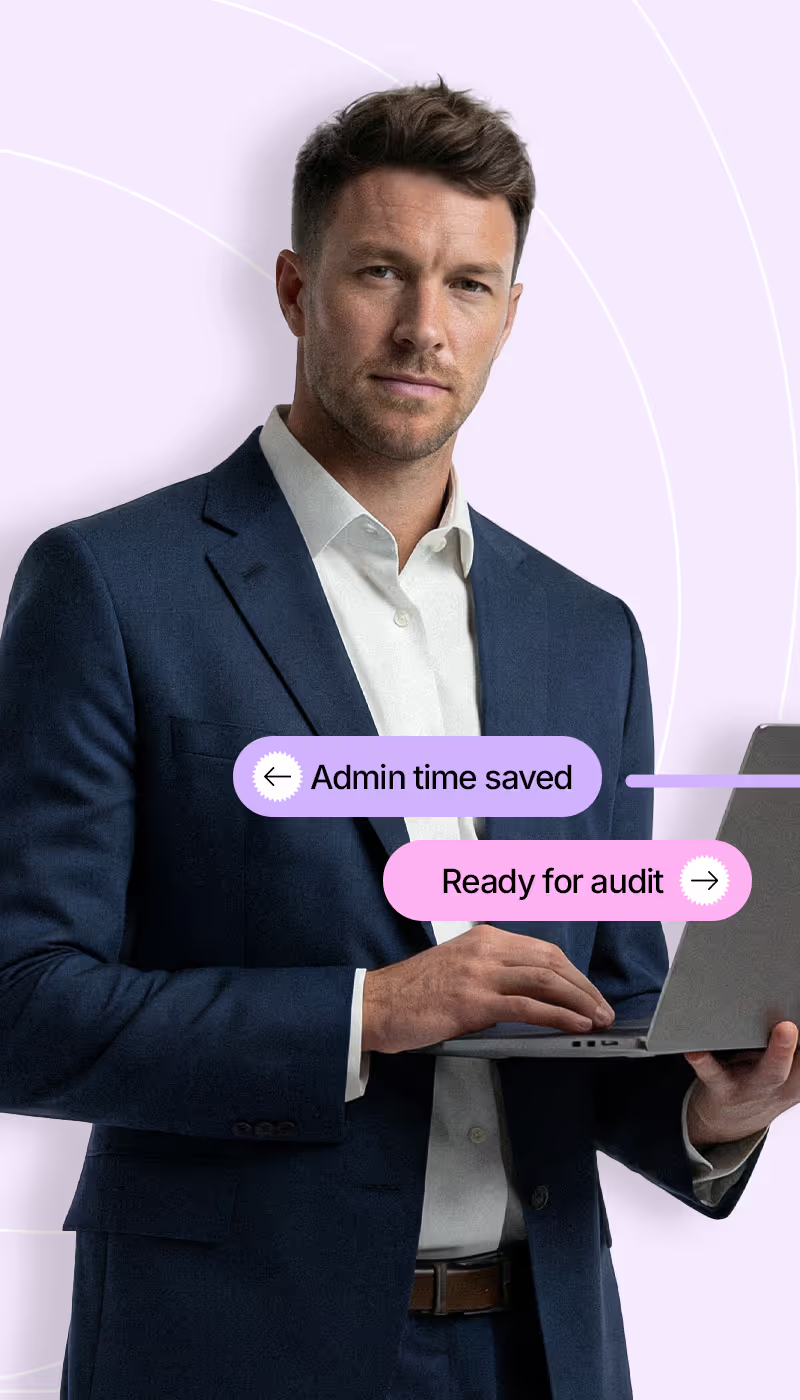
Man in a dark blue suit holding a laptop with two overlaid text bubbles stating 'Admin time saved' and 'Ready for audit' on a light purple background.
Smiling woman in a beige suit sitting with a laptop on her lap, with text bubbles reading 'Boost in billables' and 'Live budget insight.'
PROVEN IMPACT

Boost efficiency and business growth.

15h+

Saved weekly on admin tasks

100%

Audit-ready documentation

20%

Increase in billable hours captured

24/7

Real-time margin visibility

ELIMINATE CLAIM ERRORS

Automated NDIS Price Guide

Auto-fill invoices using the latest NDIS line items and price limits without manual updates. Reduce claim rejections by ensuring every line item matches the current guide.
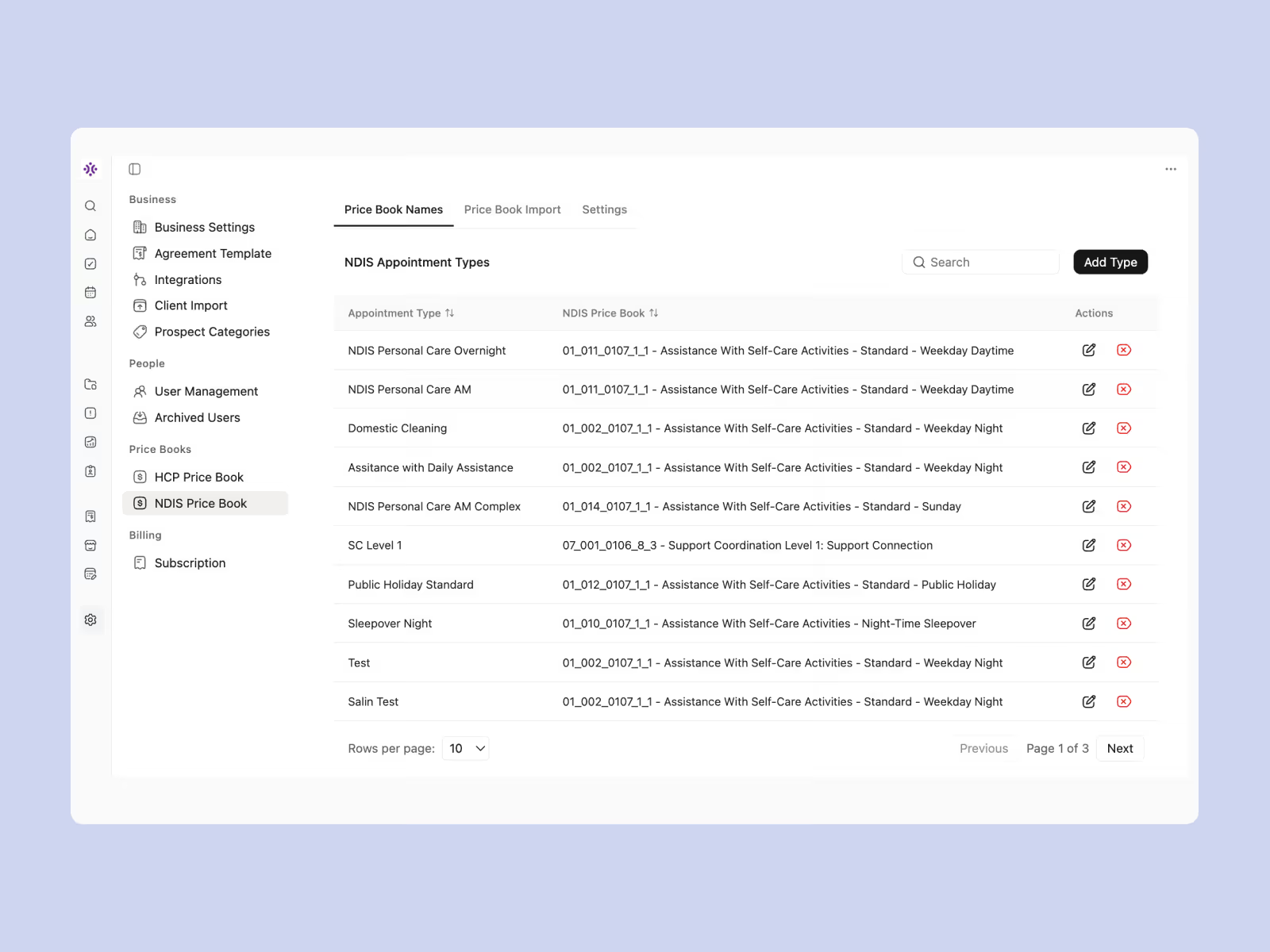
User interface of a business software showing a Price Book Names tab with NDIS Appointment Types listed, including appointment type names, corresponding NDIS Price Book codes, and actions for editing or deleting entries, along with navigation and filter options.
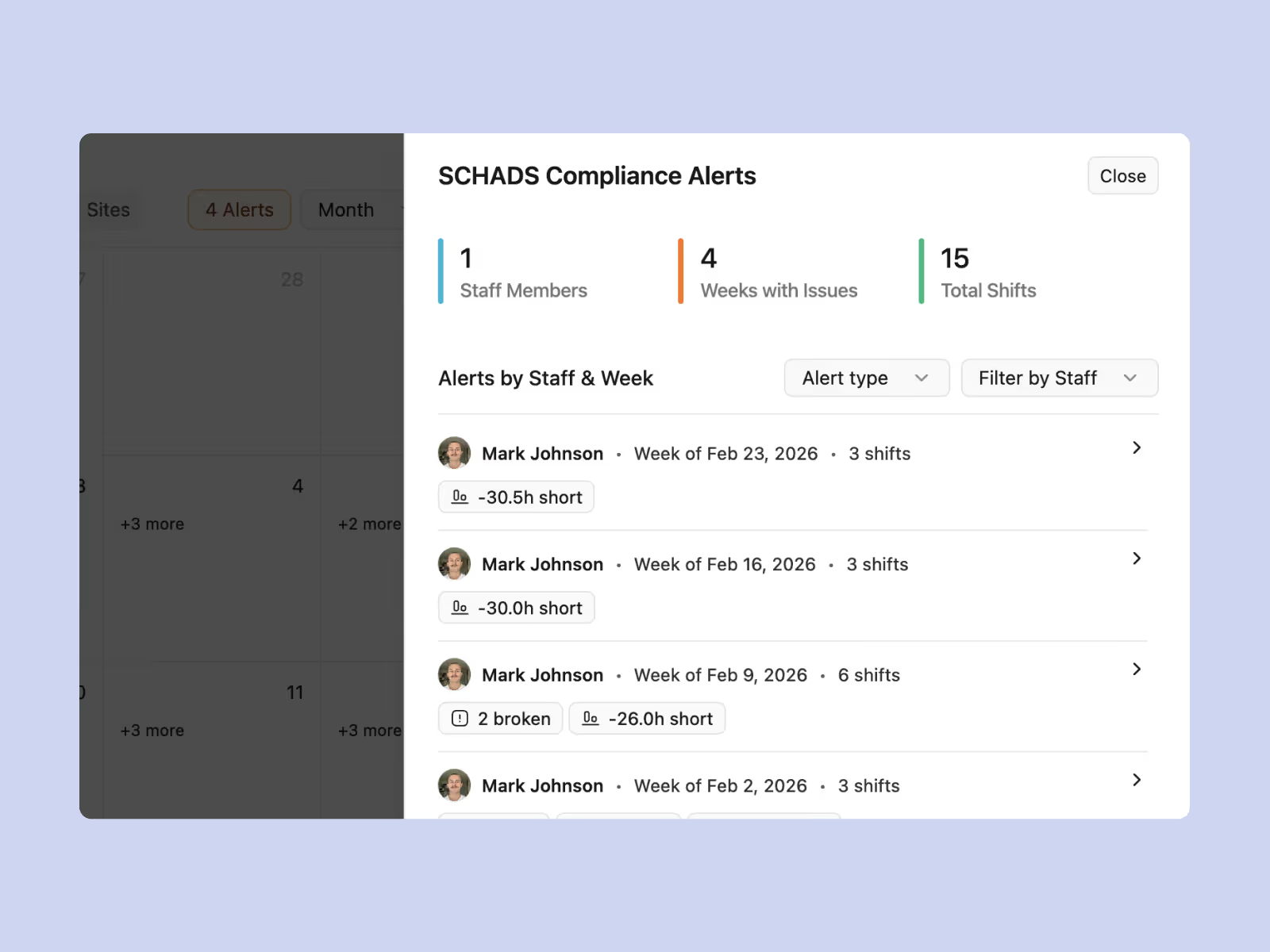
Dashboard interface titled SCHADS Compliance Alerts showing statistics with 1 staff member, 4 weeks with issues, and 15 total shifts. Below, alerts by staff and week list Mark Johnson with multiple weekly entries in February 2026 indicating shifts and compliance issues such as hours short and broken shifts.
PAY STAFF ACCURATELY

SCHADS Award Integration

Roster staff with full visibility of penalty rates, overtime, and allowances. Automate complex award interpretations to ensure payroll compliance without the math.

TRACK FUNDING

REAL-TIME Live Participant Budget Tracking

Monitor funding utilization against specific service agreements in real-time. Receive alerts before budgets run dry to keep service delivery sustainable and transparent.
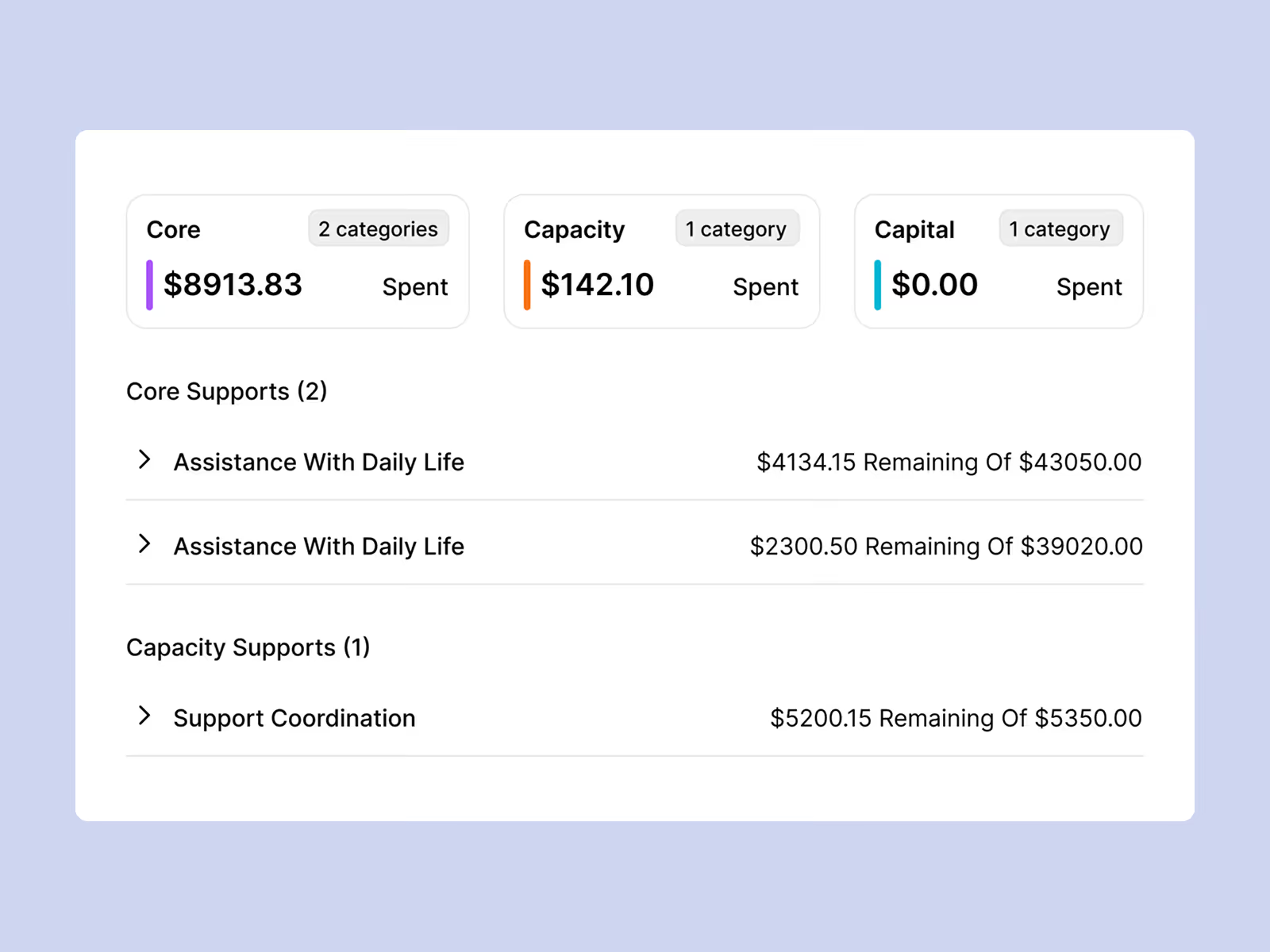
Budget summary showing amounts spent and remaining for categories: Core $8913.83 spent in 2 categories, Capacity $142.10 spent in 1 category, Capital $0.00 spent in 1 category. Core Supports includes Assistance With Daily Life twice with $4134.15 remaining of $43050.00 and $2300.50 remaining of $39020.00. Capacity Supports includes Support Coordination with $5200.15 remaining of $5350.00.
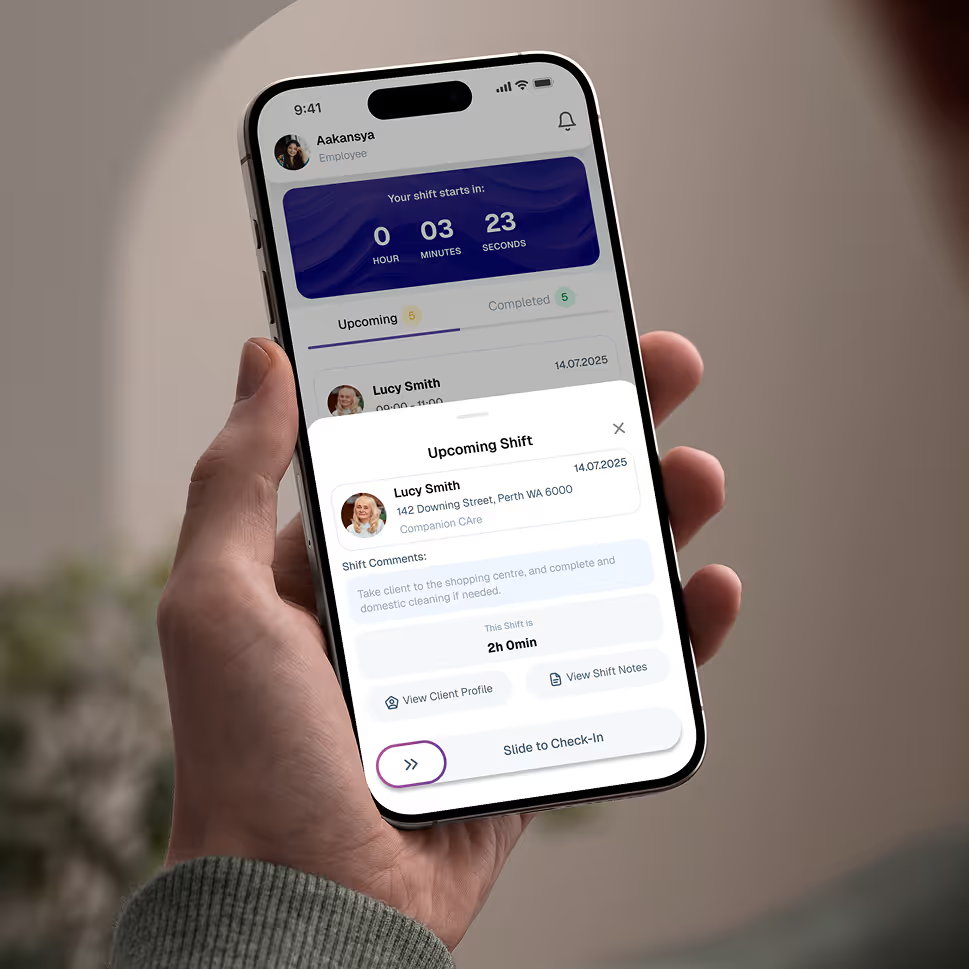
Hand holding a smartphone displaying an employee app screen for upcoming shift at Companion Care with countdown timer, client details, shift comments, and a slide to check-in button.

Give your team the tools they need on the road, with quick access.

Empower your workforce on the go. Clock in, check schedules, and manage care notes from anywhere. Available for iOS and Android.


Real Stories from Real Users

Hear how Imploy is helping NDIS Providers across Australia improve operations, boost productivity, and stay compliant.


Close-up portrait of a woman with light blue eyes, light skin, and shoulder-length brown hair, looking slightly to the side with a neutral expression and a wooden background.

"Imploy gives us instant visibility over participant budgets and plan utilisation. We no longer worry about overspending or manual calculations. It’s the clarity our team needed."

Lachlan Kelly

Director, Opal Horizon Coordination

Close-up portrait of a smiling man with short dark hair and light skin, wearing a dark-colored shirt, with a blurred indoor background.

"Finally, a system that works for coordinators. Managing NDIS plans is simple, invoices generate automatically, and the interface is incredibly intuitive. It’s streamlined our entire operation from day one."

Noah Wright

Founder, Paperbark Community Link

Portrait of a smiling man with short dark hair and a trimmed beard wearing a light blue shirt, with a blurry outdoor background.

"Managing large caseloads felt overwhelming until we switched to Imploy. The automated workflows for reporting and plan reviews are a lifesaver. We have reduced our manual data entry significantly and finally feel in control of our day."

Jack Thompson

Team Leader, Southern Cross Connect

Smiling middle-aged man with short graying hair and blue eyes wearing a white collared shirt.

"Imploy is the partner our agency needed to scale. It handles complex NDIS compliance in the background so we don't have to. Our team loves the intuitive interface, and our administrative overhead has dropped dramatically overnight."

Harper Evans

Founder, Gold Wattle Support

Frequently asked questions

Got questions? These FAQs are here to give you quick answers.

Does Imploy handle SCHADS award interpretation ?

Yes. Imploy automates award calculations based on staff levels and shift times, ensuring you stay compliant with Fair Work rates effortlessly

Icon - Elements Webflow Library - BRIX Templates

How do I invoice Plan Managers ?

Generate compliant PDF invoices instantly. Send them directly to Plan Managers or participants with one click, ensuring faster payment cycles.

Icon - Elements Webflow Library - BRIX Templates

Is Imploy compliant with NDIS Practice Standards?

Yes. Our platform is built to support your compliance obligations. From secure record-keeping and mandatory data reporting to audit-ready case notes and incident management workflows, we provide the digital framework you need to meet Quality and Safeguards Commission requirements with confidence.

Icon - Elements Webflow Library - BRIX Templates

Is it hard to switch from our current system ?

We make it easy. Our smart import tools allow you to upload your participant and staff data securely in minutes, so you can get started immediately.

Icon - Elements Webflow Library - BRIX Templates

Do support workers have an app for shifts ?

Yes. Workers can view rosters, clock in/out, and submit shift notes directly from their phones, giving you real-time visibility of service delivery.

Icon - Elements Webflow Library - BRIX Templates

Can I manage Incident Reports through the platform ?

Yes. Staff can report incidents directly through the platform or app. Managers can then review, categorize, and document the follow-up actions required to meet NDIS Quality and Safeguards Commission requirements.

Icon - Elements Webflow Library - BRIX Templates

Experience the Imploy difference with AI

Get ready to experience how AI can transform the way you work,and unlock smarter, more efficient workflows.

Two horizontal notification bars with orange bell icons on their left side, stacked vertically on a black background.