Best NDIS Software for Large Providers: Practice Management Guide
Discover how NDIS practice management software can help large providers manage rostering, billing, payroll, compliance and workforce operations.


Managing a large NDIS organisation means coordinating participants, support workers, rosters, billing, payroll, documents and reporting.
As a provider grows, spreadsheets and manual processes can create more work. Staff may spend time entering the same information, checking records and moving data between systems.
The right NDIS practice management software can bring these tasks into one platform. This can reduce repetitive admin, improve visibility and help teams follow consistent processes.
Imploy is an Australian-built NDIS and home care management platform. It brings rostering, participant management, billing, payroll, compliance, HR and workforce management into one system for NDIS and aged care providers.
What Is NDIS Practice Management Software?
NDIS practice management software helps providers manage the daily work involved in delivering NDIS services.
Common features include:
- Participant management
- Rostering and scheduling
- Workforce management
- Shift notes and service records
- NDIS billing and invoicing
- Claims management
- Payroll
- Documentation
- Incident management
- Reporting
- Mobile access
For large providers, bringing these functions together can reduce the need to switch between different systems.
For example, a provider can connect rostering, participant records, service delivery and billing instead of managing each task separately.
Providers should also consider their record-keeping and regulatory needs. The NDIS Practice Standards set out quality and safety requirements for registered NDIS providers.
Why Do Large NDIS Providers Need Practice Management Software?
Large providers may manage many participants, workers, shifts and locations. Manual processes can become harder to manage as operations grow.
1. Reduce Repetitive Admin
Staff may spend hours creating rosters, updating records, checking timesheets, preparing invoices and managing documents.
Connected software can reduce repeated data entry. For example, shift and timesheet information can flow into billing instead of being entered again.
This can help rostering, finance, payroll and administration teams work more efficiently.
2. Manage Large Workforces
Large providers need to match workers with participant needs, availability, skills and locations.
A central roster can help teams create schedules, find unfilled shifts and manage changes.
Imploy includes:
- Visual roster building
- Recurring rosters
- Worker availability
- Shift pools
- SCHADS-related alerts
- AI-powered shift matching
See the Imploy NDIS rostering guide for more information.
3. Improve Billing and Claims
Billing becomes more complex as participant numbers and support hours increase. Large providers may process shifts, travel, reimbursements and other billable entries in high volumes. Connecting service delivery with billing can reduce manual work and make billable information easier to track.
Providers should also review current NDIS pricing and claiming requirements. The NDIS pricing arrangements provide current pricing information.
4. Keep Participant Information in One Place
Participant records can include goals, care plans, service history, documents and shift notes. A central record gives authorised staff easier access to information. It can also reduce the need to search through spreadsheets, emails and separate applications.
5. Manage Documents and Records
Providers need to keep appropriate records for the services they deliver. Software can help teams manage forms, documents, incidents and other records in one place. Centralised records also make it easier for staff to find information when they need it.
6. Improve Operational Visibility
Large organisations need visibility across participants, workers, services and finances. Reports and dashboards can give management teams access to current operational information without relying on manually prepared spreadsheets.
Key Features to Look For in an NDIS Software
When choosing software for a large NDIS organisation, look at how the features work together. The platform should support current operations and scale with the organisation.
1. Scalability
The software should support growing numbers of participants, workers and users. Check whether it can also support multiple teams, locations and service areas.
2. Workforce Management
Useful workforce features may include:
- Rostering
- Worker availability
- Shift matching
- Mobile access
- Unfilled shift management
- Timesheet management
Imploy's rostering platform includes drag-and-drop rostering, recurring rosters, shift pools and workforce scheduling.
3. Participant Management
Look for a central participant profile that connects:
- Participant information
- Care plans
- Goals
- Service history
- Documents
- Forms
- Service records
This can help teams access the information they need without using multiple systems.
4. NDIS Billing and Invoicing
Large providers should consider:
- Bulk invoicing
- Billable task management
- Split billing
- Connected billing workflows
- NDIS claims
Connecting completed shifts with billing can reduce manual processing.
5. Payroll and SCHADS Support
Payroll should connect with rostering and timesheet information where possible. Look for SCHADS-related features and alerts that support workforce processes. Providers should still review their employment and award obligations separately.
6. Mobile Access
Support workers often work away from a desk.
A mobile app can allow workers to:
- View shifts
- Access client information
- Clock in and out
- Complete shift notes
- Record travel
- Submit reimbursements
- Report incidents
7. Compliance and Documentation
Look for tools that help manage:
- Forms
- Documents
- Incidents
- Records
- E-signatures
- Compliance workflows
The NDIS Practice Standards and Quality Indicators provide the framework for registered providers.
Software can support internal processes, but providers remain responsible for meeting their regulatory obligations.
8. Reporting and Integrations
Large providers need clear reporting across service delivery, workforce activity, finances, compliance and claims. Integrations can also reduce duplicate data entry. For example, connecting operational information with accounting software can simplify financial processes.
How Does Imploy Support Large NDIS Providers?
Imploy brings key provider workflows into one platform. Teams can manage participants, workers, rostering, service delivery, billing, payroll, documentation and reporting from one system.
1. Rostering and Workforce Scheduling
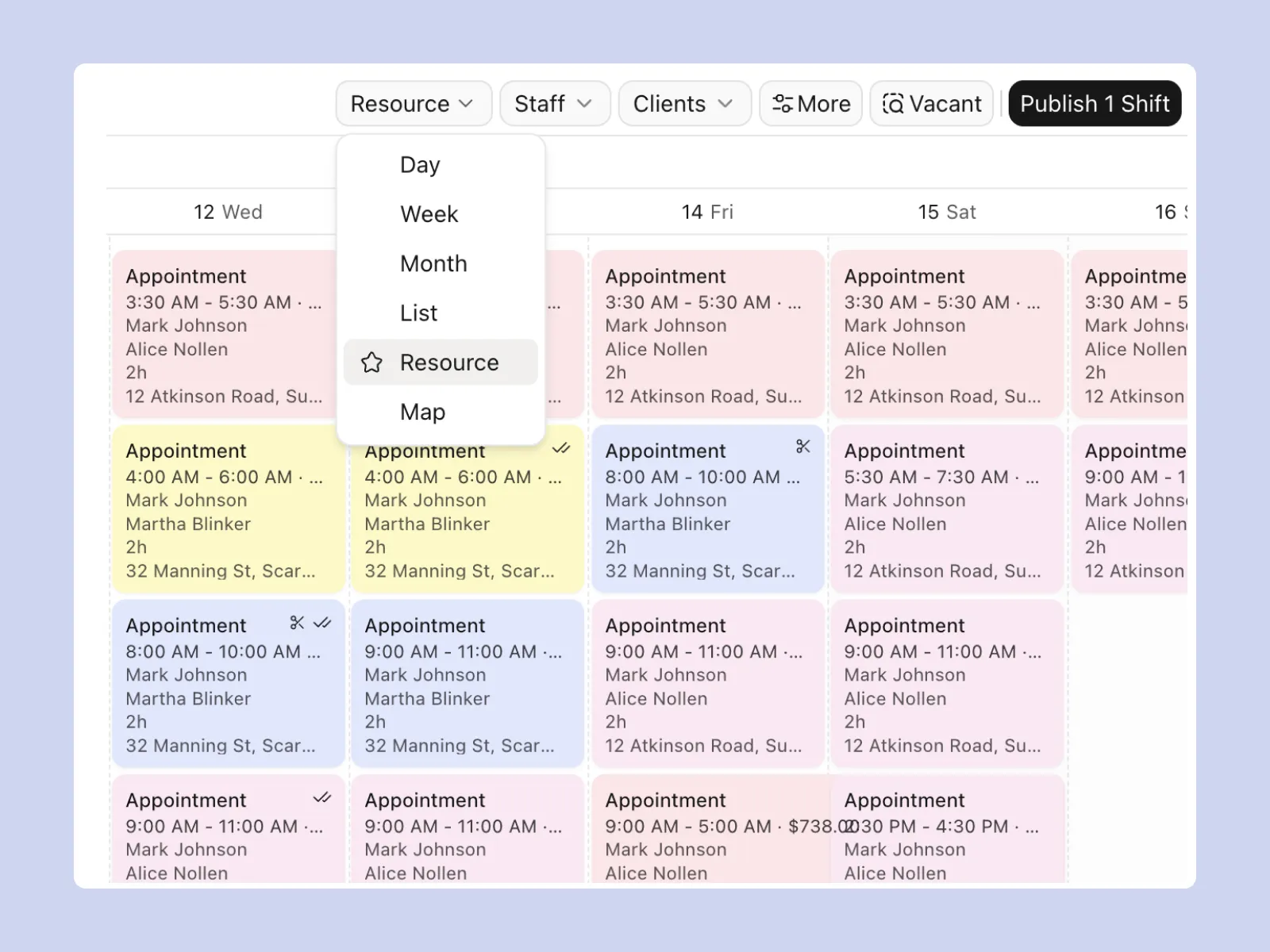
Imploy smart rostering provides a visual drag-and-drop roster builder for creating and updating shifts.
It also supports:
- Recurring rosters
- Worker availability
- Shift pools
- AI-powered shift matching
- SCHADS-related alerts
- Missed check-in notifications
- Flexible shift types
- Sleepover shifts
- Group shifts
These tools can help teams manage daily schedules and respond to changes.
2. Participant and Client Management
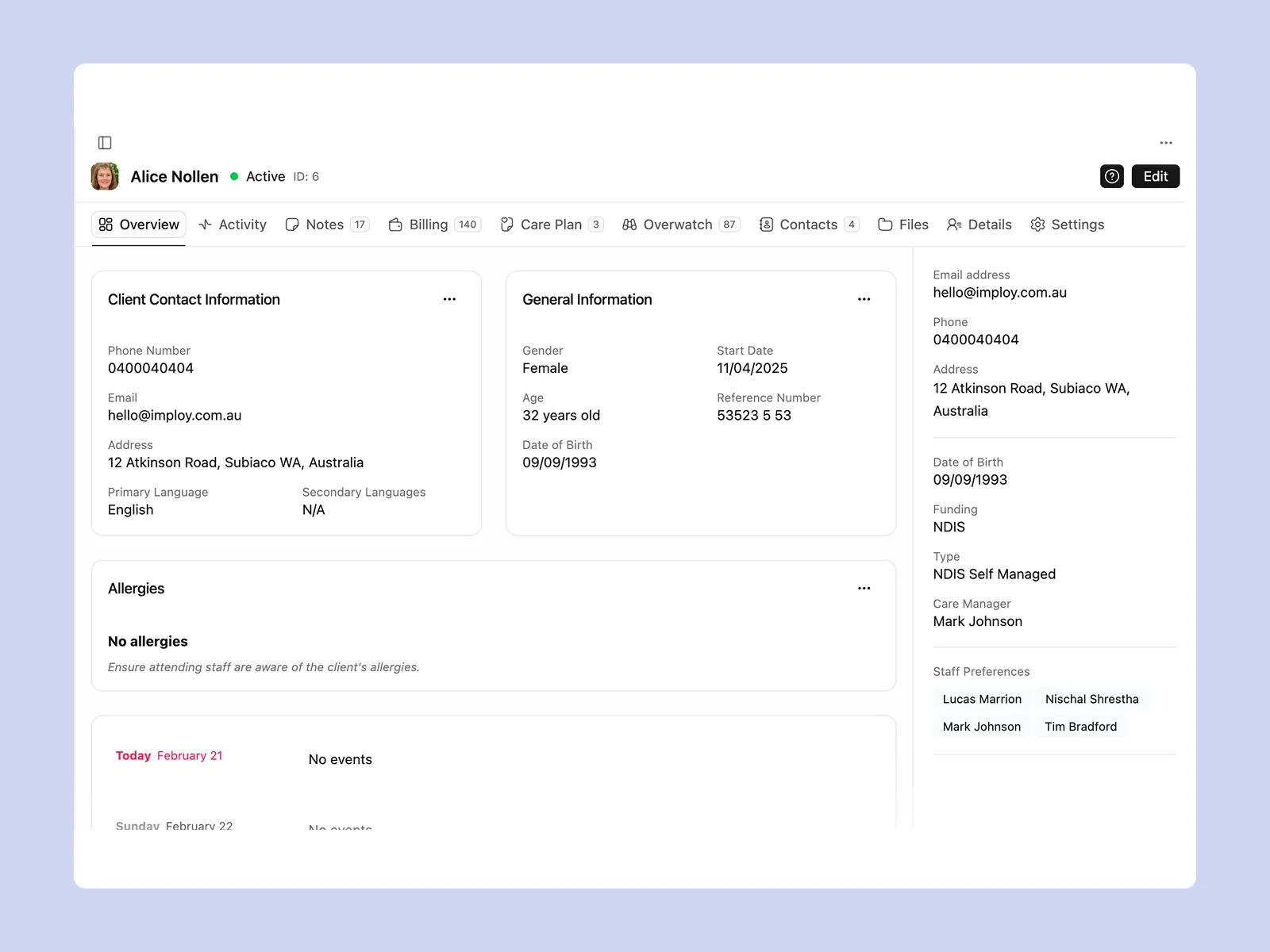
Imploy provides a central location for participant and client management.
Teams can manage:
- Participant records
- Care plans
- Goals
- Service history
- Documents
- Custom attributes
- Custom forms
- Client communications
Custom attributes allow providers to create fields for clients, staff, sites and incidents.
3. NDIS Billing and Bulk Invoicing
.webp)
High-volume billing can take significant time when information is entered manually. Imploy can create invoices from shift and billable information and supports bulk invoicing workflows.
Providers can also manage billable tasks and split billing. Split billing allows a shift to be divided across multiple service types with separate billable entries and timesheets.
See the NDIS Support Catalogue for information about support items and claim types.
4. Payroll and Workforce Administration
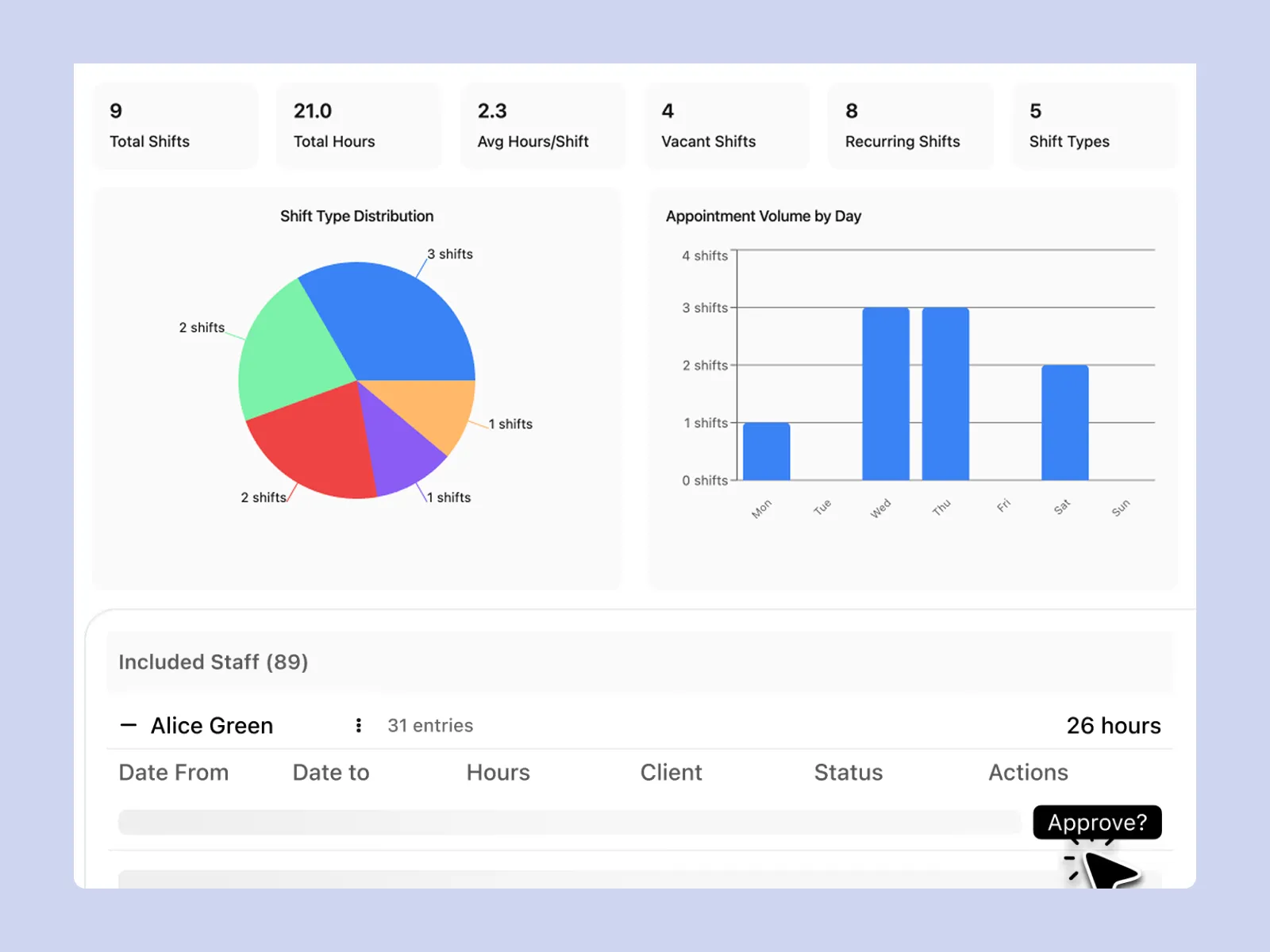
Managing payroll can become more complex as the number of workers and shifts increases. Connecting payroll with rostering and timesheet data can help reduce manual entry and keep workforce information organised.
Imploy supports payroll workflows and SCHADS-related alerts, helping providers manage key workforce information in one platform. It also integrates with Xero, making it easier to connect operational and accounting processes.
This can help reduce duplicate data entry and give teams a clearer view of hours, shifts and payroll information.
5. Mobile Access for Support Workers
The Imploy mobile app allows support workers to:
- View upcoming shifts
- Check client information
- Access relevant care information
- Clock in and out
- Complete shift notes
- Record travel
- Submit reimbursements
- Report incidents
GPS-stamped clock-in and clock-out information can help providers maintain accurate timesheet records.
6. Compliance and Documentation
Imploy provides tools for:
- Custom forms
- Digital records
- Incident information
- Documents
- Compliance workflows
- E-signatures
- Reporting
Custom Forms can help providers collect information digitally and reduce repeated data entry.
E-signatures can also help manage approvals without a separate e-signature subscription.
Providers can access the Imploy downloads and templates library for resources such as NDIS case note and participant onboarding templates.
7. Supported Independent Living
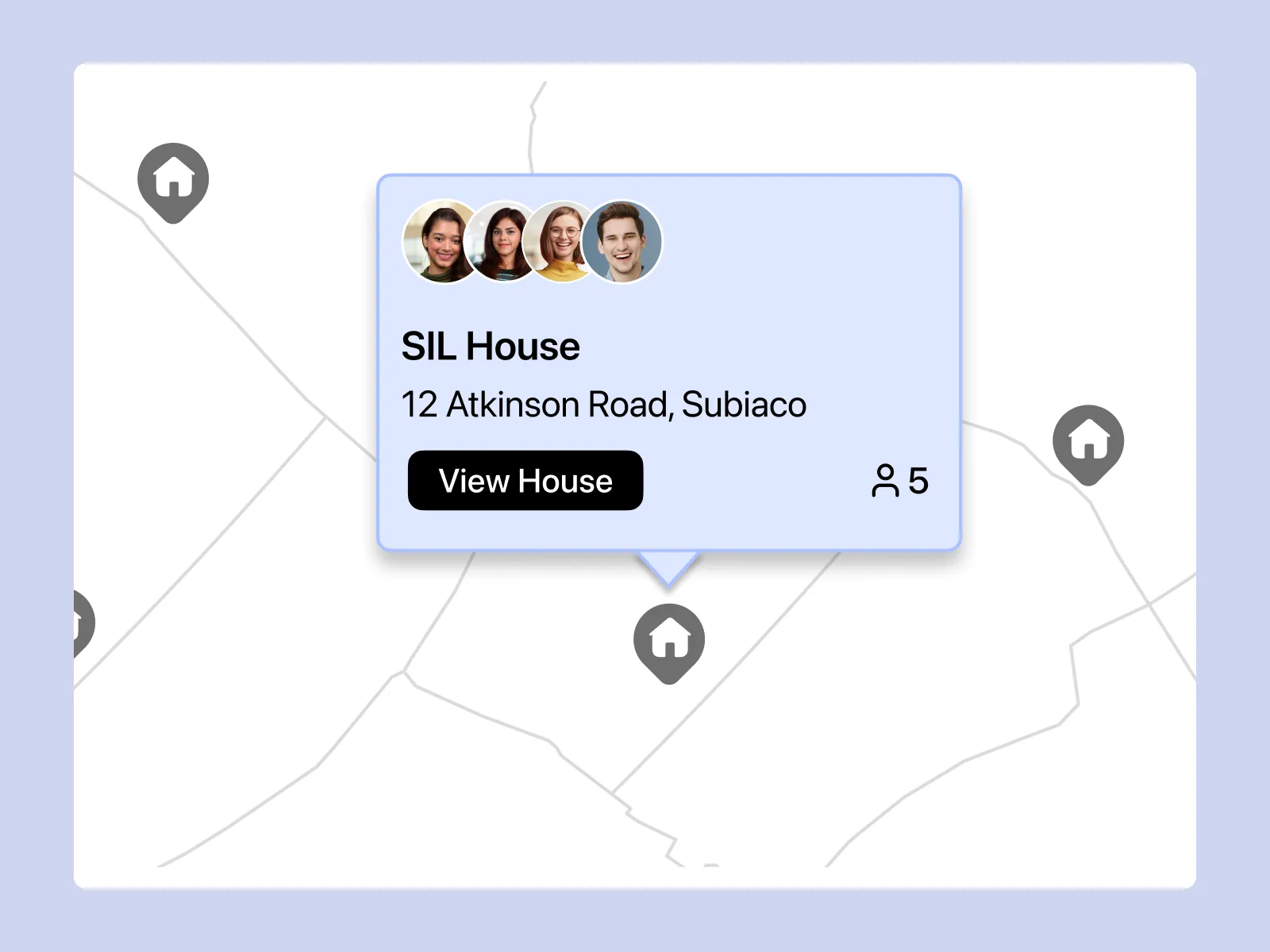
Providers delivering Supported Independent Living can use Imploy to manage:
- SIL sites
- Occupancy
- House documentation
- Staff
- Participant information
- Site reporting
- Billing
Managing this information within one platform can reduce the need for separate systems.
Providers should also review current SIL Practice Standards information.
See Imploy's SIL software guide for large NDIS providers for more information.
8. AI-Powered Tools
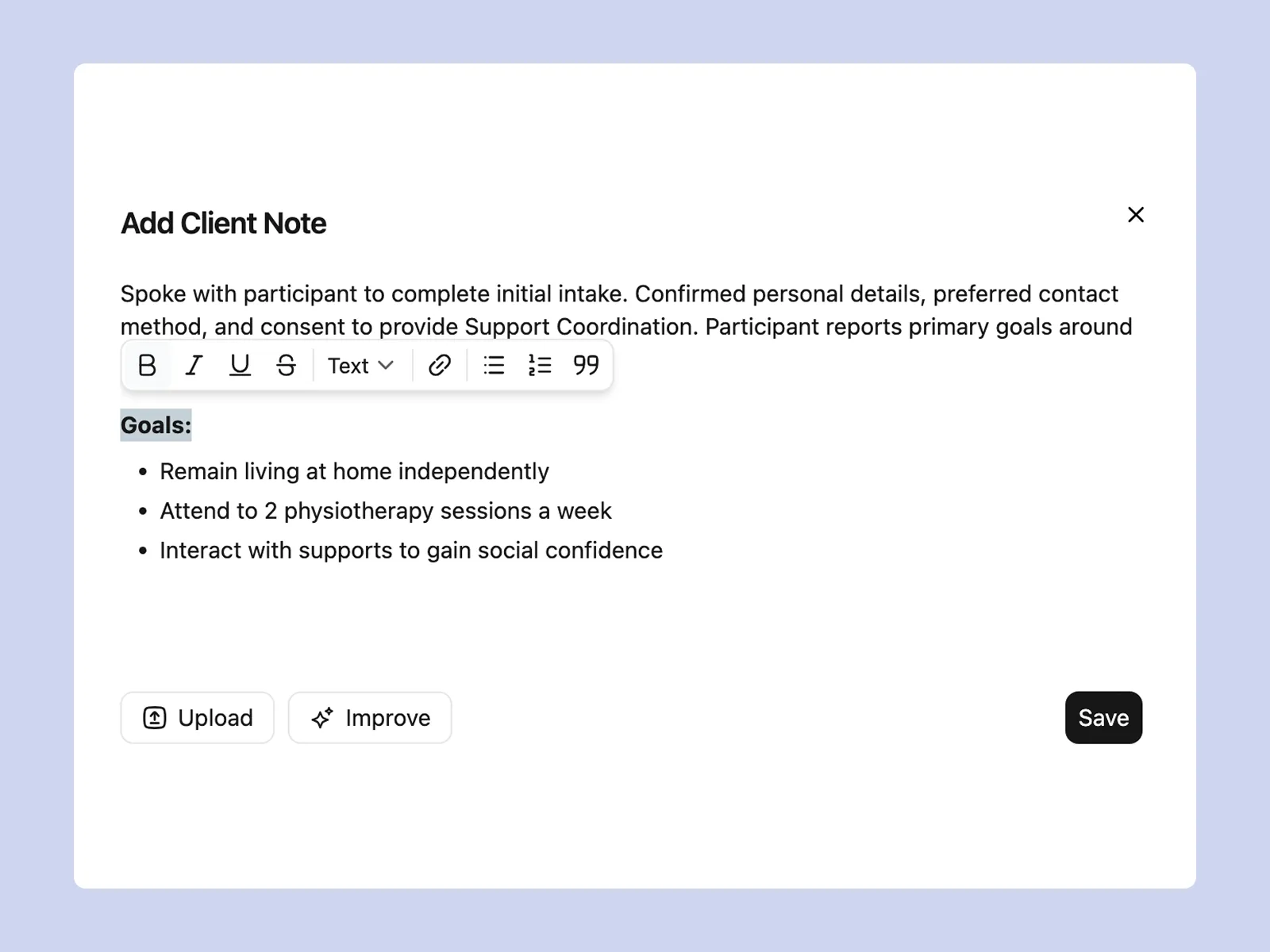
Imploy includes AI-powered tools that support everyday provider workflows.
- AI Shift Matching
AI can help identify workers who may suit a shift based on participant requirements, availability, skills and location.
- AI Note Enhancement
Support workers can start with rough shift notes, while AI helps turn them into clearer documentation.
- AI Risk Identification
Imploy can analyse shift notes for potential risk indicators and provide a risk score from 0 to 10.
These tools support staff workflows and do not replace professional judgement.
9. Custom Workflows
Every provider has different processes and operational needs. Imploy supports custom attributes and forms, allowing organisations to adapt the platform to their workflows. Teams can capture the information they need without relying on separate systems or manual processes.
Providers can also use custom integrations, reporting and workflow options to support their day-to-day operations. This flexibility helps larger providers manage different teams, services and processes within one platform.
Manage NDIS Operations With Imploy
Large NDIS providers need connected workflows across participants, workers, services, billing and compliance.
Imploy brings these functions together with tools for rostering, participant management, billing, payroll, documentation, mobile workforce management and reporting.
For organisations moving away from spreadsheets and disconnected systems, a central platform can provide a simpler way to manage daily operations.
You can also explore Imploy reviews on G2 and Imploy reviews on Trustpilot to learn more about customer experiences with the platform.
Explore Imploy to see how it can support your organisation's NDIS workflows.
- Premium Plan: $20 per user/month - includes SCHADS Awards, Bulk Client Invoicing AI Scheduler, Human Resources Module, Accounts Module, Unlimited Users
- Enterprise Plan: Provided on request from the Sales Team
Final Thoughts
Managing a large NDIS organisation involves coordinating participants, workers, rosters, billing, payroll and documentation. The right practice management software can bring these processes together and reduce repetitive administration.
Imploy combines workforce management, participant records, billing, payroll, mobile access, compliance tools, reporting and configurable workflows in one platform. Its range of features can help large providers manage day-to-day operations while supporting teams as their organisation grows.
For providers reviewing their current systems, choosing a platform that fits their workflows, workforce and operational needs is an important step toward more connected NDIS management.
FAQs
1. What is NDIS practice management software?
It helps providers manage tasks such as participant records, rostering, workforce management, billing, payroll, documentation and reporting.
2. Why do large NDIS providers need practice management software?
Large providers manage many participants, workers, shifts and locations. A central platform can bring these workflows together and reduce repetitive admin.
3. What features should large NDIS providers look for?
Important features can include participant management, rostering, billing, bulk invoicing, payroll, documentation, mobile access, reporting, integrations and custom workflows.
4. Can Imploy manage large NDIS workforces?
Yes. Imploy provides rostering and workforce features such as recurring rosters, worker availability, shift pools, mobile access and AI-powered shift matching.
5. Does Imploy support NDIS bulk invoicing?
Yes. Imploy supports bulk invoicing and billing workflows using shift and billable information to create invoices.
6. Does Imploy support SCHADS?
Imploy provides SCHADS-related payroll and rostering support, including alerts for relevant workforce requirements.
7. Does Imploy have a mobile app?
Yes. The Imploy mobile app allows support workers to view shifts, access client information, clock in and out, complete shift notes and submit travel and reimbursement information.
8. Can Imploy manage participant information?
Yes. Imploy can centralise participant and client records, care plans, goals, service history, documents, custom attributes and forms.
9. Does Imploy offer AI features?
Yes. Imploy includes AI-powered tools such as AI shift matching, note enhancement and risk identification.
10. Can Imploy support multi-site NDIS providers?
Imploy supports larger organisations managing teams and operations across multiple locations. It provides centralised workforce management, reporting and configurable workflow options.