
Top 4 Best Home Care Rostering Software
Discover the best home care rostering software for aged care, Support at Home, CHSP, and NDIS providers. Compare features, pricing, and benefits.

Running a home care business is not just about filling shifts. Providers need to match the right worker with the right client, manage availability, avoid missed visits, track travel, record care notes, monitor budgets, and keep billing accurate.
That is why home care rostering software has become essential for aged care, Support at Home, CHSP, private care, and NDIS providers. A good system does more than show who is working. It helps providers reduce admin, improve visibility, support staff, and deliver more consistent care.
In this guide, we compare four of the best home care rostering software options in Australia: Imploy, AlayaCare, ShiftCare, and CareVision.
Why does rostering software matter for home care providers?
Home care rosters can change quickly. A client may cancel a service. A worker may call in sick. A client may prefer a specific support worker. A care manager may need to check whether the shift fits the client’s budget. Admin staff may also need to confirm whether travel, notes, timesheets, and invoices are all linked correctly.
Without the right system, providers often rely on spreadsheets, manual messages, paper notes, and disconnected tools. This can lead to errors, missed communication, duplicated work, and poor visibility across the business.
Home care rostering software helps providers manage:
- Staff availability
- Client preferences
- Regular and recurring shifts
- Mobile clock-in and clock-out
- Care notes and progress notes
- Travel and kilometre tracking
- Incident reporting
- Budget and funding visibility
- Billing and invoicing
- Payroll and timesheets
- Compliance records
- Reporting and audit preparation
The best software should support both office teams and frontline workers. Admin users need control and visibility. Support workers need a simple mobile app. Clients and families need reliable service delivery.
Top 4 Best Home Care Rostering Software
1. Imploy
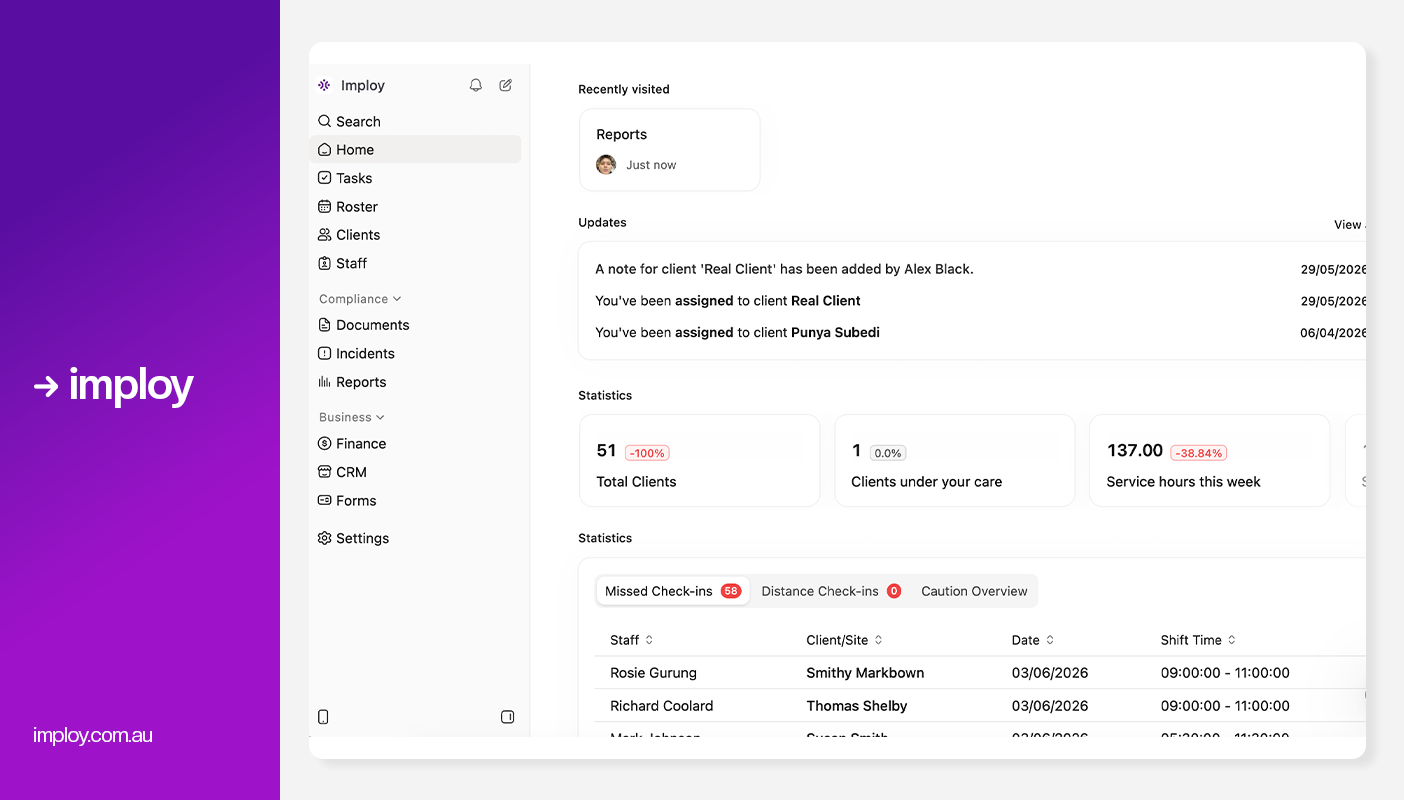
Imploy is an Australian-built care management platform designed for home care and NDIS providers. It brings rostering, client management, care plans, invoicing, payroll, HR, compliance, reporting, and mobile access into one system.
Key Features:
- Real-Time Visit Verification: Track staff attendance, clock-ins, travel time, and visit duration in real time.
- Smart Rostering & Scheduling: Create and manage rosters efficiently with AI-powered worker matching and shift allocation.
- Client Budget Tracking: Monitor HCP budgets, track spending, and receive alerts before budgets are exceeded.
- Care Management & Case Notes: Manage care plans, client records, progress notes, and incidents from one platform.
- Preferred Worker Matching: Assign preferred support workers to improve continuity of care and client satisfaction.
- Mobile Workforce Management: Enable staff to access schedules, submit notes, track kilometres, and manage shifts via mobile app.
- Automated Invoicing & Billing: Generate invoices automatically from completed services and reduce manual administration.
- Payroll & SCHADS Award Compliance: Simplify payroll processing with automated timesheets and SCHADS Award calculations.
- HCP & NDIS Management in One Platform: Manage Home Care Package and NDIS services together in a single system.
- Billable task management to turn every support action into a billable event.
- Mobile app for staff and providers: Imploy’s mobile app gives support workers access to upcoming shifts, client information, clock-in/out, shift notes and active-hour recording while working in the field.
- Flexible Shift Types: Imploy supports flexible shift types, including sleepover and group shifts, making it easier to manage overnight support, multiple staff and shared client sessions within the same roster.
- Split Billing: Imploy simplifies split billing by allowing shifts to cover multiple service types, with separate billables and timesheets automatically created for each segment.
- Share Forms by Email: Imploy makes it easier to collect information by letting providers email forms directly to participants, staff or other recipients, with options to prefill details and track completion.
- AI Features:
- Smart Shift Matching: Uses AI to assign the most suitable support worker based on the client’s needs, staff location, availability, skills, and previous interactions -helping reduce travel time and boost consistency.
- Intelligent Note Enhancement: Refines rough shift notes into clear, well-structured summaries by improving tone, grammar, and extracting key insights -enhancing compliance and communication.
- AI Powered Risk Identification: Uses AI to analyze shift notes for key phrases, rating risk from 0 to 10, with plans to allow converting high-risk notes into incidents.
- AI Chatbot (Enterprise only, on request): Provides role-based access to company data, including shifts, client information, and financial data, available exclusively for enterprise customers upon request.
Pros:
- Built specifically for home care and NDIS providers
- Combines rostering with payroll, invoicing, HR, and care management
- Strong fit for providers wanting one platform instead of multiple tools
- Modern interface compared with older care systems
- Suitable for small providers but built to scale
- Helpful for providers managing both aged care and disability services
- AI features can support smarter rostering and documentation
Cons:
- Newer platform compared with older providers in the market
- Starter Plan: Free for up to 5 users - includes essential features like care management, rostering, and mobile access
- Premium Plan: $20 per user/month - includes SCHADS Awards, Bulk Client Invoicing AI Scheduler, Human Resources Module, Accounts Module, Unlimited Users
- Enterprise Plan: Provided on request from the Sales Team
2. AlayaCare
.webp)
AlayaCare is a well-known home care software platform used by larger home-based care organisations. It supports scheduling, care management, billing, payroll, mobile workforce tools, reporting, and data insights. For smaller providers, AlayaCare may feel more advanced than necessary. However, for larger home care organisations, it can be a strong fit.
Key features:
- Home Care Scheduling: Schedule and manage client visits, recurring services, and staff rosters from a central platform.
- Care Management: Create care plans, track client outcomes, and manage service delivery records in one place.
- Mobile App for Care Workers: Enables field staff to access schedules, update visit information, and complete documentation on the go.
- Billing and Payroll Workflows: Automates billing processes and supports payroll administration based on completed services.
- Secure Messaging: Allows office staff and care workers to communicate securely within the platform.
- Visit Verification Features: Confirms service delivery through visit tracking and electronic verification tools.
Pros:
- Strong platform for larger home care organisations
- Supports scheduling, billing, payroll, care management, and reporting
- Mobile access for care workers
- Strong data and integration focus
Cons:
- Pricing is not publicly fixed and usually requires a quote
- May be too complex for smaller providers
- Implementation may take more time than simpler rostering tools
- UI feels outdated
- Not always the most cost-effective option for small or early-stage providers
Pricing:
- Provided on request by provider.
3. ShiftCare
.webp)
ShiftCare is one of the more recognised care management and rostering platforms used by Australian providers. It supports scheduling, care management, mobile clock-in and clock-out, progress notes, invoicing, compliance, and funding tools. For providers that want a straightforward rostering system with care management features, ShiftCare is a strong option.
Key features:
- Rostering and Scheduling: Create, assign, and manage staff shifts through a central scheduling system.
- Recurring Shifts: Automate regular services by setting up recurring schedules for ongoing client support.
- Staff Mobile App: Gives care workers access to schedules, client information, and updates from their mobile devices.
- Clock-In and Clock-Out: Allows staff to record attendance and service times directly through the app.
- GPS Verification: Confirms worker locations during shifts to improve accountability and service verification.
- Support at Home Tools: Includes features designed to help providers manage services and funding under the Support at Home program.
Pros:
- Easy to use for small to mid-sized teams
- Good rostering and mobile app functionality
- Supports aged care, NDIS, and home care workflows
- Offers a free trial
- Helpful for providers moving away from spreadsheets
Cons:
- Costs increase as user numbers grow
- May not be as deep as enterprise platforms for larger operations
- Advanced customisation may be limited compared with more complex systems
- AI and automation features may not be as advanced as newer platforms
Pricing:
- Basic Plan: $9 per user/month
- Professional Plan: $15 per user/month
- Premium Plan: $25 per user/month
4. CareVision
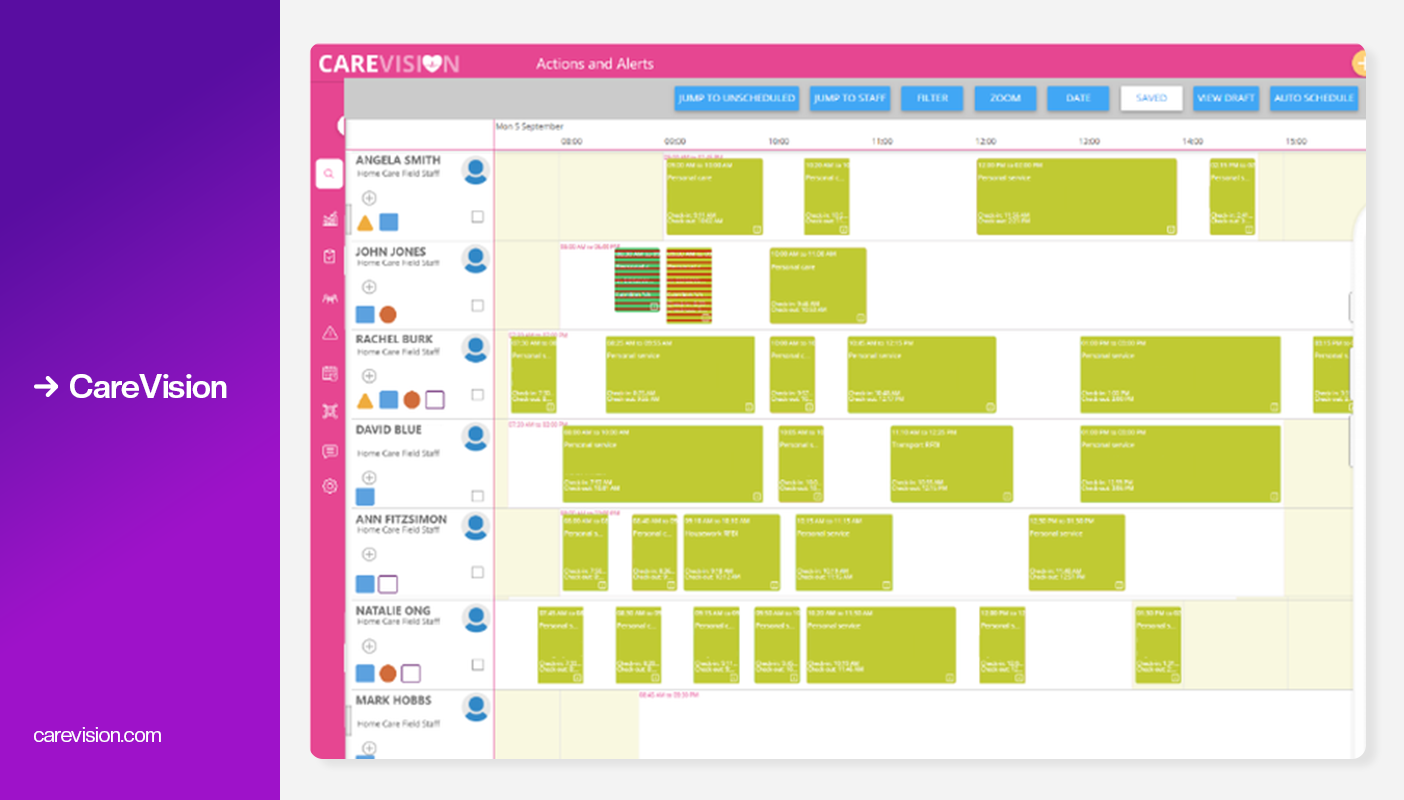
CareVision is a broad care software platform designed for home care, disability care, retirement living, and community care providers. It supports rostering, care management, billing, claiming, payroll, budgeting, compliance, mobile access, workflows, and reporting. It is more than a rostering tool. It is a larger operational platform for providers that need funding, billing, claiming, and care management connected to scheduling.
Key features:
- Home Care Rostering and Scheduling: Create and manage staff rosters, client visits, and service schedules from a central platform.
- Booking-Based and Shift-Based Scheduling: Schedule services using either client bookings or traditional staff shifts to suit different care models.
- Group Scheduling: Coordinate and manage services for multiple clients participating in the same activity or program.
- Client Records: Store client information, assessments, service history, and care documentation in one place.
- Care Plans and Goals: Create personalised care plans and track client goals, outcomes, and support needs.
- HCP Claim Files and Statements: Generate Home Care Package claim files, statements, and related funding documentation.
Pros:
- Strong fit for providers with multiple funding streams
- Supports HCP, CHSP, NDIS, private care, and more
- Good scheduling flexibility
- Strong budget, billing, and claiming functionality
- Suitable for providers wanting a broader care operations platform
- Mobile app supports field teams
- Good option for more complex home care businesses
Cons:
- May feel more complex for small providers that only need basic rostering
- Pricing is not always simple to compare
- Some providers may need onboarding and training
- The breadth of features may be unnecessary for very small teams
- Providers should confirm package inclusions before committing
Pricing:
- Provided on request by provider.
Comparison Table
Why Imploy is the Best Alternative?
Many providers start with rostering software but soon need tools for care management, budgeting, payroll, invoicing, and compliance. Imploy brings these functions together in one platform, helping providers reduce administration and manage operations more efficiently.
Key features include:
- Smart Rostering & Scheduling with AI-powered worker matching.
- Real-Time Visit Verification for tracking attendance and service delivery.
- Client Budget Tracking to monitor HCP funding and spending.
- Care Management & Case Notes for managing care plans and client records.
- Automated Invoicing & Billing to streamline financial processes.
- Payroll & SCHADS Award Compliance for accurate payroll calculations.
- Mobile Workforce Management for staff on the go.
- HCP & NDIS Management in a single platform.
For providers looking for more than just a rostering tool, Imploy offers an all-in-one solution that supports care delivery, workforce management, compliance, and business growth.
Final thoughts
Home care rostering software should do more than help providers create shifts. It should give care managers, coordinators, admin teams, and support workers a clear view of what is happening across the business.
The best system should reduce manual work, improve communication, support compliance, and make billing and payroll easier to manage.
AlayaCare, ShiftCare, and CareVision are all strong platforms with different strengths. But for providers looking for a modern, all-in-one system built around Australian home care and NDIS workflows, Imploy is one of the strongest options to consider. It gives providers the tools to manage rostering, care, staff, billing, payroll, and compliance from one place, which is exactly what growing home care businesses need."
FAQs
1. What is home care rostering software?
Home care rostering software helps providers schedule staff, manage client visits, track attendance, record care notes, and streamline administrative tasks such as invoicing and payroll.
2. Why do home care providers need rostering software?
Rostering software reduces manual administration, improves scheduling accuracy, supports compliance, and helps ensure the right support worker is assigned to the right client.
3. What features should I look for in home care rostering software?
Key features include scheduling, mobile access, care management, client budgeting, invoicing, payroll integration, compliance tracking, and reporting tools.
4. Does home care rostering software support NDIS providers?
Most leading platforms, including Imploy, ShiftCare, and CareVision, offer features specifically designed to support NDIS service delivery, billing, and compliance requirements.
5. Can home care rostering software integrate rostering, payroll, and invoicing?
Platform like Imploy offers these functions in one system, while others rely on integrations. All-in-one platforms can help reduce double handling and improve operational efficiency.