Best NDIS Bulk Invoicing Software for Large Providers (2026)
Streamline NDIS billing with Imploy’s bulk invoicing feature. Create multiple invoices using shifts, billable tasks, travel, reimbursements and manual entries.

.webp)
Managing invoices at scale can become a major administrative challenge for large NDIS providers. As participant numbers, support workers and service volumes grow, billing teams may need to process thousands of billable entries across different services.
Creating invoices manually can take time and make it harder to keep track of billable services, invoice status and NDIS claims.
NDIS bulk invoicing software can help providers bring these workflows together. Instead of creating invoices one at a time, providers can use service and billing information already recorded in their system to manage multiple invoices more efficiently.
For large providers, the right software should do more than create invoices. It should connect invoicing with service delivery, claims, accounting, participant management and workforce operations.
This guide explains what large NDIS providers should look for in bulk invoicing software and how Imploy supports high-volume billing.
Why Is Bulk Invoicing Software Important for Large NDIS Providers?
Large NDIS providers can manage a high volume of participants, services and billable entries. When billing is handled manually, teams may spend significant time collecting information, checking records and creating invoices.
A bulk invoicing system can help providers organise this process by connecting service delivery information with billing workflows.
Key benefits can include:
- Processing multiple invoices more efficiently
- Reducing repetitive data entry
- Connecting billable services with invoices
- Supporting NDIS bulk claims
- Tracking invoice status
- Reducing the risk of duplicate billing
- Connecting invoicing with accounting workflows
- Improving visibility across billing operations
For large providers, these capabilities can become increasingly important as service volumes increase.
Why Imploy Stands Out for Large NDIS Providers?
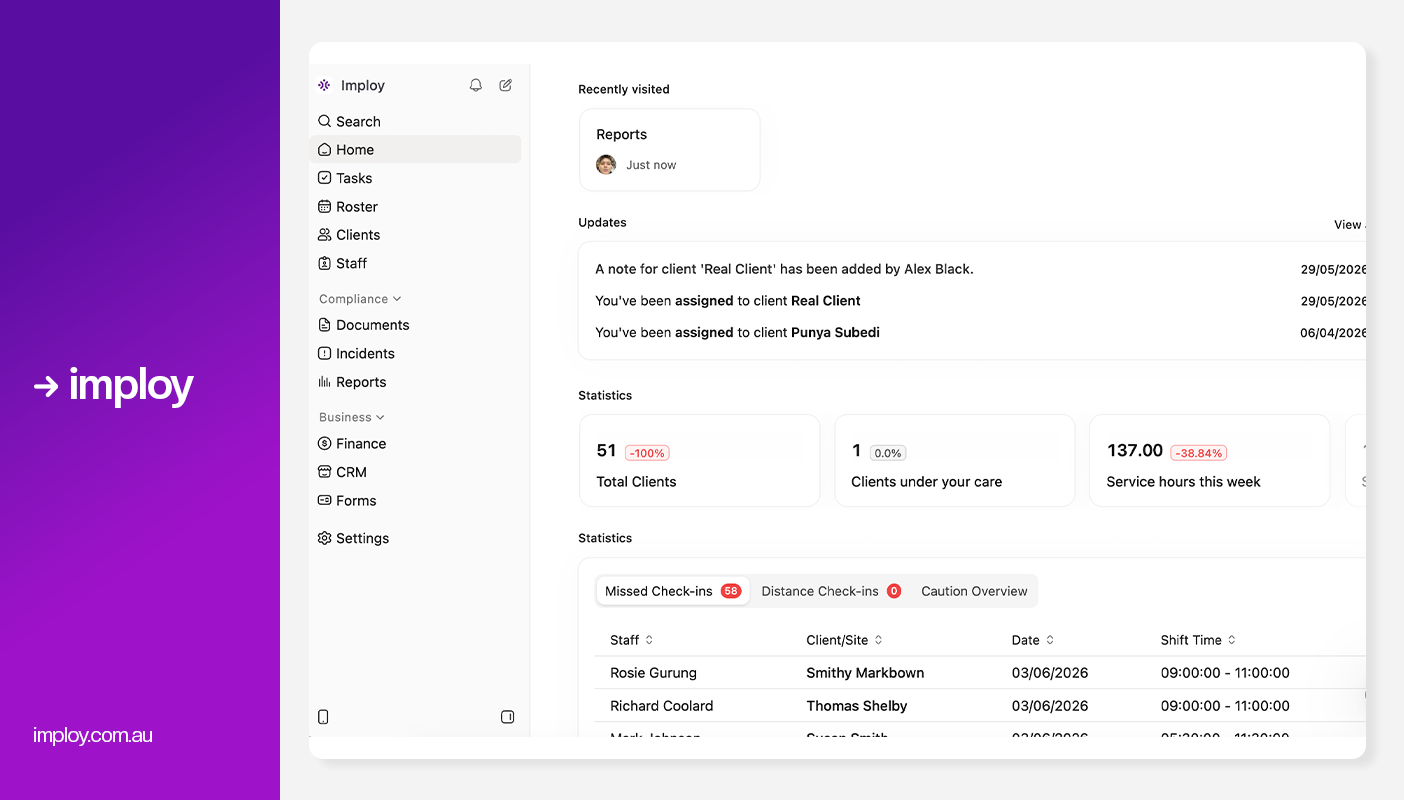
Imploy connects bulk invoicing, NDIS claims, billable tasks, participant management, rostering, payroll and reporting within one platform.
Its bulk invoicing capabilities allow providers to create invoice line items from billable information such as shifts, tasks, travel, reimbursements and manual entries.
Key capabilities include:
- Bulk invoicing
- NDIS bulk claims
- Billable task management
- Invoice tracking
- Xero and QuickBooks connections
- Participant and care management
- Rostering and workforce management
- Payroll and timesheets
- Compliance and reporting
- Mobile workforce management
What Should Large NDIS Providers Look for in Bulk Invoicing Software?
Choosing the right NDIS billing software requires more than looking at whether it can create multiple invoices.
Large providers should consider how the platform handles the complete billing workflow.
1. High-Volume Invoice Processing
Large providers may need to process invoices for hundreds of participants and thousands of service entries.
Look for software that can create invoices from existing service information rather than requiring staff to manually enter every invoice line.
2. Billable Entry Management
A good billing system should make it easy to identify services that need to be invoiced.
This may include:
- Shifts
- Billable tasks
- Travel
- Reimbursements
- Manual billable entries
3. NDIS Bulk Claims
Invoicing and NDIS claims are connected parts of the billing process, so providers should consider software that supports both.
The platform should make it easier to select eligible billable entries, review them and prepare claim information for submission.
4. Invoice Tracking
When a provider manages a large number of invoices, it needs a central way to monitor them.
Useful invoice tracking features include:
- Invoice status
- Issue date
- Due date
- Client
- Invoice amount
- Search and filtering
5. Accounting Integrations
Accounting integrations can help connect billing and financial workflows.
For example, Imploy integrates with Xero and QuickBooks, helping providers connect invoice information with their accounting processes.
7. Reporting and Visibility
Billing teams and managers need visibility over invoices, claims and financial information.
Dashboards and reporting can make it easier to identify billing activity and review outstanding information.
8. Scalability
The software should be able to support increasing numbers of participants, workers, services and invoices.
This is particularly important for large providers that operate across multiple teams, locations or service types.
How Does Imploy Streamline NDIS Bulk Invoicing?
.webp)
Imploy’s bulk invoicing feature helps providers create and manage multiple invoices more efficiently. Instead of preparing invoices one at a time, providers can use existing billing information to process invoices in bulk.
The invoicing workflow can use billable information from:
- Shifts
- Billable tasks
- Travel
- Reimbursements
- Manual entries
This helps connect recorded services with the invoicing process and reduces repetitive data entry. For large NDIS providers, bulk invoicing can make it easier to process higher volumes of invoices while keeping billing information organised.
How Does Imploy Connect Billable Entries With Invoices?
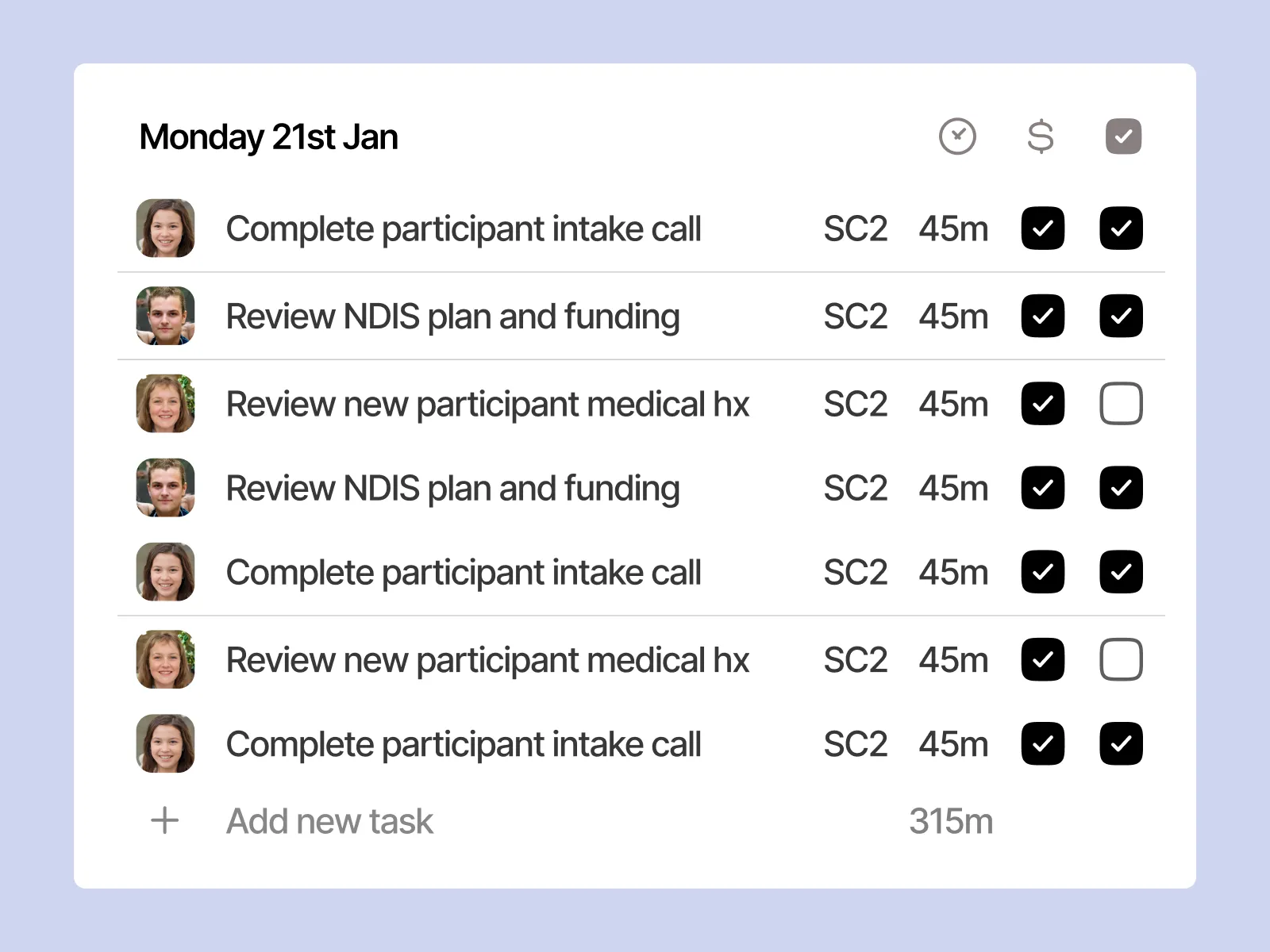
When large providers process thousands of service entries, it is important to know which entries have already been invoiced.
Imploy links billable entries with their related invoices. When an entry is attached to an invoice or claim, it is reserved so it cannot be used in another invoice or claim at the same time. This helps reduce the risk of duplicate billing.
Invoice status changes can also flow back to linked billable entries when invoices are reconciled or synced through the accounting connection.
This creates a clearer connection between:
Service → Billable Entry → Invoice → Claim
How Can Providers Track Invoices in Imploy?
Creating invoices is only one part of managing high-volume billing.
Teams also need to find invoices, review their status and monitor important billing information.
Imploy provides an Invoicing Dashboard that brings invoice information into one place.
The dashboard can show:
- Client
- Invoice amount
- Issue date
- Due date
- Invoice status
Invoices can also be searched and filtered, helping billing teams find specific records more easily.
How Does Imploy Support NDIS Bulk Claims?
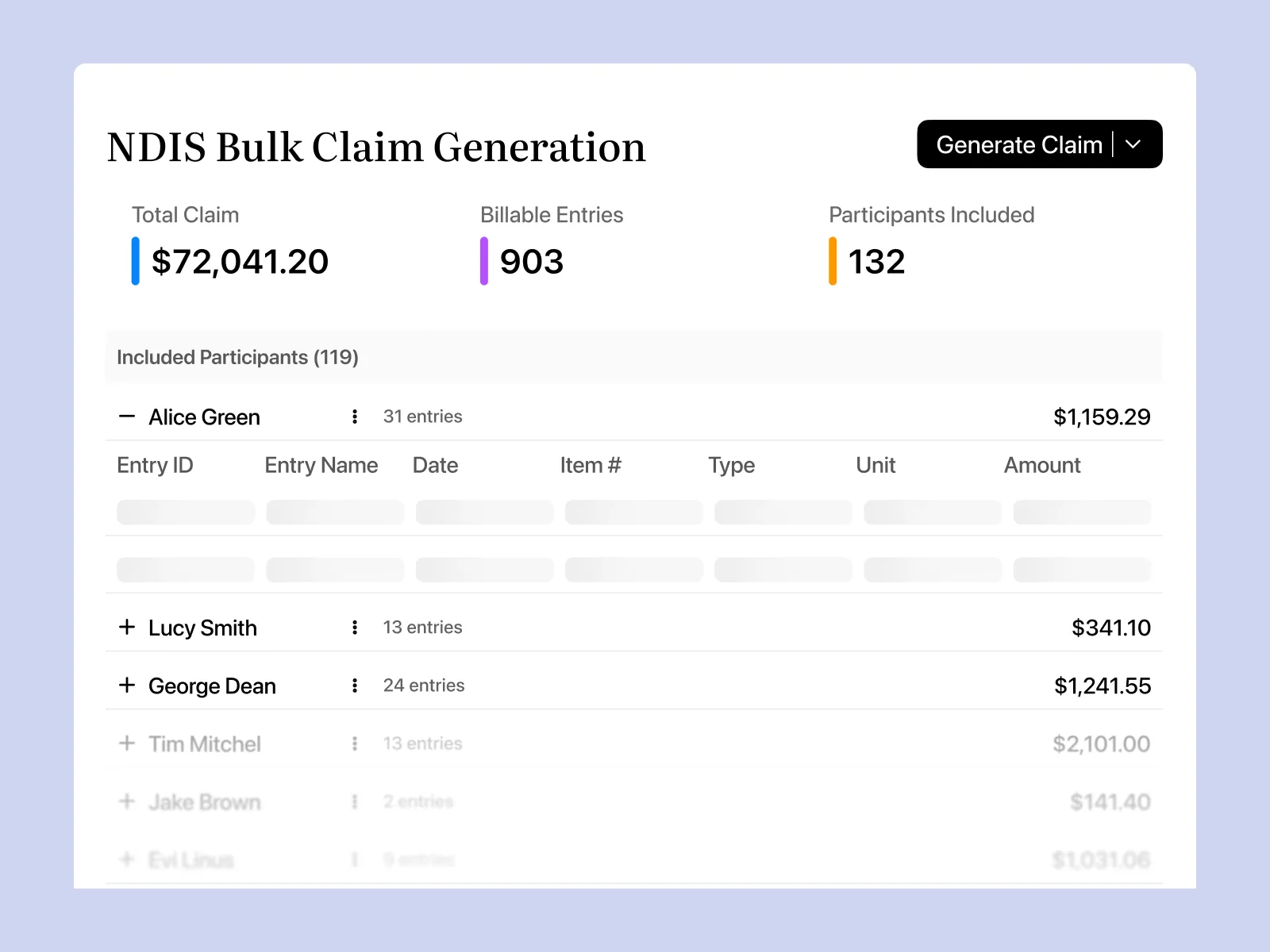
Bulk invoicing and NDIS claims are important parts of high-volume billing.
Imploy allows providers to group eligible billable entries into a claim period, review the information and export a PRODA-ready CSV for upload.
This can help providers manage claim preparation alongside their invoicing workflow.
The process can include billable information such as:
- Shifts
- Billable tasks
- Travel
- Reimbursements
For large providers, keeping invoice and claim information connected can make it easier to trace billing activity back to the original service entry.
How Does Imploy Connect Bulk Invoicing With Accounting?
Large providers often use accounting platforms alongside their NDIS management software. When billing and accounting systems are disconnected, teams may need to enter or reconcile information manually.
Imploy connects with Xero and QuickBooks, helping providers connect their invoicing and accounting workflows. This can help reduce duplicate data entry and keep financial information connected across operational and accounting processes.
For providers managing high invoice volumes, an integrated workflow can be particularly useful for keeping billing information organised.
How Can Imploy Help Reduce Billing Errors?
Billing errors can become harder to identify when providers process large volumes of service information. Imploy connects billable entries with invoices and claims, helping providers maintain a clearer relationship between the service delivered and the resulting billing record.
The platform also reserves billable entries once they are attached to an invoice or claim, helping prevent the same entry from being used again. Reducing repetitive manual entry can also help limit opportunities for data-entry mistakes.
How Does NDIS Compliance Relate to Billing Software?
Billing software is only one part of an NDIS provider's broader compliance responsibilities.
The NDIS Quality and Safeguards Commission's NDIS Practice Standards set out quality and safety requirements for registered providers. The Standards include requirements relating to provider governance, operational management, information management and the provision of supports.
For large providers, this makes accurate and accessible information management important across operational workflows.
NDIS software can support providers by keeping relevant participant, service and billing information organised, but providers remain responsible for meeting the requirements that apply to their organisation and services.
How Does Imploy Support Operations Beyond Invoicing?
Bulk invoicing does not operate separately from service delivery. A provider needs to record services before those services can become billable entries and eventually appear on invoices.
Imploy connects billing with other provider workflows, including:
- Participant management
- Care management
- Rostering
- Billable tasks
- Bulk invoicing
- NDIS claims
- Payroll and timesheets
- Compliance
- Reporting
- Mobile workforce management
This connected approach allows providers to manage the operational processes that generate billable services alongside their financial workflows.
To learn more about how Imploy supports large NDIS providers across these workflows, explore our guide to the best NDIS software for large providers.
- Premium Plan: $20 per user/month - includes SCHADS Awards, Bulk Client Invoicing AI Scheduler, Human Resources Module, Accounts Module, Unlimited Users
- Enterprise Plan: Provided on request from the Sales Team
How Can Imploy's AI Support NDIS Provider Operations?
AI is not the core of bulk invoicing, but it can support other workflows that contribute to efficient provider operations.
1. Smart Shift Matching
Imploy's Smart Shift Matching uses AI to help identify suitable support workers based on factors such as participant needs, worker location, availability, skills and previous interactions.
2. Intelligent Note Enhancement
Imploy's Intelligent Note Enhancement can refine rough shift notes into clearer and more structured summaries.
This can help staff produce more consistent documentation while reducing some of the manual editing involved in preparing notes.
3. AI-Powered Risk Identification
Imploy can analyse shift notes for potential risk indicators and provide a risk score from 0 to 10.
These features support operational workflows around service delivery, documentation and workforce management rather than directly replacing billing review.
Why Is Imploy Suitable for Large NDIS Providers?
Large providers need more than a tool that simply creates invoices. They need billing software that can connect with the operational workflows behind those invoices.
Imploy combines:
- Bulk invoicing
- NDIS bulk claims
- Billable task management
- Participant management
- Care management
- Rostering
- Payroll and timesheets
- Compliance
- Reporting
- Mobile workforce management
- Accounting connections
This gives providers a connected system for managing service delivery and billing rather than relying on separate tools for every stage.
Why Imploy Stands Out for NDIS Bulk Invoicing?
Imploy provides several features designed to support high-volume billing:
- Bulk invoice preparation from service and billable information
- NDIS bulk claims with PRODA-ready CSV export
- Billable entry tracking connected to invoices and claims
- Invoice dashboard with search and filtering
- Accounting connections with Xero and QuickBooks
- Connected participant and service management
- Rostering and workforce management
- Real-time operational visibility
For large providers, these features can help organise high-volume billing while keeping invoicing connected with broader NDIS operations.
You can also explore Imploy reviews on G2 and Imploy reviews on Trustpilot to learn more about customer experiences with the platform.
Final Thoughts
Choosing the right NDIS bulk invoicing software for large providers means looking beyond the ability to generate multiple invoices.
Large providers should consider how the software manages billable entries, invoice tracking, NDIS claims, accounting connections and the operational workflows that generate those invoices.
Imploy brings these workflows together through bulk invoicing, NDIS bulk claims, billable task management, invoice tracking, accounting integrations and broader provider management tools.
For providers managing high volumes of NDIS services, a connected billing workflow can help reduce repetitive administration and provide clearer visibility across invoicing and claims.
Frequently Asked Questions
1. What is NDIS bulk invoicing software?
NDIS bulk invoicing software helps providers create and manage multiple invoices from service and billable information. It can reduce repetitive data entry and support high-volume billing workflows.
2. Why do large NDIS providers need bulk invoicing software?
Large providers may manage hundreds of participants and thousands of billable service entries. Bulk invoicing software can help organise these entries, process invoices more efficiently and connect billing with NDIS claims.
3. What can Imploy include in bulk invoices?
Imploy can create invoice line items from billable information such as shifts, billable tasks, travel, reimbursements and manual entries.
4. Does Imploy support NDIS bulk claims?
Yes. Imploy supports NDIS bulk claims and allows providers to export a PRODA-ready CSV for upload.
5. Can Imploy connect with accounting software?
Yes. Imploy connects with Xero and QuickBooks to help connect invoicing and accounting workflows.
6. How does Imploy help prevent duplicate billing?
Imploy links billable entries with their invoices or claims. Once an entry is attached, it is reserved so it cannot be used in another invoice or claim at the same time.
.webp)