Best NDIS Billing Software for NDIS Providers of All Sizes
Explore NDIS billing software for providers of all sizes. Learn key features and see how Imploy simplifies invoicing, claims and billing workflows.

.webp)
Managing NDIS billing can become more complex as a provider grows. Invoices, billable tasks and claims need to be accurate, easy to track and connected to the services delivered.
The right NDIS billing software can connect service delivery, invoicing and claims in one platform. This can help providers reduce manual administration, improve billing visibility and manage growing workloads.
This guide explains what to look for when choosing NDIS billing software and how Imploy can help NDIS providers of all sizes simplify their billing workflows.
What Is NDIS Billing Software?
NDIS billing software helps providers manage invoices, billable services and NDIS claims in one place.
Instead of using spreadsheets and separate systems, providers can record services, capture billable work, create invoices and manage claim information through one platform.
For Australian disability service providers, billing software can help reduce repetitive administration and make billing easier to manage as the organisation grows.
Why Do NDIS Providers Need Billing Software?
NDIS billing involves more than creating an invoice. Providers need to record services correctly, capture billable work and prepare accurate claim information.
Manual billing can result in:
- Repetitive data entry
- Missed billable services
- Duplicate billing
- Time-consuming invoice preparation
- Difficulty tracking outstanding invoices
- More administration when preparing claims
NDIS billing software can bring these tasks together and help providers spend less time on manual billing work.
What Should NDIS Billing Software Help With?
The right billing software should connect service delivery, billable work, invoicing and claims in one system.
When comparing software, providers should consider features such as:
1. Automated Invoicing
Create invoices using information already recorded in the system. This can reduce duplicate data entry and help invoices reflect the services delivered.
2. Bulk Invoicing
Create and process multiple invoices from eligible billable entries. This can save time for providers managing higher service volumes.
3. Billable Task Management
Not all billable work comes from scheduled shifts. Teams may also complete participant calls, plan reviews, documentation or coordination tasks.
Billable task management helps providers record this work and prepare it for invoicing.
4. NDIS Claims
Billing software should help teams review billable entries, check claim information and prepare claims for submission.
Providers should also understand the NDIS pricing arrangements that apply to the supports and services they deliver.
5. Accounting Integrations
Connecting billing with accounting platforms can reduce duplicate data entry and help finance teams keep invoice information organised.
6. Billing Visibility
A central dashboard can help teams view invoices, billing status and outstanding items in one place.
7. Scalability
Software should support increasing numbers of participants, workers, services and billable entries. This can help providers manage growth without relying on additional spreadsheets or disconnected systems.
How Does Imploy Simplify NDIS Billing?
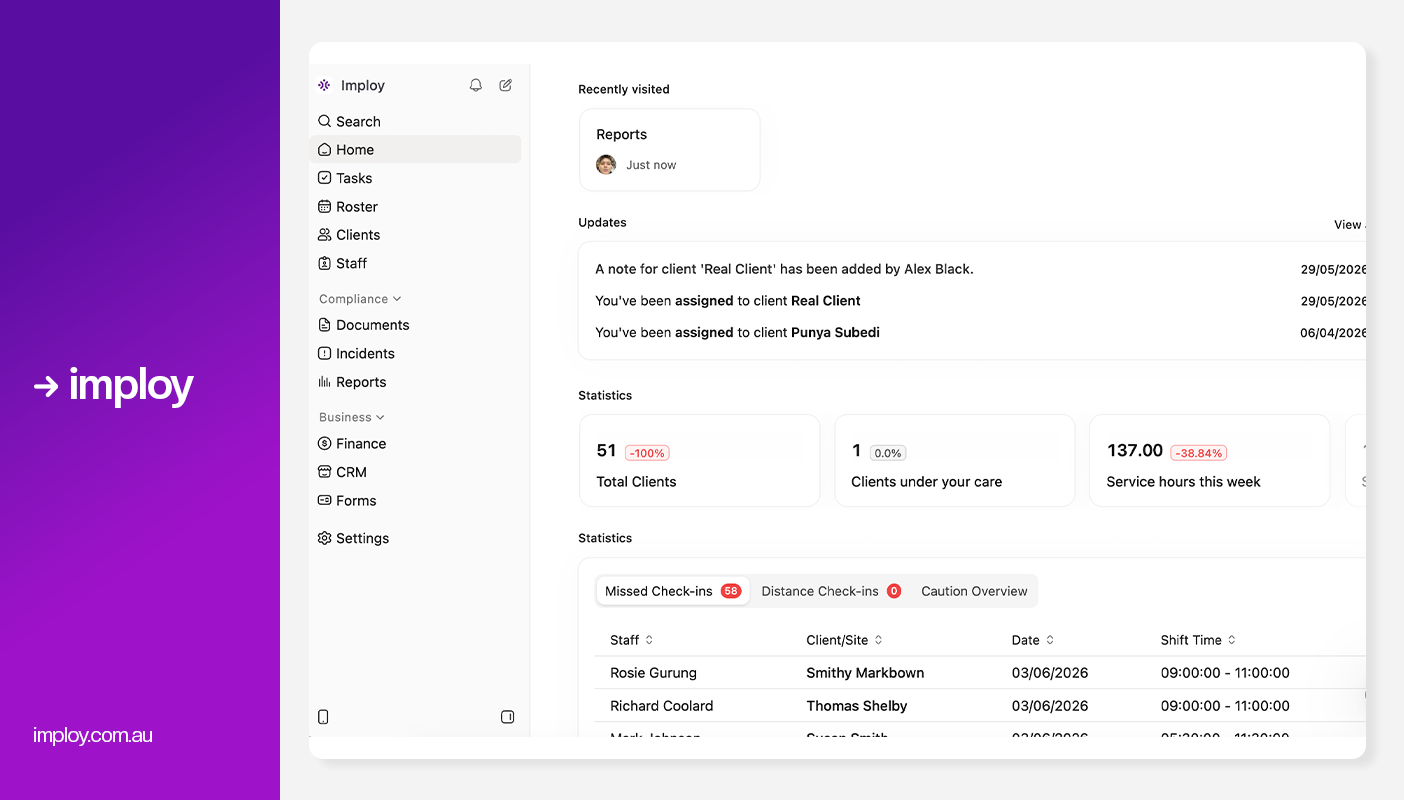
Imploy connects service delivery and billing workflows within one platform. Providers can manage billable items from shifts, tasks, travel, reimbursements and manual entries. These entries can then be used to create invoices and prepare NDIS claims.
Key billing features include:
- Bulk invoicing - Process multiple billable entries efficiently.
- Billable task management - Record and manage billable work in one place.
- NDIS bulk claims - Group, review and export eligible claim entries.
- Service-based billing - Connect shifts, tasks, travel and reimbursements with billing.
- Accounting integrations - Connect invoicing workflows with Xero and QuickBooks.
- Centralised billing - View invoices and billable entries from one platform.
- Reduced manual work - Spend less time on repetitive billing administration.
- Duplicate billing controls - Help prevent the same billable entry from being used more than once.
How Does Imploy's Bulk Invoicing Work?
.webp)
Imploy's Bulk Invoicing feature helps providers generate invoices from eligible billable entries.
These entries can include shifts, tasks, travel, reimbursements and manual entries. Instead of recreating billing information for each invoice, providers can work from information already recorded in Imploy.
The workflow helps providers:
- Process multiple billable entries
- Reduce manual invoice preparation
- Review invoices through a central dashboard
- Search and filter invoice information
- Keep invoice information connected to billable entries
- Connect invoicing with Xero and QuickBooks
- Reduce repetitive billing administration
For providers managing increasing service volumes, bulk invoicing can help save time and create a more consistent billing process.
How Does Imploy Manage Billable Tasks?
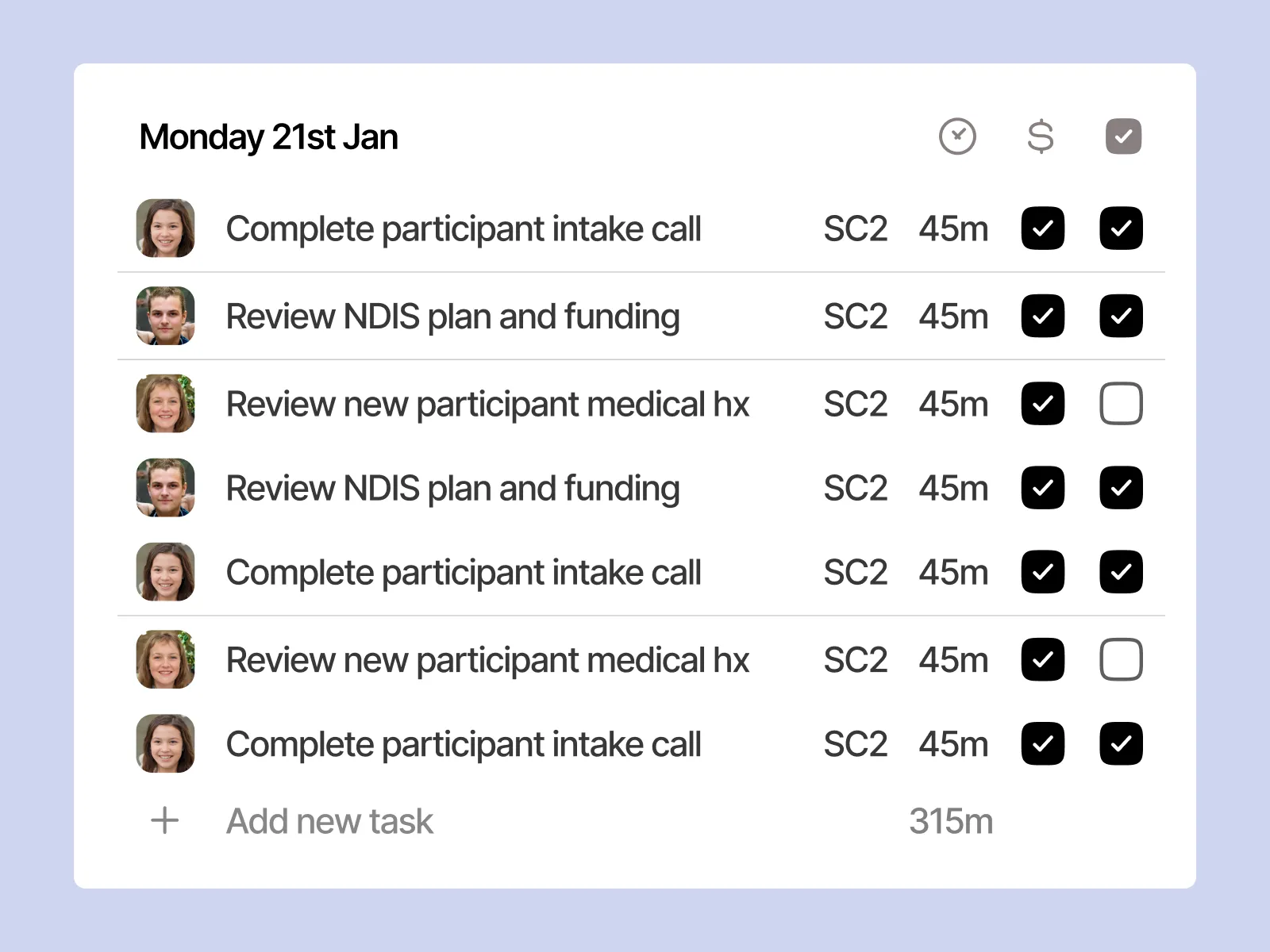
Not all billable work comes from a scheduled shift.
Support workers and Support Coordinators may complete participant-related activities that need to be recorded and billed. Without a structured process, these tasks can be easy to overlook or require additional administration later.
Imploy's Billable Task Management provides a central task board for managing billable work.
Teams can use it to:
- Create and manage billable tasks
- Assign tasks to the relevant team members
- Add notes and documents
- Capture the relevant NDIS line item
- Record time spent on tasks
- Track outstanding and overdue tasks
- Make completed tasks billing-ready
This helps connect the work completed with the billing process and can reduce the need to recreate information later.
How Does Imploy Connect Service Delivery With Billing?
Billing depends on accurate service delivery information.
A shift needs to be completed. A shift note may need to be recorded. Travel or reimbursement information may need to be captured. Other billable tasks may also need to be added.
Imploy connects these activities with billing workflows.
Billable entries can come from:
- Shifts
- Tasks
- Travel
- Reimbursements
- Manual entries
This creates a more connected process from service delivery through to invoicing and claims.
How Does Imploy Support NDIS Bulk Claims?
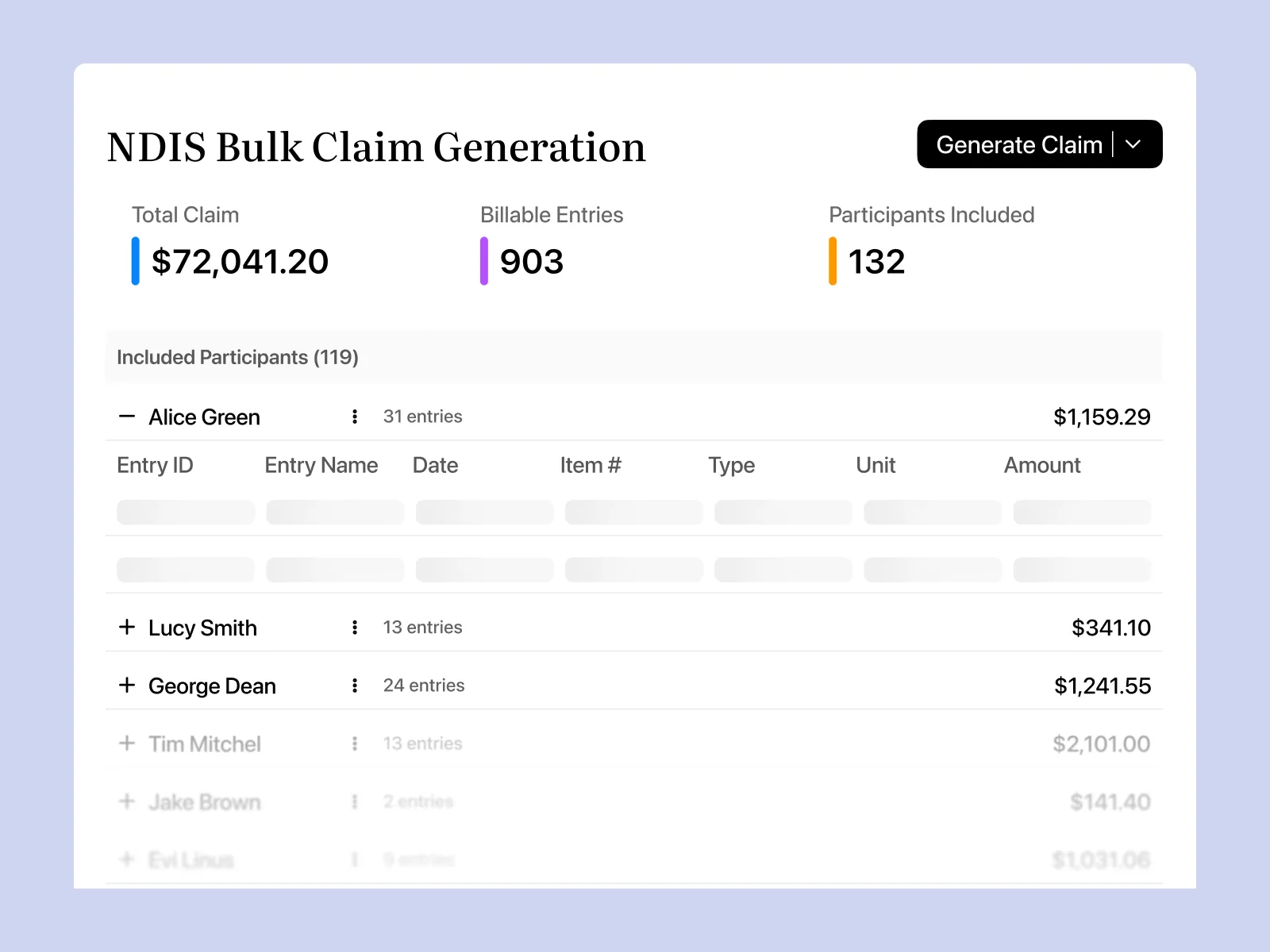
High-volume claims can create significant administration for providers. Imploy's NDIS Bulk Claims functionality allows providers to group eligible billable entries within a selected claim period.
Providers can review participants, billable entries and line items before exporting the claim.
The workflow allows teams to:
- Select a claim period
- Group eligible billable entries
- Review participants and line items
- Include or exclude individual entries
- Exclude participants where required
- Review the total claim amount
- Export a PRODA-ready CSV
This gives providers greater visibility and control before submitting claim information.
How Does Imploy Help Prevent Duplicate Billing?
Duplicate billing can happen when the same service is accidentally included in more than one invoice or claim. Imploy helps reduce this risk by reserving billable entries when they are attached to an invoice.
A reserved billable entry cannot be included in another invoice or claim at the same time. This provides an additional control within the billing workflow and helps providers maintain more consistent billing records.
How Does Imploy Support Accounting Workflows?
Billing and accounting often involve different teams. When information is managed separately, staff may need to enter or check the same information more than once.
Imploy connects invoicing workflows with Xero and QuickBooks, helping providers reduce duplicate data entry and maintain better visibility over invoice information. This can make it easier for operational and finance teams to work from connected billing information.
Is Imploy Suitable for All-Sized NDIS Providers?
Whether you're a small provider or a largeorganisation, billing can become more complex as participants, services and billable entries increase.
Imploy brings billing, rostering, participant management, workforce management and other operational workflows into one platform.
For smaller providers, this can reduce repetitive administration and help save time. For growing and larger providers, bulk invoicing, billable task management and NDIS bulk claims can help manage higher volumes of billing activity.
Its purpose-built workflows allow providers to manage core NDIS operations within one platform as their organisation grows.
Why Choose Imploy for NDIS Billing?
Imploy simplifies NDIS billing by connecting service delivery, invoicing, claims and workforce management in one platform. This helps providers manage billing workflows more efficiently while keeping key participant, financial and operational information connected.
Providers can manage:
- Bulk invoicing
- Billable tasks
- NDIS bulk claims
- Shifts and service delivery
- Travel and reimbursements
- Accounting connections
- Participant information
- Rostering
- Payroll and timesheets
- Reporting
- Compliance
- Mobile workforce workflows
This connected approach can help providers reduce repetitive administration while maintaining greater visibility over their billing processes.
For Support Coordinators, the Billable Task Board helps connect tasks, time, notes and NDIS line items in one workflow.
For finance teams, Bulk Invoicing provides a central place to manage invoices and connect billing with Xero or QuickBooks.
For providers managing larger volumes, NDIS Bulk Claims provides a structured way to group, review and export eligible billable entries.
Together, these workflows help turn service delivery information into organised billing and claims.
You can read Imploy reviews on G2. You can also see Imploy reviews on Trustpilot. This helps you explore customer feedback. It also helps you learn about user experiences with the platform.
Final Thoughts
Efficient NDIS billing is about more than generating invoices. Providers need connected workflows for service delivery, billable entries, claims, participant records, workforce management and compliance. The right software can reduce manual administration and make it easier to keep information accurate and up to date.
Imploy brings these workflows together in one platform, supporting bulk invoicing, NDIS claims, rostering, payroll, reporting and mobile workforce management. For providers looking to simplify billing while supporting day-to-day operations, an integrated platform can provide a more connected way to manage growing service volumes.
Frequently Asked Questions
1. What is NDIS billing software?
NDIS billing software helps providers manage billable services, invoices and claims. It can also connect billing with service delivery, participant management, rostering, accounting and reporting.
2. What are the key features of NDIS billing software?
Key features can include automated and bulk invoicing, billable task management, NDIS claims, accounting integrations, billing visibility and reporting.
3. Can Imploy manage bulk NDIS invoicing?
Yes. Imploy's Bulk Invoicing feature allows providers to process eligible billable entries, including shifts, tasks, travel, reimbursements and manual entries.
4. Can Imploy manage billable tasks?
Yes. Imploy's Billable Task Management allows teams to create, manage and track billable tasks, add notes and documents, capture NDIS line items and make tasks billing-ready.
5. Does Imploy support NDIS bulk claims?
Yes. Imploy allows providers to group eligible billable entries into a claim period, review claim information and export a PRODA-ready CSV for NDIA bulk upload.
6. Can support workers use Imploy on mobile?
Yes. Imploy provides mobile access for support workers to view schedules, clock in and out, record shift notes, manage availability and receive real-time notifications.