
Best NDIS Apps for Small Providers
Discover top NDIS apps for small providers with features, mobile apps, rostering, and compliance tools to simplify operations.

Running a small NDIS provider business comes with unique challenges. Between managing participants, coordinating support workers, meeting NDIS compliance requirements, and handling payroll and invoicing, administrative work can quickly become overwhelming - especially for providers with limited staff and resources.
That’s where the right NDIS App can make a real difference.
In this guide, we explore the best NDIS apps for small providers, comparing platforms that help streamline operations, reduce admin burden, and support compliance - so you can focus more on delivering quality care.
What Is an NDIS App?
An NDIS app (or NDIS software platform) is a digital system designed to help disability service providers manage their day-to-day operations. Unlike general scheduling or HR tools, NDIS apps are built to align with NDIS Practice Standards, funding rules, and service delivery models.
Most NDIS apps support functions such as:
- Participant and client management
- Rostering and shift scheduling
- Support worker timesheets
- Invoicing and payroll
- Progress notes and documentation
- Incident and complaint reporting
- Compliance and audit readiness
For small providers, choosing the right app can significantly reduce manual work, improve accuracy, and support sustainable growth.
Why Do Small NDIS Providers Need the Right App?
Small and emerging NDIS providers often face different pressures compared to large organisations, including:
- Limited administrative staff
- High compliance and documentation requirements
- Difficulty managing rosters and workforce availability
- Tight budgets and the need for scalable solutions
The right NDIS app helps small providers work smarter, not harder, by automating routine tasks, reducing errors, and providing visibility across operations - without the complexity of enterprise systems.
Key Features to Look for in an NDIS App for Small Providers
Before choosing an NDIS app, small providers should prioritise features that deliver immediate value and long-term flexibility.
- Ease of Use
Simple interfaces, quick setup, and minimal training requirements are essential - especially for teams without dedicated IT support. - Rostering & Workforce Management
Efficient scheduling, shift visibility, and mobile access for support workers help reduce missed shifts and last-minute changes. - Care & Participant Management
Centralised participant records, care plans, and progress notes support quality service delivery and compliance. - Invoicing & Payroll
Automated invoicing and payroll aligned with NDIS pricing and award conditions reduce financial risk and admin time. - Compliance & Documentation
Incident reporting, record keeping, and audit-ready documentation help providers meet NDIS Practice Standards. - Affordability & Scalability
The best apps grow with your business - suitable for sole traders today and small teams tomorrow.
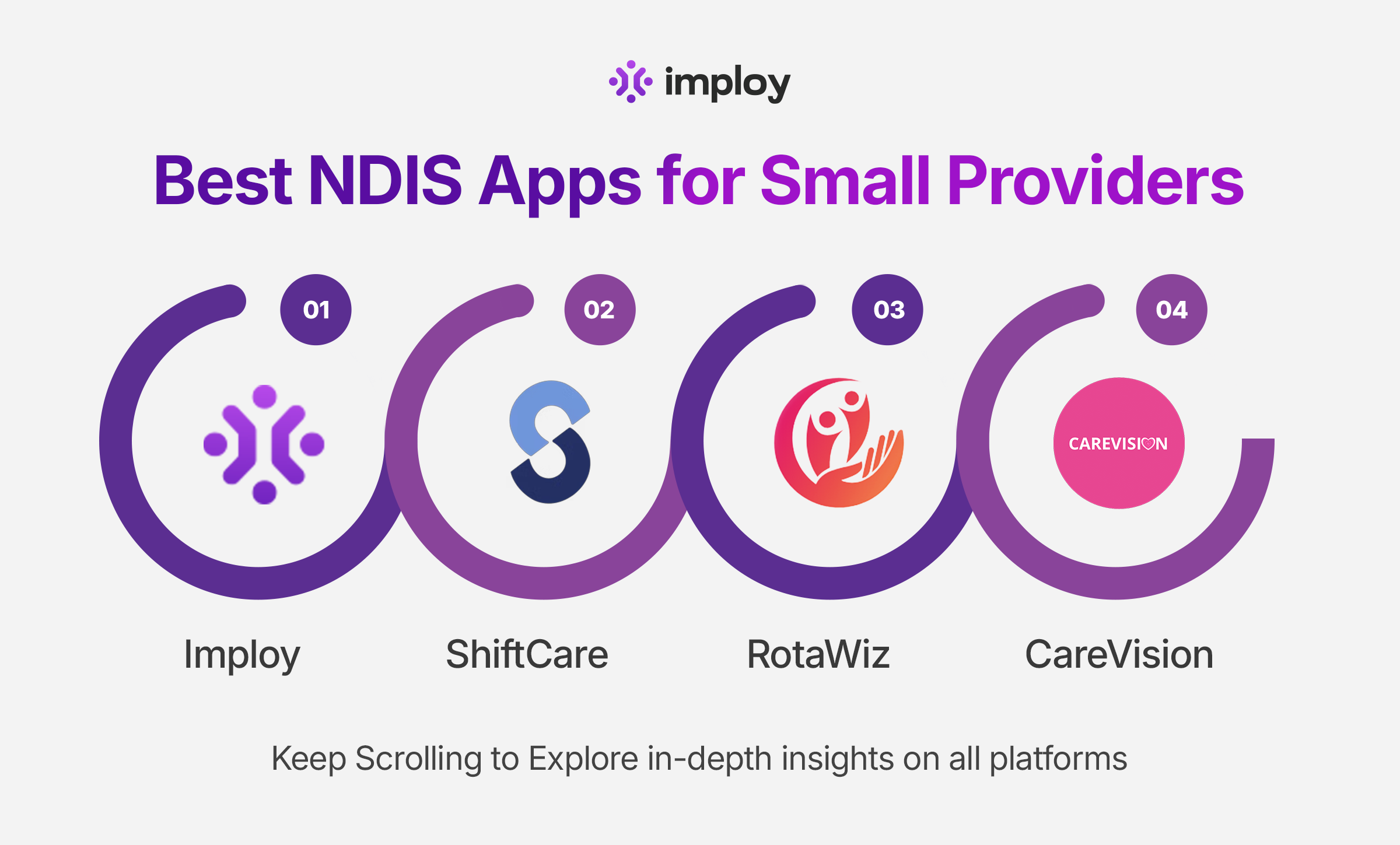
Best NDIS Apps for Small Providers
1. Imploy
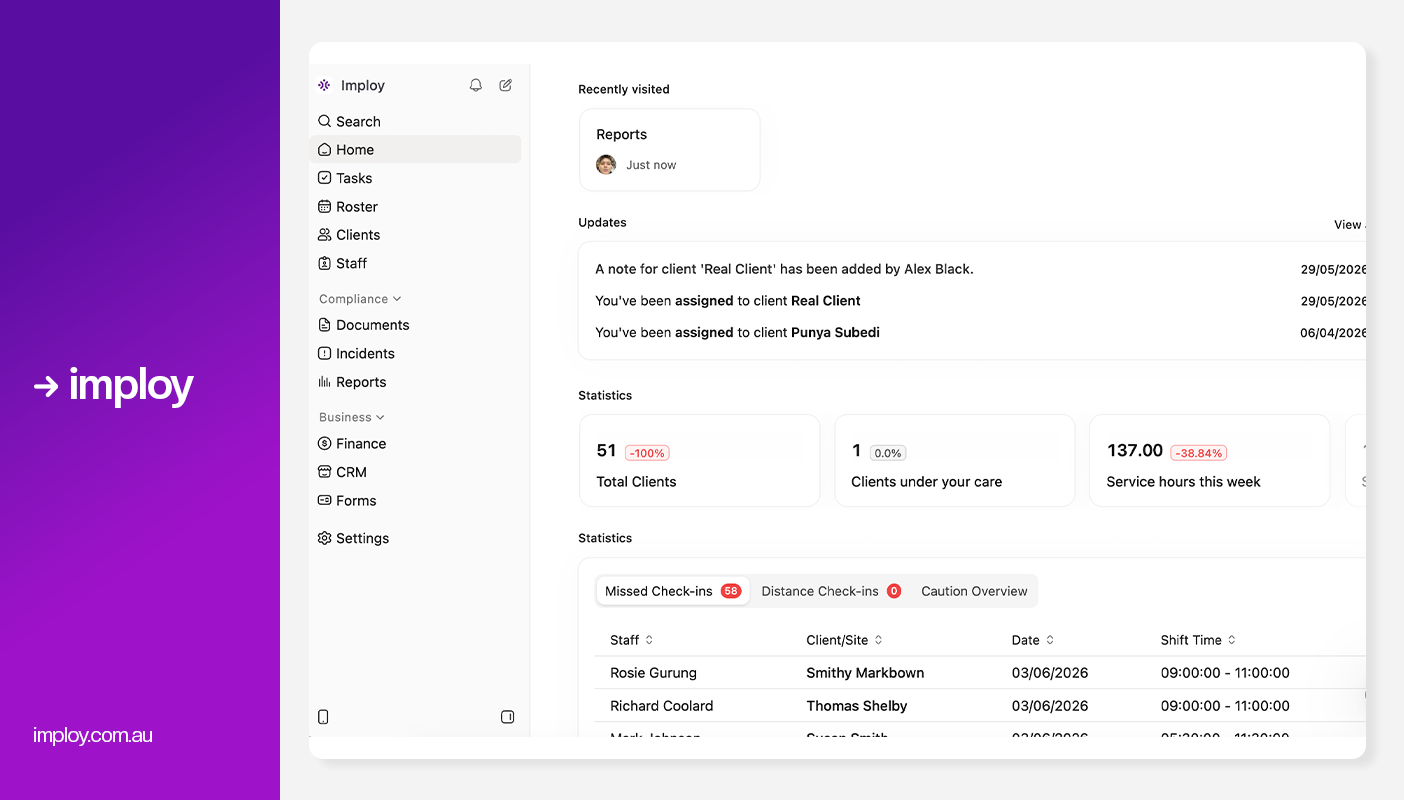
Imploy is a comprehensive platform designed specifically for healthcare and NDIS providers, combining workforce management, care operations, payroll, and compliance in one system.
Imploy Mobile App Features:
- Staff Scheduling & Clock-In
Support workers can view rosters, manage availability, and clock in or out directly from the app. GPS-enabled time tracking helps ensure accurate attendance and payroll. - Progress Notes & Incident Reporting
Workers can record progress notes, support logs, and incidents in real time while on shift. This removes paperwork and keeps records up to date for compliance. - Smart Notifications
The app sends instant alerts for new shifts, changes, and reminders. This helps reduce missed shifts and improves communication across teams. - Staff Records & Payslips
Workers can access payslips, update personal details, and upload certifications directly from their phone. Expiry alerts help keep compliance documents current. - Client Profiles & Care Information
Support workers can view client care plans, preferences, and emergency contacts before and during shifts. This supports more informed, consistent, and person-centred care.
Key features relevant to small providers:
- Smart Rostering: Quickly assign and adjust shifts using a visual drag-and-drop interface, with real-time availability and last-minute flexibility.
- Payroll & Invoicing: Integrated with Xero, Quickbooks, timesheet processing, and payroll management.
- Care Management: Centralised system to store client records, update care plans, and track progress over time.
- Mobile app for staff and providers: Allows users to manage shifts, notes, and updates from anywhere in real time.
- Custom Attributes: Imploy lets providers create unlimited custom fields for clients, staff, sites, and incidents to better match their workflows and compliance requirements.
- Reporting & Compliance: Imploy's advanced reporting suite provides real-time dashboards and custom reports for service delivery, compliance, workforce performance, finances, and NDIA claims.
- Custom Forms: Imploy's Custom Forms builder enables providers to create digital forms that automatically populate records, streamlining documentation and reducing manual data entry.
- Compliance Tools: Automatic alerts for expiring documentation, incident logging, and staff screening to maintain regulatory compliance.
- AI Features:
- Smart Shift Matching: Uses AI to assign the most suitable support worker based on the client’s needs, staff location, availability, skills, and previous interactions -helping reduce travel time and boost consistency.
- Intelligent Note Enhancement: Refines rough shift notes into clear, well-structured summaries by improving tone, grammar, and extracting key insights -enhancing compliance and communication.
- AI Powered Risk Identification: Uses AI to analyze shift notes for key phrases, rating risk from 0 to 10, with plans to allow converting high-risk notes into incidents.
- AI Chatbot (Enterprise only, on request): Provides role-based access to company data, including shifts, client information, and financial data, available exclusively for enterprise customers upon request.
Pros:
- All-in-one solution reduces the need for multiple systems
- Designed for NDIS and healthcare environments
- Advanced AI features.
- Affordable and scalable for teams of all sizes.
- Dedicated mobile app for support workers.
- Free entry-level plan for small teams.
- Saves time and reduces administrative burden.
Cons:
- Feature-rich - some training needed for smaller teams.
- Starter Plan: Free for up to 5 users - includes essential features like care management, rostering, and mobile access.
- Premium Plan: $20 per user/month - includes SCHADS Awards, Bulk Client Invoicing, AI Scheduler, Human Resources Module, Accounts Module, Unlimited Users.
- Enterprise Plan: Provided on request from Sales Team.
Ideal for:
Small to Large Sized NDIS providers looking for a scalable, compliance-ready platform to manage staff, participants, and operations in one place.
2. ShiftCare
.webp)
ShiftCare is a widely used NDIS software platform offering care management, rostering, and invoicing tools.
ShiftCare App Key features:
- Clock in/out and GPS tracking: Workers can clock in and out with location verification.
- Progress notes and documentation: Record care notes, tasks, goals, and client details while out in the field.
- Notifications and updates: Push alerts for shift changes, reminders, and communication between office and support workers.
- Admin mobile access: Providers can also manage rosters and adjust shifts via a Mobile Admin App if needed.
- Better Shift Oversight : Admins can view real-time shift status - such as who’s late, who has clocked in, and where gaps might emerge, so they can react quickly to issues and fill last-minute roster needs.
Pros:
- Quick and simple setup
- Well-suited for providers just starting out
- Great mobile experience
Cons:
- Can feel complex for very small providers
- Costs may increase with team size
- No advanced AI Features
Pricing:
- Basic Plan: $9 per user/month
- Professional Plan: $15 per user/month
- Premium Plan: $25 per user/month
Ideal for:
Small to medium NDIS providers wanting a robust care management system.
3. RotaWiz

RotaWiz focuses on workforce scheduling and time management, making it a popular option for providers prioritising cost control.
RotaWiz App Key features:
- Shift Access & Updates: Support workers can view upcoming shifts and receive real-time updates or changes directly on their mobile device.
- Task Management: Workers can view, update, and complete assigned tasks within the app to ensure duties are clearly understood and delivered.
- Clock In/Out & Timesheets: The app allows staff to clock in and out digitally, automatically generating accurate timesheets for payroll.
- Participant Information Access: Workers can securely access participant care plans, notes, and key details while on shift.
- Incident Reporting & Notes: Support workers can report incidents and record progress notes directly from the app in real time.
Pros:
- Budget-friendly pricing
- Easy to set up and use
- Suitable for small teams and startups
Cons:
- Limited care management and compliance features
- May require additional tools as the business grows
- No AI Features
Pricing:
- Free Forever: Up to 5 users
- Basic: $6 per user/month
- Advanced: $10 per user/month
Ideal for:
Micro providers, startups, and providers primarily focused on rostering.
4. CareVision
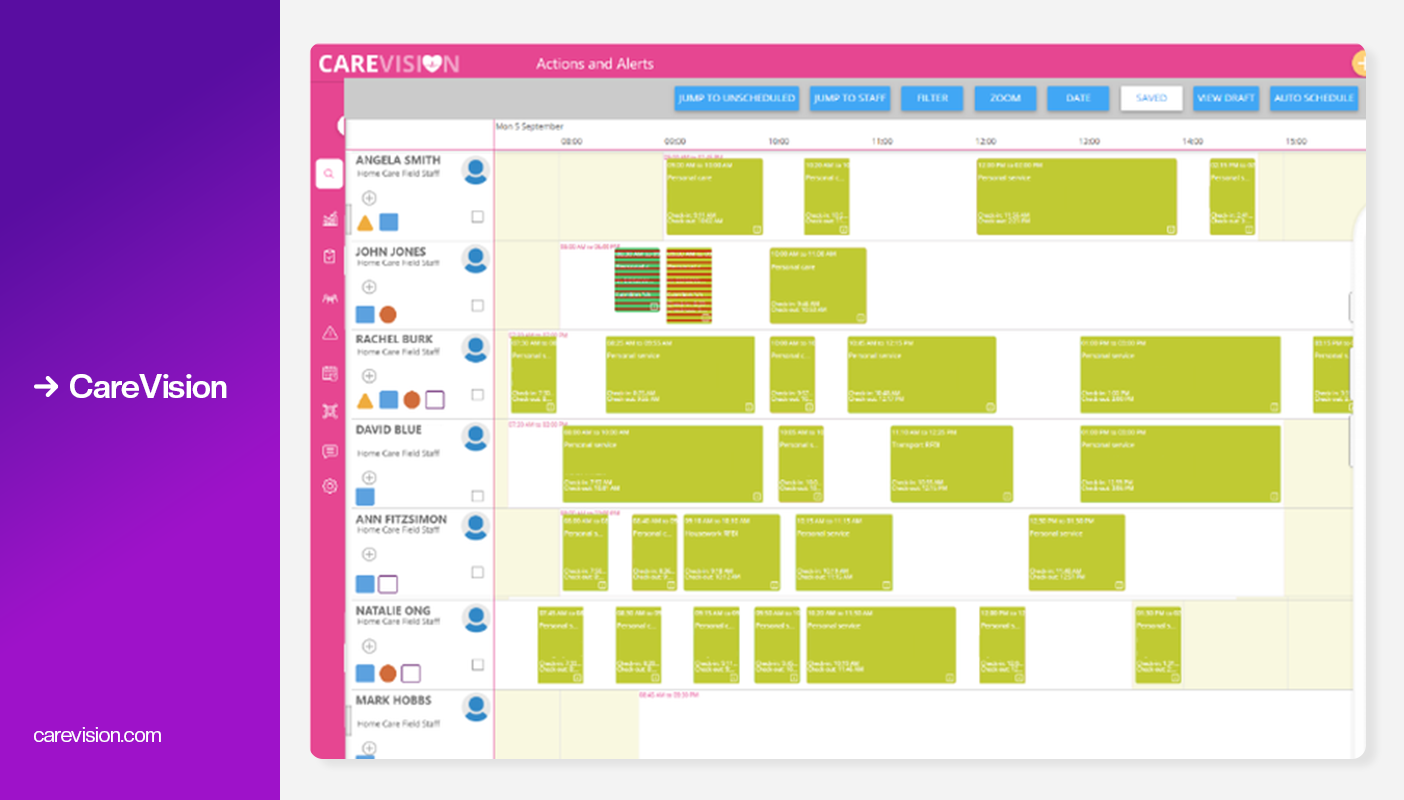
CareVision offers a free tier aimed at small and community-based providers.
Key features in the app:
- Basic participant and care management
- Reporting and documentation tools
- Mobile rostering, shift management, and task tracking for care coordinators
- Check-in/out, timesheets, and client notes for support workers
- Communication features like chat and notifications
Pros:
- Automated invoicing and claiming.
- User Friendly Mobile App.
- Real time reporting.
- Smart Rostering and Timesheets.
Cons:
- No PRODA Integration
- Interface Complexity
- Onboarding Complexity
- No AI Features
Pricing:
- To get a precise quote, you must contact CareVision directly, as plans are tailored and based on your service requirements.
Ideal for:
New, community-based, or budget-conscious NDIS providers.
Comparison Table
How to Choose the Best NDIS App for Your Business?
When selecting an NDIS app, small providers should:
- Identify their biggest pain points (rostering, payroll, compliance, staffing).
- Choose software that aligns with their current size and future growth.
- Look for free trials or demos.
- Ensure the platform supports NDIS compliance requirements.
- Involve support workers in testing usability.
The “best” app isn’t the one with the most features - it’s the one that best fits your operational needs.
Common Mistakes Small Providers Make When Choosing an NDIS App
Choosing the wrong NDIS app can create more work than it saves. Many small providers make simple mistakes that lead to wasted time, higher costs, and unnecessary stress.
- Choosing overly complex systems too early.
- Focusing only on price instead of value.
- Ignoring compliance and reporting features.
- Using multiple disconnected tools instead of one integrated platform.
Avoiding these mistakes can save time, money, and stress in the long run.
Why Imploy Is the Best Alternative for Small NDIS Providers?
Managing a small NDIS provider comes with many challenges, from rostering staff to handling payroll and staying compliant. The right NDIS app can simplify operations, reduce administrative work, and help you focus on delivering quality care. Imploy shines out among all the alternatives due to fallowing factors:
- Built for Small Providers
Imploy is designed specifically for small and growing NDIS providers, not large enterprises. This makes it easier to set up, learn, and use without dedicated admin or IT teams. - All-in-One Platform
Imploy combines rostering, workforce management, payroll, invoicing, and compliance in one system. This reduces the need for multiple tools and minimises double handling and errors. - Workforce-First Approach
Managing support workers is one of the biggest challenges for small providers, and Imploy puts workforce management at the centre. It helps match the right workers to the right shifts while improving availability and reliability. - Mobile-Friendly for Support Workers
Support workers can access rosters, clock in and out, and submit notes using their mobile devices. This reduces admin follow-ups and improves real-time communication. - Scales as Your Business Grows
Imploy supports providers at every stage, from early growth to expansion. You can start with essential features and scale without changing systems later. - NDIS-Focused Compliance Support
Imploy is built with NDIS requirements in mind, supporting accurate documentation and audit readiness. This helps providers stay compliant with less manual effort.
Choosing the right NDIS platform can make a real difference for small providers. With its all-in-one features, workforce focus, and compliance support, Imploy offers a simple, scalable solution that helps providers save time, reduce errors, and grow with confidence.
Final Thoughts
Choosing the right NDIS app can make running a small provider business much easier. The right platform helps you manage staff, stay organised, meet compliance requirements, and spend more time supporting participants instead of doing paperwork.
While there are several good options available, Imploy stands out as a flexible, all-in-one solution designed for small and growing NDIS providers. Start with the features you need today and choose a system that can grow with your business.
FAQs
1. What is the best NDIS app for small providers?
The best NDIS app depends on your needs, but many small providers prefer all-in-one platforms like Imploy because they combine rostering, workforce management, payroll, and compliance in one system.
2. Do I need an NDIS app if I am a sole trader?
Yes, an NDIS app can help sole traders manage schedules, keep notes organised, and stay compliant without spending hours on admin.
3. Are NDIS apps hard to use?
Most NDIS apps are designed for non-technical users and are easy to learn. Many also offer training, demos, or support to help you get started.
4. Can NDIS apps help reduce paperwork?
Yes, NDIS apps replace paper forms with digital records, making it easier to store progress notes, incident reports, and timesheets in one place.
5. Will support workers need training to use the app?
Basic training may be needed, but most mobile apps are simple and intuitive. Support workers can usually learn the basics in a short time.
6. Can NDIS apps track staff hours accurately?
Yes, most apps include clock-in and clock-out features, often with GPS tracking, to record work hours accurately for payroll.