
Best NDIS Progress Note Software for All Sized Providers
Find the best NDIS progress note software for all sized providers. Imploy helps teams record shift notes, manage participant records and streamline documentation.


Progress notes are an important part of documenting the support provided to NDIS participants. However, writing and managing notes across workers, shifts and participant records can become time-consuming as a provider grows.
NDIS progress notes software helps providers record, organise and access documentation in one place.
Whether you are a small provider or a growing organisation, Imploy connects progress notes with participant records, care plans, shifts and other provider workflows through one platform.
What Are NDIS Client Progress Notes?
NDIS client progress notes record what happened during a support session, including the support provided and the participant's response.
They may include:
- Support and activities provided
- Participant response and progress
- Relevant observations or concerns
- Incidents or risks
- Follow-up actions
The NDIS states that case notes can document activities, how they relate to participant goals and progress, as well as plans for future sessions.
Progress notes generally document individual support sessions, while progress reports provide a broader summary of support and outcomes over a period.
What Should NDIS Progress Notes Include?
A useful progress note should provide a clear and factual record of the support session. The exact information required can vary depending on the service and provider's documentation process.
1. Participant and Support Details
Include relevant information about the participant, support worker, date, time and type of support delivered.
2. Support Provided
Describe the activities and assistance provided during the session.
3. Participant Response
Record how the participant responded to the support or activities.
4. Progress Towards Goals
Where relevant, explain how the support relates to the participant's goals and progress.
5. Observations and Concerns
Record relevant changes, observations, risks or concerns identified during the session.
6. Follow-Up Actions
Include any actions that need to be completed after the session or communicated to other members of the support team.
For providers that need a starting point, Imploy also provides an NDIS Case Note Template with sections for support details, participant response, observations, risks and follow-up actions.
Why Do Providers Use Progress Notes Software?
Managing progress notes across multiple workers and participants can become time-consuming as a provider grows. Progress notes software helps bring documentation into one organised workflow.
For a small provider, this can mean spending less time managing separate documents. For growing and larger providers, it can help teams manage documentation across more workers and participants.
1. Reduce Repetitive Documentation
Workers can record notes digitally instead of using paper forms or separate documents, reducing manual administration.
2. Keep Participant Records Organised
Connecting notes to participant records makes it easier to access previous information and maintain clear documentation.
3. Connect Notes With Service Delivery
Linking notes with shifts creates a clearer record of:
Shift → Support delivered → Progress note → Participant record
4. Make Notes Easier to Review
A central system helps managers and authorised staff access previous notes and follow-up information when needed.
5. Support Consistent Documentation
Structured forms and templates can help teams maintain consistent records and support NDIS compliance.
How Does Imploy Support Client Progress Notes?
Imploy provides progress-note functionality through its mobile app and wider NDIS management platform.
Support workers can access relevant client information, manage their shifts and submit notes from their mobile device. This keeps documentation closer to the actual service delivery process.
1. Record Progress Notes From the Mobile App
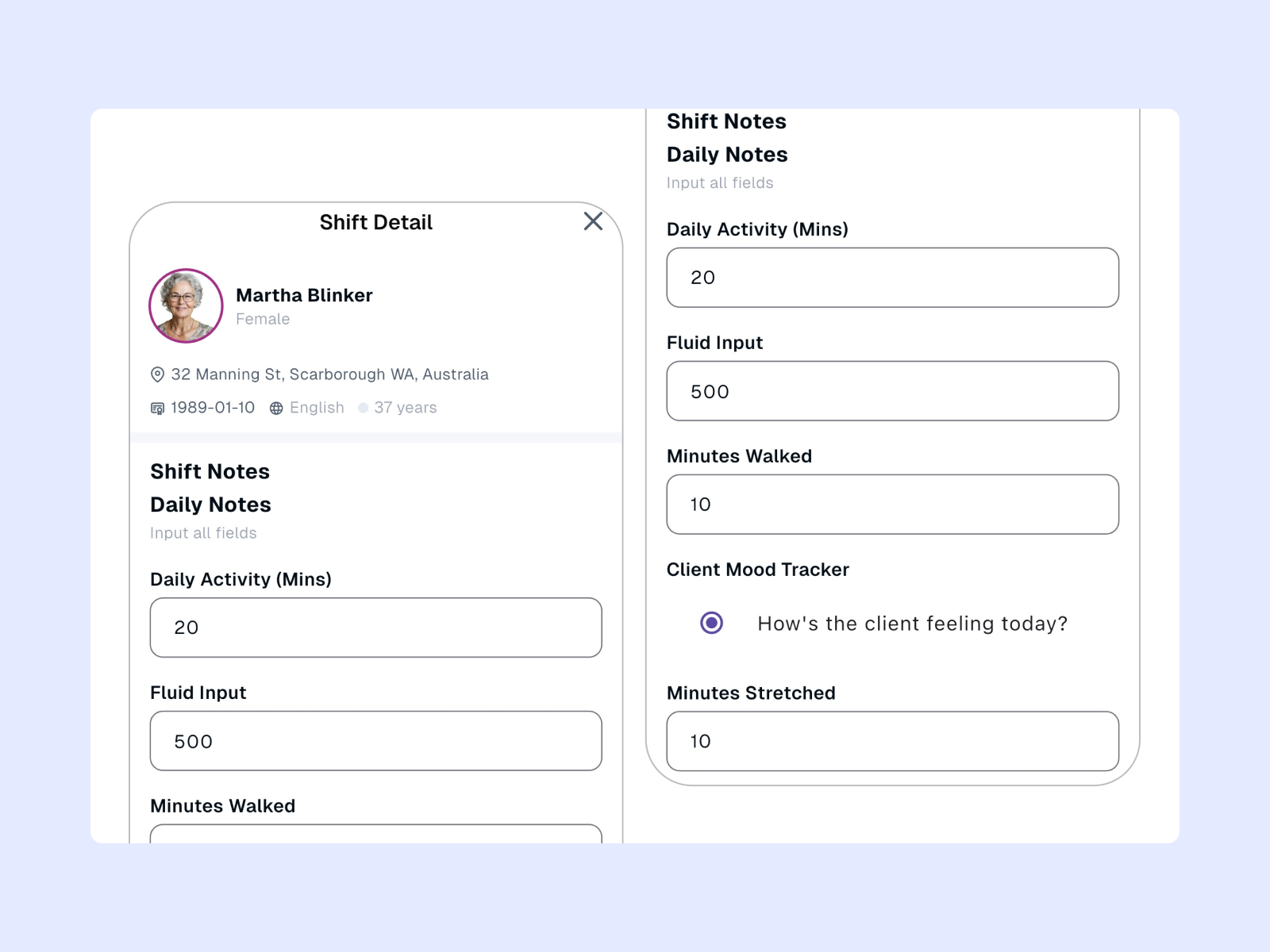
Support workers can use the Imploy mobile app to record shift notes while working in the field.
The mobile app brings together shift information, client details and shift documentation, helping workers complete their records without needing to return to a desktop computer.
2. Connect Notes With Shifts
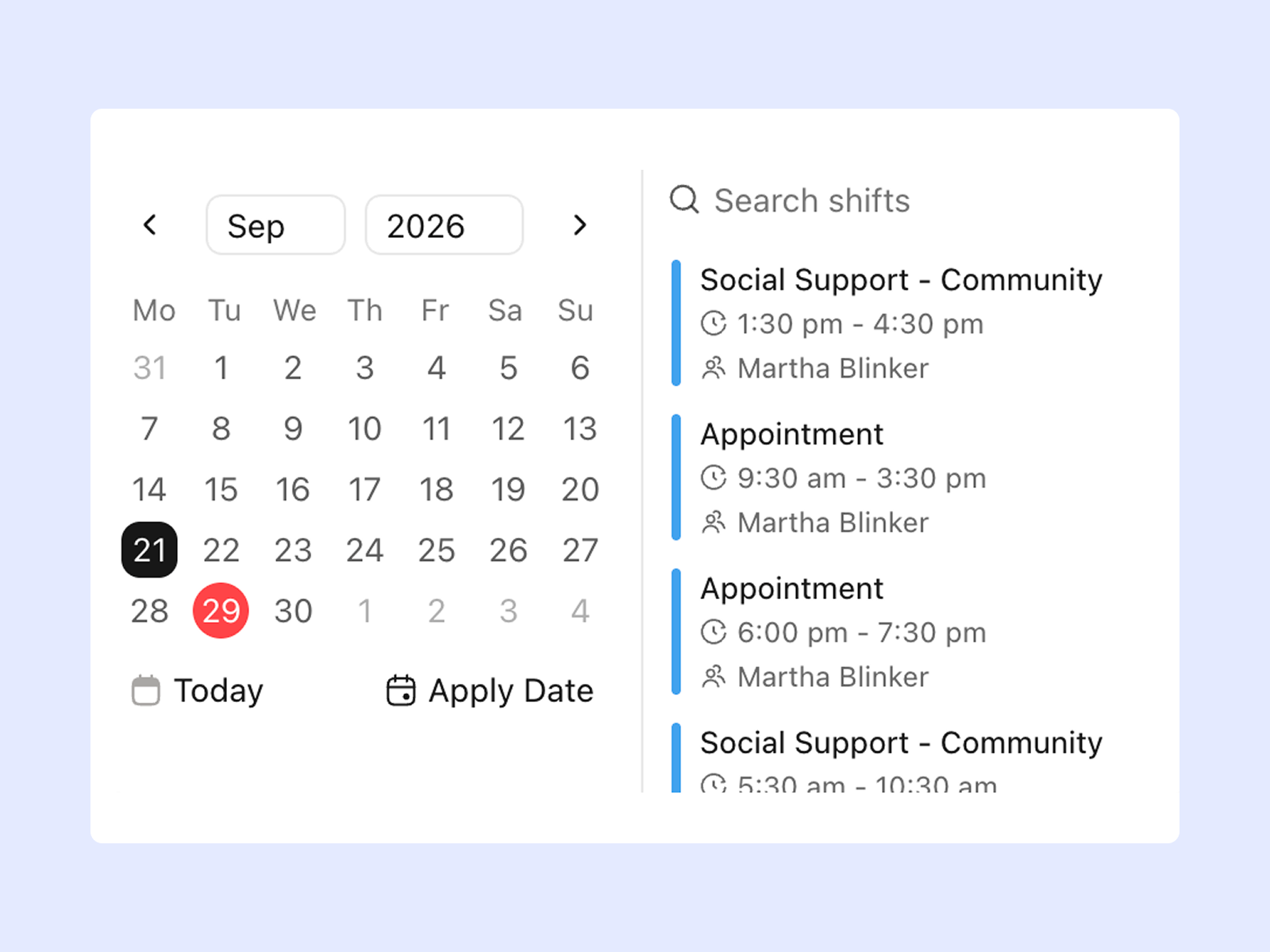
Progress notes are closely linked to the support that was delivered.
With Imploy, workers can access their scheduled shifts and relevant client information before recording their shift notes. This creates a connected workflow between rostered work and documentation.
For providers using Imploy rostering software, progress notes can form part of the wider shift workflow.
3. Keep Notes Connected to Participant Records
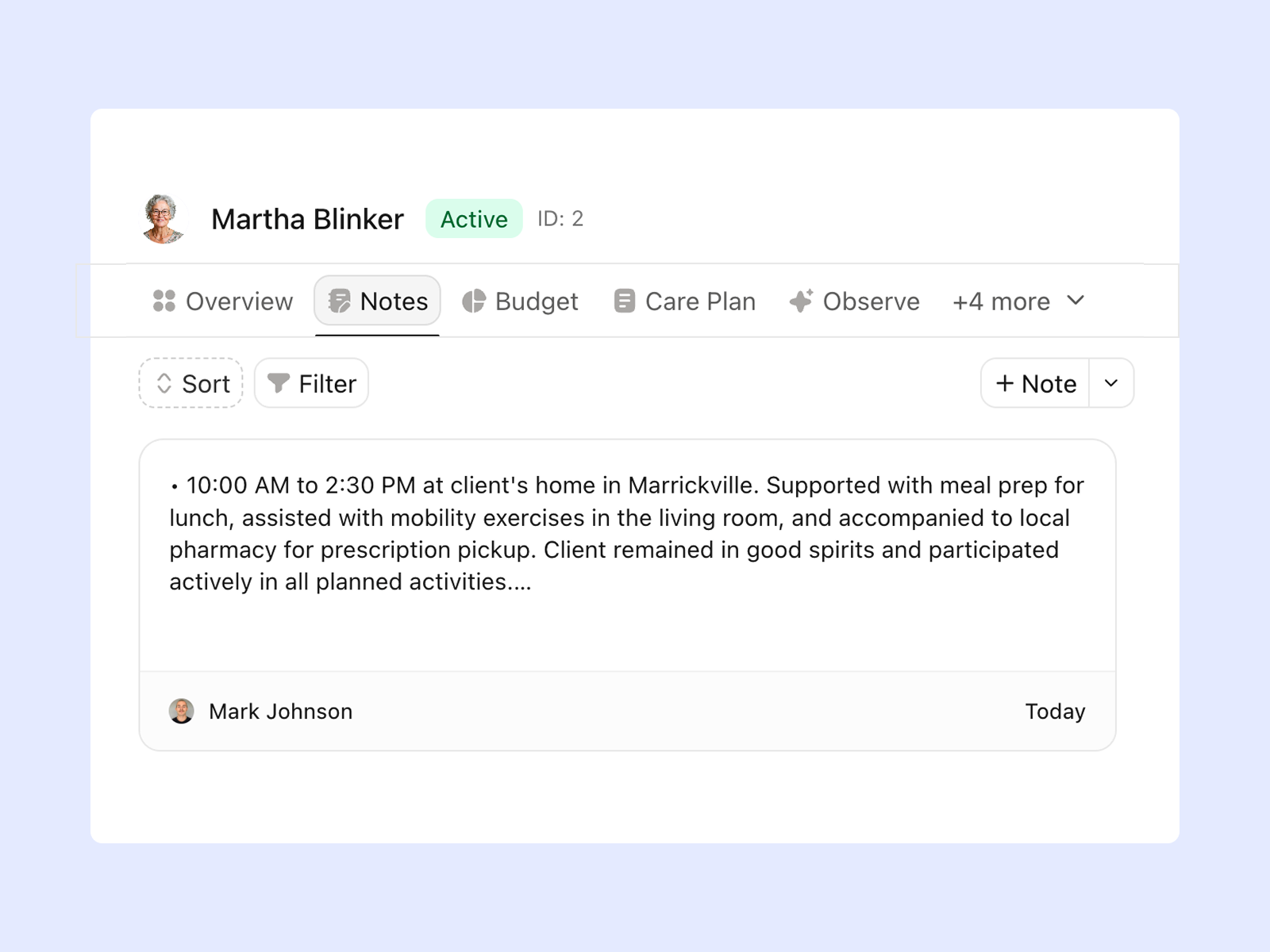
Participant information should not be separated from the documentation created during support.
Imploy's care management features bring client information, care plans, notes and other relevant records into a central system.
This can help authorised team members access relevant information when supporting or reviewing a participant.
4. Improve Notes With AI
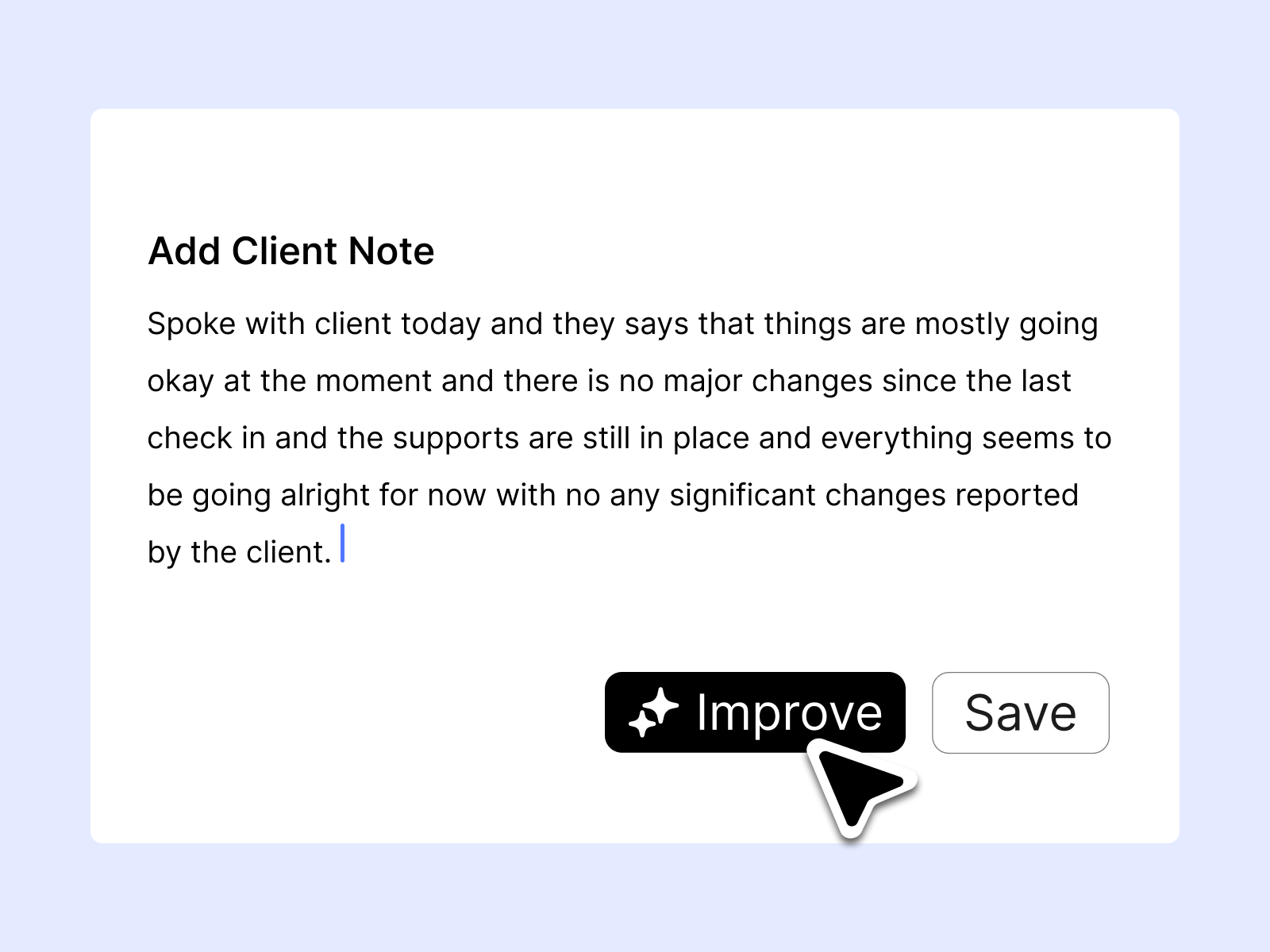
Writing clear and structured notes can take time.
Imploy includes AI Note Improvement to help refine and organise existing note content. This can help workers turn their initial notes into clearer documentation.
AI should support the worker's documentation process rather than replace their observations. Staff should review the final note to make sure it accurately reflects the support delivered.
5. Capture Incidents and Other Updates
Progress notes are only one type of information that may need to be recorded during a shift.
Imploy's mobile app also supports recording information such as incidents, photos, documents, travel claims and reimbursements.
This gives workers a central place to record relevant information while working in the field.
6. Keep Care Information Connected
Progress notes can provide useful context when viewed alongside care plans and other participant information.
Imploy's care management functionality helps providers manage client records, care plans, budgets, progress tracking and other information within the same platform.
This creates a more connected approach to managing a participant's support.
How Imploy Simplifies the Progress Note Workflow?
A typical workflow can look like this:
1. Check the shift
The support worker opens the mobile app and reviews the scheduled shift and relevant client information.
2. Deliver the support
The worker provides the agreed support to the participant.
3. Record the progress note
The worker documents the support provided and relevant observations through the mobile app.
4. Improve the note
Where appropriate, AI Note Improvement can help refine and structure the existing content.
5. Save the information
The documentation is saved within the wider Imploy platform.
6. Review the record
Authorised provider staff can access the information through the participant and care management workflow.
This connects documentation with the service delivery process rather than treating progress notes as a separate administrative task.
Key Features to Look for in Progress Notes Software
When choosing progress notes software, providers should consider how well the system fits their existing workflows.
The right features can be useful whether you are starting with a small team or managing documentation across a larger workforce.
1. Mobile Access
Support workers should be able to record notes while working in the community or at a participant's home.
2. Participant Records
Notes should be connected to the correct participant so authorised staff can access relevant history.
3. Shift Integration
Connecting notes with shifts can help providers link documentation to the support that was delivered.
4. Structured Forms
Templates and structured fields can help teams maintain a consistent approach to documentation.
5. AI-Assisted Documentation
AI features can help improve the clarity and structure of existing notes while keeping the worker responsible for checking the final record.
6. Incident Recording
The software should allow staff to record relevant incidents and concerns as part of the provider's broader workflow.
7. Care Management
Progress notes can be more useful when they sit alongside care plans, participant information and other support records.
8. Reporting and Administration
Providers may need reporting and administrative tools to manage documentation as their participant base and workforce grows.
How to Choose NDIS Progress Notes Software?
Before choosing software, consider the following questions:
1. Can Support Workers Record Notes From Their Phones?
Mobile access is important for workers who spend most of their time providing support in the community.
2. Are Notes Connected to Participant Records?
Connecting documentation to participant profiles can make information easier to find and review.
3. Can Notes Be Linked to Shifts?
A shift-linked workflow helps connect documentation with the support that was actually delivered.
4. Does the System Support Structured Documentation?
Templates and structured fields can help teams follow a consistent documentation process.
5. Can Managers Review Previous Notes?
Authorised staff should be able to access relevant historical information when required.
6. Does It Support Incident Documentation?
Workers may need to record incidents, concerns or other important information alongside their progress notes.
7. Can It Connect With Other Provider Workflows?
Progress notes are one part of service delivery. Connecting them with rostering, care management, billing and reporting can reduce the need to manage separate systems.
Why Use Imploy for Client Progress Notes?
Progress notes are one part of managing an NDIS provider.
Support workers also need to manage shifts, participant information, care plans, incidents and other administrative tasks. Provider teams may also need tools for billing, claims, reporting and workforce management.
Imploy brings these workflows together in one platform.
Providers can use Imploy for:
- Participant management
- Care management
- Progress notes
- Rostering
- Mobile workforce management
- Incident management
- Care plans
- Billing
- NDIS claims
- Compliance
- Reporting
This means progress notes can form part of a wider participant and service-delivery record instead of being managed as a standalone document.
Final Thoughts
Progress notes are an important part of everyday NDIS service delivery, but managing them does not need to add unnecessary administration.
The right software can help support workers record notes more easily while keeping participant information, shifts, care plans and other records connected.
Imploy brings these workflows together in one platform, giving providers a simpler way to manage progress notes as their team and participant base grows.
Frequently Asked Questions
1. What are NDIS client progress notes?
NDIS client progress notes record information about support delivered to a participant. They can include activities completed, participant responses, progress, observations, concerns and follow-up actions.
2. What should an NDIS progress note include?
A progress note should provide a clear and factual record of the support session. Depending on the service, this may include the participant, date and time, support provided, participant response, progress, observations and follow-up actions.
3. Can support workers complete progress notes on their phones?
Yes. Imploy's mobile app allows support workers to access client information and record shift notes from their mobile devices.
4. Can progress notes be linked to shifts?
Imploy connects shift information with client information and shift notes, allowing documentation to form part of the service-delivery workflow.
5. Can Imploy improve progress notes with AI?
Yes. Imploy includes AI Note Improvement, which can help refine and organise existing note content. Staff should review the final note to ensure it accurately reflects the support provided.
6. Can Imploy store participant progress notes?
Imploy's care management features allow providers to manage client information, notes, care plans and other relevant records within the platform.
7. Does Imploy provide an NDIS case note template?
Yes. Imploy provides an NDIS Case Note Template that providers can use as a starting point for documenting support.