
Best NDIS App for Large Providers in 2026
Compare the top NDIS apps for large providers in 2026. Explore features, pros and cons, pricing, and integrations to find the right software for your organisation.

Managing a large NDIS organisation means juggling staff, participants, compliance, billing, and reporting - all at scale. Without the right system, operations quickly become fragmented, error-prone, and expensive. That’s why choosing the right NDIS app is critical.
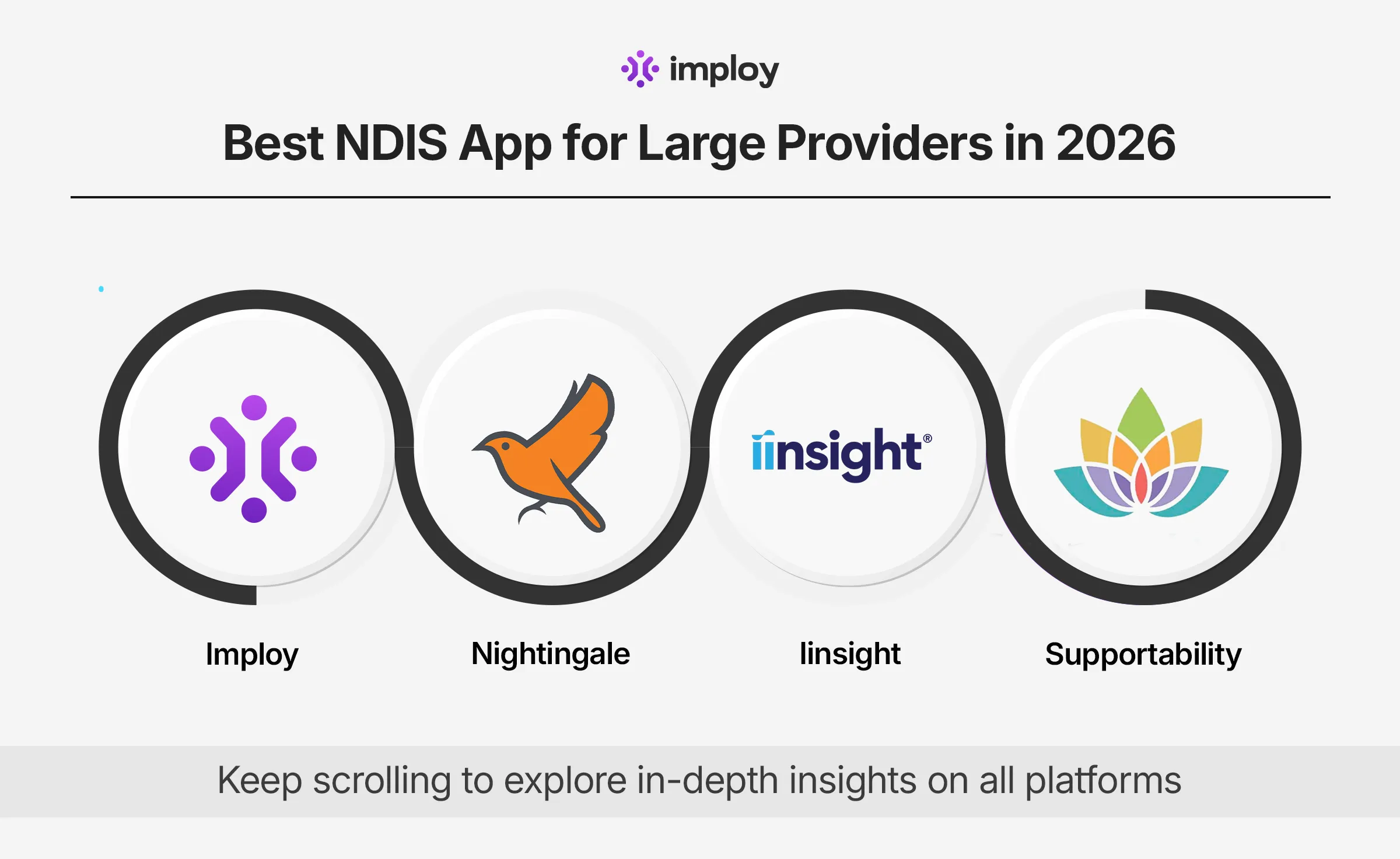
In this guide, we break down the top 4 NDIS apps for large providers, including features, pros & cons, pricing, and how to choose the right one.
What Is an NDIS App?
An NDIS app (or NDIS software platform) is a digital system designed to help disability service providers manage their day-to-day operations. Unlike general scheduling or HR tools, NDIS apps are built to align with NDIS Practice Standards, funding rules, and service delivery models.
Most NDIS apps support functions such as:
- Participant and client management
- Rostering and shift scheduling
- Support worker timesheets
- Invoicing and payroll
- Progress notes and documentation
- Incident and complaint reporting
- Compliance and audit readiness
Why NDIS Apps Are Important for Large Providers?
As your organisation grows, manual processes quickly become inefficient and error-prone. Using a robust NDIS app helps large providers operate smoothly and scale effectively.
1. Reduce Administrative Workload
NDIS apps automate tasks like rostering, invoicing, and compliance tracking, freeing staff to focus on delivering quality care.
2. Ensure Compliance & Audit Readiness
Centralised documentation and real-time reporting make it easy to stay compliant and prepared for audits.
3. Enable Real-Time Visibility
Providers can monitor staff, participants, and funding across multiple locations at any time, improving operational control.
4. Improve Workforce Efficiency
Mobile apps let support workers manage shifts, submit notes, and access participant information on the go, reducing delays and errors.
5. Minimise Billing Errors
Automated invoicing and NDIS claims processing reduce manual mistakes and improve cash flow.
6. Support Organisational Growth
Scalable NDIS software provides the infrastructure to handle larger teams, multiple sites, and growing participant numbers without disruption.
What to Look for in an NDIS App ?
When evaluating platforms, focus on these critical factors:
1. Scalability
A good NDIS app should be able to manage 100+ staff, multiple locations, and hundreds of participants without slowing down. This ensures that as your organisation grows, the system can handle increased data and complexity without requiring a replacement.
2. Rostering & Workforce Management
The platform should offer auto-scheduling, shift matching, and SCHADS compliance tracking to simplify workforce management. This helps avoid staffing gaps, ensures fair allocation of shifts, and keeps your organisation compliant with industry regulations.
3. Billing & Payroll Integration
Built-in payroll integration save time by automating payments, invoicing, and funding claims. This reduces manual errors, improves cash flow, and ensures that your billing aligns with NDIS rules.
4. Compliance & Reporting
A strong NDIS app should provide incident tracking, audit-ready reporting, and qualification monitoring. This ensures your organisation remains compliant, simplifies audits, and gives real-time insight into staff and participant safety.
5. Client Management & Engagement
The platform should include tools to track participant information, care plans, and communication history. This allows staff to provide consistent, personalised care and improves client satisfaction and outcomes.
6. Integration & Automation Capabilities
An ideal NDIS app should connect seamlessly with other systems, such as accounting software, HR platforms, or telehealth solutions. Automation of repetitive tasks and seamless data flow reduces administrative workload and prevents errors across your organisation.
Best NDIS Apps for Large Providers
1. Imploy
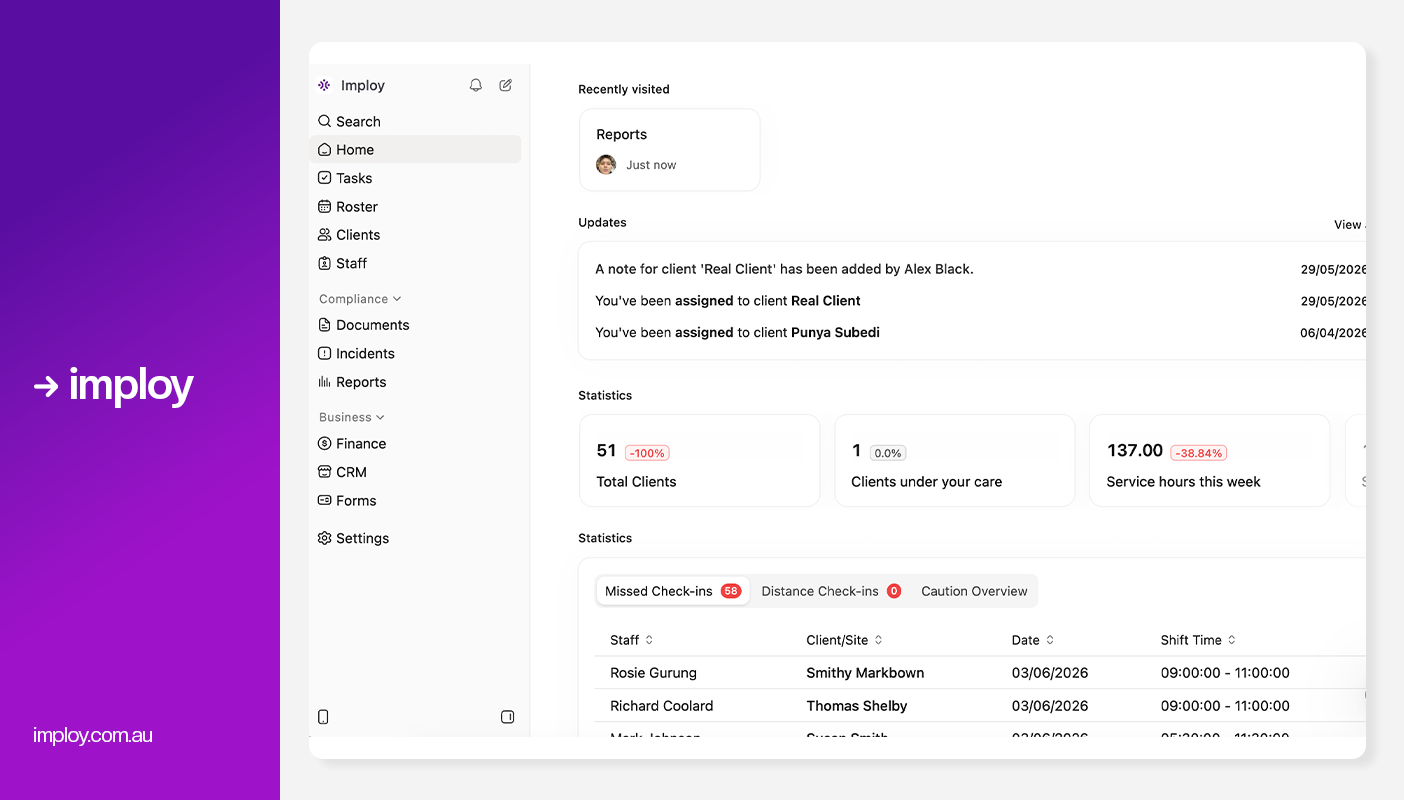
Imploy is a comprehensive platform designed specifically for healthcare and NDIS providers, combining workforce management, care operations, payroll, and compliance in one system.
Key App Features:
- Staff Scheduling & Clock-In
Support workers can view rosters, manage availability, and clock in or out directly from the app. GPS-enabled time tracking helps ensure accurate attendance and payroll. - Progress Notes & Incident Reporting
Workers can record progress notes, support logs, and incidents in real time while on shift. This removes paperwork and keeps records up to date for compliance. - Smart Notifications
The app sends instant alerts for new shifts, changes, and reminders. This helps reduce missed shifts and improves communication across teams. - Staff Records & Payslips
Workers can access payslips, update personal details, and upload certifications directly from their phone. Expiry alerts help keep compliance documents current. - Client Profiles & Care Information
Support workers can view client care plans, preferences, and emergency contacts before and during shifts. This supports more informed, consistent, and person-centred care.
Other Features:
- Smart Rostering: Quickly assign and adjust shifts using a visual drag-and-drop interface, with real-time availability and last-minute flexibility.
- Payroll & Invoicing: Integrated with Xero, and Quickbooks for faster billing, timesheet processing, and payroll management.
- Real-Time Reporting: Interactive dashboards to monitor service delivery, track budget usage, and analyse funding in real time.
- Care Management: Centralised system to store client records, update care plans, and track progress over time.
- Compliance Tools: Automatic alerts for expiring documentation, incident logging, and staff screening to maintain regulatory compliance.
- E-Signature Integration: Authorise client documents directly within Imploy using built-in eSignatures - eliminating the need for third-party subscriptions and streamlining approvals.
- Billable task management to turn every support action into a billable event.
- Client Budgets & Funding: Track budgets in real time, align services to the right funding categories, and reduce claim errors with transparent, compliant spending controls.
- Mobile app for staff and providers: Imploy’s mobile app gives support workers access to upcoming shifts, client information, clock-in/out, shift notes and active-hour recording while working in the field.
- Flexible Shift Types: Imploy supports flexible shift types, including sleepover and group shifts, making it easier to manage overnight support, multiple staff and shared client sessions within the same roster.
- Split Billing: Imploy simplifies split billing by allowing shifts to cover multiple service types, with separate billables and timesheets automatically created for each segment.
- Share Forms by Email: Imploy makes it easier to collect information by letting providers email forms directly to participants, staff or other recipients, with options to prefill details and track completion.
- AI Features:
- Smart Shift Matching: Uses AI to assign the most suitable support worker based on the client’s needs, staff location, availability, skills, and previous interactions -helping reduce travel time and boost consistency.
- Intelligent Note Enhancement: Refines rough shift notes into clear, well-structured summaries by improving tone, grammar, and extracting key insights -enhancing compliance and communication.
- AI Powered Risk Identification: Uses AI to analyze shift notes for key phrases, rating risk from 0 to 10, with plans to allow converting high-risk notes into incidents.
- AI Chatbot (Enterprise only, on request): Provides role-based access to company data, including shifts, client information, and financial data, available exclusively for enterprise customers upon request.
Pros:
- All-in-one solution reduces the need for multiple systems
- Designed for NDIS and healthcare environments
- Advanced AI features.
- Affordable and scalable for teams of all sizes.
- Dedicated mobile app for support workers.
- Free entry-level plan for small teams.
- Saves time and reduces administrative burden
Cons:
- Feature-rich - some training needed for smaller teams.
- Premium Plan: $20 per user/month - includes SCHADS Awards, Bulk Client Invoicing AI Scheduler, Human Resources Module, Accounts Module, Unlimited Users
- Enterprise Plan: Provided on request from the Sales Team
2. Nightingale
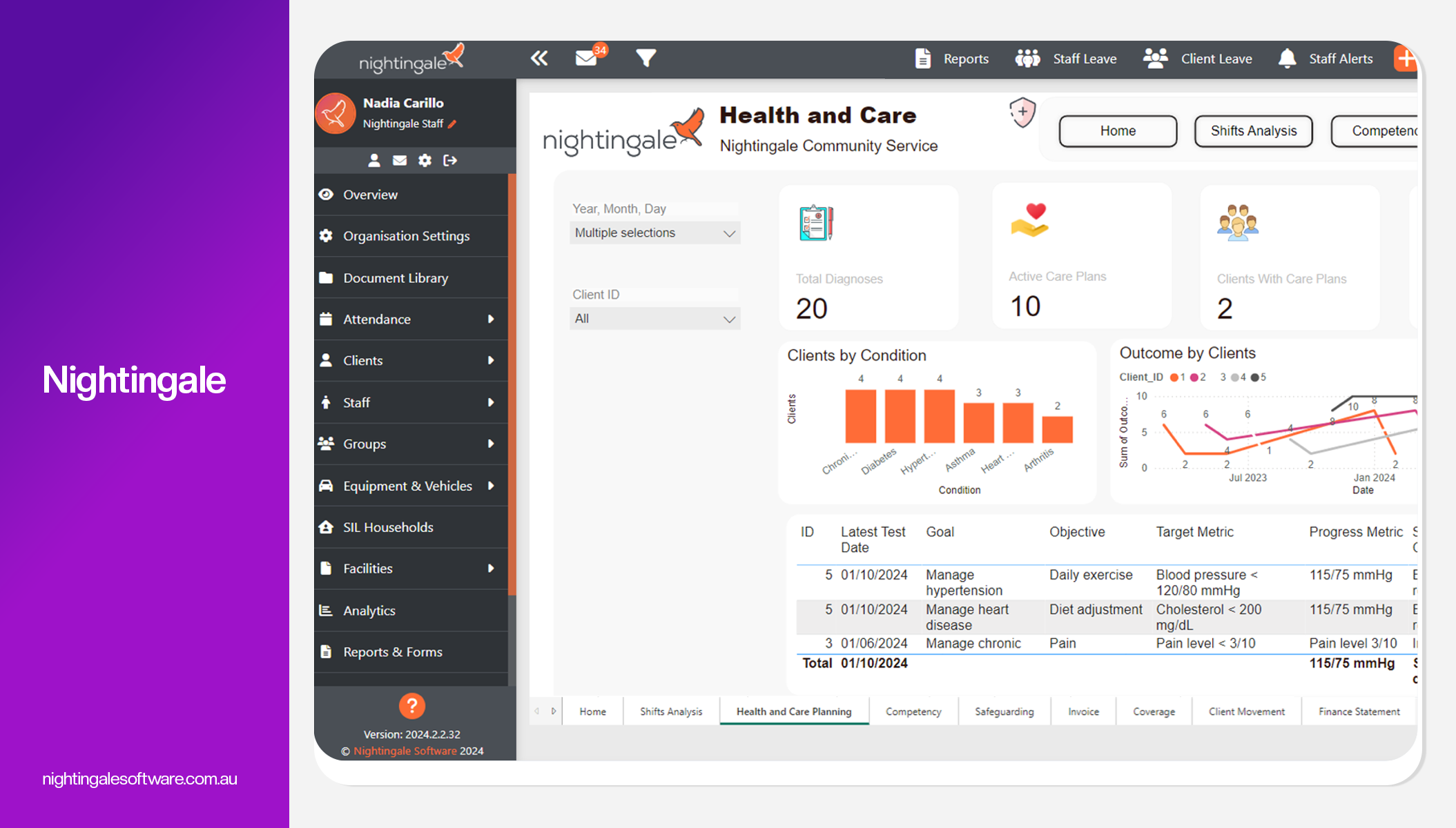
Nightingale is an enterprise-grade NDIS management platform designed to help providers streamline operations, automate workflows, and stay compliant while managing complex, large-scale care delivery.
It brings together rostering, billing, funding, compliance, and reporting into a single system to improve efficiency across the organisation.
Key App Features
- Staff can clock in and out with geo-location tracking, improving attendance accuracy.
- The app allows workers to view client profiles, schedules, and daily appointments in real time.
- Support workers can submit case notes via typing or voice dictation directly from the app.
- Staff receive push notifications for roster updates and can bid for open shifts instantly.
- The app enables travel tracking using GPS or manual entry for accurate reporting and payroll
Pros:
- Highly scalable platform
- Strong rostering and shift-bidding tools
- Automated invoicing, claims, and timesheets
- Comprehensive funding and budget tracking
- Custom forms and reporting tools
Cons:
- Pricing is not transparent
- Limited AI-driven automation
- Some advanced features may require integrations or add-ons
- Can be complex to implement
Pricing:
- Custom pricing (enterprise model) - no fixed pricing publicly listed
3. iinsight
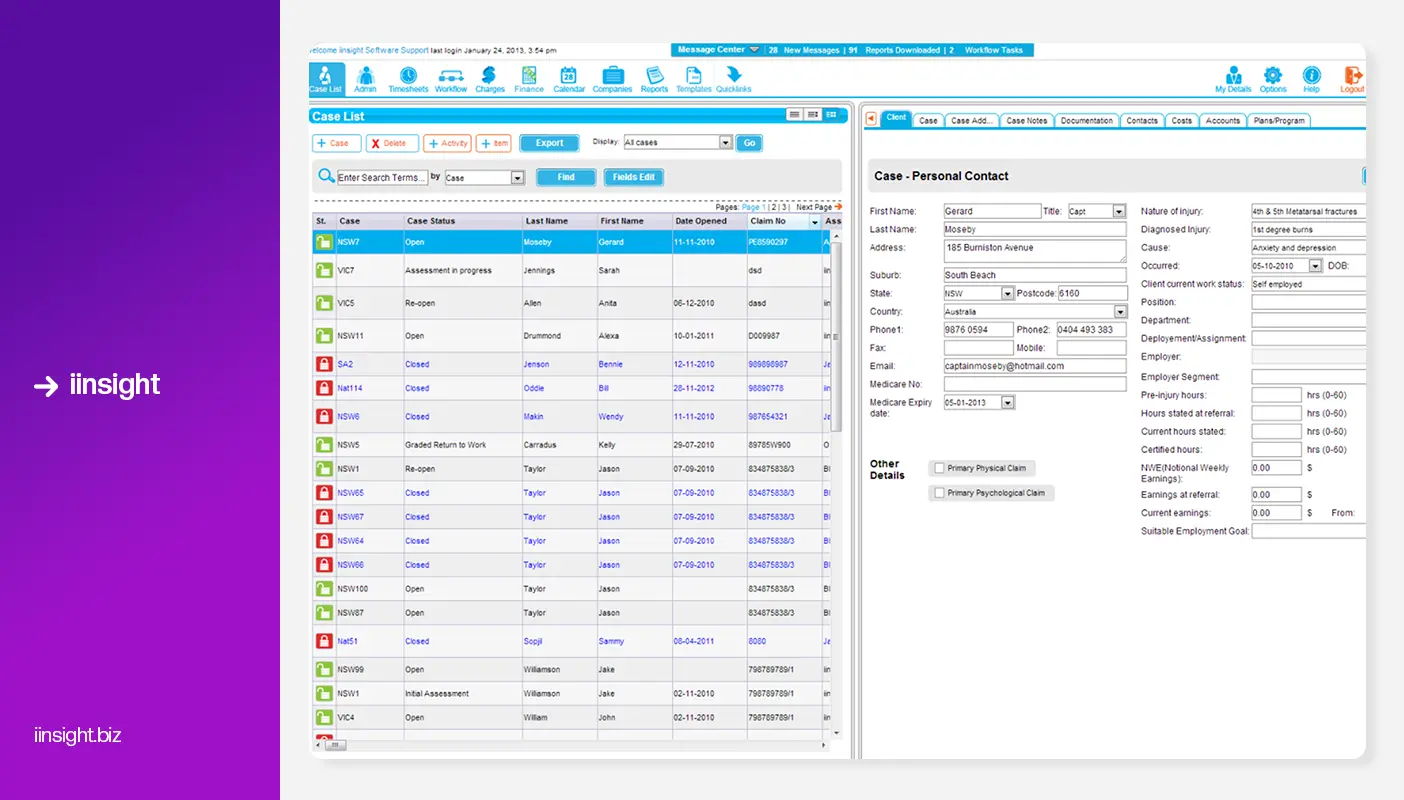
iinsight is a cloud‑based NDIS software platform designed to help providers streamline client management, billing, reporting, and administrative workflows all in one place. It includes mobile and web access so teams can work from anywhere, track appointments, and manage cases more efficiently across devices.
Key Mobile App Features
- Check‑in and check‑out of appointments directly from a smartphone anywhere.
- Track on‑location travel and history with GPS data for compliance and billing.
- Access participant records and clinical notes while in the field or onsite.
- View and manage scheduled appointments with calendar visibility.
- Submit case notes, attachments and timesheets directly via the mobile app.
Pros:
- Comprehensive case and client management
- Bulk invoicing and automated PRODA claims
- Customisable forms and templates
- Built-in CRM and client management tools
- Real-time budget and plan tracking
Cons:
- Outdated UI
- No built‑in payroll engine
- No transparent pricing
- Advanced features may require premium subscriptions or add‑ons.
- No AI features
Pricing:
- Contact iinsight for tailored pricing
4. SupportAbility
.webp)
SupportAbility is a cloud-based NDIS software platform designed to help disability service providers manage client care, rostering, compliance, and billing in one system. It focuses heavily on NDIS compliance, reporting, and operational efficiency, making it suitable for organisations that need an all-in-one, audit-ready solution.
Key App Features:
- Real-time Rosters: View and manage daily and upcoming shifts on the go.
- Clock-in/Clock-out with GPS: Record work hours with location verification for compliance.
- Access Client Information: View client profiles, support needs, notes, and alerts in the field.
- Shift Notes & Updates: Add notes or update tasks for clients during shifts.
- Mobile Notifications & Alerts: Receive reminders and alerts for changes to rosters or client care.
Pros:
- Advanced reporting & audit readiness
- Highly secure system with enterprise-level controls
- All-in-one platform
- Funding & budget oversight
Cons:
- Pricing not transparent
- Outdated UI
- Complex setup and learning curve
- No AI features
Pricing:
- Custom subscription model (no public pricing)
Comparison Table
Why Imploy Is the Best Alternative?
While all four platforms offer solid functionality, Imploy stands out as the most complete and future-ready solution, especially for large providers managing complex operations.
1. True All-in-One Platform
Imploy combines rostering, payroll, billing, compliance, and client management in one system. This removes the need for multiple tools and reduces operational complexity.
2. Built for NDIS Providers
It is specifically designed around NDIS workflows, including compliance, pricing, and reporting requirements. This ensures better alignment with industry regulations compared to generic software.
3. Advanced AI Capabilities
Imploy offers built-in AI features like smart shift matching, note enhancement, and risk detection. These tools reduce manual work and improve decision-making across the organisation.
4. End-to-End Automation
From shift scheduling to invoicing and claims, Imploy automates key processes. This saves time, reduces errors, and improves cash flow consistency.
5. Powerful Mobile App for Support Workers
Imploy’s mobile app allows staff to manage shifts, clock in/out, access client details, and submit notes in real time. This improves communication, reduces delays, and ensures accurate on-the-go documentation.
6. Strong Compliance & Audit Readiness
The platform centralises incident reporting, staff records, and documentation. This helps providers stay audit-ready with accurate, up-to-date records.
7. Scalable for Large Organisations
Imploy can handle large teams, multiple locations, and complex service delivery. It supports growth without requiring a system change later.
8. Better Value for Money
With a free plan and scalable pricing, Imploy is more cost-effective than many enterprise tools. It also reduces the need for additional software subscriptions.
Final Thoughts
Choosing the right NDIS app can significantly impact efficiency, compliance, and growth. The right platform helps streamline operations while reducing admin burden.
While Nightingale, SupportAbility, and iinsight each have strengths, Imploy offers the best balance of features, automation, and innovation. For large providers in 2026, it stands out as the most complete and future-ready solution.
FAQs
1. What features should large NDIS providers look for in an app?
Large providers should prioritise scalability, advanced rostering, automated billing, compliance tools, and real-time reporting. Integration with payroll systems and PRODA is also essential for efficient operations.
2. Can NDIS apps help with compliance and audits?
Yes, NDIS apps are designed to support compliance with NDIS Practice Standards. They provide tools for incident reporting, documentation management, and audit-ready reporting to simplify audits.
3. Can NDIS apps integrate with accounting software?
Yes, many NDIS apps integrate with accounting tools like Xero, MYOB, or QuickBooks. This helps streamline payroll, invoicing, and financial reporting.
4. What is the best NDIS app for large providers in 2026?
The best NDIS app depends on your needs, but Imploy stands out for its all-in-one features, AI capabilities, and scalability. Other strong options include Nightingale for enterprise operations, SupportAbility for compliance, and iinsight for billing and client management.
5. How do NDIS apps improve staff productivity?
NDIS apps streamline tasks like rostering, timesheets, and documentation through automation and mobile access. This reduces admin workload and allows staff to focus more on delivering care.