

🏷️ Mid-Season Sale: Lock in your 1-year rate!
Deal ends in
00
Days
00
Hours
00
Minutes
00
Seconds
Save Now!

NDIS compliance software for connected care records.

Bring participant information, digital forms, incident follow-up and reporting into Imploy. Give your team a shared place to capture evidence, assign responsibility and review the record.
Incident report form for NDIS providers

Trusted by leading providers

My Companionship logo
Circle of Kindness logo
Aspire Ability logo
Apex Services Australia logo
Connection Community Services logo
Crescent Care logo
Unity Aid logo
Murray Darling Supports logo
Noble Roots Support Services logo
Bynd logo
My Companionship logo
Circle of Kindness logo
Aspire Ability logo
Apex Services Australia logo
Connection Community Services logo
Crescent Care logo
Unity Aid logo
Murray Darling Supports logo
Noble Roots Support Services logo
Bynd logo

Make the record part of the work.

Compliance work depends on what your team records and follows through. Imploy connects digital documentation with participant information and incident workflows, helping managers retrieve records and review outstanding work. Your policies, training and decisions remain essential.
Imploy secure NDIS incident report form with controlled submission access
STRUCTURED DOCUMENTATION

Capture useful evidence from the start.

Use Imploy Custom Forms for digital documentation and configured incident forms for incident intake. Choose the information your service needs, then show staff how to record factual details and supporting evidence.
‍

Blue arrow pointing diagonally up and to the right.
Map incident form answers to the incident record.
Blue arrow pointing diagonally up and to the right.
Use templates and required fields to guide submissions.
Explore Custom Forms
OWNERSHIP AND FOLLOW-UP

Keep incident review visible to the team.

Keep status, priority, assigned responsibility, notes and attachments with the incident. Use the record to review what has happened and what needs attention, rather than relying on a separate email trail.

Blue arrow pointing diagonally up and to the right.
Review open incidents and their current status.
Blue arrow pointing diagonally up and to the right.
Keep supporting notes and evidence with the case.
Explore Incident Forms
Imploy public and internal NDIS incident report forms
Imploy automated incident mapping workflow for NDIS providers
PARTICIPANT CONTEXT

Connect records with the people they concern.

Participant information, care documentation and shift notes support the wider care record. Configured incident mapping turns form responses into a structured record, so your team can investigate with the relevant context and supporting documents.

Blue arrow pointing diagonally up and to the right.
Keep participant and shift documentation accessible to the team.
Blue arrow pointing diagonally up and to the right.
Review incident details alongside the supporting evidence.
Explore Care Management
REVIEW AND EVIDENCE

Retrieve the detail behind the summary.

Use incident history and exports to support internal review. Imploy documents a full incident ZIP containing the available summary, notes, form and attachments, plus CSV downloads for selected incident-list information. Check the output against your evidence needs.

Blue arrow pointing diagonally up and to the right.
Review the incident’s recorded activity and status changes.
Blue arrow pointing diagonally up and to the right.
Download the incident bundle for review and authorised sharing.
Explore Reporting
Imploy custom NDIS incident report form builder

A practical review workflow

Capture, follow up and retrieve

NDIS time assuring icon

Capture

Structured forms and supporting files
NDIS Incident alerts and risk reporting icon

Review

Assigned responsibility and
recorded follow-up

Secure NDIS incident uploading icon

Export

Records for your evidence review

Frequently asked questions

What does Imploy NDIS compliance software cover?

Imploy connects digital forms, participant information, shift notes, incident follow-up and reporting. Use a demo to check how the records, access controls and exports fit your service’s procedures.

Does an Imploy incident record notify the NDIS Commission?

No automatic Commission submission is claimed here. Internal records and required external notifications are separate steps. Your responsible staff must follow the current Commission process and record that action.

Can we download incident evidence?

Imploy documents a full incident ZIP export containing the available form, summary, notes and attachments. Selected incident-list details can also be downloaded as CSV. Check a sample export against the records your team needs.

Does using Imploy guarantee NDIS compliance?

No. Software supports documentation and review. Your organisation remains responsible for appropriate policies, training, decisions and follow-through, including any required external reporting.

Choosing a platform? Read our NDIS compliance software comparison. For instructions, use the internal audit guide and audit response checklist.
See your own compliance workflow in Imploy

Bring a sample form and your review process to a demo. We will walk through capture, access, incident follow-up and exports with your team. Confirm the controls and configuration your service needs before rollout.
Book a workflow demo →
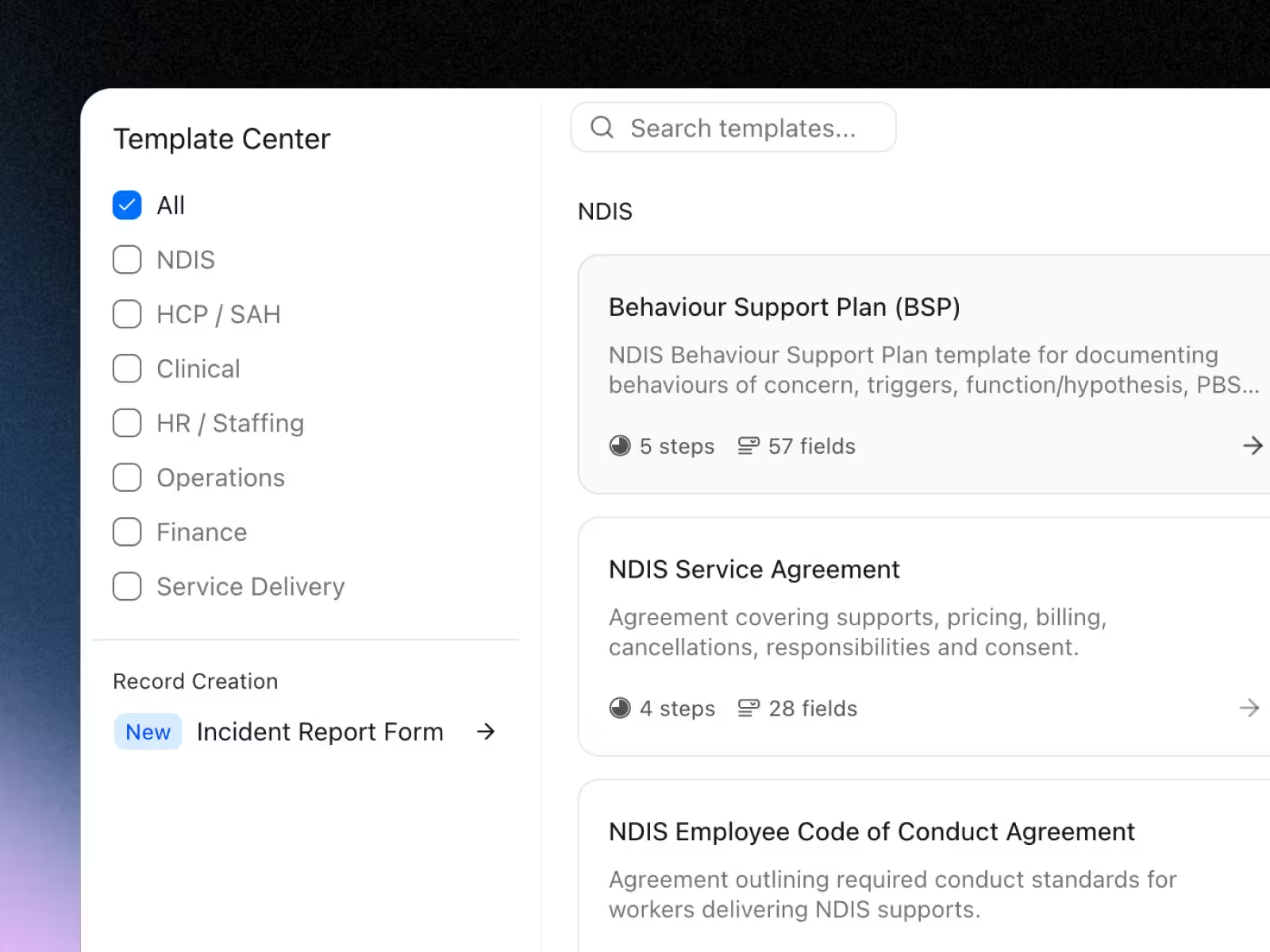
Imploy template center listing NDIS form templates

Experience the Imploy difference with AI

Get ready to experience how AI can transform the way you work,and unlock smarter, more efficient workflows.
Two horizontal notification bars with orange bell icons on their left side, stacked vertically on a black background.