
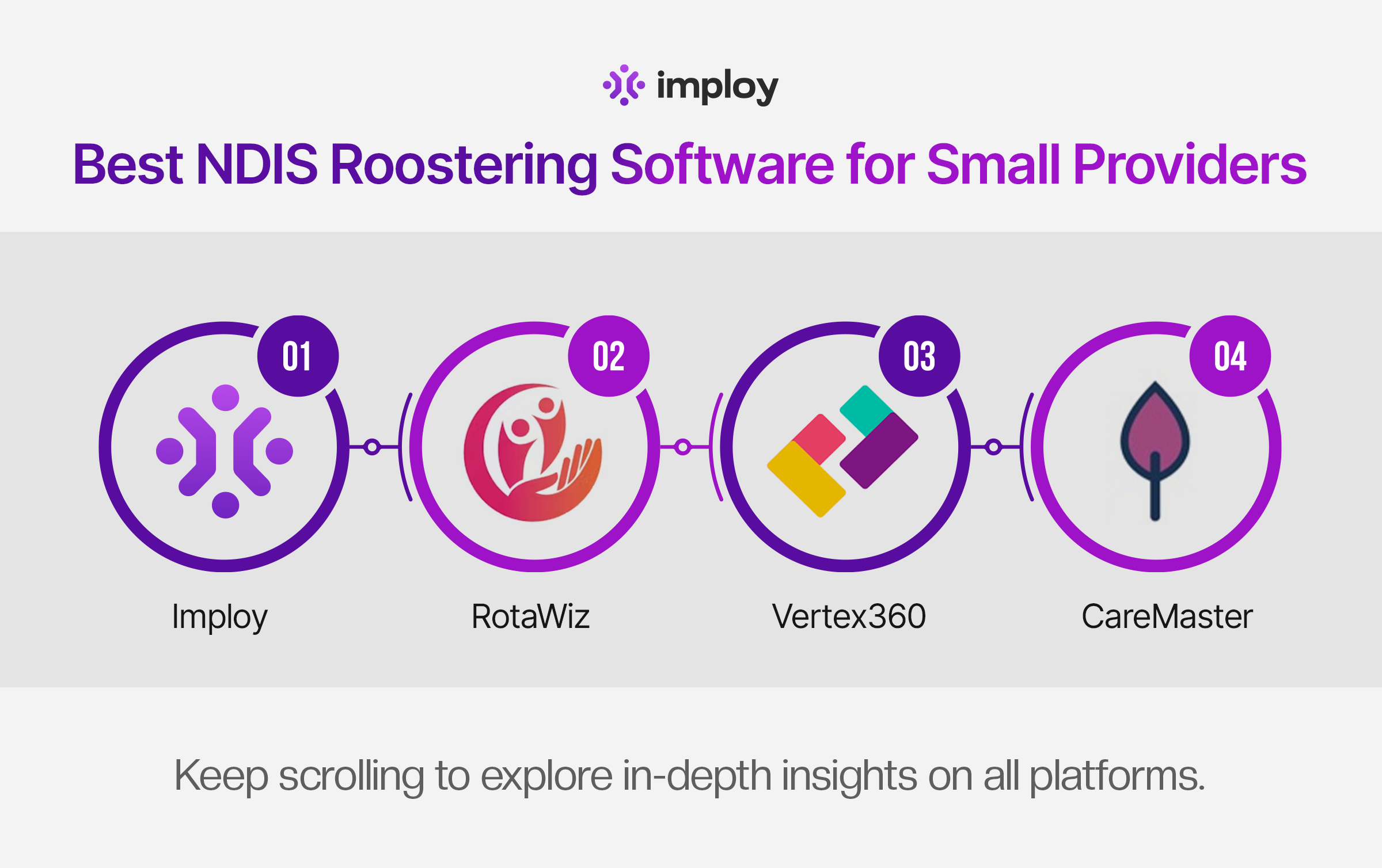
Best NDIS Rostering Software for Small Providers
Small NDIS provider? Discover leading rostering software with smart scheduling, compliance support, and transparent pricing for your team.

Managing staff schedules is one of the biggest operational challenges for NDIS providers - especially small and growing organisations. Between participant preferences, staff availability, SCHADS award rules, cancellations, and compliance requirements, manual or spreadsheet-based rostering quickly becomes risky and inefficient.
That’s where NDIS-specific rostering software makes a real difference.
In this blog, we rank the best NDIS rostering software used in Australia for small providers, comparing key features, pros and cons, pricing transparency, and explaining why Imploy is the best rostering software for NDIS providers.
What to Look for in a Rostering Software?
Selecting the right rostering software is essential for NDIS providers who need to balance participant care, staff wellbeing, and compliance. The best systems are designed to reduce administrative effort while supporting accurate scheduling and sustainable growth.
1. NDIS-Ready Functionality
Choose software designed specifically for the NDIS. It should support participant-based services, multiple support types, and Australian compliance requirements.
2. Smart Rostering & Availability Management
Good rostering tools prevent double bookings and missed shifts. Automatic checks for availability, skills, and participant preferences are essential.
3. Payroll & Award Alignment
Rostering should link directly with payroll to reduce errors. Alignment with the SCHADS Award helps ensure accurate pay, penalties, and overtime.
4. Mobile Access for Support Workers
Support workers need mobile access to view shifts and updates. Real-time timesheets and notifications improve reliability and communication.
5. Automation & Intelligent Features
Automation saves time and reduces manual errors. Smart alerts, conflict detection, and scheduling assistance streamline daily operations.
6. Transparent & Scalable Pricing
Pricing should be clear and affordable for small teams. Scalable plans allow providers to grow without unnecessary costs.
Why Proper Rostering Is Important for NDIS Providers?
Rostering isn’t just about assigning shifts - it directly impacts participant outcomes, staff wellbeing, compliance, and cash flow.
1. Ensures Continuity of Care
Participants rely on consistent, familiar support workers. Poor rostering can lead to last-minute changes, missed shifts, or mismatched workers, which negatively affect trust and outcomes.
2. Supports SCHADS Award Compliance
Incorrect shift lengths, broken shifts, overtime, sleepovers, and penalties can quickly lead to underpayment or overpayment. Proper rostering systems help align schedules with SCHADS rules.
3. Reduces Admin Time and Errors
Manual rostering increases the risk of double-booking, availability clashes, and missed updates. Digital rostering automates checks and reduces costly mistakes.
4. Improves Staff Satisfaction and Retention
Clear schedules, mobile access to rosters, and fair allocation of shifts improve transparency and reduce burnout - critical in a high-turnover sector.
5. Protects Your NDIS Business
Accurate rosters support timesheets, invoicing, and audits. Poor rostering can result in billing errors, complaints, or compliance issues during audits.
Best NDIS Rostering Software for Small Providers
1. Imploy - Best Overall NDIS Rostering Software
Imploy is a purpose-built workforce and rostering platform designed specifically for Australian NDIS providers. It stands out by combining scheduling with payroll, mobile access, compliance tools, and billing workflows. This all-in-one approach reduces administrative burden without sacrificing power.
If you're an NDIS provider who wants compliance confidence, smart automation, and affordable pricing without enterprise complexity, Imploy is the best-rostering software for NDIS providers in the market.
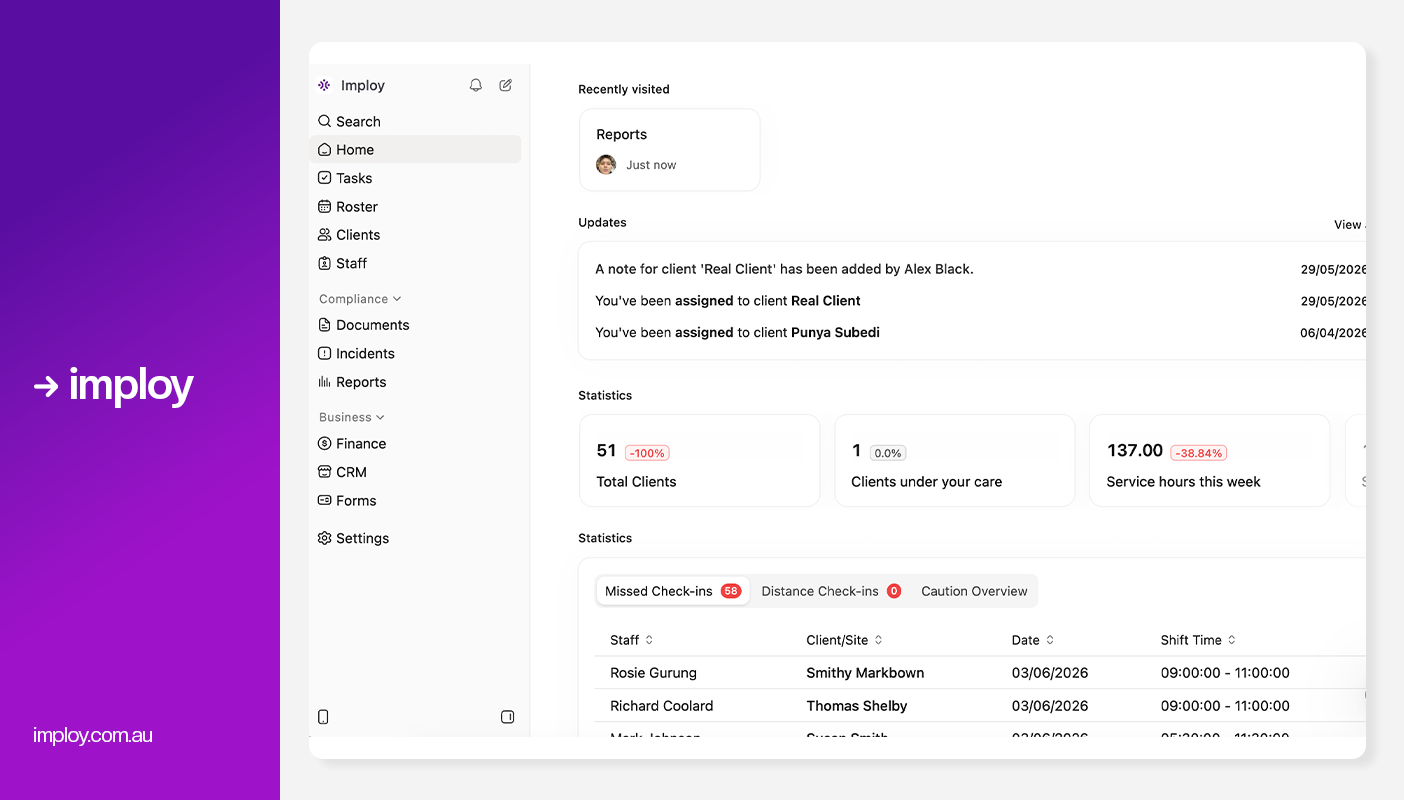
Best for: All Sized NDIS providers needing rostering plus payroll, invoicing, compliance and more.
Key Features:
- Smart Rostering: Quickly assign and adjust shifts using a visual drag-and-drop interface, with real-time availability and last-minute flexibility.
- Mobile App: Support workers can view rosters, record notes, and check in/out of shifts directly from their phones.
- Reporting & Compliance: Imploy's advanced reporting suite provides real-time dashboards and custom reports for service delivery, compliance, workforce performance, finances, and NDIA claims.
- Payroll & Invoicing: Integrated with Xero and Quickbooks for faster billing, timesheet processing, and payroll management.
- Care Management: Centralised system to store client records, update care plans, and track progress over time.
- Custom Forms: Imploy's Custom Forms builder enables providers to create digital forms that automatically populate records, streamlining documentation and reducing manual data entry.
- Compliance Tools: Automatic alerts for expiring documentation, incident logging, and staff screening to maintain regulatory compliance.
- Real-Time Reporting: Interactive dashboards to monitor service delivery, track budget usage, and analyse funding in real time.
- AI Features:
- Smart Shift Matching: Uses AI to assign the most suitable support worker based on the client’s needs, staff location, availability, skills, and previous interactions -helping reduce travel time and boost consistency.
- Intelligent Note Enhancement: Refines rough shift notes into clear, well-structured summaries by improving tone, grammar, and extracting key insights -enhancing compliance and communication.
- AI Powered Risk Identification: Uses AI to analyze shift notes for key phrases, rating risk from 0 to 10, with plans to allow converting high-risk notes into incidents.
Pros:
- Smart rostering with real-time updates.
- Replaces 4-5 other tools with one unified system.
- Advanced AI features.
- Affordable and scalable for teams of all sizes.
- Dedicated mobile app for support workers.
- Free entry-level plan for small teams.
Cons:
- Feature-rich - some training needed for smaller teams.
- Starter Plan: Free for up to 5 users - includes essential features like care management, rostering, and mobile access
- Premium Plan: $17 per user/month - includes SCHADS Awards, Bulk Client Invoicing AI Scheduler, Human Resources Module, Accounts Module, Unlimited Users
- Enterprise Plan: Provided on request from the Sales Team
2. RotaWiz
RotaWiz is a lightweight and easy-to-use rostering tool with a free-forever plan and low per-user prices, ideal for teams that primarily need digital scheduling and basic time tracking.

Best for: Very small teams or sole traders who need straightforward rostering.
Key Features:
- Drag-and-drop and recurring rosters.
- GPS clock-in / clock-out.
- Mobile worker access.
- Basic participant scheduling.
- Incident and shift reporting.
Pros:
- Free forever option.
- Simple and intuitive.
- Automated invoicing with bulk claiming.
- Transparent, low pricing.
Cons:
- Limited payroll and compliance automation.
- Not ideal for scaling providers.
- Fewer advanced rostering options.
Pricing:
- Free Forever: Up to 5 users
- Basic: $3.99 per user/month
- Advanced:$5.99 per user/month
3. Vertex360
Vertex360 offers an integrated NDIS software suite that includes rostering alongside participant management, HR workflows, compliance, timesheets, invoicing, and reporting - all within the same platform. Its rostering tools are simple yet comprehensive and suited for providers with growing operational needs.
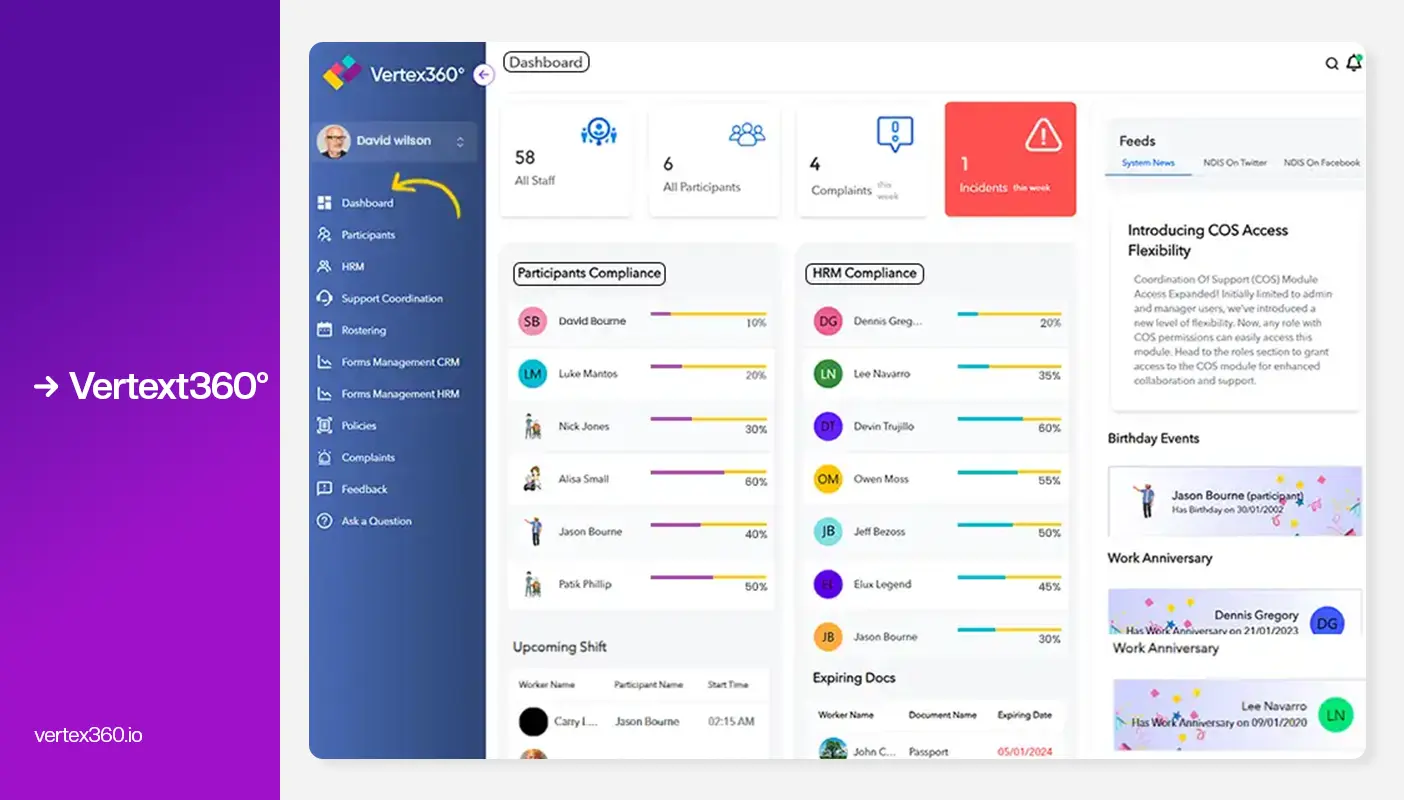
Best for: Small providers who want an all-in-one NDIS solution with rostering and broader management tools.
Key Features
- Intuitive rostering with one screen for participants and staff
- Recurring shifts and task lists for support workers
- Group shift rostering and worker tracking with GPS welfare checks
- Quick export to payroll (Xero, MYOB, QuickBooks)
- Real-time funding tracking linked to rostering
- Comprehensive participant and HR management modules
Pros
- Participant-centric rostering with real-time tracking
- Integrated payroll export to major systems
- Clean, User-Friendly Interface
- Strong Recruitment & Applicant Tracking
Cons
- No Direct PRODA Integration
- No AI-Powered Smart Rostering
- Can feel complex for small teams
Pricing
- Total Suite: $35 per month (1-5 users) + $99 Onboarding Charges + $3 per File - Data Migration Charge
- Platinum Suite: $60 per month (1-5 users) (minimum one year contract).7-day free trial available
4. CareMaster
CareMaster is an all-in-one NDIS and aged care platform that helps small to mid-sized providers manage staff, clients, incidents, billing, and reporting - offering essential features at an affordable price without the complexity of enterprise systems.
.webp)
Best for: Small to medium NDIS providers.
Key Features:
- Intelligent Scheduling: CareMaster offers intelligent, NDIS-compatible scheduling that aligns seamlessly with funding and compliance needs.
- Live Calendar Views: Navigate shifts easily with a live calendar featuring day, week, month, and client-specific views.
- Recurring Shifts: Set up recurring shift schedules to streamline rostering for long-term care plans.
- Real-Time Alerts: Stay compliant with real-time alerts for scheduling conflicts and non-compliance risks.
- Staff-Client Matching: Improve service quality with staff-client matching based on skills, qualifications, and location.
- Permission-Based Access: Ensure data privacy and compliance through tiered, permission-based system access.
- Integrated Modules: Fully integrated with CareMaster modules like billing, documentation, and risk management for end-to-end care coordination.
Pros:
- Competitive pricing.
- Mobile app for staff and clients.
- Built around NDIS workflows.
- Excellent visibility through calendar modes.
Cons:
- The UI feels outdated or complex for modern users.
- Fewer customisation options.
- Not ideal for large or high-growth organisations.
Pricing:
- Essential Plan: $16 per user/month
- Standard Plan: $26 per user/month
- Premium Plan: $36 per user/month
Comparison Table
Why is Imploy the Best Alternative?
When comparing all platforms side by side, Imploy consistently covers more critical NDIS requirements in one system, particularly for small providers who don’t want multiple tools.
- NDIS Ready: Built specifically for NDIS workflows, not adapted from generic scheduling software.
- Rostering: Smart rostering with availability checks, conflict prevention, and shift visibility.
- Payroll Integration: Native payroll aligned with SCHADS Award - no third-party dependency.
- Mobile Apps: Support workers can view shifts, submit timesheets, and receive updates in real time.
- CRM / Client Records: Centralised participant, staff, and compliance documentation.
- AI Features: Intelligent automation and insights to reduce admin effort and improve decisions.
- Pricing: Transparent, scalable pricing with a free plan for small teams.
For small NDIS providers, this means less admin, fewer errors, better compliance, and lower costs - without sacrificing functionality.
Final Thoughts
Choosing the right NDIS rostering software is essential for small providers to save time, reduce errors, and ensure compliance. A smart system not only manages shifts but also supports staff satisfaction, participant outcomes, and smooth day-to-day operations.
For small NDIS providers, an all-in-one platform like Imploy offers rostering, payroll, compliance, mobile access, and reporting in a single system. With features designed for NDIS workflows and a free plan for small teams, it makes scaling your operations easier while keeping administrative burdens low.
Frequently Asked Questions (FAQs)
1. What is NDIS rostering software?
NDIS rostering software is a scheduling system designed specifically for disability support providers. It helps manage staff shifts, participant preferences, availability, compliance requirements, timesheets, and payroll - while aligning with NDIS and SCHADS Award rules.
2. Can small NDIS providers use free rostering software?
Yes. Some platforms, including Imploy and RotaWiz, offer free plans for small teams. However, free tools often have limitations. As your provider grows, investing in a scalable system with payroll, compliance, and reporting usually saves time and reduces risk.
3. How does rostering software help with SCHADS Award compliance?
Good rostering systems automatically account for shift lengths, overtime, broken shifts, penalties, and allowances. This helps prevent underpayment or overpayment and reduces the risk of Fair Work or NDIS compliance issues.
4. Can rostering software improve participant outcomes?
Absolutely. Smart rostering helps match participants with suitable, familiar support workers, reduces last-minute changes, and supports continuity of care - leading to better trust, satisfaction, and outcomes.
5. Why is Imploy ranked as the best option for small NDIS providers?
Imploy ranks highly because it combines smart rostering, payroll, invoicing, compliance, mobile apps, and AI features in one platform. This eliminates the need for multiple systems, reduces admin time, and offers clear, affordable pricing with a free plan for small teams.