Best NDIS Payroll Software for Providers in 2026
Choose the right NDIS payroll software to simplify timesheets, rostering and invoicing. See how Imploy helps providers manage payroll workflows and staff records.


Managing payroll for an NDIS business involves more than paying staff on time. Providers need to coordinate rosters, check timesheets, account for different shift conditions and keep accurate workforce records.
Imploy brings rostering, timesheets, invoicing and workforce management together in one platform. It helps NDIS providers organise staff information, reduce repetitive administration and connect service delivery with billing workflows.
Whether you're running a small disability support business or managing a growing team, the right software can make these tasks easier to manage.
What Makes Great NDIS Payroll Software?
NDIS payroll isn’t like ordinary payroll - it involves complex shift conditions, strict compliance rules, and the need to coordinate a mobile, distributed workforce. The right software should simplify this workload by bringing clarity, accuracy, and automation to your day-to-day operations.
- SCHADS award interpretation - overtime, broken shifts, sleepovers, allowances.
- Rostering & timesheets - mobile clock-in/out, GPS verification.
- NDIS billing & invoicing - PRODA integration, price limits.
- Compliance & reporting - audit-ready documentation, STP, participant management.
- Automation - shift matching, payroll calculations, and award compliance.
- Integration - with accounting software like Xero, Quickbooks, KeyPay.
When payroll software includes these features, providers reduce administrative errors, stay compliant with NDIS and Fair Work rules, and free up more time to focus on delivering quality care. The result is smoother operations, happier staff, and better outcomes for participants.
What Should NDIS Payroll Software Help Providers Manage?
NDIS payroll involves several connected tasks. When providers manage these tasks across separate spreadsheets and systems, information can be missed or entered more than once.
Useful payroll and workforce management software should help providers manage:
- Timesheets: Record staff hours and review timesheets before payroll processing.
- SCHADS Award requirements: Identify relevant shift conditions and review alerts about potential scheduling issues.
- Rostering: Schedule support workers, manage recurring shifts and fill vacant shifts.
- Mobile access: Let workers view their rosters, record attendance and submit shift notes.
- Invoicing and claims: Connect service records with billing workflows and reduce repetitive data entry.
- Workforce records: Keep staff information, qualifications and other relevant records organised.
Imploy combines these workflows to help providers manage the information that moves between scheduling, service delivery, billing and payroll preparation.
How Does Imploy Support NDIS Payroll Management?
Imploy is an Australian-built NDIS and aged care management platform. It brings workforce management, participant records, rostering and financial workflows together in one system.
1. Manage Timesheets and Prepare for Payroll
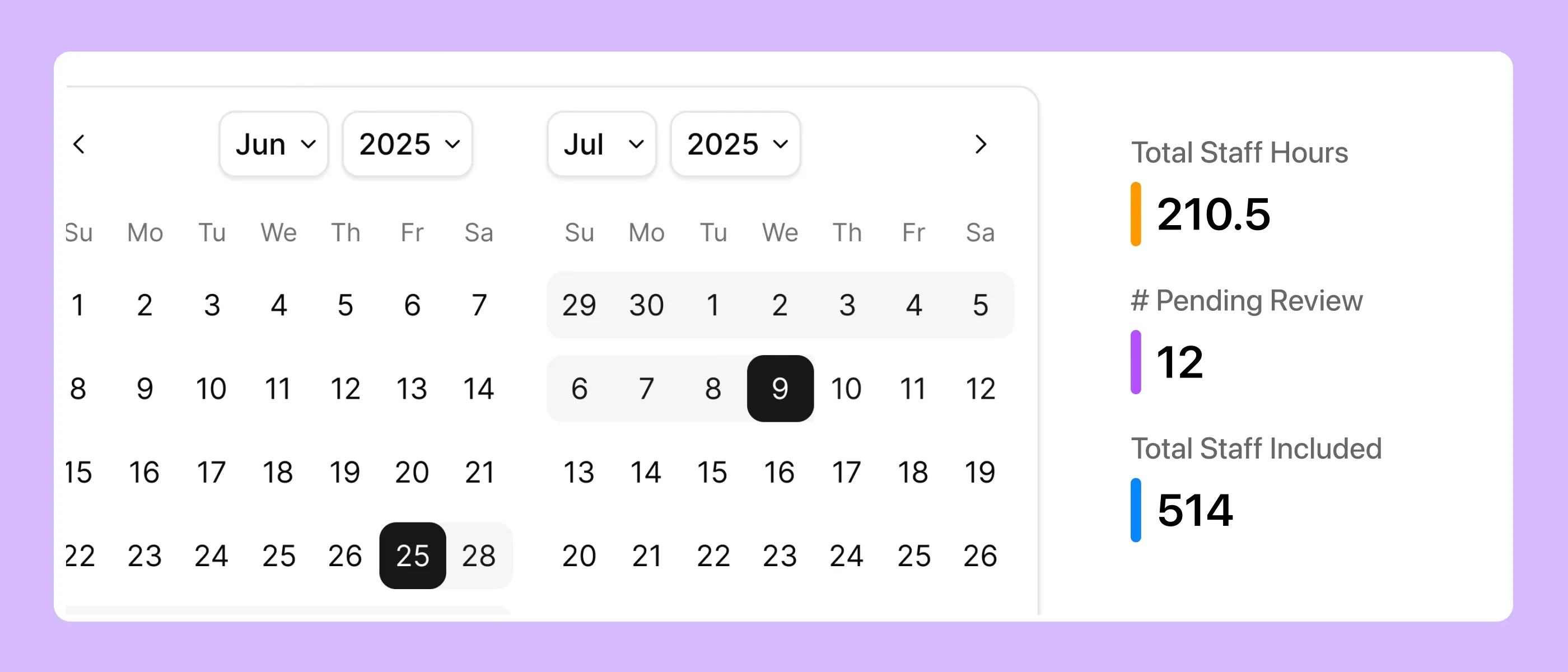
Accurate timesheets are an important part of payroll processing. When recorded hours do not match scheduled shifts, staff may need to spend extra time checking records and resolving discrepancies.
Imploy generates draft timesheets from rostered shifts. Teams can review, edit and approve timesheets from one view before preparing payroll.
This helps providers organise staff hours and keep relevant shift information together. It also reduces the need to recreate details manually from rosters or separate records.
2. Review SCHADS Award Requirements
The Social, Community, Home Care and Disability Services Industry Award (SCHADS Award) sets employment conditions for many workers in disability and community services.
Providers may need to consider overtime, broken shifts, sleepovers, allowances and other applicable conditions. Managing these requirements alongside changing rosters can create additional administrative work.
Imploy includes SCHADS-related functionality and alerts to help providers review relevant scheduling conditions. Its rostering workflows also provide alerts for conflicts and relevant SCHADS conditions.
These features help teams identify potential issues and review shift arrangements. Providers remain responsible for applying the correct Award provisions and checking that payroll calculations and employee payments are accurate.
3. Build Rosters and Manage Vacant Shifts
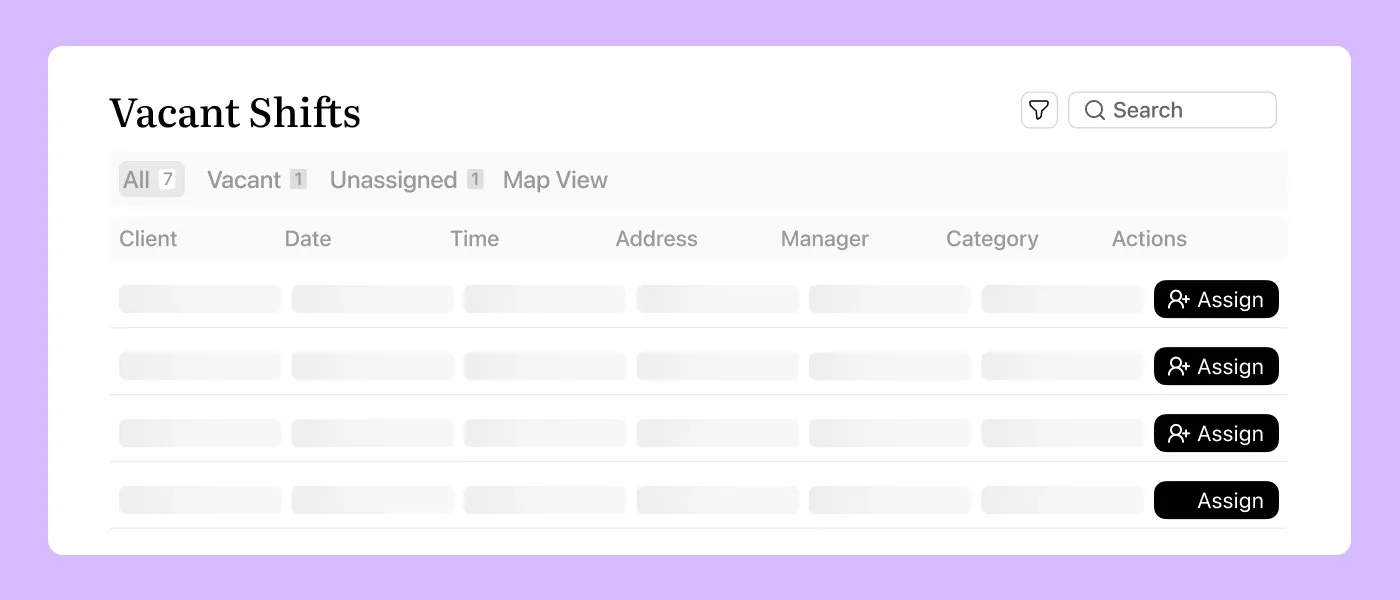
Payroll preparation starts with reliable shift information. Poorly managed rosters can lead to missing hours, last-minute changes and extra administrative work.
Imploy's rostering software includes a drag-and-drop Roster Builder that lets coordinators create and update schedules using a visual timeline.
Teams can also create recurring shifts daily, weekly, fortnightly or monthly. Roster conflict and SCHADS alerts help coordinators identify issues that need attention.
When a shift becomes vacant, providers can use the Shift Pool to notify eligible workers. Imploy's AI-powered shift matching helps identify suitable workers based on factors such as availability, skills, location and client preferences.
These features help providers manage changing schedules while keeping shift information organised for timesheet review.
4. Give Support Workers Mobile Access
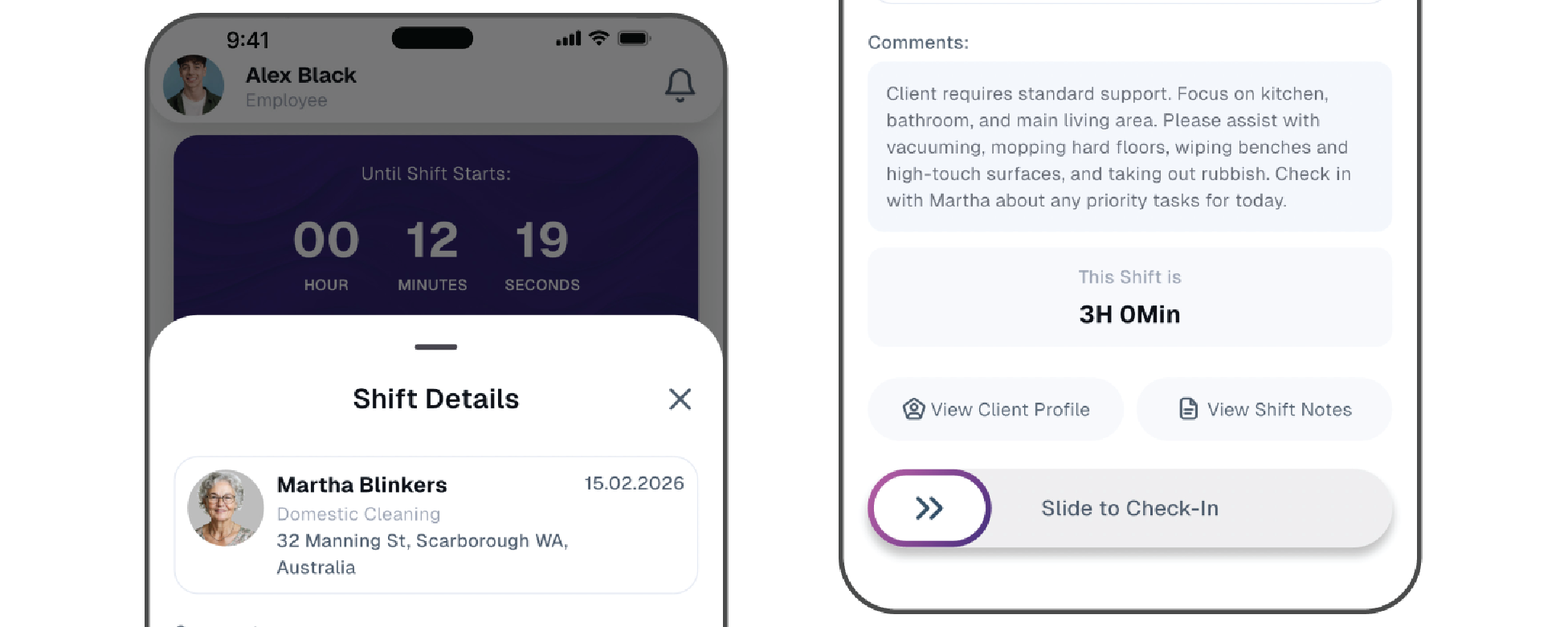
Support workers often deliver services in the community rather than at an office. They need a practical way to check schedules and record their work while on shift.
With the Imploy mobile app, workers can:
- View upcoming shifts and roster updates.
- Clock in and out of shifts.
- Record shift notes and relevant service information.
- Track kilometres and submit relevant travel information.
- Access participant and shift details available to them.
Imploy also supports location-based attendance records. These records give providers additional information to review when checking attendance and timesheets.
Mobile access helps connect work completed in the field with the administrative tasks that follow, including timesheet review and billing.
5. Connect Service Delivery with Invoicing
Payroll is only one part of running an NDIS business. Providers also need to prepare invoices, track billable services and maintain accurate financial records.
Imploy's bulk invoicing feature helps providers create invoices from eligible billable entries, including shifts, travel, reimbursements and manual entries.
Imploy also supports accounting workflows through its Xero and QuickBooks integrations. These connections help providers manage invoicing and accounting information without treating the accounting connection as a direct payroll or STP integration.
Connecting service delivery with invoicing can reduce duplicate data entry and make it easier to review the financial side of a provider's operations.
6. Payroll-Ready Exports
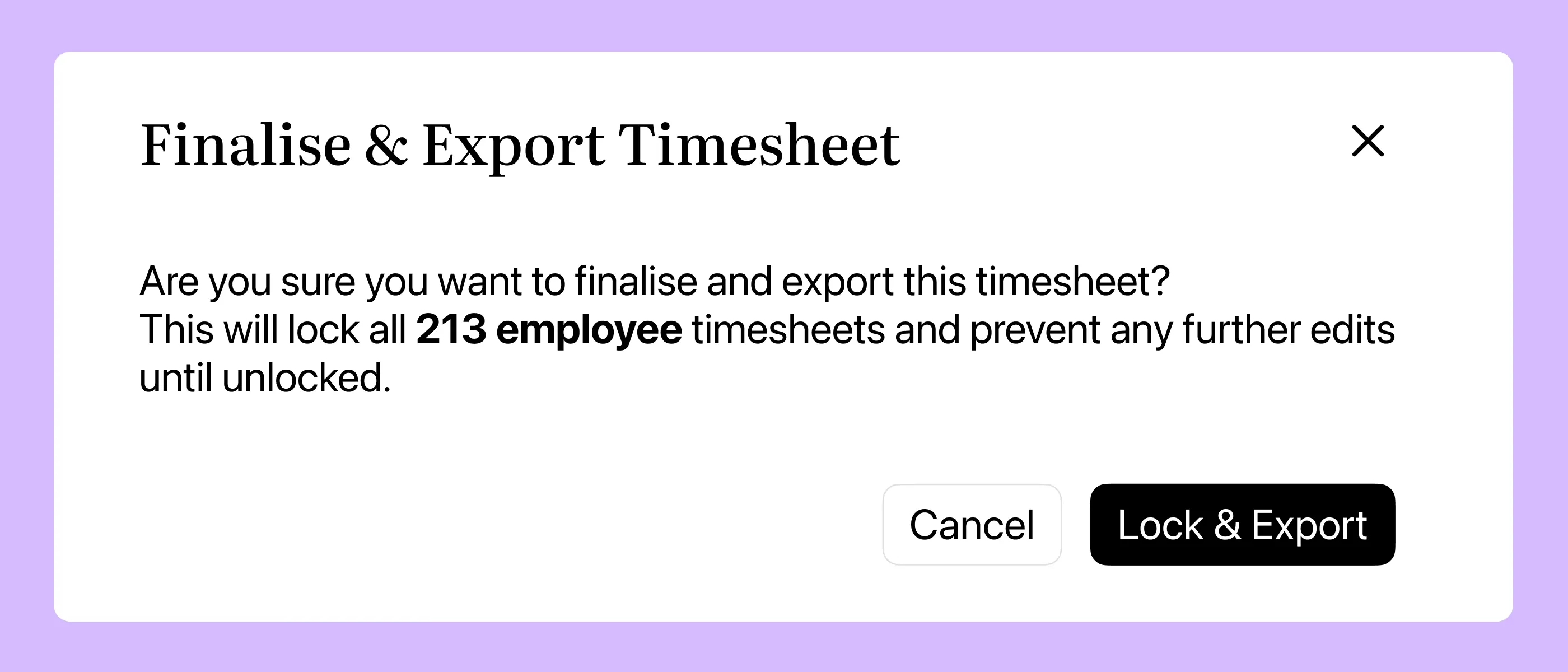
Imploy lets providers export approved timesheets as structured CSV files for payroll processing. Teams can review and approve staff hours before exporting the records, helping reduce manual data entry and keep payroll preparation organised.
Providers can also manage exports by date range and location, making it easier to prepare timesheet data for different teams.
If corrections are needed, authorised users can unlock timesheets, update the records and export them again.
7. Manage Timesheets by Location
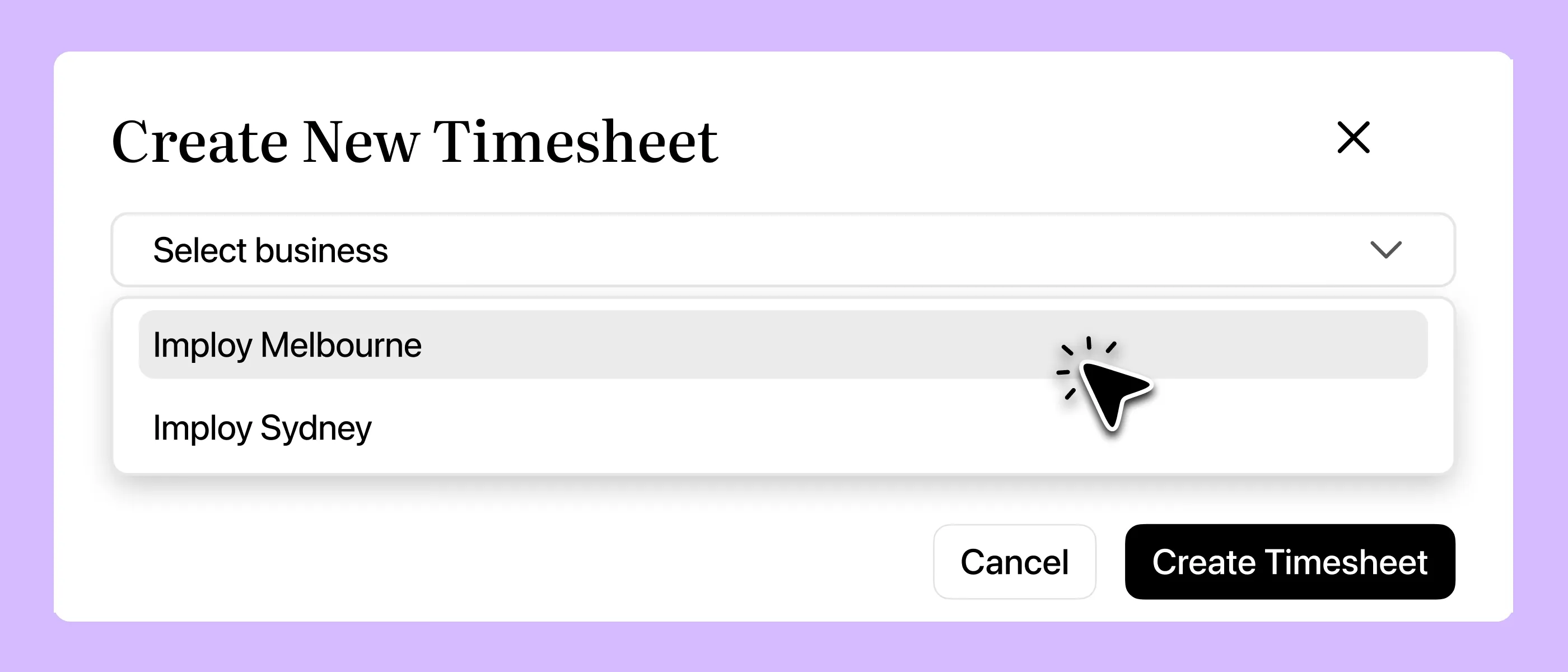
Providers operating across multiple sites can create timesheets by location. Administrators can filter records by worker, date range and location to review the relevant staff entries.
This is particularly useful for organisations with multiple branches or service locations. It helps payroll teams organise timesheet reviews without having to work through every employee record individually.
8. All Approvals in One Place
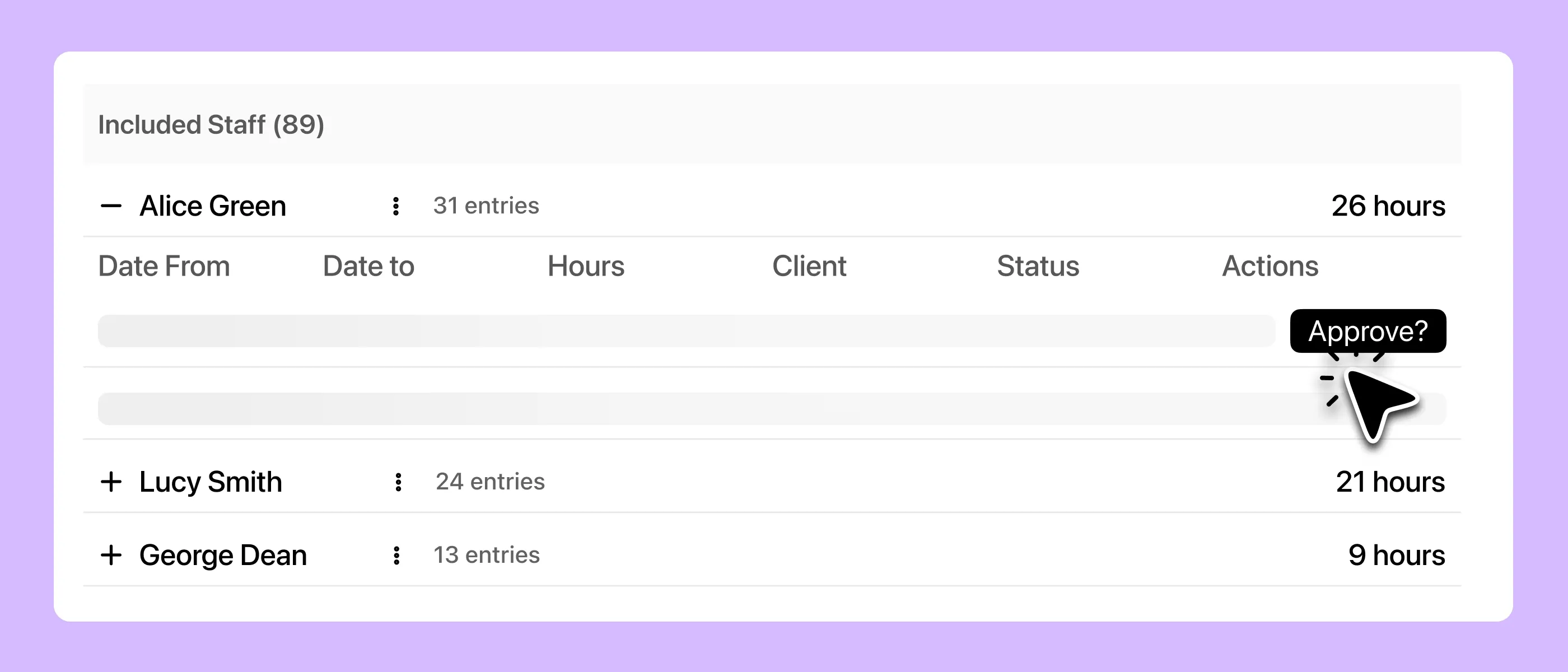
Imploy lets providers review, edit and approve timesheets from one central location. Administrators can check staff hours, shift details and recorded information before approving timesheets for payroll processing.
This helps teams identify discrepancies early, reduce back-and-forth communication and keep payroll preparation organised.
9. Keep Participant Records and Shift Notes Organised
Accurate participant records help providers maintain continuity of support and keep relevant service information accessible to authorised staff.
Imploy brings participant profiles, care plans, shift notes and other service information into the same platform as rostering and operational workflows.
Its AI Note Improvement feature helps staff improve the clarity and structure of their notes. Staff should review and confirm AI-assisted content before saving or relying on it.
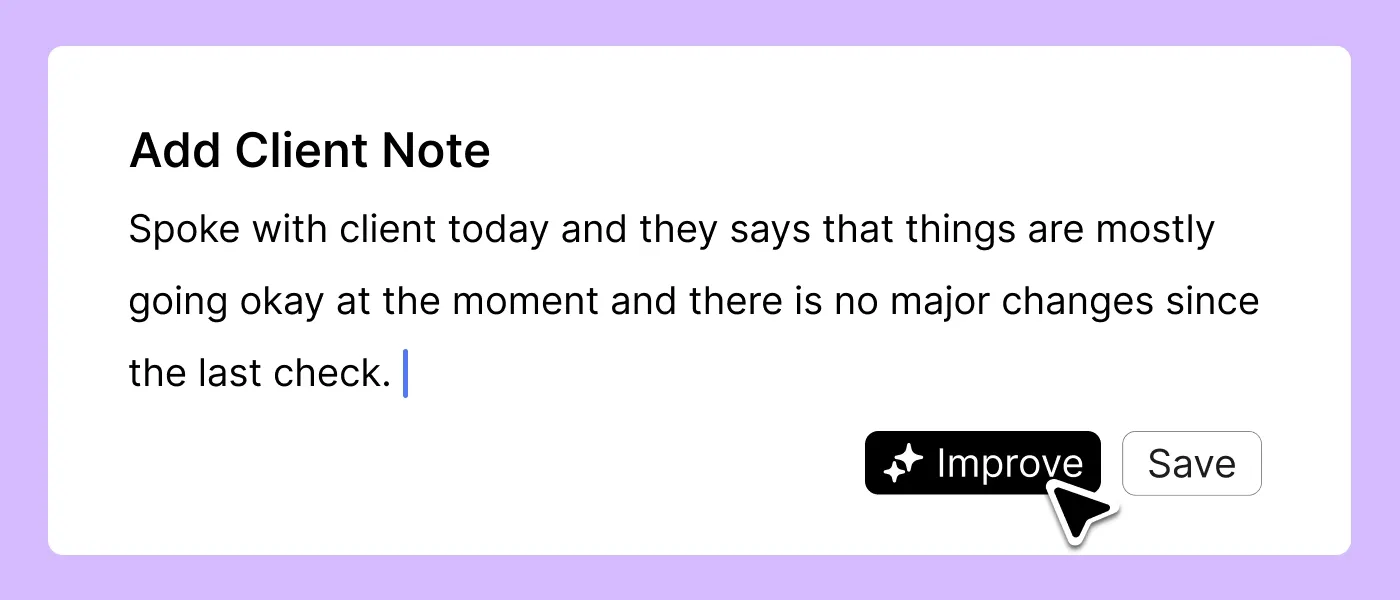
Imploy also offers AI-powered risk identification that can flag potentially concerning language in shift notes for further review. These features support staff oversight but do not replace professional judgement, incident management procedures or compliance responsibilities.
- Starter Plan: Free for up to 5 users - includes essential features like care management, rostering, and mobile access
- Premium Plan: $20 per user/month - includes SCHADS Awards, Bulk Client Invoicing AI Scheduler, Human Resources Module, Accounts Module, Unlimited Users
- Enterprise Plan: Provided on request from the Sales Team
Key Imploy Features for NDIS Payroll and Workforce Management
The following features help providers manage the tasks connected to payroll and service delivery.
Not every feature is a payroll calculation tool. Together, these capabilities help providers manage the wider workflows that affect payroll preparation, billing and administration.
How to Choose Payroll Software for Your NDIS Business?
The best payroll software for your NDIS business should fit the way your team works. Think about your team size, daily tasks and the admin work that takes up the most time.
1, Can it grow with your team?
Choose software that can handle more workers, changing rosters, participant records, billing and reporting as your business grows.
Imploy offers a free Starter plan for up to five users, a Premium plan with additional features, and an Enterprise option for providers with more tailored needs.
2. Can it connect rosters and timesheets?
Checking staff hours against scheduled shifts can help you spot missing details and fix errors before payroll is processed.
Imploy creates draft timesheets from rostered shifts. Your team can then review, edit and approve them before exporting the records for payroll.
3. Does it help with SCHADS requirements?
Payroll software should help your team identify shift conditions that may need attention under the SCHADS Award.
Look for relevant alerts and checks, and make sure you understand what the software covers. Some calculations and checks may still need to be handled separately.
Software can make these tasks easier, but your business remains responsible for applying the Award correctly.
4. Can staff use it on the go?
NDIS support workers often travel between participants and work across different locations. They need a simple way to check shifts, record attendance and add shift information while on the job.
Imploy's mobile app supports these tasks and connects with its rostering and service management features. This helps keep shift records organised without relying on paperwork or repeated office visits.
5. Can it connect services, invoicing and accounting?
Look for software that links delivered services with invoicing, claims and accounting records. This can reduce duplicate data entry and make it easier to keep information up to date.
Imploy supports bulk invoicing, NDIS bulk claims through PRODA-ready CSV exports, and accounting connections with Xero and QuickBooks. Check that the available workflows meet your business needs before choosing a plan.
6. Does your plan include the features you need?
Not every provider needs the same tools. Before choosing a plan, check user limits, SCHADS alerts, invoicing, reporting and payroll-related features. Also consider any setup or implementation support your team may need.
Focus on the features you will use regularly. That way, you can avoid paying for extras you don't need while making sure the software covers the tasks your team relies on.
Why Choose Imploy for Your NDIS Business?
Imploy brings rostering, timesheets, invoicing and NDIS service management together in one platform. It helps providers spend less time on admin and keep everyday tasks organised as their teams grow.
Here’s how Imploy can support your business:
- Simplify timesheet management: Create draft timesheets from rostered shifts, then review, edit and approve records before exporting them for payroll.
- Manage rosters more easily: Use the Roster Builder to schedule shifts, set up recurring rosters and identify scheduling conditions that need attention.
- Keep workers connected: Give support workers mobile access to their shifts, attendance records and shift notes while they deliver services.
- Stay on top of SCHADS requirements: Use relevant alerts to identify shift conditions that may need review. Your team remains responsible for checking Award requirements and applying them correctly.
- Reduce invoicing admin: Create bulk invoices from shifts, travel, reimbursements and manual entries.
- Connect your financial workflows: Use NDIS bulk claim CSV exports and accounting connections with Xero and QuickBooks to support your existing processes.
- Choose a plan that fits: Start with Imploy’s free Starter plan for up to five users, explore Premium for additional features, or discuss tailored requirements through the Enterprise option.
Imploy brings these workflows into one system, helping your team manage day-to-day tasks with less manual work. Rather than juggling separate tools for rostering, timesheets and service records, you can keep more of your essential processes connected.
information across separate systems.
You can also explore Imploy reviews on G2 and Imploy reviews on Trustpilot to learn more about customer experiences with the platform.
Final Thoughts
Choosing the right NDIS payroll software can help providers reduce manual work, manage staff timesheets and keep workforce records organised. Connecting rostering, service delivery and invoicing also makes it easier to manage the tasks that support payroll preparation.
Imploy brings these functions together in one platform, helping NDIS providers manage daily workflows with greater visibility and less administrative effort. From rostering and mobile timesheets to bulk invoicing and NDIS claims, Imploy supports the processes that keep a disability support business running.
Frequently Asked Questions
1. What is NDIS payroll software?
NDIS payroll software helps disability service providers manage staff timesheets, working hours, payroll records and related administrative tasks. Depending on the platform, it may also include rostering, SCHADS Award alerts, invoicing and reporting tools.
2. What features should NDIS payroll software include?
Look for timesheet management, roster integration, payroll-ready exports, SCHADS-related alerts, mobile access and reporting. Integrations with accounting software can also help reduce manual data entry.
3. Can NDIS payroll software help with SCHADS Award compliance?
Yes. Some platforms provide alerts and checks that help providers identify shift conditions that may need attention. However, software does not guarantee compliance. Providers must still check pay rates, allowances, penalties and other applicable Award requirements.
4. How does Imploy help with NDIS payroll management?
Imploy helps providers prepare payroll records by generating draft timesheets from rostered shifts. Teams can review, edit and approve timesheets before exporting the records for payroll processing.
5. Does Imploy support the SCHADS Award?
Imploy provides SCHADS-related alerts to help teams identify shift conditions that may need review. Providers should still check applicable Award requirements and complete any necessary calculations or checks.
6. Can Imploy export timesheets for payroll processing?
Yes. Imploy lets providers review and approve timesheets before exporting the records in CSV format for use in their payroll workflow.