
MYP Alternatives for NDIS Providers
Compare eight MYP alternatives for NDIS providers. Review care management, rostering, billing, mobile tools and migration questions before choosing software.

NDIS providers comparing MYP alternatives need software that fits their service model, workforce and administrative processes. A useful comparison starts with the work your team needs to complete, including participant intake, rostering, documentation, billing and reporting.
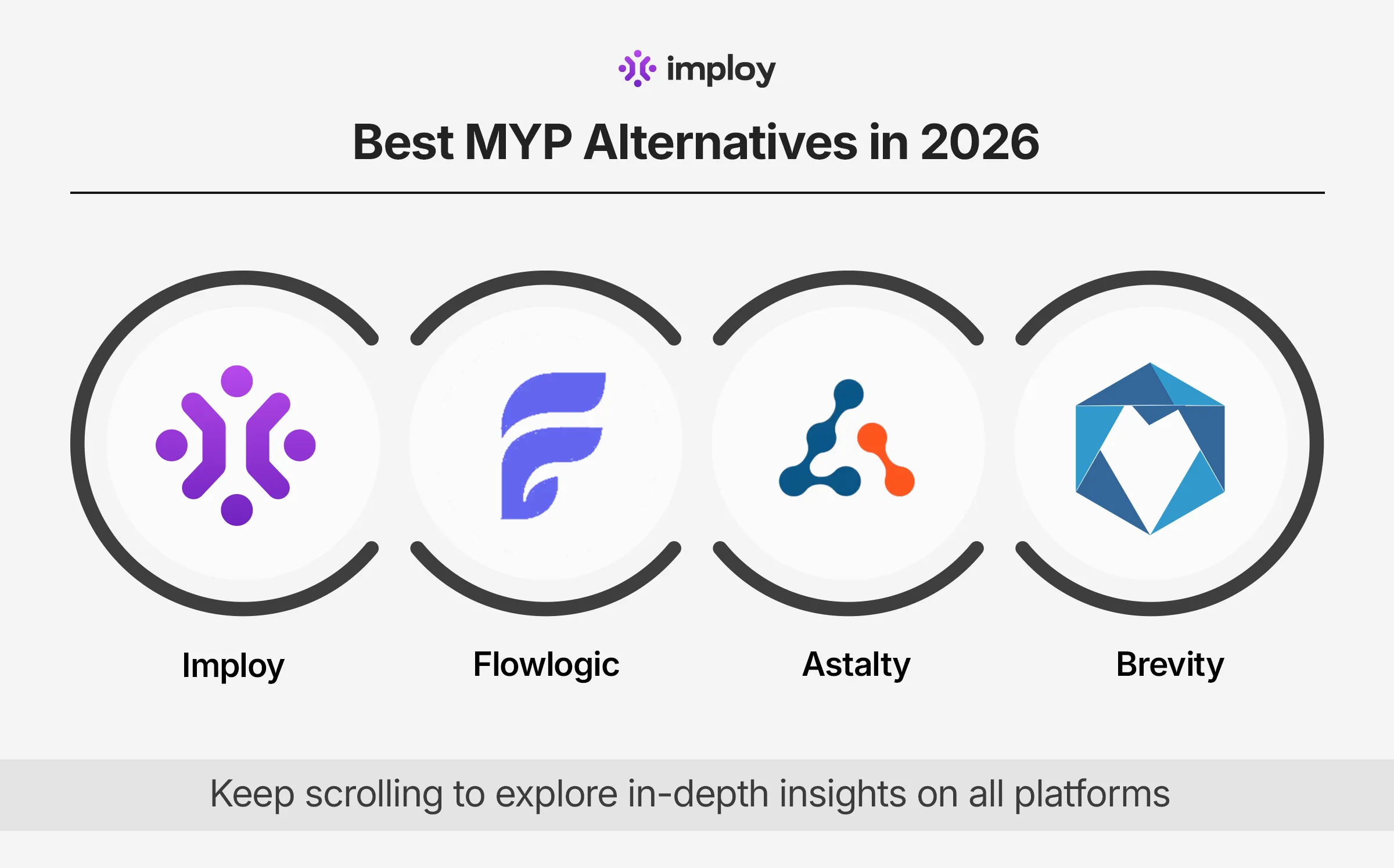
This guide brings eight alternatives into one shortlist: Imploy, FlowLogic, Astalty, Brevity, CareVision, Pnyx / Comm.care, ShiftCare and CareMaster. Each has a different product scope and setup, so use a demonstration and a written quote to confirm the fit for your organisation.
When should you compare alternatives to MYP?
It can be worth reviewing alternatives when your service model changes, your team grows, or your current workflows require too much manual coordination. Compare the specific needs of your business rather than assuming every provider needs the same platform.
- The services and funding types you deliver.
- The tasks office staff and support workers complete each day.
- The billing, claiming and accounting workflows you need.
- Your requirements for SIL sites, reporting, forms and documents.
- The full cost of setup, user access, training, integrations and support.
Eight MYP alternatives for NDIS providers
1. Imploy
Imploy brings client records, rostering, shift notes, invoicing, NDIS claims, mobile access and SIL workflows into one platform for NDIS and home care providers.
- Rostering and staff scheduling
- SIL site management
- Bulk invoicing and NDIS bulk claims
- Participant and client management
- Mobile tools for support workers
For costs and inclusions, use Imploy’s current pricing and confirm any setup or enterprise requirements in your demo.
What to test: Test a recurring roster, a shared group shift, a mobile shift note and an invoice run using a realistic example from your service.
2. FlowLogic
FlowLogic offers care-management software for NDIS and aged care providers, with workflows covering client information, rostering, invoicing and operational reporting.
What to test: Check how the system handles your funding arrangements, approval processes, reporting needs and implementation plan.
3. Astalty
Astalty is an Australian NDIS software platform covering provider operations such as rostering, participant management, invoicing and support coordination.
What to test: Walk through the tasks your support coordinators and support workers perform, then confirm user types, integrations and total cost for your team.
4. Brevity
Brevity provides software for disability and community care organisations. Its platform covers client services, scheduling, billing and workforce administration.
What to test: Check the modules and workflows that apply to your services, including support coordination, SIL or aged care where relevant.
5. CareVision
CareVision supports disability and aged care workflows, including participant goals and care records, scheduling, quotes, budgets, claiming and reporting.
What to test: Test how participant goals, funding arrangements, care delivery and billing connect across the programs you deliver.
6. Pnyx / Comm.care
Comm.care by Pnyx brings care management, rostering and billing together for care providers. Its NDIS workflows include bulk-upload exports and accounting connections.
What to test: Confirm the billing exports, funding periods, accounting connections and day-to-day care workflows you need.
7. ShiftCare
ShiftCare is a care-management platform used by disability and aged care providers, with rostering, care notes, invoicing and mobile workforce tools.
What to test: Have a support worker test the mobile workflow and check how scheduling, notes and billing connect to your accounting process.
8. CareMaster
CareMaster provides a software ecosystem for NDIS and aged care providers, connecting provider teams, support workers, participants and families.
What to test: Test your service-delivery, rostering and communication workflows, and confirm onboarding, training and module inclusions.
How to compare the platforms in a demo
- Use the same scenarios. Bring an example intake, recurring roster, cancelled shift, shift note and invoice run to every demo.
- Check the worker experience. Ask frontline staff to assess the mobile app, notes, clock-ins and schedule changes.
- Test your service model. If you deliver SIL, support coordination, group services or home care, ask to see those workflows rather than a generic tour.
- Confirm integrations and exports. Ask which connections are available on your proposed plan, how data moves and what still requires manual work.
- Compare the total quote. Include user licences, modules, migration, training, setup and support. Confirm current pricing directly with each vendor.
- Plan the transition. Agree on data preparation, access permissions, testing, staff training and a realistic go-live sequence.
Questions to ask before moving from MYP
- Which participant, staff, document and billing records can be migrated?
- What happens to historical records and attachments?
- How will we validate the imported information before go-live?
- Which team members need paid access, and what is included for support workers?
- Which features, integrations and support services are included in the quote?
- How can we export our data if our requirements change?
Explore Imploy for your NDIS team
If your priority is bringing participant records, rostering, mobile notes, invoicing and care-provider workflows together, book an Imploy demo. We can walk through the workflows that matter to your organisation. You can also create an account and review current plans.
Use the vendor links above to check current functionality, pricing and inclusions. Features and plan terms can change, and a comparison guide should support a hands-on evaluation.
Frequently asked questions
Why compare alternatives to MYP?
Compare alternatives when your service model, team size or daily workflows change. Evaluate participant records, rostering, billing, documentation, reporting, mobile usability and total cost against your actual requirements.

Which MYP alternative suits a small provider?
The right option depends on the services you deliver, the people who need access and the workflows you use. Test onboarding, client records, invoicing and the mobile experience, then compare the complete quote. Imploy is one option for small and growing provider teams.
What should I check for payroll and accounting workflows?
Ask each vendor to demonstrate its available timesheet, billing and accounting workflows on the plan you are considering. Confirm which integrations are included, the direction of any sync and which tasks require exports or manual review.
How do I compare pricing, trials and onboarding?
Confirm current pricing and any trial or free-plan terms directly with the vendor. Compare the full cost of users, modules, setup, migration, training, integrations and ongoing support for your organisation.
How can I evaluate Imploy for my organisation?
Book a demo and bring examples of your rostering, participant management, SIL, invoicing and mobile workflows. Review the current plans and test the tasks that office staff and support workers need to complete before deciding.