
Best NDIS Accounting Software for Providers in 2026
Discover NDIS accounting software features and how Imploy connects bulk invoicing, billable entries, Xero and QuickBooks for NDIS providers.


Imploy helps NDIS providers manage invoicing, billable entries and accounting-connected workflows in one platform. We connect billing with service delivery and support integrations with Xero and QuickBooks. This helps providers organise financial administration without managing every task separately.
NDIS providers need accurate invoices, organised billing records and clear visibility into their financial workflows. The NDIS Practice Standards for provider governance and operational management outline providers’ responsibilities for financial management and organisational records. Manual processes can make these tasks harder as service volumes grow.
In this guide, we explain why NDIS providers need accounting software, which features to look for and how Imploy supports financial administration.
Why Do NDIS Providers Need Accounting Software?
NDIS providers need reliable financial processes to manage invoices, billable services and business records. Accounting software helps organise these tasks and supports broader financial management.
Manual spreadsheets and disconnected systems can make it harder to track billing activity. They can also create repetitive data entry and increase the effort needed to review financial records.
NDIS providers can benefit from software that helps them:
- Prepare and organise invoices.
- Track billable services and related expenses.
- Review invoice amounts, due dates and statuses.
- Connect billing workflows with accounting software.
- Keep financial information organised for review and reconciliation.
- Access participant budget information alongside service delivery records.
The right software depends on your billing volume, team size and accounting requirements.
At Imploy, we connect invoicing with service delivery workflows. This helps providers manage billing information alongside the records used to run their organisation.
Why Choose Imploy for NDIS Accounting Management?
Imploy connects invoicing, participant management and service delivery workflows in one platform. Our features help NDIS providers organise billing information and reduce repetitive administrative tasks.
- Bulk invoicing: Prepare multiple invoices using eligible billable entries.
- Centralised invoice tracking: Review invoice amounts, dates and statuses in one dashboard.
- Billable entry management: Link billable records to invoices to help prevent duplicate billing.
- Xero and QuickBooks connections: Access invoices from supported accounting systems through Imploy.
- Participant budget visibility: Review funding information alongside participant records.
- Connected service delivery: Manage rostering and service-related billing workflows within one platform.
Bring your billing and service delivery workflows together with Imploy. Explore our platform or book a demo to see how our features fit your needs.
What Features Should NDIS Accounting Software Have?
NDIS accounting software should support accurate billing, organised records and efficient financial administration. These are the key features providers should consider.
1. Bulk Invoicing
Bulk invoicing helps providers prepare multiple invoices using existing billable records. It reduces the need to recreate invoice line items individually.
Look for software that supports the types of billable entries your organisation uses, including shifts, tasks, travel and reimbursements.
2. Billable Entry Management
Billable entry management connects recorded services and expenses with the invoices that include them.
This helps providers review billing records and reduce the risk of duplicate billing. It also makes it easier to understand how service activity relates to invoices.
3. Accounting Software Connections
Accounting connections help providers manage invoicing alongside their existing financial systems.
Before choosing software, check which accounting platforms it supports and how invoice information and status updates are handled.
4. Invoice Tracking
A central invoice dashboard helps teams review invoice amounts, issue dates, due dates and statuses.
Search and filtering tools can make it easier to locate specific records and monitor billing activity.
5. Participant Budget Visibility
Participant budget information helps providers review funding alongside planned and delivered supports.
This information supports day-to-day service management. It does not replace accounting reconciliation or broader financial reporting.
6. Connected Service Delivery
Rostering and service delivery records can provide the information needed for billing.
When software connects these workflows, providers can reduce repetitive data entry and organise billable information more efficiently.
7. Up-to-Date NDIS Price Guide Integration:
Software with built-in price guide updates keeps your billing aligned with the latest NDIA rates. This helps avoid compliance issues and ensures participants are charged correctly.
How Does Imploy's NDIS Accounting Software Work?
At Imploy, we connect bulk invoicing, billable entry management and accounting software connections with our broader NDIS and aged care management platform.
Our financial workflows help providers organise service-related billing and access invoice information through a central platform.
Bulk Invoicing from Billable Entries
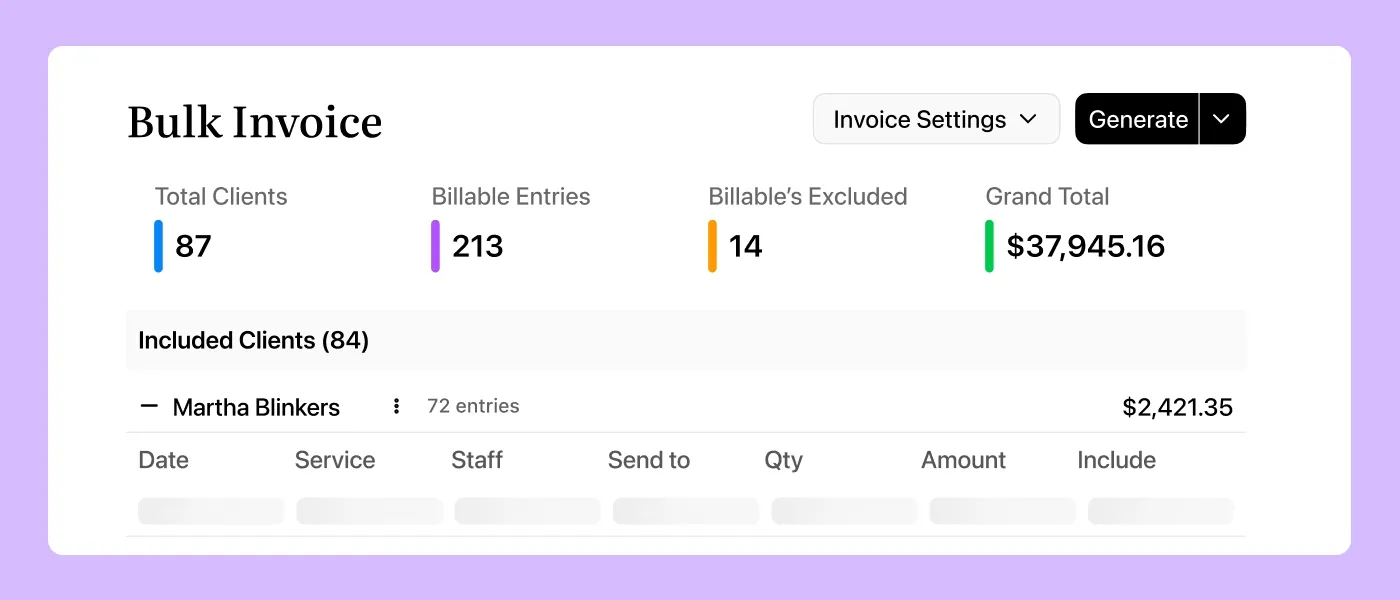
We built Imploy's bulk invoicing feature to help providers prepare invoices using eligible billable entries.
These entries can include:
- Shifts and billable tasks.
- Travel expenses.
- Reimbursements.
- Manually added entries.
Providers can use existing records to prepare invoices instead of recreating every line item manually.
An active Xero or QuickBooks connection is required to generate invoices through our bulk invoicing workflow.
Centralised Invoice Tracking
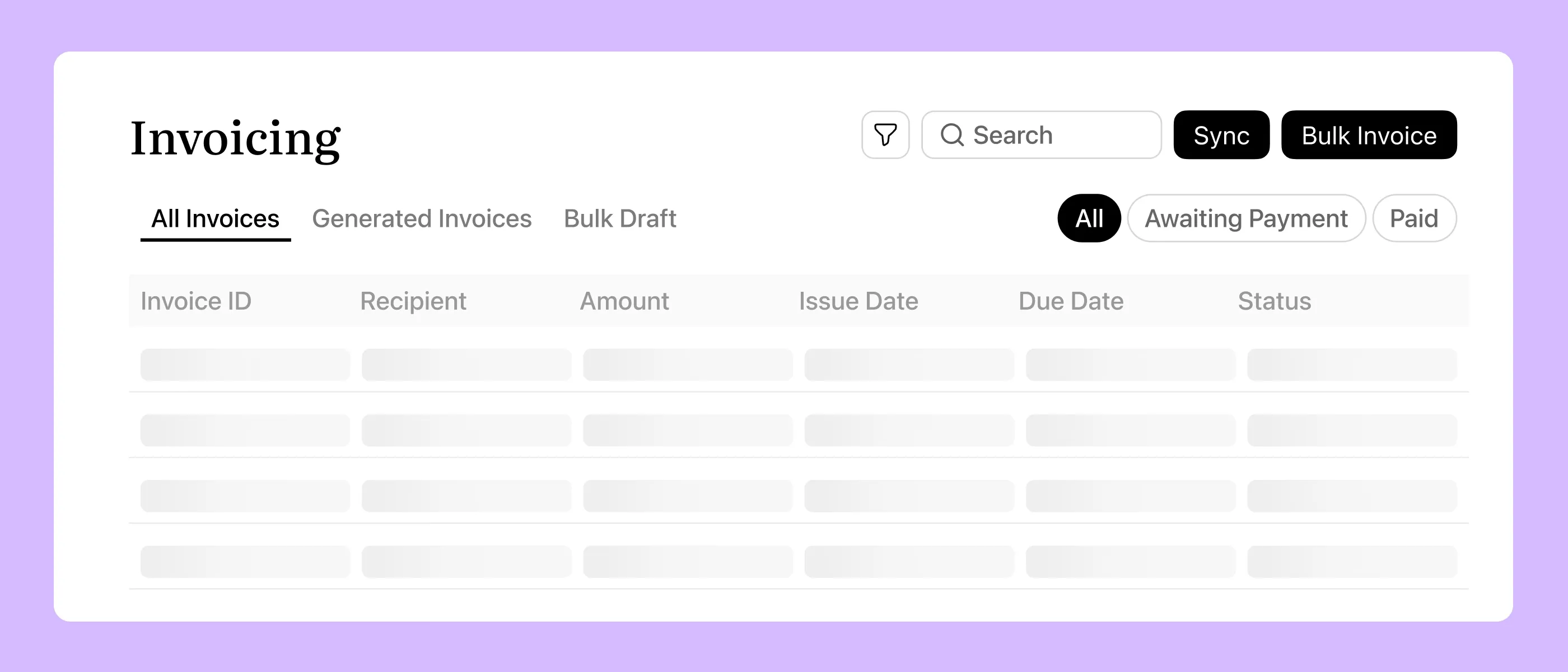
We provide an invoicing dashboard where teams can review invoice information in one place.
Users can view client details, invoice amounts, issue dates, due dates and statuses. Search and filtering tools help them locate relevant records.
This gives finance and administration teams a central place to review billing activity.
Billable Entries Linked to Invoices
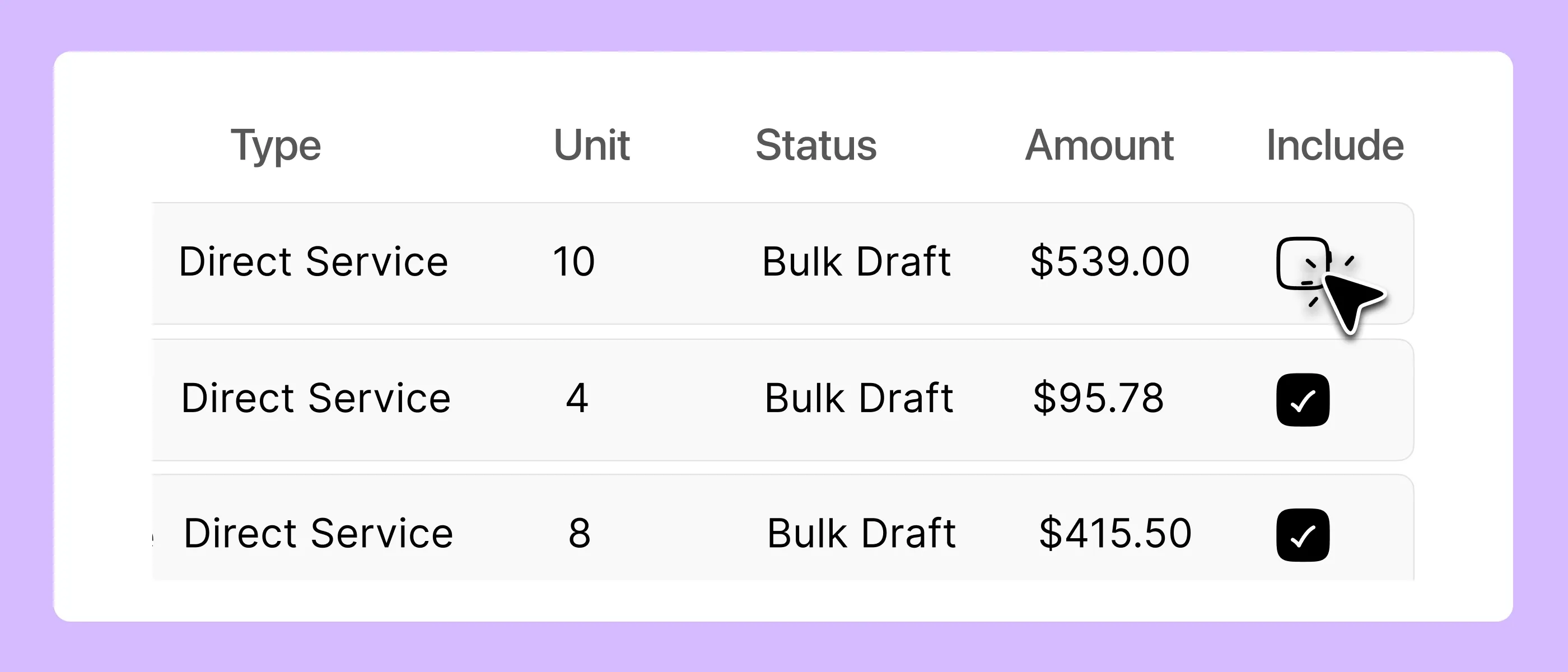
We connect invoices with their underlying billable entries.
When a billable entry is attached to a bulk invoice draft, invoice or claim, it is reserved to prevent it from being reused incorrectly in another billing workflow.
Linked entries can also reflect invoice status changes received through the accounting connection.
This helps providers keep billing records organised and reduces the risk of charging for the same service twice.
Xero and QuickBooks Connections
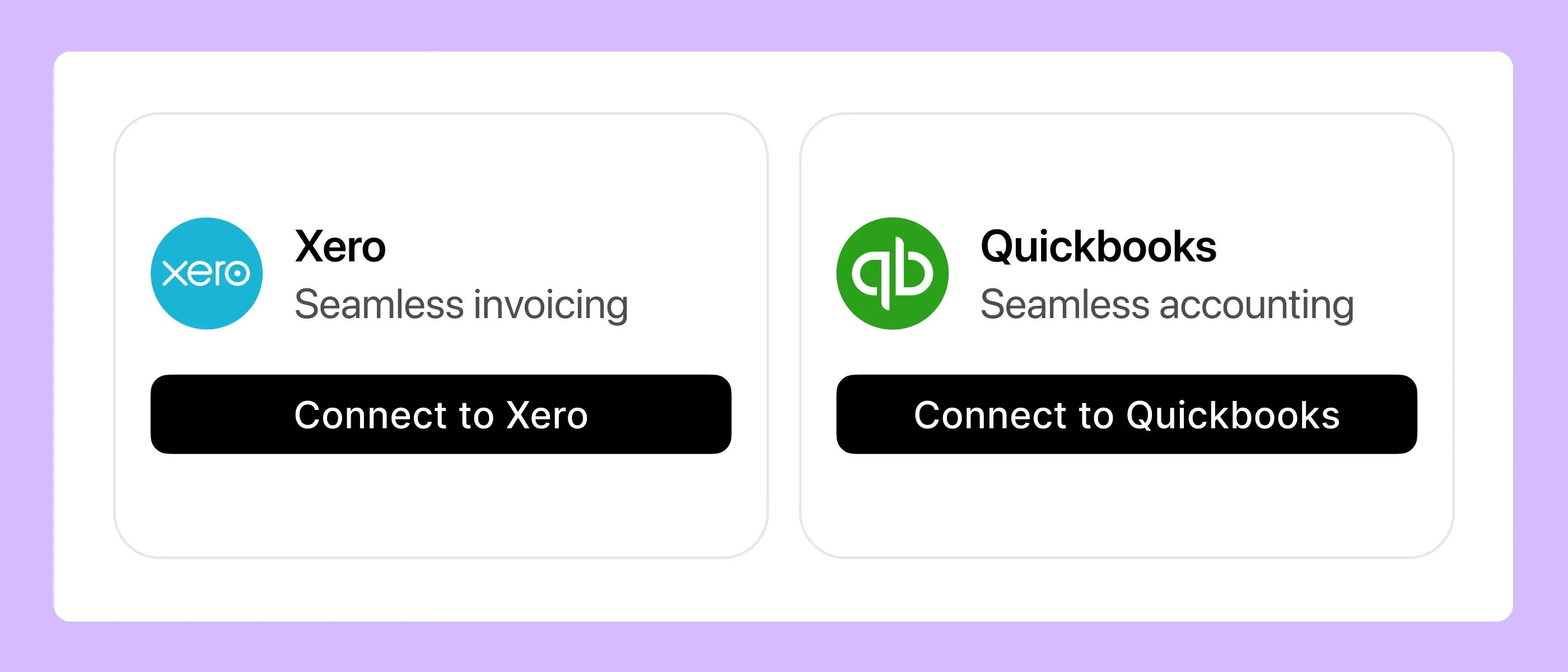
We support Xero and QuickBooks connections for Imploy's invoicing workflow.
Providers can view invoices from their connected accounting system inside Imploy. They can also open the source invoice in the accounting platform when they need to review or manage it.
Invoice and billable-entry status updates can flow through the connected workflow. This helps finance, coordination and operations teams work with consistent billing information.
These connections support invoicing workflows. Providers should continue using their accounting software for the bookkeeping, reconciliation and financial reporting their organisation requires.
Participant Budget and Funding Information
Our platform brings participant information and budget visibility into the broader care management workflow.
This helps providers review funding information alongside participant records and service delivery.
We designed Imploy to connect these administrative processes. Providers should still follow their established procedures for checking transactions and reconciling financial records.
Connected Rostering and Service Delivery
We connect rostering and service delivery with invoicing workflows.
Eligible shifts and service-related records can contribute to billable entries. Providers can then use these entries in the invoice preparation process.
This connection helps teams manage service information and billing within the same platform.
Is Imploy Suitable for Providers of All Sizes?
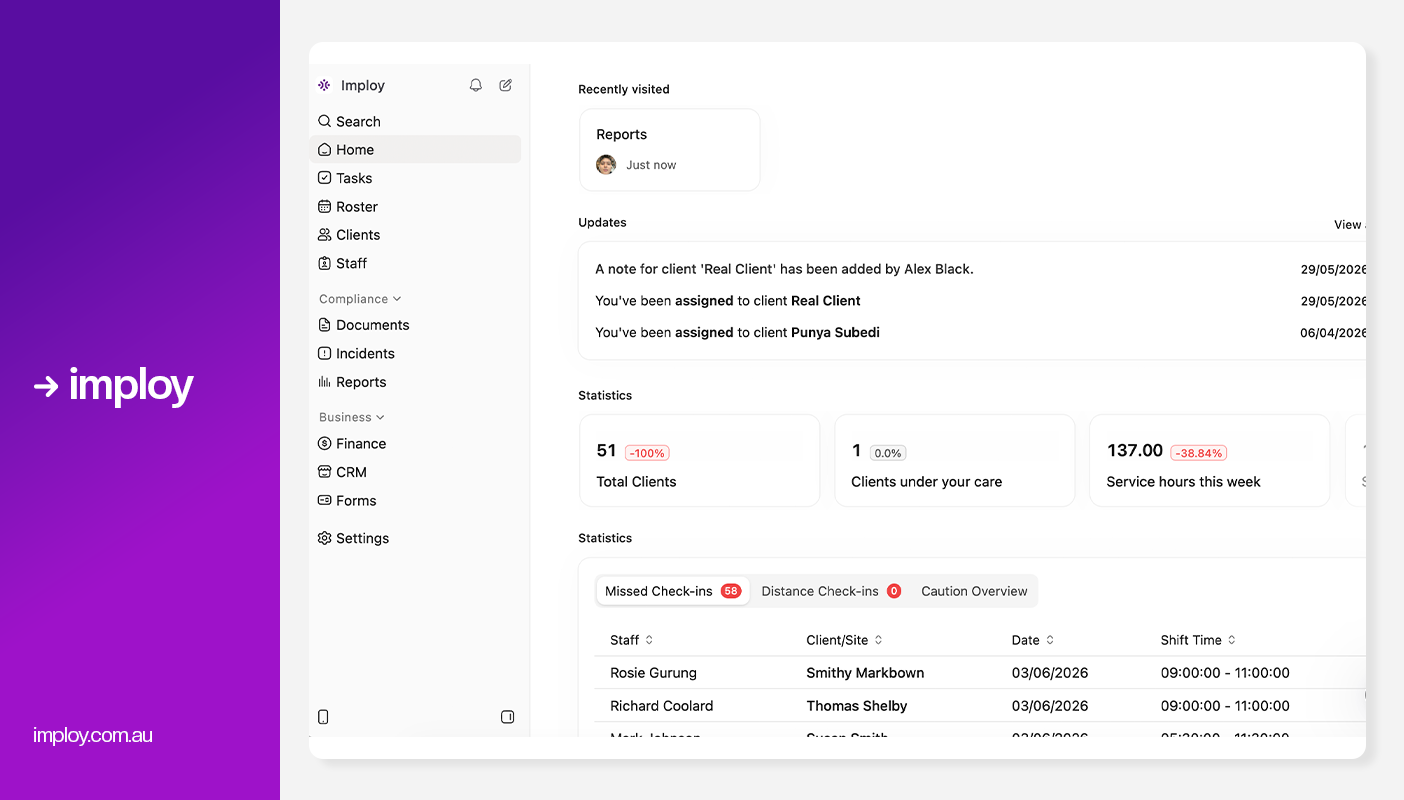
We built Imploy for Australian NDIS and aged care providers with different operational requirements. Our platform connects invoicing with participant management, rostering and other administrative workflows.
The features a provider needs will depend on its size, billing volume and existing accounting processes.
For Growing Providers
Growing providers may handle more participants, support workers and billable services.
Our bulk invoicing feature helps teams prepare multiple invoices using eligible billable entries. Centralised invoice tracking also makes billing information easier to review.
These features help providers manage increasing administrative workloads.
For Large Providers
Large providers may need consistent billing workflows across teams and service locations.
Imploy offers bulk invoicing, centralised invoice tracking and accounting connections. We also connect billing with broader service delivery and rostering workflows.
Before choosing a configuration, providers should assess their specific requirements for financial reporting, user access, approvals and multi-location operations.
Why Choose Imploy?
At Imploy, we bring invoicing and provider-management workflows together in one platform. Our features help NDIS providers organise billing information and connect financial administration with day-to-day service delivery.
Here is how our platform supports these workflows:
- Bulk invoicing: Prepare multiple invoices using eligible billable entries.
- Centralised invoice tracking: Review invoice amounts, dates and statuses through one dashboard.
- Billable entry management: Keep billable records linked to invoices and help prevent duplicate billing.
- Xero and QuickBooks connections: Access invoices from supported accounting systems through Imploy.
- Participant budget visibility: Review participant funding information alongside care management records.
- Connected service delivery: Manage rostering and service-related billing workflows within one platform.
We focus on reducing repetitive administration and helping providers keep their operational information organised.
Imploy's invoicing features complement dedicated accounting software. Providers should assess their bookkeeping, reconciliation, tax reporting and financial statement requirements before deciding which accounting system best suits their organisation.
- Starter Plan: Free for up to 5 users - includes essential features like care management, rostering, and mobile access
- Premium Plan: $20 per user/month - includes SCHADS Awards, Bulk Client Invoicing AI Scheduler, Human Resources Module, Accounts Module, Unlimited Users
- Enterprise Plan: Provided on request from the Sales Team
Why Choose Imploy for NDIS Accounting Management?
Imploy connects invoicing, participant management and service delivery workflows in one platform. Our features help NDIS providers organise billing information and reduce repetitive administrative tasks.
- Bulk invoicing: Prepare multiple invoices using eligible billable entries.
- Centralised invoice tracking: Review invoice amounts, dates and statuses in one dashboard.
- Billable entry management: Link billable records to invoices to help prevent duplicate billing.
- Xero and QuickBooks connections: Access invoices from supported accounting systems through Imploy.
- Participant budget visibility: Review funding information alongside participant records.
- Connected service delivery: Manage rostering and service-related billing workflows within one platform.
Bring your billing and service delivery workflows together with Imploy. Explore our platform or book a demo to see how our features fit your needs.
Final Thoughts
The right NDIS accounting software setup should help providers organise billing, reduce repetitive administration and maintain reliable financial records.
At Imploy, we support these workflows through bulk invoicing, billable entry management, invoice tracking and connections with Xero and QuickBooks.
We also connect invoicing with rostering and care management. This helps providers manage financial administration alongside their day-to-day operations.
Whether you run a small NDIS business or manage a larger organisation, assess your billing volume, accounting requirements and existing systems before choosing a solution.
Frequently asked questions
What is NDIS accounting software?
NDIS accounting software helps providers manage financial tasks related to delivering NDIS-funded supports. Features may include invoicing, billable entry management, expense tracking and financial reporting. Providers may also use connected platforms to manage participant budgets and service-related billing.

What is the best NDIS accounting software for NDIS providers?
The best solution depends on your organisation's size, billing volume and accounting requirements. Look for software that simplifies invoicing, organises billable records and works with your existing accounting system. Imploy connects invoicing and service delivery workflows with supported Xero and QuickBooks connections.
Does Imploy integrate with Xero and QuickBooks?
Yes. Imploy supports connections with Xero and QuickBooks for its invoicing workflow. Providers can access invoices from their connected accounting systems through Imploy and open the source invoice in the accounting platform when needed.
Can Imploy generate bulk invoices for NDIS providers?
Yes. Imploy supports bulk invoice generation using eligible billable entries. These can include shifts, tasks, travel, reimbursements and manually added entries. An active Xero or QuickBooks connection is required for this workflow.
Can Imploy help prevent duplicate billing?
Imploy links billable entries to invoices and reserves entries when they are attached to an invoice draft, invoice or claim. This helps prevent the same entry from being reused incorrectly in another billing workflow.
Can Imploy track participant budgets?
Imploy includes participant budget and funding visibility within its care management workflows. Providers can review relevant funding information alongside participant records and service delivery. They should still follow appropriate financial reconciliation processes.
Is Imploy suitable for all sized NDIS providers?
Imploy supports providers of different sizes with invoicing, participant management, rostering and related administrative workflows. The most suitable configuration depends on the provider's billing volume, team structure and operational requirements.